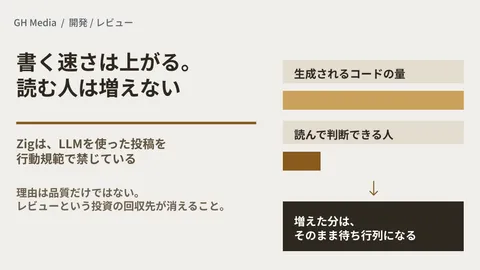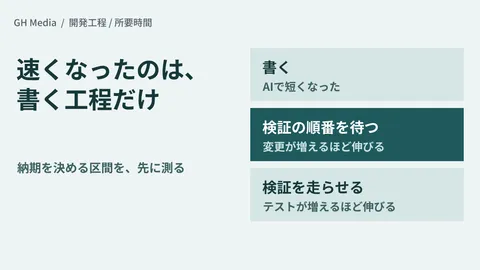
A pull request receives a comment saying "Verified locally" along with three screenshots. The reviewer faces two choices: trust those three images, or recreate the exact same environment locally to re-verify. In most cases, the former is chosen. And when a bug appears months later, there is no evidence left to reconstruct what was actually verified back then.
In custom development, this dynamic becomes even more problematic, because verification evidence serves directly as acceptance testing documentation. When reporting to a client that "behavior has been verified," relying solely on images pasted into a chat leaves you with nothing to demonstrate when questions arise later.
Artifacts can now be stored in an "openable format"
GitHub Actions provides an Artifacts mechanism to store files generated by workflows. Previously, these were always compressed into zip archives. Viewing even a single file required downloading and unzipping, which frequently turned artifacts into a storage location no one ever opened.
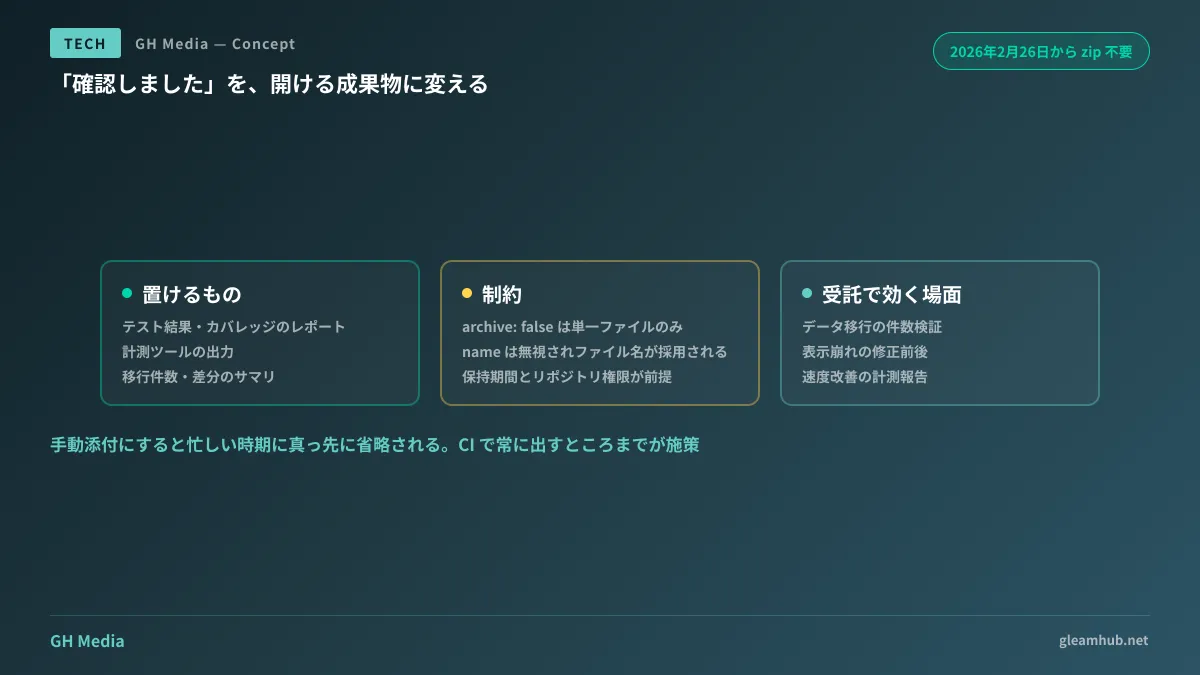
Since February 26, 2026, non-zip storage has been supported. Specifying archive: false in v7 of actions/upload-artifact preserves files in their original format, allowing them to be opened on the spot without downloading if the browser can display that format.
- name: 動作確認レポートを添付
  uses: actions/upload-artifact@v7
  with:
    path: reports/verification.html
    archive: false
Effective candidates for this storage include:
- Test results and coverage reports (those output as HTML)
- Output from benchmarking tools such as Lighthouse
- Side-by-side visual difference comparison pages
- Summaries of record counts and discrepancies produced by migration scripts
What they have in common is information that is "too long to explain in text, yet insufficient in an image." Until now, there was simply nowhere to store this tier of data.
Understanding constraints upfront
While convenient, using it incorrectly will prevent it from working as expected. There are key points to understand before adopting it.
archive: false applies only to single files. You cannot bundle multiple files together in non-zip storage. Additionally, when this option is specified, the name parameter is ignored, and the filename becomes the artifact name directly.
This constraint dictates practical implementation choices: reports that split CSS or JavaScript into external files will break when viewed as-is, because linked external files are not stored alongside them. If your report generator provides a single-file output option, use it; otherwise, output self-contained HTML with embedded styles. Many testing tools support single-file output, so this is rarely a major blocker.
Furthermore, artifacts have retention limits and cannot be accessed without repository viewing permissions. In custom development projects where clients lack read access to the repository, links cannot be handed over directly. In such cases, reports must be archived separately as deliverables, or integrated into agreements governing what documentation to retain for delivery.
The benefit for custom development: fewer back-and-forth cycles
In internal product development, this mechanism streamlines code reviews. In custom development, the benefit is even more direct.
When you merely reply "Fixed" to client feedback, the client must start by opening their own environment to verify. Attaching a verification report changes where their check begins, because they can see what was fixed and what was validated the moment they open it.
It is especially effective in three scenarios:
- Data migration validation — Record counts before and after migration, and a list of failed records. Providing a single table with numbers is far faster than verbally assuring that "there are no issues"
- Fixing visual layout bugs — Presenting a side-by-side before-and-after comparison page. Proving that "it is fixed" is accomplished visually
- Reporting performance improvements — Attaching the benchmark report directly. The source of the metrics becomes completely transparent
These are also items inevitably scrutinized during acceptance testing. Generating items verified by clients during acceptance testing automatically throughout development reduces extra workload during final sign-off.
What must never be included in reports
Once a convenient storage space exists, the next issue is oversharing. Verification reports can inadvertently expose production data.
Outputting a list of failed records during migration validation can expose customer names and email addresses. Attaching raw error logs might reveal connection strings or tokens. Because artifacts are visible to anyone with repository permissions, in setups involving contractors or short-term vendor partners alongside core developers, the actual viewing audience is wider than assumed.
Remediating this is straightforward: output only counts and categories while masking actual data. If individual values are required, list only identifiers and exclude the body. Establishing the rule that "reports are created on the premise of being shared" naturally filters out sensitive data during output design.
Automation is essential for sustainability
The failure pattern upon adoption is clear: adopting a process of "attaching reports manually when time permits." It is omitted first during crunch times—precisely when changes carry higher risk of causing issues later.
Always generate and always attach within the workflow, ensuring failures in generation are caught immediately. Unless structured this way, artifacts cannot be relied on as an audit trail.
Conversely, once automated, this approach requires zero additional ongoing effort. Since CI is already running, you only need to add one more output destination.
What to do next
Open several pull requests in your ongoing projects and count how many rely solely on the words "Verified." If it exceeds half, virtually no audit trail exists.
From there, look for reports that are already being generated by CI but ignored by everyone. Test results and code coverage in many projects are simply generated and discarded. Changing where they are stored makes them viewable.
GleamHub assists with CI setup, verification audit trail design for custom development projects, and assembling delivery documentation capable of passing acceptance testing through our development, AI, and automation advisory services. Because focal areas depend on your existing workflow architecture, please contact us for individual consultation via Contact Us.