"We're just a small business, so cyberattacks don't concern us"—do you hold this belief?
Looking at actual data, this mindset is extremely dangerous. In the first half of 2025 alone, domestic security incidents hit record highs, with unauthorized access accounting for over 60% of incident causes. To attackers, poorly defended small business websites represent highly cost-effective targets.
Suffering an attack delivers a triple blow: loss of credibility from data breaches or site defacement, missed opportunities from site downtime, and incident response costs. In this article, we explain five minimum necessary security measures that small businesses without dedicated IT staff can implement right away.
Why small business websites are targeted
There are two primary reasons small business websites become attack targets:
Defenses are frequently lax: Unlike large enterprises, small businesses rarely have dedicated security personnel. Plugin updates are often neglected for months and admin passwords left simplistic, leaving vulnerabilities ripe for attackers to exploit.
Used as stepping stones: Supply chain attacks—where attackers hijack a small business site and use it as a foothold to attack partner enterprise clients—are growing. It doesn't stop at your own company suffering damages; you also risk compromising business partners.
The Information-technology Promotion Agency (IPA) continuously updates its "Information Security Measures Guidelines for SMEs," releasing Version 4.0 in March 2026 to systematically advance actionable defenses for smaller organizations.
5 minimum security measures to implement
Measure 1: Always implement SSL (HTTPS)
The most foundational and essential step in website security is adopting HTTPS via an SSL certificate.
Implementing SSL encrypts traffic between visitor browsers and your web server. This prevents third parties from intercepting personal data submitted through forms, such as names, email addresses, and phone numbers.
Websites without SSL (remaining on http://) trigger "Not Secure" warnings across major browsers like Chrome and Safari. Beyond driving visitors away, this also negatively affects Google search rankings.
| Certificate type | Features | Ideal use cases |
|---|---|---|
| DV (Domain Validation) | Free to several thousand yen/year | Standard small business corporate websites |
| OV (Organization Validation) | Tens of thousands of yen/year | B2B partner portals |
| EV (Extended Validation) | Tens of thousands to over 100,000 yen/year | E-commerce and financial services |
For many small and medium-sized business corporate websites, free DV certificates like Let's Encrypt are sufficient. Since many hosting servers configure free SSL automatically, check the management screen of your contracted server first.
For details on SSL certificate types and selection methods, see "Types of SSL Certificates and How to Choose | Explaining the Differences Between Free and Paid".
Measure 2: Keep CMS and plugins constantly up to date
On websites that use a CMS (content management system) like WordPress, attacks targeting plugin vulnerabilities are surging. Approximately 96% of WordPress vulnerabilities are said to originate in third-party plugins; neglecting updates effectively leaves the door wide open for attacks.
Check these items immediately:
- Log in to the WordPress admin screen and open the "Updates" menu
- Apply all updates for WordPress core, themes, and plugins
- Delete unused plugins (just having them installed poses a risk)
- Consider migrating to alternatives for plugins that have not been updated for 2 years or more
We recommend performing update tasks on a regular schedule, roughly once a month. Many leave sites untouched out of fear that "an update might break things," but taking a backup (see Measure 5) beforehand allows you to work safely.
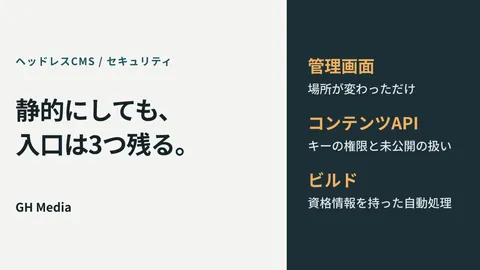
If you are concerned about WordPress security risks, a headless CMS configuration that decouples the frontend from the CMS is also a viable option. For details, refer to the "WordPress to Headless CMS Migration Guide | Accelerating Speed and Strengthening Security".
Measure 3: Strengthen admin passwords and two-factor authentication
Simple passwords like "admin / password123" are breached in an instant by brute-force attacks. Strengthening password management is the most cost-effective measure you can implement.
The three principles of passwords:
- Make them long: At least 12 characters (16 or more characters recommended)
- Make them complex: Mix uppercase letters, lowercase letters, numbers, and symbols
- Do not reuse them: Set a unique password for each service
If you cannot remember them, we strongly recommend using a password manager (such as 1Password or Bitwarden).
Even more effective is introducing two-factor authentication (2FA). Even if a password leaks, combining it with a second authentication factor—such as sending a confirmation code to a smartphone—can prevent virtually all unauthorized logins.
For WordPress, two-factor authentication can be set up relatively easily using plugins such as SiteGuard WP Plugin or Two Factor Authentication.
Measure 4: Implement a WAF to automatically block web attacks
A WAF (Web Application Firewall) is a security barrier that detects and blocks unauthorized requests to a website. It automatically prevents typical web attack patterns, such as SQL injection (unauthorized database manipulation) and XSS (cross-site scripting).
WAFs were once expensive systems geared toward large enterprises, but today cloud-based WAFs have become widespread, and an increasing number of services can be implemented starting from several thousand yen per month.
| Implementation method | Cost range | Target |
|---|---|---|
| WAF bundled with hosting server | Free to paid (depends on plan) | Shared server users |
| Cloud-based WAF service | From 3,000 yen/month | When managing your own server |
| WordPress plugin type | Free to paid (Wordfence, etc.) | WordPress users |
First, check whether a WAF is available in the management screen of your hosting server (such as Xserver or Sakura Internet). Many services provide WAF functionality as standard or as a paid option.
Measure 5: Establish a regular backup system
No matter how many precautions you take, zero risk does not exist. Establishing a framework that allows for prompt recovery in an emergency serves as the final stronghold for keeping damage to a minimum.
Basic rules for backups:
- Frequency: At least once a week (daily for frequently updated sites)
- Storage location: Separate from the server (local PC + cloud storage, etc.)
- Generation management: Retain the 3 to 5 most recent generations (to prepare for cases where the immediate prior state is corrupted)
For WordPress, using backup plugins such as UpdraftPlus allows you to configure automated backups to Google Drive or Dropbox. Combining this with your hosting server's automatic backup feature makes it even safer.
Simply "taking backups" is not enough. Perform a restoration test once or twice a year to confirm that you can actually restore your site from a backup.
Summary of the 5 measures by priority
| Priority | Measure | Cost | Difficulty |
|---|---|---|---|
| ★★★ | Implementation of SSL (HTTPS conversion) | Free and up | Low |
| ★★★ | Regular updates of CMS and plugins | Free | Low |
| ★★★ | Password strengthening + two-factor authentication | Free and up | Low to medium |
| ★★ | WAF implementation | Free to several thousand yen/month | Low to medium |
| ★★ | Automation of regular backups | Free and up | Low to medium |
We recommend checking and addressing the three "★★★" items within this week first. This alone builds a fundamental line of defense against many attacks.
Conclusion: Security measures are an ounce of prevention
When it comes to website security measures, waiting until "something happens" is already too late. If personal information leaks, monetary and time costs—such as customer apologies, notification handling, and public relations efforts to rebuild trust—will far exceed the costs of prevention.
The five measures introduced in this article can all be started without specialized knowledge. Check your current status first and address the items you haven't implemented yet, one by one.
If you don't know where to start or want your company website's security status diagnosed, please consult GleamHub. We provide support tailored to the actual circumstances of small and medium-sized businesses, from website diagnostic assessments to improvement proposals.