
Gather the information needed to answer questions
Products Available now

Let AI handle
the first response.
AI responds to inquiries using the Q&A content you register.
A service supporting both phone and chat conversations.
WHO IT IS FOR
Inquiry desks for shops, small businesses & companies
AI / Customer supportAbout the product
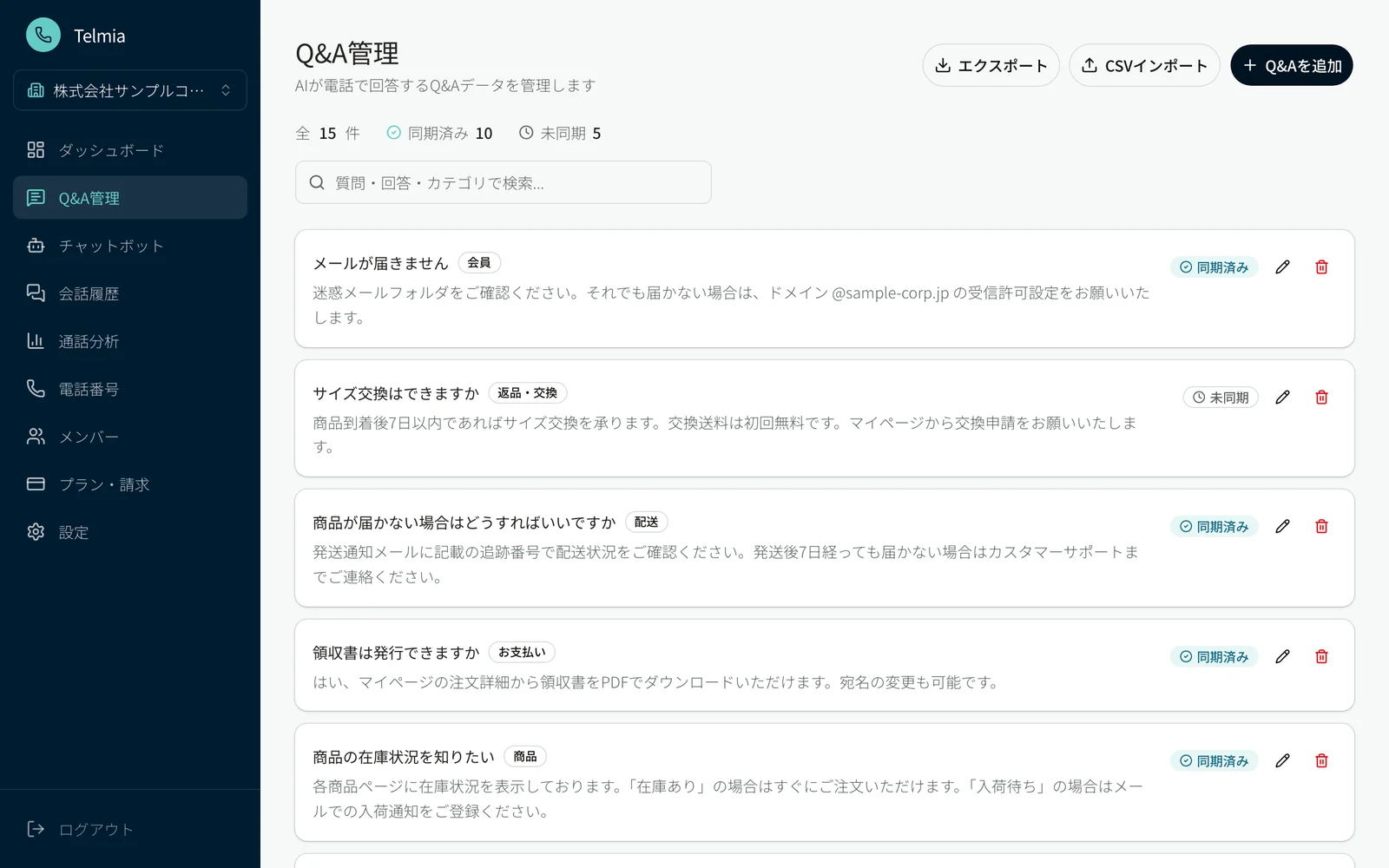
One Q&A library.
Two channels.
Bring together frequently asked questions and answers for initial phone and chat responses. At your daily inquiry desk, connect AI responses with the decisions and support handled by people.
How it works
How it works, at a glance.
Use the same Q&A content across two channels
Connect with human decisions and support
Use cases
Where it helps.
At the inquiry desk
Respond to common questions received by shops and businesses.
For managing response information
Organize the information needed for support into Q&A content and keep it updated.
For sharing work with people
Connect AI’s initial responses with the decisions and support people provide.
Before you start
3 Things to Check Before Trying Telmia
Q. What is included in the free tier?
The Free plan costs 0 JPY per month and allows you to register up to 20 Q&A pairs. Chat includes up to 500 free chat uses per month, with additional usage billed at 3 JPY (tax included) per use. If you only use the chat feature, identity verification is not required.
Q. Can I use the phone feature immediately after registering?
To use the phone feature, you must complete identity verification and obtain/configure a Japanese 050 phone number. On the Free plan, you can try the acquired number for 14 days. The trial period starts on the day you acquire the phone number, not on the day you register your account. Up to 50 minutes of calls per month are included; incoming calls will be suspended once you reach the monthly limit or after the 14-day trial period expires.
Q. Can I continue using the same phone number after the trial?
You can continue using the same phone number if your plan change to a phone-supported plan (Starter or higher) is reflected within 7 days after incoming calls are suspended due to the expiration of the 14-day trial, and before the number is released. Please note that Chat Starter does not support phone numbers or calling. Even after the phone trial period expires, you can continue using the chatbot.
Latest terms and conditions: Official Help: Pricing & Plans
Chat setup guide: From Account Creation to Checking Your First Answer
Getting started
Telmia: First 3 Steps
Add Your Business Info to Q&A
Add your store policies—such as business hours, booking methods, and contact details for specific inquiries—as question-and-answer pairs.
Test your answers internally first
In the "チャットボット" (Chatbot) section, open "まず回答を試す" (Test answers first) from the "回答を試す" (Test answers) tab to test questions based on your registered content. Synchronization is not required for internal testing. If an answer needs adjustment, edit the Q&A and retest.
Sync and review before publishing
Run "AI に同期" (Sync to AI) under the "AI 同期" (AI Sync) tab. Once completed, verify the responses in the preview under the "公開・設置" (Publish / Embed) tab before sharing public links or using embed codes. Whenever Q&As are modified, retest and sync again.
See the official Help Center for detailed steps Opens in a new tab
Related businesses
Related businesses & capabilities
Talk with us
Let’s talk about
your business.
AI, development, marketing or a new partnership.
Tell us what you’re working through and what you want to achieve.