What is Google Stitch?
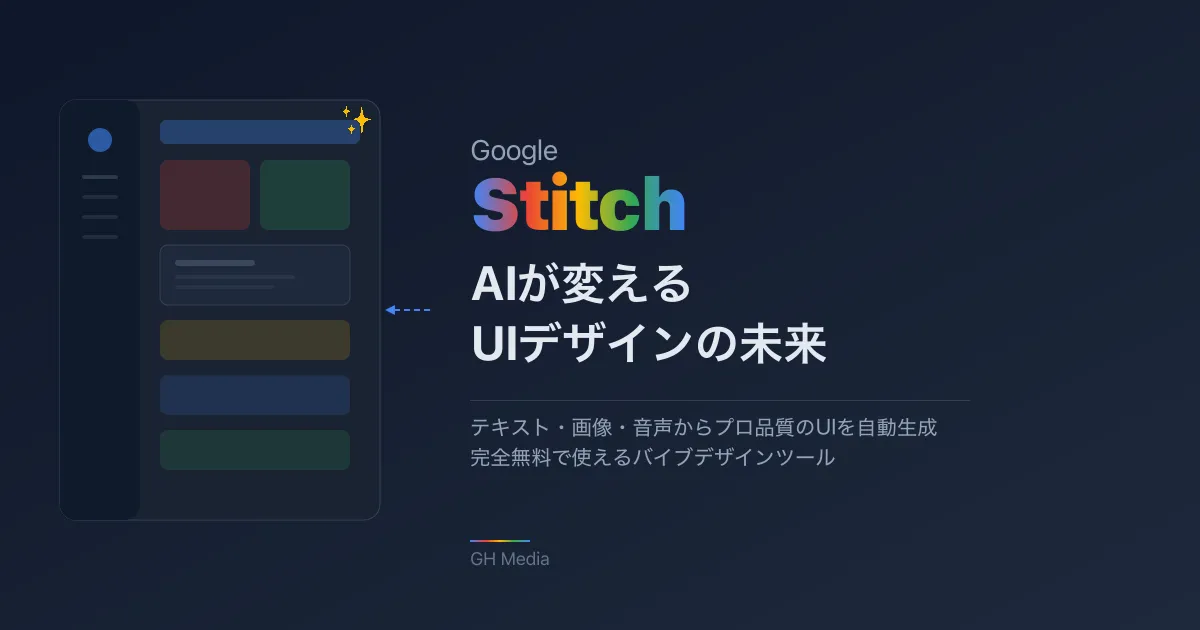
Google Stitch is an AI UI design tool provided by Google Labs. Announced at Google I/O in May 2025, it underwent a major update on March 18, 2026.
Its defining feature is that professional-quality UI designs are generated simply by giving instructions in text. Google calls this concept "Vibe Design"—the design counterpart to what is known as "vibe coding" in the programming world.
Moreover, it is completely free. Anyone with a Google account can start using it right away.
What you can do with Stitch
1. Generate UI from text
UI designs are automatically generated simply by providing instructions in natural language.
プロンプト例:
「SaaSのダッシュボード画面。
左にダークカラーのサイドバー、
メインエリアにデータチャートとKPIカード、
右上にユーザープロフィール」
From such text instructions, a polished UI complete with color schemes, layouts, and typography is output in seconds. Prompts in Japanese are also supported.
2. Generate UI from images
By uploading hand-drawn sketches, photos of whiteboards, or screenshots of existing websites, it converts them into digital UI designs.
Take a photo of a wireframe sketched on a whiteboard during a meeting, upload it to Stitch, and instantly get a refined UI design—this is the kind of workflow it enables.
3. Interactive prototype generation
Beyond standalone screen designs, you can also automatically generate prototypes that include transitions between screens. Stitch infers flows such as login screen → dashboard → detail screen, and automatically suggests logical subsequent screens.
4. Code output and Figma integration
Generated designs can be exported as HTML/CSS code. Furthermore, because it supports copying and pasting into Figma, designs can also be incorporated into existing design workflows.
5. Voice control (new feature from March 2026)
One of the headline features added in the March 2026 update is voice control integrated with Gemini Live. Simply speaking to the canvas lets you execute design instructions and modifications in real time.
Simply stating "Make this button a bit bigger and change the color to blue" reflects the change immediately—truly an experience of pair designing with AI.
6. DESIGN.md (automatic generation of design systems)
A feature has also been added to automatically export a design system as DESIGN.md from the generated design, including color palettes, typography, border radiuses, spacing, and more.
Because DESIGN.md is a structured document, you can pass it directly to development tools such as Claude Code and Cursor to generate code consistent with the design.
Summary of the March 2026 major update
In the update announced on March 18, Stitch's interface was fundamentally overhauled.
| New feature | Details |
|---|---|
| AI-native infinite canvas | Freely arrange images, text, and code to supply as context to the AI |
| Voice control | Enables hands-free design instructions via Gemini Live integration |
| DESIGN.md | Automatically exports design systems as documentation |
| Development tool integrations | Added integrations with Claude Code and Cursor, alongside Google AI Studio and Antigravity |
| Design Agent | An AI agent that autonomously makes layout decisions, selects components, and performs iterative improvements |
The evolution into an "infinite canvas" is especially significant; shifting from a conventional chat interface to a node-based canvas enables a far more intuitive design workflow.
How to use it (3 steps)
Step 1: Access
Visit stitch.withgoogle.com and sign in with your Google account.
Step 2: Enter a prompt
Describe the UI you want to create in text, or upload reference images. The trick is to start with simple instructions and adjust with follow-up prompts while reviewing generated outputs.
Step 3: Utilize the output
Generated designs can be utilized in the following ways:
- Download as HTML/CSS code
- Copy and paste into Figma
- Share with development teams as DESIGN.md
- Convert into apps using Google AI Studio / Antigravity
Generation limits
| Mode | Model used | Monthly generations |
|---|---|---|
| Standard | Gemini 2.5 Flash | 350 times/month |
| Experimental | Gemini 2.5 Pro | 200 times/month |
Standard mode prioritizes speed, while Experimental mode prioritizes quality. Generating UI from images is available exclusively in Experimental mode.
Differences from other AI design and development tools
While AI-driven design and development tools are proliferating, Stitch holds a distinct positioning.
| Tool | Core strengths | Weaknesses | Pricing |
|---|---|---|---|
| Google Stitch | 0-to-1 UI exploration and design quality | Code output limited to HTML/CSS | Free |
| Figma AI (Make) | Refinement within existing Figma workflows | 0-to-1 ideation is inferior to Stitch | Paid |
| v0(Vercel) | Production-ready React/Next.js code | Geared toward code generation rather than design exploration | Freemium |
| bolt.new | All-in-one frontend, backend, and deployment | Design quality is inferior to Stitch | Freemium |
| Lovable | Supports complete application deployment | Design flexibility is limited | Freemium |
Key point: Stitch specializes in "design exploration"
Stitch demonstrates its greatest strength in the initial phase of shaping ideas (from 0 to 1). Its most effective application is quickly visualizing concepts such as "I want a screen like this" to create discussion drafts for team collaboration.
On the other hand, when translating generated designs into production-ready code, pairing it with specialized code-generation tools like v0 or bolt.new is the practical approach.
Recommended workflow:
Stitch でデザイン探索
  ↓
DESIGN.md / Figma にエクスポート
  ↓
v0 や Claude Code でコード化
  ↓
プロダクションにデプロイ
Use cases where Stitch excels
Engineers building prototypes without waiting for designers
"Implementation cannot proceed until designer resources become available" is a common challenge faced by many development teams. Using Stitch, engineers themselves can quickly assemble professional-grade UI prototypes to serve as the foundation for discussions with designers.
Accelerating proposals to clients
Web production companies and freelancers can present multiple design drafts immediately after an initial meeting with a client, enabling rapid, agile proposals.
Non-designers visualizing ideas
When product managers or sales representatives attempt to explain "a screen that looks like this" purely in words, it often fails to get across. Inputting prompts into Stitch and presenting the generated screens dramatically reduces misalignments.
Limitations you should know
While Stitch is a powerful tool, it is not all-powerful. Make use of it while understanding its current limitations.
Code output is limited to HTML/CSS: Outputting code tailored to frameworks like React, Vue, or SwiftUI is not supported. Conversion with separate tools is required for production.
Accessibility is not automatically guaranteed: Outputs may not meet accessibility standards, presenting issues such as insufficient color contrast or improper touch target sizing. Manual checks are always required prior to publishing.
Designs tend to look similar: Providing similar prompts tends to generate similar layouts. When seeking unique designs, actively leverage reference images or make manual adjustments after generation.
Weak with complex screen flows: While high quality on an individual screen basis, designing multi-step flows spanning 10 or more screens is a weak point.
Figma export unavailable in Experimental mode: Designs generated in the high-quality Experimental mode cannot be exported directly to Figma (supported only in Standard mode).
Conclusion: How to approach AI design tools
Google Stitch is a tool that dramatically advances the democratization of design. The ability to generate professional-quality UI completely free of charge will undoubtedly transform web production and application development workflows.
However, Stitch excels primarily in the "0-to-1 design exploration" phase. To ensure production-level quality, human-driven steps—such as designer reviews, accessibility inspections, and coordination with code-generation tools—remain essential.
AI does not steal designers' jobs; it shifts the designer's role toward guaranteeing final quality. Stitch can be seen as a tool accelerating that transition.
To start, visit stitch.withgoogle.com and try generating a dashboard screen for your own service. You should be able to experience the possibilities of AI design firsthand.
If you are interested in AI-driven content generation as a whole, please also check out the major evolution of NotebookLM.