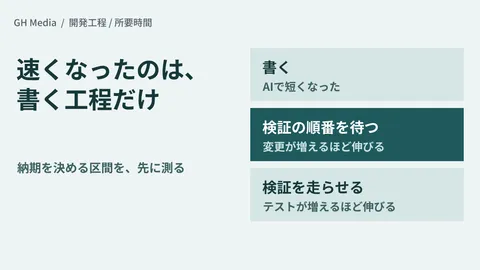
"It takes far too long from git push to production deployment," "CI Docker builds force us to wait several minutes every time," "Usage charges for CI mount up in direct proportion to build counts"—when handling custom development and maintenance for systems, we hear these frustrations regularly. The catalyst for this article, 3 Improvements That Accelerated Docker Builds from 106s to 44s and 32s to 3s (Zenn) (2026-06-08), was a real-world case study where a multi-container project cut build times by more than half, and in some cases to a tenth, solely through unglamorous tweaks: reordering instructions, leveraging caches, and excluding unneeded files. Without adding special external tools, simply fixing how Dockerfiles and CI workflows were written made a massive difference.
In client development, this is not about bragging rights over whether a build is fast or slow. Build duration directly translates to deployment lead time, CI usage billing, and developer idle time. When a 100-second build runs dozens of times a day, the accumulated delay erodes developer experience and inflates operational budgets. When delivering systems for clients, the core question is: "Can we optimize the Dockerfile and configure CI caching so that builds are fast, maintainable, and dependable when handed off?" Connecting with the strategies for slashing runtime costs discussed in Optimizing Cloud Costs by Reducing Backend Memory Usage (GH Media), this article structures "CI build acceleration support" as a client service package.
Why builds slow down — How layer caching works
A Docker image is built from a stack of layers corresponding to individual instructions (FROM, COPY, RUN, ...). During a build, Docker caches the result of each instruction, and if the inputs match the previous run, it reuses the cache without re-executing. Conversely, once a cache miss occurs at a given instruction, every subsequent instruction must be re-executed from scratch. This cascade is the true culprit behind slow builds.
| Dimension | Slow builds (common state) | Fast builds (after optimization) |
|---|---|---|
| Instruction order | Volatile source copying comes first | Infrequently changed dependency installs come first |
| Cache scope | Layer cache only | + Cache mounts preserving downloaded caches |
| Build context | Sends entire directory including unneeded files | Minimized using .dockerignore |
| Image structure | Build tools bundled into production image | Multi-stage builds packaging only final artifacts |
| CI reuse | Rebuilt from scratch on every run | Shared via registry or GHA cache |
In other words, architectural flaws such as "bundling dependency installs and source copying into the same layer," "transferring extraneous files into the build context," or "lacking operational caching in CI" cause heavy rebuilds even when editing a single line of code. Acceleration is simply the process of breaking this chain of re-execution and locking unchanging stages into cache.
Specific acceleration techniques
1. Instruction reordering and cache layer separation
The most impactful change is separating "dependency installation" and "source code copying" into distinct layers, placing the infrequently changed dependencies first. By copying only package.json first, installing dependencies, and only then copying the remainder of the source tree, the dependency installation layer stays cached even when you modify application code.
# 改善前: ソースを全部コピーしてから install
# → ソースを1行直すたびに npm install が再実行される
COPY . .
RUN npm ci

# 改善後: 依存定義だけ先にコピーして install
# → ソース変更では install 層のキャッシュが効く
COPY package.json package-lock.json ./
RUN npm ci
COPY . .
This simple reordering allows routine "edit-and-rebuild" cycles to skip dependency installations altogether. The optimization highlighted in the Zenn article fundamentally hinged on this design of cache-effective layers.
2. Preserving download caches via BuildKit cache mounts
Even if a layer cache is invalidated, you often want to preserve package manager download caches (such as npm, pip, apt, or Go modules)—and BuildKit's cache mount (--mount=type=cache) accomplishes exactly that. It provides a dedicated cache area that exists solely during the build; its key virtue is that it is not included in the final image, yet remains available for the next build.
# syntax=docker/dockerfile:1
FROM node:22-slim
WORKDIR /app
COPY package.json package-lock.json ./
# npm のキャッシュディレクトリを cache mount で保持
RUN --mount=type=cache,target=/root/.npm \
    npm ci
COPY . .
RUN npm run build
Layer caching (storing instruction outputs) and cache mounts (persisting download directories) are separate mechanisms, and combining both compounds their benefits. Even if the layer cache is invalidated in step 1, a cache mount prevents packages from having to be downloaded over the network again.
3. Multi-stage builds and COPY --link
Multi-stage builds separate the "build stage" from the "runtime stage," ensuring only final compilation artifacts are copied into the production image. By excluding compilers, build tools, and raw source files from production, the final image becomes significantly smaller, transfers and boots faster, and minimizes its attack surface. Furthermore, using COPY --link makes downstream caches less vulnerable to changes in source layers, increasing cache hit ratios.
# syntax=docker/dockerfile:1
# --- build stage ---
FROM node:22 AS build
WORKDIR /app
COPY package.json package-lock.json ./
RUN --mount=type=cache,target=/root/.npm npm ci
COPY . .
RUN npm run build

# --- runtime stage ---
FROM node:22-slim AS runtime
WORKDIR /app
ENV NODE_ENV=production
# 成果物だけを --link で持ち込む
COPY --link --from=build /app/dist ./dist
COPY --link --from=build /app/node_modules ./node_modules
CMD ["node", "dist/server.js"]
Simply decoupling "what is needed to build" from "what is needed to run" delivers both compact image sizes and build stability. For broader efficiencies in container lifecycle operations, please also read Container Operations with the Docker Gordon AI Agent (GH Media).
4. Strict .dockerignore enforcement
When starting a build, Docker transfers the entire build context (the current working directory) to the daemon. If unneeded files like .git, node_modules, logs, or build artifacts are transmitted, time is wasted just uploading data, and unrelated file edits invalidate caches unnecessarily. Filtering build context via .dockerignore is a high-yield step that is frequently overlooked.
# .dockerignore の例
.git
node_modules
dist
*.log
.env
.env.*
Dockerfile
.dockerignore
Excluding .env patterns is particularly vital for preventing accidental leakage of sensitive credentials, as discussed below.
5. Sharing build caches across CI
A cache that works locally but fails in CI due to a clean environment on every run is the classic reason why builds are "slow only in CI." By exporting the BuildKit cache to a registry or using the GitHub Actions cache backend (type=gha), you can share build caches across jobs.
# GitHub Actions: BuildKit キャッシュを GHA に共有する例
- name: Set up Buildx
  uses: docker/setup-buildx-action@v3

- name: Build and push
  uses: docker/build-push-action@v6
  with:
    context: .
    push: true
    tags: registry.example.com/app:latest
    cache-from: type=gha
    cache-to: type=gha,mode=max
Setting mode=max ensures that intermediate stage caches are preserved, raising hit rates even across multi-stage pipelines. Keep in mind that cache mount contents are not automatically preserved in GHA caches without dedicated workarounds. For baseline considerations on infrastructure selection, refer to Infrastructure Selection: Cloudflare vs. AWS (GH Media).
The 5 phases of "CI build acceleration support" offered in client development
Phase 1: Measurement and diagnosis (1 week)
- Auditing current Dockerfiles and CI configurations
- Measuring build duration, cache hit rates, and image sizes
- Identifying exactly which instructions invalidate the cache
- Deliverable: Build bottleneck diagnosis report + improvement priority matrix
Phase 2: Design (1 week)
- Formulating policies for layer separation, cache mounts, and multi-stage builds
- Selecting CI cache sharing strategies (registry vs. GHA)
- Setting target metrics for post-optimization build times and image sizes
- Deliverable: Optimization design specification + before/after projection
Phase 3: Implementation (1–3 weeks)
- Refactoring Dockerfiles (instruction order, cache mounts,
COPY --link) - Configuring
.dockerignoreand minimizing the build context - Integrating cache-sharing configurations into CI workflows
- Deliverable: Optimized Dockerfile/CI configs + implementation standard documentation
Phase 4: Verification and handover (1 week)
- Comparative measurement of build times, costs, and image sizes before and after
- Validating cache invalidation scenarios to ensure predictable reproducibility
- Deliverable: Impact evaluation report + operational runbook
Phase 5: Continuous maintenance (ongoing)
- Monitoring cache degradation when adding dependencies or updating base images
- Tracking CI cache hit ratios at regular intervals
- Assisting with build architecture when onboarding new services
Implementation standards set for custom development
| Application | Recommendation | Avoid |
|---|---|---|
| Dependencies and source code | Separate layers, placing dependencies first | Installing after COPY . . |
| Download cache | --mount=type=cache | Re-downloading everything every time |
| Image structure | Multi-stage + slim/distroless | Bloated images bundling build toolchains |
| Copying | Stabilized via COPY --link | Bulk-copying giant directories |
| Build context | Minimized using .dockerignore | Sending entire repository |
| CI caching | registry / type=gha,mode=max | No cache configured, rebuilding from zero every run |
Which projects need this and which do not
| Projects requiring this | Low-priority projects |
|---|---|
| CI builds take several minutes, blocking deployments | Small scale where builds complete in seconds |
| High deployment frequency where waiting times accumulate | Deployments occur only a few times a month |
| CI pay-as-you-go bills are inflating | Adequately covered by free tiers |
| Images are massive, causing slow transfers and boot times | Images are already lightweight |
| Building multiple services concurrently | Single, simple architecture |
Six clauses to include in custom development contracts
| Clause | Details | What the client should verify |
|---|---|---|
| Target scope | Services and Dockerfiles targeted for optimization | Target scope boundaries |
| Target metrics | Build time and image size targets | Measurement definitions |
| CI prerequisites | Target CI platforms, permissions, and caching environments | Deployment target consistency |
| Secrets | Handling of credentials during builds | Criteria for preventing credential leaks |
| Handover | Dockerfiles, CI configurations, and runbooks | Maintenance framework |
| Ongoing maintenance | Monitoring cache degradation | Operating costs |
Client-side estimated ROI (assuming a team with frequent CI builds)
| Item | Before optimization | After optimization | Difference |
|---|---|---|---|
| Build time | Around 100 seconds | A few seconds to tens of seconds | Shortened lead times |
| CI usage-based billing | Proportional to build duration | Substantially compressed | Reduced monthly costs |
| Deployment frequency | Constrained by wait times | Frictionless, frequent releases | Higher release cadence |
| Developer wait time | Occurs each time | Virtually eliminated | Improved developer experience |
| Annual benefit | — | — | Cost reduction + faster development velocity |
Even an initial assessment (starting from 200,000 yen) provides immediate value simply by quantifying where caches break and exactly how many seconds can be eliminated. Because build overhead accrues every day, a single optimization delivers enduring returns.
Five common pitfalls to avoid
Pitfall 1: Invalidating caches through careless instruction placement
Placing COPY . . ahead of dependency installation triggers a full rebuild every time source code is touched. Always order infrequently changing layers first, and volatile layers last.
Pitfall 2: Leaking secrets during the build
Hardcoding API keys or .env into images using ARG or COPY causes them to persist in layer history and leak. Exclude them with .dockerignore, and inject necessary credentials via --mount=type=secret.
Pitfall 3: Discrepancies between CI and local cache states
When builds are fast locally but build from scratch in CI, configure CI cache sharing and benchmark directly on CI to close the gap.
Pitfall 4: Leaving image sizes bloated
Leaving build tools and superfluous packages inside production containers slows image transfer and startup while widening attack surfaces. Use multi-stage builds to package only final artifacts.
Pitfall 5: Obscuring readability through over-optimization
Overcrowding a Dockerfile with complex cache mounts and conditionals results in unmaintainable code nobody dares touch. Prioritize high-impact changes first and keep optimizations within a maintainable scope.
90-day action plan
| Week | Action |
|---|---|
| Week 1 | Measuring build duration, cache hit rates, and image sizes |
| Week 2 | Root cause analysis + setting optimization policy and targets |
| Week 3〜5 | Dockerfile refactoring + .dockerignore configuration + CI cache setup |
| Week 6 | Comparative before/after benchmarking + runbook documentation |
| Week 7〜13 | Cache hit rate monitoring + rollout to additional services |
Summary — Moving from "getting builds to pass somehow" to "delivering fast, maintainable builds"
Accelerating Docker builds does not demand esoteric tooling; it is achieved through methodical compounding of instruction reordering, cache mounts, multi-stage builds, .dockerignore, and shared CI caching. Turning 106 seconds into 44 seconds, or 32 seconds into 3 seconds, is not magic—it is the direct consequence of re-architecting for cache efficiency. When delivering solutions in custom development, our "CI build acceleration support"—optimizing Dockerfiles and CI workflows, validating results with numbers, and handing off maintainable runbooks—serves as a primary service to slash deployment lead times and cloud CI bills simultaneously. To extend these optimizations to production performance guarantees, also read Performance Assurance with k6 Load Testing (GH Media).
If you are experiencing issues where "slow CI builds stall deployments," "you want to reduce usage-based build costs," or "you need Dockerfiles refactored into a clean, maintainable structure," feel free to contact us via our contact form.
Sources
- 3 Improvements That Accelerated Docker Builds from 106s to 44s and 32s to 3s (Zenn 2026-06-08)
- Optimize cache usage in builds(Docker Docs)
- Cache management with GitHub Actions(Docker Docs)
- Advanced Dockerfiles: BuildKit and Multi-stage Builds (Docker Blog)
- Container Operations with the Docker Gordon AI Agent (GH Media)
- Performance Assurance with k6 Load Testing (GH Media)
- Optimizing Cloud Costs by Reducing Backend Memory Usage (GH Media)
- Infrastructure Selection: Cloudflare vs. AWS (GH Media)