
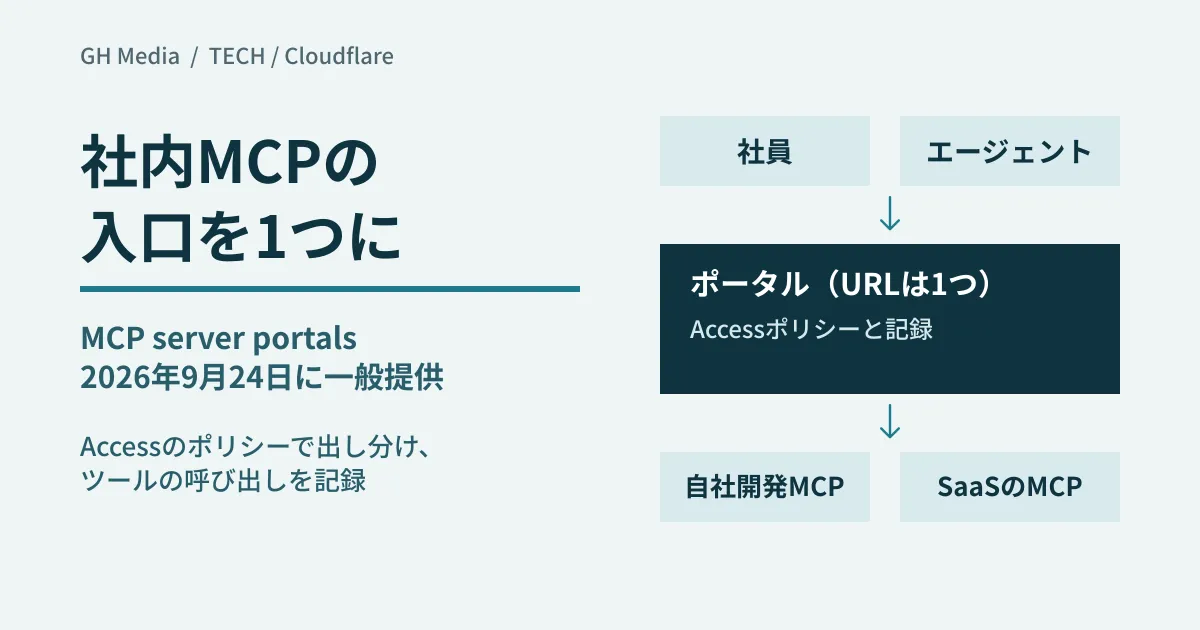
Once a company builds its own MCP server for searching the internal wiki and starts connecting MCP servers published by ticketing and accounting SaaS providers, the IT team no longer has a list of "which employee is connecting to which server from which AI client." Connection URLs and authentication settings have to be distributed per employee and per client, and cutting off access for people who leave or change roles means checking each server one by one. And when something goes wrong and you try to trace "who called which tool," the logs sit in a different place for every server.
Cloudflare's MCP server portals gather this sprawl into a single entry point. They became generally available (GA) on September 24, 2026. Using the official documentation, we sort out what portals consolidate and what they cannot, and, as an editorial proposal, lay out what to decide before connecting internal AI agents and clients such as Claude to business systems.
With individual connections, the unit of management becomes "servers × users"
This section is our editorial analysis. When users register MCP servers individually, the number of combinations to manage equals "number of servers × number of users."
- Distributing connection details. Each server's URL, API keys and OAuth settings are handed out to each user
- Changing permissions. Every time someone changes roles or leaves, they must be removed on each server
- Scope of available tools. Even on servers that include operations such as deleting or sending, every tool the server exposes is visible to users as is
- Logging. Call records are in each server's own format and cannot be traced across servers
We covered the design of building your own MCP servers in a practical guide to building in-house MCP servers. This article is about the other side: distributing the servers you have built or subscribed to across the company.
What do MCP server portals consolidate?
According to the official documentation, an MCP server portal aggregates multiple MCP servers into a single HTTP endpoint. Users register one URL, https://<サブドメイン>.<ドメイン>/mcp, in their client and sign in to the company's identity provider through Cloudflare Access. Servers that require OAuth are authorized individually within the portal.
Administrators can control the following.
- Who can enter the portal. Attach Access policies to the Access application created automatically for each portal
- Who can see each server. Attach Access policies to servers as well, so that a server appears in the portal only for users who match its Allow policy
- Which tools and prompts are shown. You can turn off tools individually, or use the API to make them "hidden by default, exposing only what is allowed." You can also rewrite names and descriptions (aliases)
- Logging. Logs can be viewed per portal and per server. The GA announcement states that Access records tool, prompt and resource operations
As prerequisites, the domain used for the portal URL must be active on Cloudflare (full setup or CNAME setup), and an identity provider must already be configured in Zero Trust. You can connect MCP servers that run over remote HTTP (Streamable HTTP or SSE); servers that run only over stdio cannot be added as is.
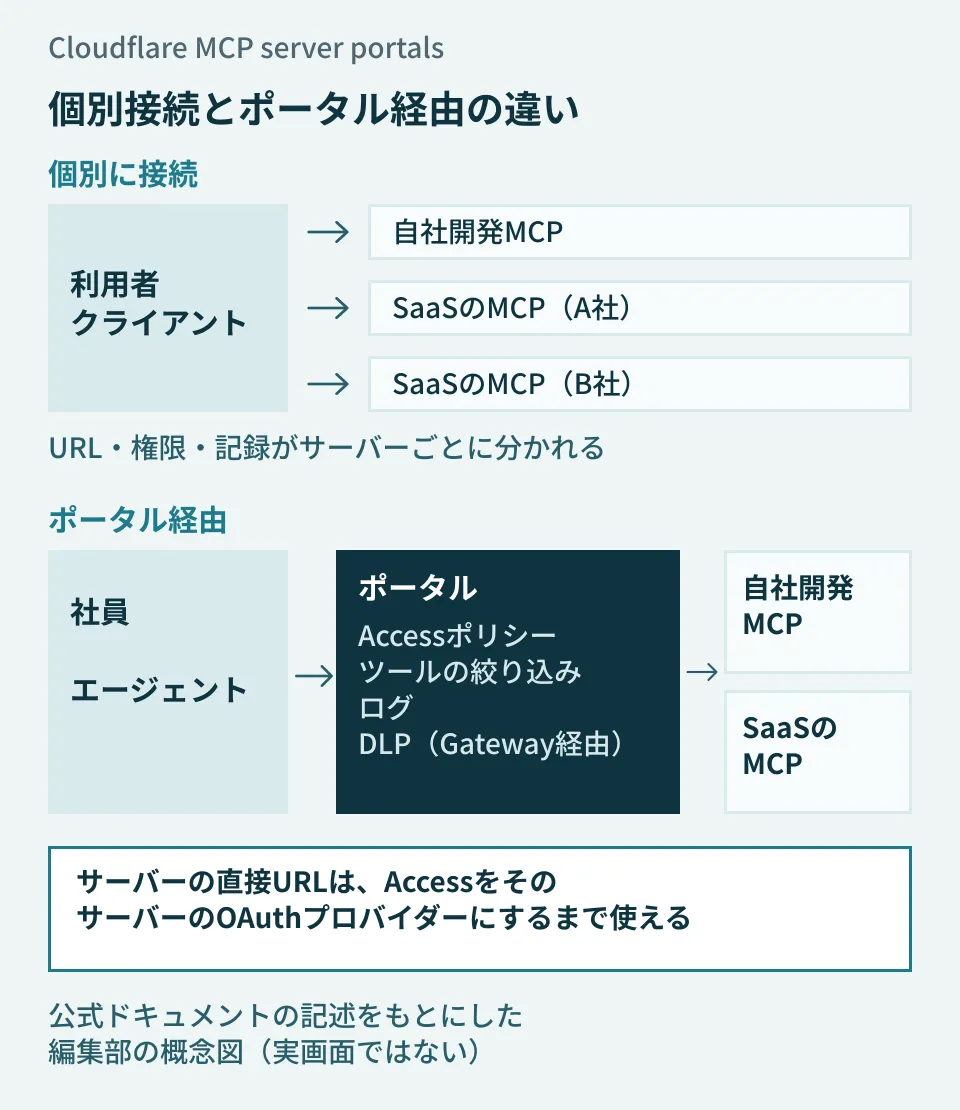
The diagram is an editorial concept based on the official documentation, not the actual dashboard. Policies and logging move from "in front of each server" to "a single entry point." However, the path that connects directly to a server's URL remains unless the server side is configured (see below).
The table of Access account limits lists 20 MCP portals per account, 80 MCP servers per portal, 5 custom domains per portal, and a 24-hour idle timeout for portal sessions (Enterprise customers can reportedly ask for increases). The GA announcement says the feature is available to "all Cloudflare customers," but the MCP portal documentation does not state pricing or which Zero Trust plans include which features, so check Cloudflare's official pricing page.
Six features added between open beta and GA
Between the start of the open beta on August 26, 2025 and the GA announcement, the following features were added.
| Features | Permissions | Conditions to keep in mind |
|---|---|---|
| Routing through Gateway | Records tool calls in Gateway HTTP logs and uses DLP to block sensitive information from being sent or received | Supports Streamable HTTP only. DLP policies apply to the destination server's hostname, not the portal URL |
| Code Mode policy | For each portal, choose Off / Opt-in / On by default / Enforced for the behavior that condenses tool definitions into two tools, one for search and one for execution | Default is Opt-in. Not supported for destination servers that enable Code Mode themselves |
| Static OAuth client credentials | Connects to providers that do not support Dynamic Client Registration (DCR) using a pre-registered client ID and secret | Per-user authentication is required. Stays "Waiting" until the first user authorizes |
| Session management | Enable or disable servers, re-authenticate, and authorize newly added servers from within the client | Signing out of the portal revokes OAuth authorizations for both the portal and its destination servers at once |
| Service token authentication | Connects autonomous agents, where no person signs in through a browser, using a token in a header | Service Auth policies are required on both the portal and each server. Requests reach destinations with the administrator's credentials |
| Logpush | Sends portal logs to external storage or a SIEM | Enterprise plan only |
DLP via Gateway applies in both directions, to content sent to tools and to responses from destination servers, and returns an error to the client on a match. The documentation cautions that traffic matching a "Do Not Inspect" HTTP policy is not inspected, and that the DLP "AI prompt" profile does not apply to MCP traffic.
Logpush records include the JSON-RPC method (such as tools/call, prompts/get and resources/read), the tool name, the user's email address, success or failure, and response time.
On September 22, 2026, Cloudflare also announced the ability to connect MCP servers that exist only on internal networks to a portal via Cloudflare Tunnel and similar means. Routing through Gateway is required, and the OAuth authorization and token endpoints must be reachable from the internet.
What changes compared with connecting individually
Here are the differences made by placing a portal in between, to the extent we could confirm them in the official documentation.
| Dimension | Users connect individually | Via portal |
|---|---|---|
| URLs registered in the client | One per server | One portal URL |
| Who can use it | Depends on each server's authentication settings | Access policies on the portal and servers (selectors such as email, group, country and device posture) |
| Visible tools | Everything the server exposes | Can be filtered and renamed per portal |
| Logging | Each server's own format | Logs per portal and server. Enterprise can export externally via Logpush |
| Inspection of outgoing content | Requires a separate mechanism | Inspected and blocked with DLP when routed via Gateway |
| Direct connection to the server URL | Possible as is | Remains possible unless Access is made the server's own OAuth provider |
The last row is the easiest point to overlook in the comparison. The documentation cautions that users who do not match a server's Allow policy can still bypass Access policies and connect by using the server's direct URL. To reliably keep in-house servers behind Access, make Access the server's OAuth provider by following the steps on the separate "Secure MCP servers" page.
Another option is an AI gateway that routes traffic to both models and MCP tools through one place, which we covered in Should you put a gateway in front of your internal AI?. MCP server portals focus specifically on the entry point to MCP servers.
Limitations to check before adopting
The official documentation's "Known limitations" and "Policy limitations" sections, among others, state the following.
- Some Access policies do not apply to servers authorized through the portal. Independent MFA, purpose justification and temporary authentication (approval by an approver) are not required. Selectors such as email, group, country and device posture do apply
- Administrator OAuth tokens expire without notice. Servers with expired tokens go into "Error" or "Sync Required" and disappear from users' portals
- Service tokens cannot use per-user OAuth. Servers they connect to must have "Require user auth" turned off, and requests reach destinations with the administrator's credentials
- Some servers reject connections through a proxy. Servers that return
403during registration cannot be used - Device authentication (handoff from the Cloudflare One Client) is not supported. The first time, users must complete the Access login in a browser
As for clients, the documentation says the portal's top page shows connection steps for Claude Desktop, Workers AI Playground, OpenCode, Windsurf and others. We could not confirm in the documentation whether clients not named there, such as ChatGPT, are supported.
What to decide during rollout (editorial proposal)
From here on is our editorial proposal based on the specifications above. Documenting the following five points before opening the dashboard will keep configuration straightforward.
- Target servers and which tools to show. One option is to classify each server's tools as "read only," "changes data" or "sends externally," and start with the changing and sending tools hidden (
default_disabled). We covered the idea of drawing the line on write access tool by tool in The day you let AI agents make updates. - Unit of policy. Decide whether to split portals by department or purpose, or to use a single portal and differentiate access with per-server policies. Because additional MFA and approval flows cannot be enforced through the portal, you may decide to keep servers that need them out of the portal. For in-house servers, pair them with the setting that blocks the direct URL (making Access the OAuth provider).
- Per-user authentication or administrator credentials. Turning off "Require user auth" means users reach destinations with the administrator's credentials. We expect this makes it harder to tell whose action is whose in the SaaS side's logs (we have not verified the SaaS logs). Limit the servers where it is turned off, and treat the portal's logs as the source of truth.
- Log destination and retention. Decide whether viewing logs in the dashboard is enough or whether to send them to your own storage or SIEM via Logpush (Enterprise plan only). For servers whose outgoing content needs inspection, route them through Gateway and apply DLP policies to the destination hostname.
- Service tokens for agents. Issue separate tokens per agent and tabulate which servers' Service Auth policies each belongs to. Because requests reach destinations with the administrator's credentials, keep the connected servers to a minimum, and assign owners for rotating and revoking secrets.
Also assign someone to check server status, in case administrator tokens expire without notice.
On September 30, 2026, we opened and cross-checked, directly in the official documentation source repository, Cloudflare's GA announcement (September 24, 2026), the MCP server portals and Secure MCP servers documentation, the account limits page, and the announcements of private MCP server support on September 22, 2026 and Logpush support on February 27, 2026. Because we do not have a Cloudflare Zero Trust environment or contract, we did not create a portal, configure policies, use DLP via Gateway, connect with service tokens or export logs, and we have not verified the actual screens and behavior or connections from each client. Pricing and per-plan availability are unconfirmed.
For designing MCP connections for internal AI agents and business systems, or planning automation, contact GleamHub.
Sources
- MCP server portals are now generally available — Cloudflare Changelog
- MCP server portals — Cloudflare One docs
- Secure MCP servers — Cloudflare One docs
- Account limits — Cloudflare One docs
- Private MCP server support for MCP server portals — Cloudflare Changelog
- Export MCP server portal logs with Logpush — Cloudflare Changelog
- MCP server portals (open beta) — Cloudflare Changelog


