When you want to add features to a company website built as a static site, such as storing seminar registrations or limiting document downloads to members, a purely static site cannot handle them. You have to choose between sending form submissions to an external service and setting up separate server-side processing.
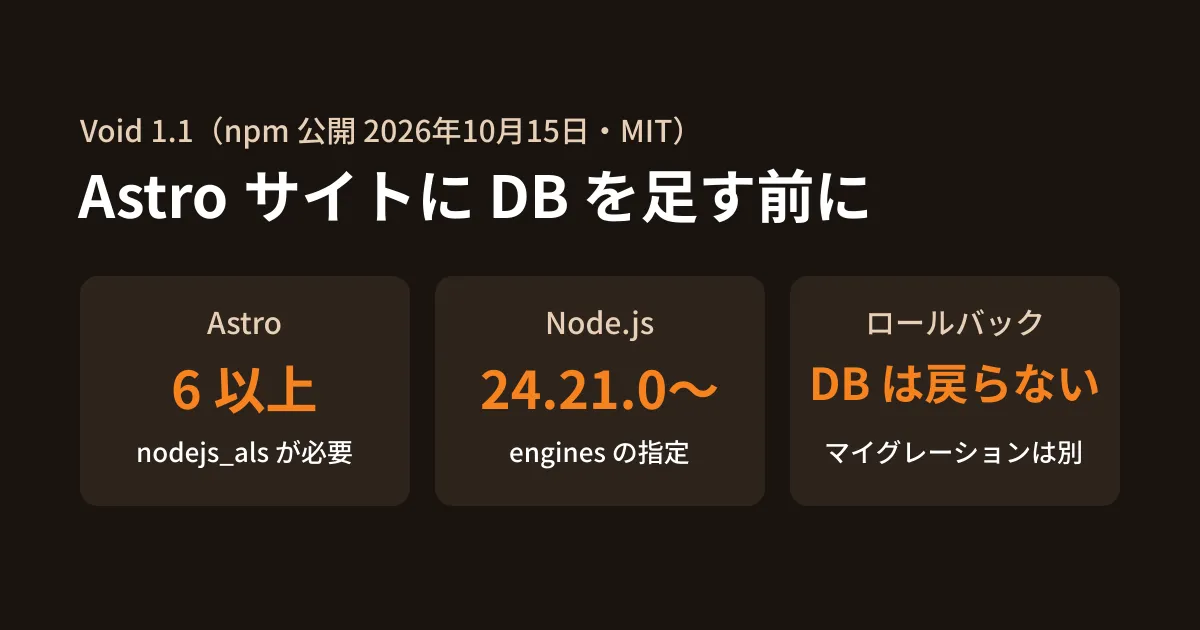
On October 15, 2026, Cloudflare announced in its official blog post "Deploy with Void" that it had released Void, a framework and deployment tool that runs Vite apps on Cloudflare Workers, as open source. The 1.1 series was published to npm the same day. The copyright holder in the repository's (voidzero-dev/void) LICENSE is "Cloudflare, Inc.", and it is under the MIT License. The README describes it as "Build and deploy full-stack apps with Vite, running on Cloudflare Workers." In this article, we outline what to check before using it on an existing Astro site, based on the documentation bundled with npm's void 1.1.11 (docs/) and the GitHub README and LICENSE, which we opened directly on October 18, 2026; Cloudflare's announcement post, the documentation on the official site (void.cloud), and the documentation bundled with 1.1.12, released the same day, which we opened directly on October 19; and the results of installing it locally. We did not deploy to a Cloudflare account.
What Void handles
According to the README, Void is a combination of three tools.
- Void SDK: API routes determined by file placement, server-rendered pages, and typed APIs for working with databases, storage and AI
- Void CLI: Builds the app, provisions the Cloudflare resources it uses, runs database migrations and deploys, all with a single command; the same CLI also handles viewing logs and rollbacks
- Void Platform: A mechanism for hosting a shared deployment environment in your own Cloudflare account for your team or clients
void deploy reads the resources used in your code (D1, KV, R2, Workers AI, Queues, Durable Objects), creates any that are missing, builds the app and deploys the Worker (the bundled integrations/cloudflare.md). The IDs of the created resources are recorded in void.lock.json.
Conditions for using it on an Astro site
Void can be combined with major frameworks, including Astro. The announcement post lists Vinext, React Router, SvelteKit, Nuxt, TanStack Start and Astro. The conditions given in the bundled integrations/frameworks/astro.md (the same page on the official site has the same content) are as follows.
- Astro 6 or later: "Astro 6+ is required to use
import { x } from "void/x"helpers in Astro apps." - Compatibility flag
nodejs_als: To usevoid/db,void/kvand similar features,nodejs_alsis required incompatibility_flagsin the Cloudflare configuration - Astro's Cloudflare adapter: Use
@astrojs/cloudflareand specify./.void-wrangler.jsoncinconfigPath. Void is added asvoidPlugin()invite.pluginsofastro.config.mjs - Turn off prerendering for pages that read data: "Pages that access runtime bindings must opt out of prerendering." Add
export const prerender = false;to the relevant pages
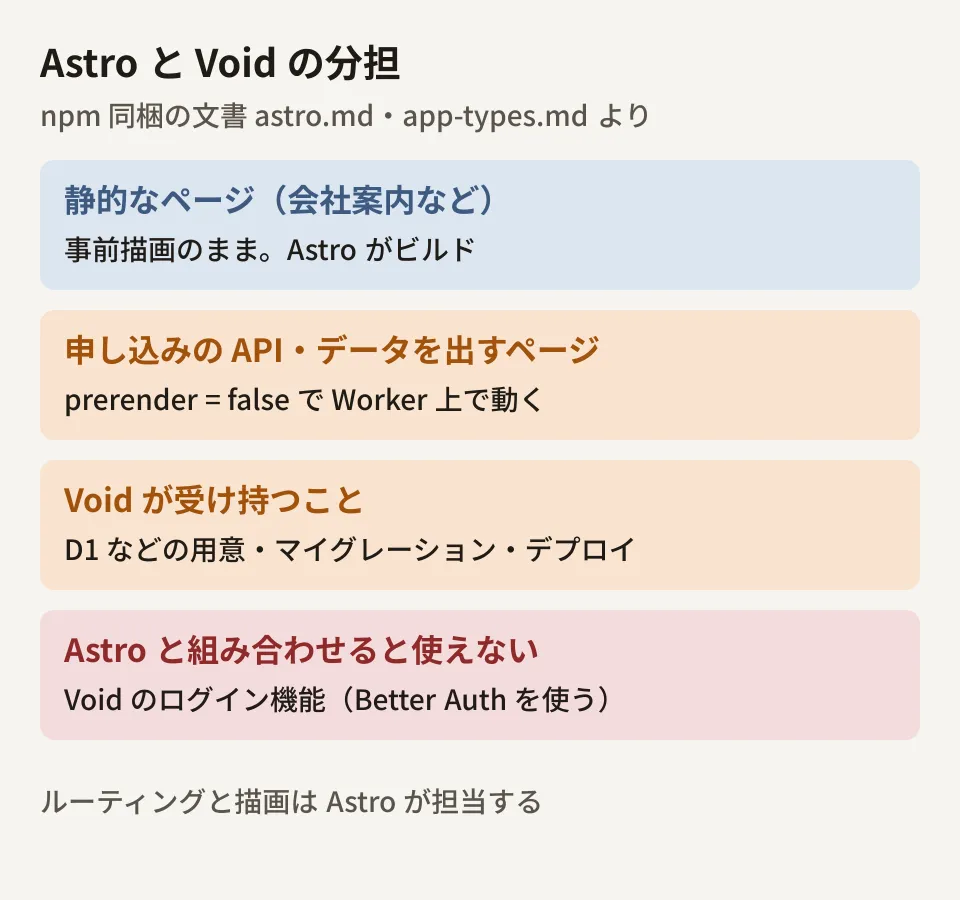
Astro continues to handle routing and rendering, while Void handles database typing, migrations, resource provisioning and deployment. You can keep your static company pages prerendered and run only the API routes that accept submissions and the pages that display data on the server side.
There are also things it cannot do. The same document states, "Void-managed auth is not supported in framework mode yet. Use Better Auth’s official Astro integration directly for now." When combined with Astro, Void's login features are not available. If you are building members-only pages, you need to provide authentication separately.
What we learned from trying it locally
The package.json of Void's 1.1 series includes "engines": { "node": ">=24.21.0" }, and the README also states "Use Node.js 24.21.0 or later." The environment used to draft this article (Node.js 22.22.0, npm 10.9.4) does not meet this requirement. In this environment, we ran the following two things on October 18, 2026.
- Running
npx -y void --versionfetched 0.10.13 (released August 29, 2026) instead of 1.1.11 and displayed0.10.13 - Both
npx -y void@1.1.11 --versionandnpm install -D void@1.1.11in an empty project stopped with an npm error (Cannot read properties of null (reading 'edgesOut'))
According to npm's release history, 0.10.13 is the last version without a engines requirement, and every version from 0.20.0 (released September 17) onward specifies >=24.21.0. It appears that 0.10.13 was fetched because npm chose a version that satisfies the Node.js requirement (this is our guess). We have not isolated whether the second error was caused by the Node.js version or by the npm version or dependency resolution. What we did learn is that in an environment that does not meet the requirement, not only does the latest version fail to run, but an unintended older version may run silently. When trying it out, first bring Node.js up to 24.21.0 or later, and confirm that the version shown by npx void --version is the one you expect before proceeding. We have not verified its behavior on Node.js 24, nor void init and void deploy.
What deployment leaves behind and what it does not
From the perspective of delivering sites to clients, what matters is what remains when a deployment fails and when the site is handed over. Here is what we can read from the bundled documentation.
| Scenario | What the documentation says | How to decide (the editorial team) |
|---|---|---|
| The first deployment failed | 「A failed build or validation can leave provisioned resources in your account.」 | After a failure, check the D1 and KV resources that were created in the Cloudflare dashboard |
| Deploying from multiple people or CI | Do the first deployment from a single machine, commit void.lock.json, and then deploy from other environments or CI | Make the presence of a lock file in the repository one of the handover checklist items |
| Rollback | void project rollback exists, but "Rollback does not reverse database migrations." | For updates that involve database changes, prepare a separate procedure for reverting them |
| Database restore (1.1.12 documentation and official site) | When deploying to your own account, it saves a D1 Time Travel restore point before migrations and displays the void db restore command. Restoring erases writes made after the restore point, and restore points expire after 7 days on Workers Free and 30 days on Workers Paid | Because a restore rolls back data, avoid restoring while you are accepting submissions, and decide within the expiration period |
When deploying from CI, CLOUDFLARE_API_TOKEN needs "Workers Scripts: Edit" plus read permission for the resources used and edit permission for the resources to be created. If you deploy to a client's Cloudflare account, decide at the contract stage whose account issues the token and who holds it after delivery. The local .env is not uploaded; production secrets are set with void secret put (the bundled guide/deployment.md).
As for pricing, Void itself is open source under the MIT License, and we found no mention of usage fees in the README or the announcement post. However, the D1, KV and other resources it creates run as resources in the Cloudflare account you deploy to. We have not checked Cloudflare's pricing, so check each service's pricing page to see whether you stay within the free tier.
What to check before using it (the editorial team's proposal)
- Astro version: It cannot be used as is on sites running Astro 5 or earlier. For how to upgrade, see What to check before upgrading to Astro 7.4
- Node.js version: Bring developer machines, CI and build environments all up to 24.21.0 or later
- Whether you need authentication: If members-only pages are a requirement, design on the assumption that Void's login features are not available when combined with Astro
- How much to leave to Void: If you only need to write APIs on Workers, you can also write them directly with Hono or similar. Compare with our article on Hono and Cloudflare Workers and choose based on whether you need automatic resource creation and migration management
How the developers of Vite and Astro joined Cloudflare, and what it means for sites built for clients, is covered in our article on Astro and Vite both coming under Cloudflare. Void is a tool that extends from that, but the 1.1 series has only just been released; 1.1.12 came out on October 19 with additions to the documentation. Start by trying a small setup, about the size of a single submission form, in a Cloudflare account separate from production.
On October 19, 2026, we checked Cloudflare's announcement post "Deploy with Void" (October 15, 2026), the top, Astro, Deployment and Cloudflare pages of the official site void.cloud, the documentation bundled with npm's
void1.1.12 (released October 19) andengines, and the GitHub repository information and releases. On October 18, 2026, we directly retrieved and checked the documentation bundled with npm'svoid1.1.11 (README.md, docs/integrations/frameworks/astro.md and overview.md, docs/integrations/cloudflare.md, docs/guide/deployment.md, app-types.md and quickstart.md),enginesin package.json, npm release timestamps, and README.md and LICENSE in voidzero-dev/void on GitHub (desk research). In the environment used to draft this article (Node.js 22.22.0, npm 10.9.4), we rannpx -y void --version,npx -y void@1.1.11 --versionandnpm install -D void@1.1.11(hands-on verification). We have not checked its behavior on Node.js 24,void initandvoid deploy, deployment to a Cloudflare account, or pricing.
GleamHub's website production and redesign consultations can help with adding forms and membership features to existing sites and reviewing your setup on Cloudflare. The right setup depends on how your site is built and the features you need, so please reach out via Contact Us.