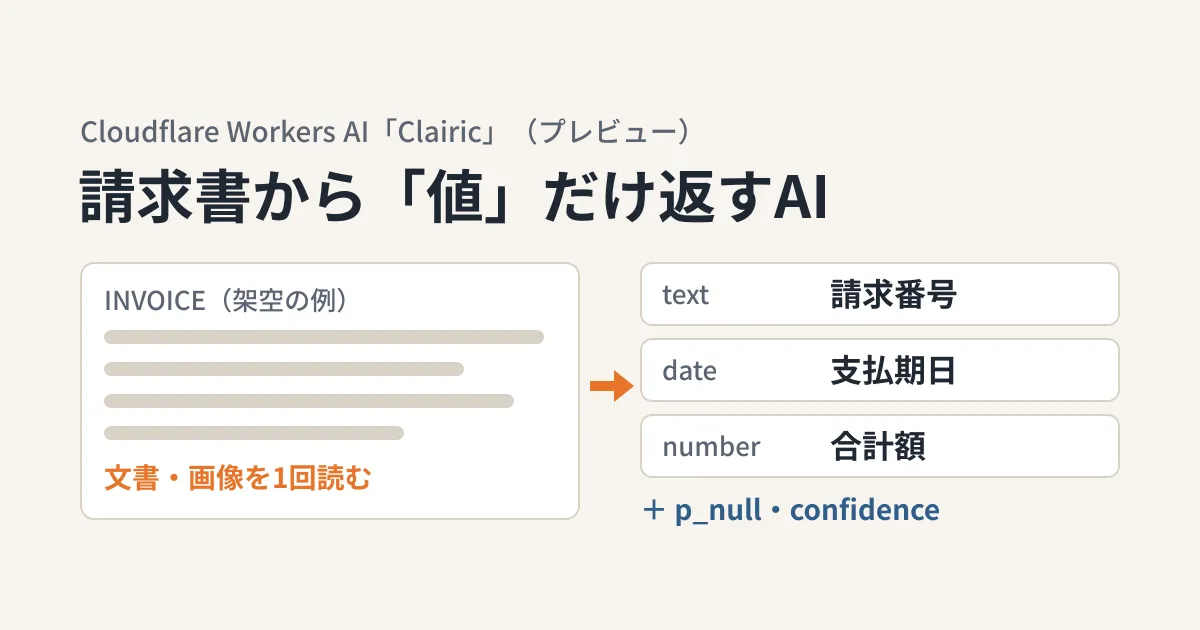
You open an invoice PDF or an order email from a business partner and retype the invoice number, amount and payment due date by hand into your accounting or sales management system. Even when you try having generative AI output JSON, fields go missing or dates come back as "end of next month," and in the end a person has to review everything. This article is for people in charge of business systems who are considering automating this kind of data entry.
On October 19, 2026, Cloudflare added the extraction model Clairic (model name @cf/cloudflare/clairic) as a preview to Workers AI, its AI inference service. The changelog describes Clairic as "a model that answers with values, not text."
Clairic is the first extraction model: a System One model that answers with values instead of text.
Based on Cloudflare's changelog, the model reference (input and output definitions), the explainer page on extraction models, and the pages on pricing and data handling, this article sets out what it can do, what it cannot yet be trusted with, and where to keep human checks. The editorial team has not actually called the model with a Cloudflare account (document research).
How it differs from LLMs that generate text
Typical generative AI generates characters (tokens) one at a time according to instructions. Even if you instruct it to answer in JSON, what comes out is a "JSON-like string," which leaves room for the types to break or for extra text to slip in.
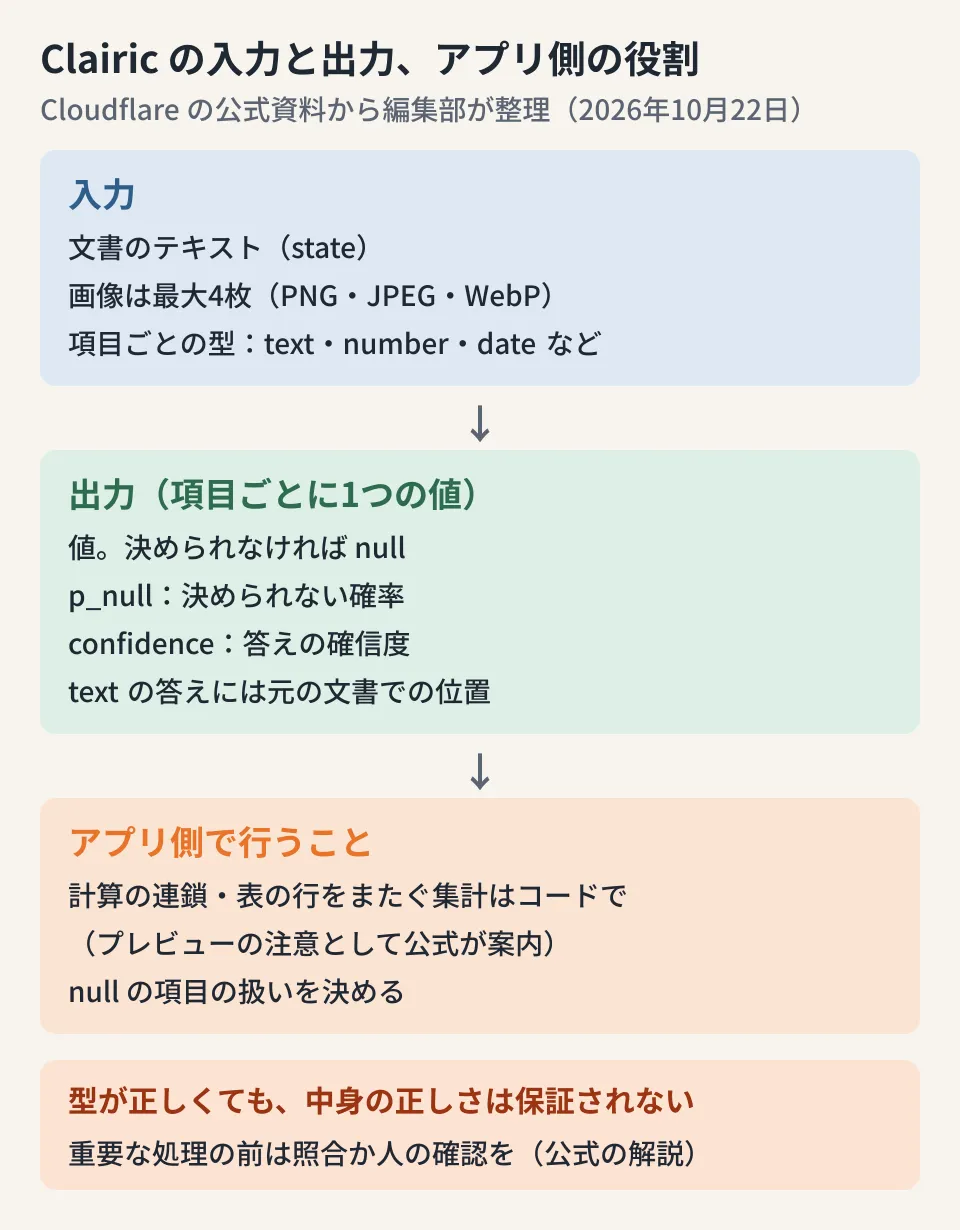
Clairic takes an input (state in the documentation) and a list of the fields you want and their types (fields), and returns one value per field. The changelog states that it does not generate tokens and that the returned values always fit the specified types.
Clairic does not generate tokens. It reads your input in one pass and decodes each answer under the rules of its type, so every answer is a valid value of the type you asked for, or
nullwhen the input does not determine it.
The types you can specify are text (which returns the relevant part of the input as is, along with character positions), number, date and time, duration, list, estimate and forecast. In the changelog example (a fictional English-language invoice), the invoice number is defined as text, the issue date and payment due date as date, and the total amount as number with two decimal places, and the payment due date comes with the instruction "add the number of days in the payment terms to the issue date."
The explainer page on extraction models divides the use cases as follows, using an invoice as the example.
| Model type | Ideal applications | Invoice example (from the explainer page) |
|---|---|---|
| Extraction | Extract values such as amounts, dates and durations; calculate; estimate and forecast | Read the total amount and payment due date |
| Decision | Choose from predefined options | Decide whether to approve, send for human review or send back |
| Generative | Write free-form text | Summarize discrepancies between the invoice, purchase order and delivery note |
In terms of automating data entry, the division of labor is: Clairic "extracts the values," a decision model "decides which process to route it to" (Cloudflare released its decision model Clef on October 1), and a generative model "explains the differences in text."
How to use the confidence scores it returns
Each Clairic answer comes with two numbers alongside the value: p_null (the probability that the value cannot be determined from the input) and confidence (the confidence in the answer returned). According to the model reference, when p_null exceeds 0.5 by default, the value becomes null, and this threshold can be changed per field with null_threshold. Text answers also include their position in the input (span).
However, fitting the type does not mean being correct. The explainer page states this plainly.
Typed output does not guarantee correctness. A result can satisfy its type and constraints while still answering the question incorrectly.
It also says that confidence scores and intervals are "not guarantees," and calls for cross-checking against another source or a human check before any irreversible process.
Before consequential or irreversible actions, check results against other evidence or require human review.
From here on is the editorial team's own breakdown. When automating data entry, handling things separately as follows makes Clairic's numbers easier to use in decisions.
- Fields whose value is
null: do not fill them automatically; send them for human review. According to the explainer page,nullcan mean either that "it is not written in the document" or that "the model could not find it," sonullalone does not tell you which - Text fields: use the returned
spanto display the relevant part of the original document so that the reviewer can check it right away - Amounts that feed directly into payments or bookkeeping: even when confidence is high, match them in code against the amounts on the purchase order or quotation, and send only the mismatches to a person
- Thresholds: do not fix them from the start; run a few dozen past invoices through it, look at how confidence relates to actual errors, and then decide
What the preview says not to rely on it for
The changelog says the current endpoint is at an early stage and will be improved. On that basis, it lists the following points as cautions.
- Calculation: one- or two-step calculations such as totals, differences, conversions and date arithmetic are reliable. However, long chains of dependent calculations and aggregations spanning many rows of a table are still weak points, and users are advised to "extract the input values with Clairic and do the calculation in code"
- Estimation and forecasting: estimates with no supporting evidence in the input (comparisons, history, explanations) have wide intervals. Forecasts several steps ahead drift toward the mean, and events that do not appear in the series, such as public holidays, are not anticipated
- Dates: dates without a year are resolved from context. For fields that depend on the current date, specify
reference_dateor add a line such as "Today: 2026-10-19" to the input - Confidence: every answer has the correct shape for its type, but that does not mean its content is correct
In other words, during the preview you should avoid using it to "calculate the total from the line items" on an invoice with dozens of line items. The design that follows the changelog's guidance is to extract the line-item amounts as a list, calculate the total in your program, and check it against the total printed on the invoice (which Clairic can also extract).
Pricing and input limits
Pricing is $0.10 per million input tokens, with no charge for output tokens (according to the changelog and the pricing page; the pricing page converts this to 9,091 Neurons per million input tokens). Workers AI includes a free allowance of 10,000 Neurons per day on both the free and paid plans, and Clairic is not on the pricing page's list of models that explicitly require a paid payment method (as of October 22, 2026).
The main specifications listed in the model reference are as follows.
| Item | Details |
|---|---|
| Context length | 65,536 tokens |
| Per pass | The input and field definitions are processed in units of 8,192 tokens, and fields that do not fit are split into parallel passes (no limit on the number of fields) |
| Image | Up to four PNG, JPEG or WebP images. Up to 4MiB each and 8MiB in total (after decoding). Images cannot be specified by URL |
| Request size | Up to 16MiB |
| Forecasting | Up to 64 steps |
On the handling of input content, the Workers AI data usage page states that for normal inference, inputs and outputs are retained only for as long as needed for processing, and customer content is not used to train models. However, if you use AI Gateway logs or caching, or storage such as R2 yourself, the retention periods of those features apply. If you handle invoices from business partners, you should also check whether any settings leave the document text in logs.
The changelog also says that the model is scheduled to be released soon as open weights (with the model weights made public).
What to check before deciding to adopt it
Some points could not be confirmed from the official documentation. If you are considering it for Japanese-language invoices, check these first.
- Japanese-language support: none of the changelog, the reference, the explainer page or the official blog lists supported languages. All the examples are in English. Whether values are extracted correctly from Japanese era dates, payment terms such as "closing at month-end, payment at the end of the following month", full-width digits, or notations such as "¥" and "yen" will not be known until you test with samples of your own invoices (with personal information and business partner names masked)
- Image reading accuracy: up to four images can be passed. The official blog has an example of extracting values from a single photo of a receipt, but there are no figures showing reading accuracy on scanned invoices
- Preview period and changes: no date for general availability and no planned changes to specifications or pricing have been announced. The terms of use on the model page also state that continued availability is not guaranteed and that the model may be discontinued. If you build it into production workflows, assume that model updates can change results: keep a set of test invoices and regularly check that they still produce the same results
How usable automated data entry is depends not only on AI accuracy but also on the matching rules and the design of the review screens. The idea of placing approvals in the program rather than in "instructions to the AI" is covered in Why companies letting AI handle pricing put approvals in code, not prompts. For managing keys and logs as internal use of AI APIs grows, see whether to put a gateway in front of internal AI, and for the option of running existing Python processes on Cloudflare, see Python Workers are now generally available.
Scope of verification
On October 22, 2026, we checked Cloudflare's public documentation (developers.cloudflare.com): the changelog entry "Introducing Clairic: an extraction model for typed values, now on Workers AI" (dated October 19, 2026), the Clairic model page (input and output schema, context length, pricing and terms of use), the explainer page on extraction models (Extraction models), and the Workers AI pricing and data usage pages. We also checked Cloudflare's blog post and the documentation source (the cloudflare/cloudflare-docs repository) (documentary research). We did not actually call Clairic, and we did not verify its accuracy on Japanese documents or images or its response speed. The way this article divides cases that should be "sent for human review" is a proposal the editorial team put together from the official cautions.
For the design and development of systems that build data entry from invoices and order data into your business systems, please contact us through consultation on development, AI, and automation.
References
- Introducing Clairic: an extraction model for typed values, now on Workers AI(Cloudflare changelog, 2026-10-19)
- Clairic model reference(Cloudflare Workers AI docs)
- Extraction models(Cloudflare Workers AI docs)
- Introducing Clairic, a new System One class of extraction models(Cloudflare Blog, 2026-10-19)
- Pricing(Cloudflare Workers AI docs)
- Data usage(Cloudflare Workers AI docs)