Remote support products, which are used to operate company PCs and business partners' devices remotely, concentrate in one place the permissions to access many devices and the credentials needed to do so. As a result, if the product's appliance itself is taken over, the damage does not stay confined to that appliance.
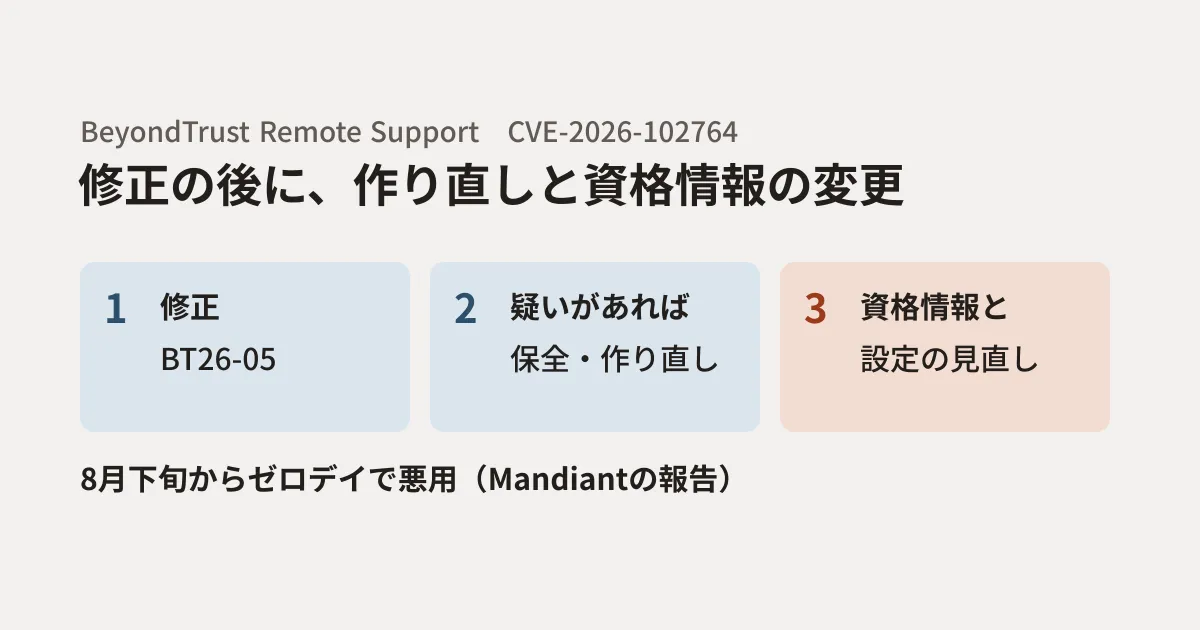
On October 15, 2026 (US time), Google's Mandiant (its threat intelligence unit) reported that CVE-2026-102764, a vulnerability in BeyondTrust Remote Support (formerly Bomgar), had been exploited as a zero-day since late August, before it was disclosed. The report details what was done after the intrusion and the actions that organizations using the product should take.
Based on Mandiant's report, this article summarizes what you should check even after applying the patch. It is intended for IT staff who use BeyondTrust Remote Support and for businesses that provide maintenance services using this product. If you use another remote support product, it can also serve as material for reviewing your own settings from the same perspective.
What happened
On October 15, BeyondTrust published advisory BT26-05 and CVE-2026-102764. According to the advisory, an internal component of the product did not sufficiently verify the sender of messages it received. When certain conditions are met, a remote attacker can manipulate files on the appliance. The severity is Critical (9.3 in CVSS v4), and all versions 26.2.3 and earlier are affected. Mandiant's report explains that an attacker can place arbitrary files on the appliance without authentication.
In the incidents Mandiant responded to, the attacker (ARMORY CASTLE, suspected of ties to China and previously tracked as UNC5221) exploited this vulnerability in late August. According to BeyondTrust's blog, on August 29 one instance of the SaaS version operated by BeyondTrust and one self-hosted appliance were attacked. BeyondTrust detected signs of the activity on September 28 and released the patch on October 8. As of the blog's last update (October 16), BeyondTrust stated that the victims it was aware of were these two companies and that no attacker activity had been found after August.
On October 16, the US CISA (Cybersecurity and Infrastructure Security Agency) added this vulnerability to its Known Exploited Vulnerabilities (KEV) catalog.
After the intrusion, the attacker did the following.
- Planted a web shell (SAWFLY) and executed commands with the privileges of the site's service account
- Copied the shell executable under a different name and configured it to run with root privileges, creating a root-equivalent backdoor
- Attempted to extract the credential vault stored on the appliance using the appliance's built-in administrative commands, then deleted the logs of that operation
- Placed a script that runs at every boot, so that a setting granting the service account passwordless administrator privileges persists even after reboots or configuration resets
- Logged in to the admin interface with an administrator account and raised that account's Jump Item (remotely accessible endpoints) and team permissions from "No Access" to "Administrator"
- Connected remote support sessions to internal devices and used the file transfer feature to exfiltrate materials such as software inventories
- Planted a traffic relay tool (BARECLAW) and rewrote the appliance's internal reverse proxy configuration so that it could be reached from the internet
The report also shows that the attacker repeatedly deleted the appliance's logs. The logs on the appliance alone may not be enough to trace what happened.
How to apply the patch
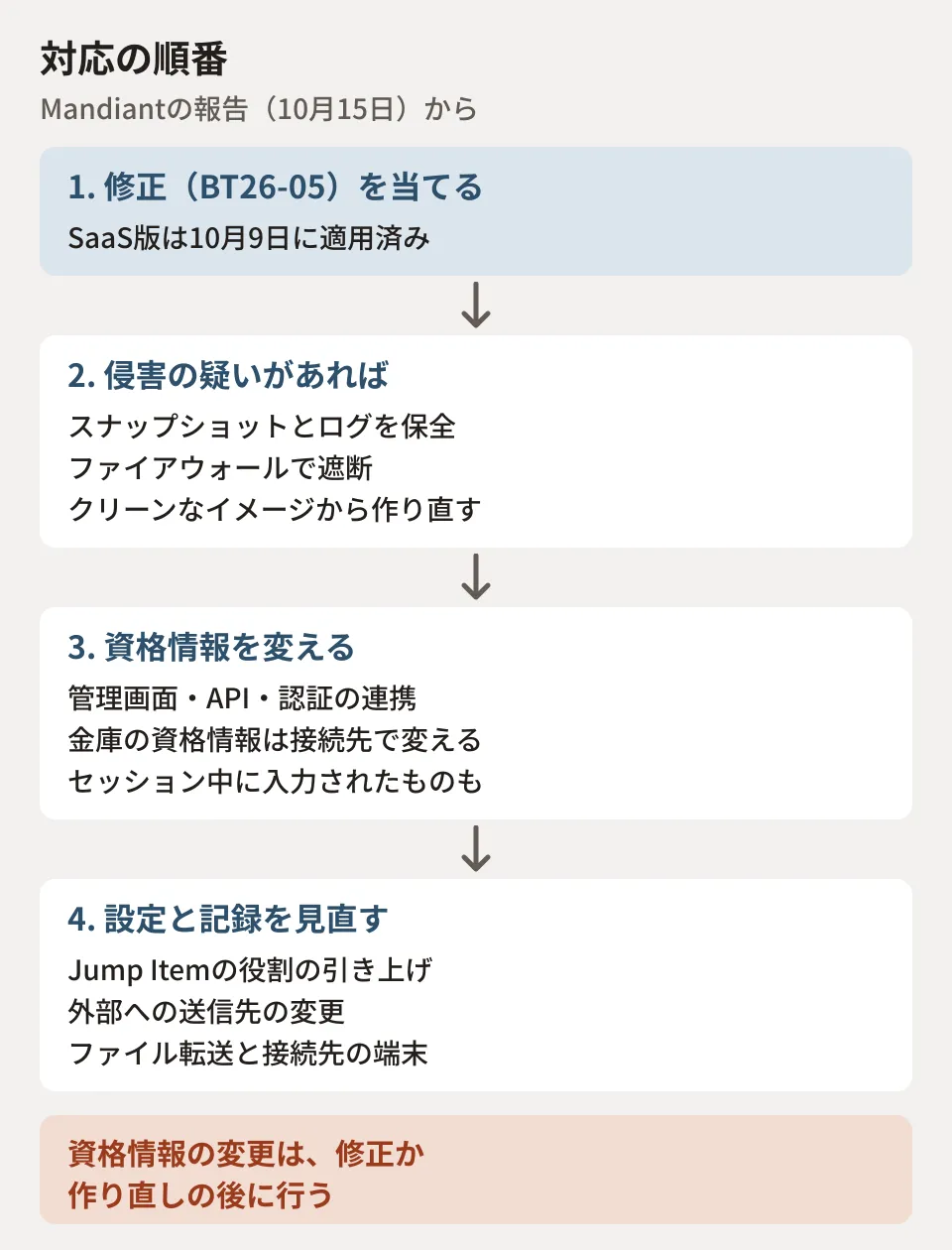
The first step is to apply BeyondTrust's patch (BT26-05). Based on BeyondTrust's advisory and Mandiant's report, the actions break down as follows.
| Deployment type | Actions indicated by the advisory and report |
|---|---|
| SaaS version | Applied to all customers by October 9, 2026. BeyondTrust says no further action is required, but Mandiant says credentials and settings still need to be checked (see below) |
| Self-hosted, 24.3.1 to 26.2.3 | Apply BT26-05-RS from the admin interface (/appliance). If you are enrolled in automatic updates, confirm that it has been applied |
| Self-hosted, earlier than 24.3.1 | Upgrade to a newer version, then apply the patch. Upgrading does not remove any intrusion that happened before (Mandiant's report) |
The advisory identifies the patch as BT26-05-RS for v24.3.1 to v26.2.3. Mandiant's report advises contacting BeyondTrust support with reference to BT26-05 if the patch does not appear in /appliance. It also asks that any appliance that was reachable from the internet on a vulnerable version during the attack period be treated as compromised until checks are complete.
Regarding the same company's Privileged Remote Access (PRA), BeyondTrust's blog explains that although internal testing found no way to exploit it, a patch was released as a precaution because it shares the affected code. The blog also recommends applying the patch immediately to self-hosted PRA.
We could not open BeyondTrust's advisory page directly from the editorial team's environment. The information above was confirmed using copies of the advisory and blog saved to the Internet Archive on October 17. When doing the actual work, be sure to check BeyondTrust's latest advisory and support guidance.
What to check after patching
The report states that applying the patch does not erase traces of the intrusion and lists the following checks. We have arranged them here so that the order of work is clear.
Rebuild appliances suspected of being compromised
For virtual appliances, take a snapshot including memory and export the disk to preserve them before making changes or rebooting. Then block inbound traffic with a firewall rather than the appliance's own settings, and block outbound traffic except to BeyondTrust's update and licensing destinations. Because customers cannot inspect the files inside the appliance and some mechanisms survive reboots and configuration resets, the report recommends rebuilding appliances confirmed as compromised, or those whose status cannot be determined, from a clean, patched image.
Change credentials in order, after patching
The report cautions that credentials should be changed only after the appliance has been patched or rebuilt. If you change them first, the new credentials will also end up in the hands of an attacker who still controls the appliance. The items to change are the appliance's admin interface credentials, administrators and local users, API secrets, accounts at identity providers and SAML signing keys, credentials stored in the vault (changed on the side of the target systems), credentials for integrations such as email sending and log forwarding, and any credentials entered during sessions in the affected period.
Review settings and session records
Using the state before the attack as a baseline, review changes to users and roles (especially Jump Item roles raised to Administrator), group and session policies, API accounts, identity providers, Jump Items and Jumpoints, and destinations for external event notifications and logs, and remove anything whose change history or owner is unknown. Use session records from the period (including file transfers) to confirm which devices were connected to and what was taken, and treat every connected device as subject to investigation.
Settings to change to prepare for next time
The report also lists settings to reduce the damage from future incidents.
- Restrict the admin interfaces (/login and /appliance) by source IP address or network
- Require admin interface users to use single sign-on with phishing-resistant multi-factor authentication, and keep only one local account for emergencies
- Set the default Jump Item role to "No Access" in group policies
- Store privileged credentials in a separate vault system rather than the appliance's vault
- Deny outbound traffic from the appliance by default
- Send logs over encrypted connections to an external logging platform and retain several months' worth. Treat periods when log forwarding stopped as a sign of tampering
The last point is especially important given that logs on the appliance were deleted in this incident. Without logs outside the appliance, there is almost no way left to confirm afterward what happened.
What follows is the editorial team's own analysis. Remote support appliances are systems that may also be used by maintenance staff at outsourced vendors. The approach of not making it a standing permission who can connect to which device and until when is covered in Switching vendors' production access to "only when needed". Deciding in the maintenance contract who is responsible for updating such appliances and retaining their logs is also an important point, as discussed in What clients should look for in system maintenance and operations contracts.
Scope of verification
On October 27, 2026, we reviewed the report by Mandiant (Google Threat Intelligence Group) "ARMORY CASTLE Exploits BeyondTrust" published on the Google Cloud Blog (October 15, 2026, US time), the CVE records (cve.org, NVD) and CISA's KEV catalog (document research). We could not open BeyondTrust's advisory BT26-05 and blog directly from the editorial team's environment, so we checked copies saved to the Internet Archive on October 17. We have not been able to confirm any later updates to the advisory. We did not operate the product or investigate indicators of compromise.
For setting up a structure for updating company IT equipment or building a system for retaining logs, please contact us through Free IT and Google Workspace consultation.