The AI feature you built in last year is billed at almost the same amount every month. Meanwhile, OpenAI and Anthropic have been releasing models with lower unit prices than the previous generation.
But if what got cheaper is the unit price of the new models, your bill will not change unless you switch the model you use. You may have reasons not to touch something that works, but the amount will not move unless you do.
On September 22, two companies released new models with lower unit prices
On September 22, 2026, OpenAI released GPT-6 Sol and GPT-6 Luna in its API. Sol is described as a model for complex coding and agentic workflows, and Luna as the company's most efficient model, for high-volume tasks. On the same day, Anthropic released Claude Opus 5.5, which it says generates output more than 30% faster than Opus 5.
Here are the standard API prices (per million tokens, in US dollars), side by side with the earlier models whose names correspond:
| New model | Input / output | Earlier model |
|---|---|---|
| GPT-6 Sol | $2 / $10 | GPT-5.6 Sol: $4 / $20 |
| GPT-6 Luna | $0.10 / $0.50 | GPT-5.6 Luna: $0.20 / $1.20 |
| Claude Opus 5.5 | $4 / $20 | Claude Opus 5: $5 / $25 |
GPT-6 Sol costs half as much as GPT-5.6 Sol, and GPT-6 Luna costs half as much for input and about 58% less for output. Opus 5.5 is 20% cheaper than Opus 5 for both input and output, and cache reads dropped 60%, from $0.50 to $0.20. Note that GPT-5.6 Sol's $4 and $20 are promotional prices, which OpenAI says will be available at least through November 21, 2026. At both companies, batch processing for results that are not urgent costs half the standard price.
On the same day, OpenAI also published a post introducing improvements to prompt caching with GPT-6. Its summary lists higher cache hit rates, diagnostics and explicit breakpoints, among other things. OpenAI's developer documentation says that specifying breakpoints and the diagnostics are available on GPT-5.6 and later models.
The point to keep in mind is that what got cheaper is the unit price of the new models. On September 22, the unit prices of GPT-5.6 Sol and Opus 5 did not change. When an existing model itself gets a price cut (OpenAI's GPT-5.6 Luna and Terra on July 30, and GPT-5.6 Sol on August 21), the cut shows up on your bill if you use that model on pay-as-you-go pricing. We covered how the form of your contract can keep it from showing up in AI feature estimates become obsolete in six months. New models like these do not reach your bill until your own system switches the model it specifies.
Three reasons the lower prices don't reach your bill
When your bill does not change, these are the three things to check first.
| Status | What is happening |
|---|---|
| The model name is pinned | You keep specifying the model you tested with. Even when a new model comes out, nothing switches until you change the setting |
| Caching is not working | You send the same preamble every time, but not in a form the cache can use |
| Every process runs on a large model | Even light tasks such as classification and formatting are handled by a high-performance model |
The first row describes a model name that passed testing, written into code or configuration files and left untouched since. Moving to a new model means rewriting that setting, and rewriting it may not be enough (see below).
The second row matters for processes that attach internal documents or instructions to the start of every request. When the part that stays identical from the beginning is read from the cache, the unit price falls to 10% or less of regular input ($0.20 against $2 for GPT-6 Sol, and $0.20 against $4 for Opus 5.5). However, if you put content that changes every time, such as the date and time or the user's name, at the start, it will not match. Writing to the cache also costs more than regular input (1.25 times for OpenAI's GPT-5.6 and later, and for Opus 5.5's 5-minute cache), so saving preambles that are never reused actually costs more. Check whether caching is working in your actual usage details.
The third row is a setup that still follows a design-time decision to "just use the best model for now." Whether you can use different models for different types of processing depends on how the system is built.
Review in this order
Start with what is easiest to roll back, not with what is cheapest.

- Break down the last three months of billing details by type of processing. Until you can see how much each feature uses, you cannot decide what to fix. If all you get is "everything on one line," adding measurement comes first. Since August 2026, OpenAI's usage screens can be filtered by API key. Using a separate key for each feature makes this step easier.
- Pick one high-volume process. Look first at what runs most often, not at the total amount. Even if each call is cheap, a process that runs many times has the bigger effect.
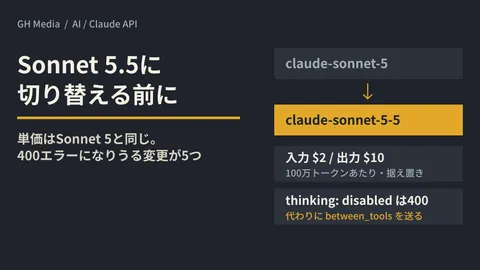
- Switch models for that process only, and compare. Check whether output quality drops, using the kinds of input that actually flow through production. A new model does not necessarily work the same way just because you change the model you specify. On Opus 5.5, disabling thinking and settings that force a specific tool to be called, both of which worked on Opus 5, return errors. To use function calling with GPT-6 Sol and Luna in the Chat Completions API, you need to set the reasoning setting to "none".
- Check how caching performs in the billing details. Caching may not be working even when you think you have set it up. OpenAI has a screen that shows the cache hit rate and a breakdown into cache reads, cache writes and uncached input.
Nor does the ratio of unit prices translate directly into the ratio of your bills. Anthropic explains that Opus 5.5 being "40% cheaper than Opus 5" is an estimate for typical workloads that includes using fewer tokens per task, not a 40% cut in the price per token. Because Opus 5.5 always thinks before it answers, some tasks can use more tokens, and Anthropic recommends measuring it on your own work. That is why the comparison in step 3 should go as far as the cost per task.
For how to think about choosing a model again, see how to decide which model to entrust with development. That is where to check whether you have chosen more capability than the use case needs.
Is your system built so you can switch models?
Once you start the review, another problem may surface: model names are scattered across several places in the code, so simply switching models turns into a code change.
If that is the case, the same work will come up again the next time a cheaper model is released. We discussed whether to consolidate connections into a single entry point so models are easier to swap in whether to put a gateway in front of your internal AI.
Along with switching, it is also worth checking that there is a mechanism to stop usage when it runs too high. We summarized how to think about setting caps in setting a cap on AI usage fees. When unit prices fall, the same budget lets you run more, so a cap matters even more.
Actions for this month
First, list which model name each AI feature currently in operation specifies. This takes longer for features whose original builders are no longer around. The fact that it takes time is itself a sign that the system is hard to switch.
Once you have the list, pick just the one process that runs most often and try a comparison. Starting with a single process, rather than reviewing everything at once, makes the results easier to verify.
On September 28, 2026, we directly opened OpenAI's developer documentation (changelog, pricing, model pages and prompt caching guide) and Anthropic's announcement page, pricing page, document on what changed in Opus 5.5, and cost explainer, and checked unit prices, release dates, cache and batch pricing, and the changes involved in switching. We could not open the body text of two OpenAI announcement posts (on GPT-6 Sol and Luna, and on GPT-6 prompt caching) from this environment and checked only their titles and summaries. We have not compared cost or quality after switching models. Prices change, so check each company's pricing page before making estimates. This article sets out the order for a review.
For reviewing the running costs of AI features, or for rebuilding your system so models can be swapped, please consult GleamHub.
Sources
- Changelog — OpenAI API
- Pricing — OpenAI API
- GPT-6 Sol — OpenAI API
- GPT-6 Luna — OpenAI API
- GPT-5.6 Sol — OpenAI API
- GPT-5.6 Luna — OpenAI API
- Prompt caching — OpenAI API
- Claude Opus 5.5 — Anthropic
- Pricing — Claude Platform Docs
- What’s new in Claude Opus 5.5 — Claude Platform Docs
- What a task costs on Opus 5.5 — Anthropic