You want to identify which of 300 contracts contain a change of control clause. You want to read hundreds of inquiry records and compile classifications and summaries. Until now, when you tried to hand an AI agent more work than fits in a single conversation, you had to build your own system to split the calls by item, collect the results and cross-check them.
On October 9, 2026, the Claude Platform release notes announced the beta release of dynamic workflows in Claude Managed Agents. The agent writes a program called a "workflow" tailored to the task, runs many agents in parallel stage by stage (in phases), and compiles the results. The server executes this in the background as a "workflow run."
While convenient, this means an agent can run hundreds of agents at its own discretion. In this article, we lay out what to decide before enabling it, based on the official documentation (Multiagent orchestration, Workflow runs).
How it works: the agent writes a program and runs agents in parallel
The documentation can be summarized as follows.
- Requests are sent with
user.messageas usual. The agent decides whether to start a run, and there is no API call for doing so - A workflow splits the work into phases (for example, "read the contracts" and "cross-check the results"), and can run multiple agents simultaneously within a phase
- Each agent runs in its own session thread, and results are returned to the program. The program decides which agents to run next and with what instructions
- A failed agent is normally rerun only once in a new thread
To enable it, set multiagent.type to "multiagent_20261001" in the agent definition. With this type, dynamic workflows and delegation to subagents are enabled by default. During the beta, requests require the managed-agents-2026-04-01 beta header.
"multiagent": {
  "type": "multiagent_20261001",
  "workflows": { "type": "enabled" }
}
Note that moving an existing agent to multiagent_20261001 enables dynamic workflows even if you do not explicitly specify workflows. The documentation also says that sending null reverts to the default (enabled). If you want to turn it off, explicitly specify {"type": "disabled"}.
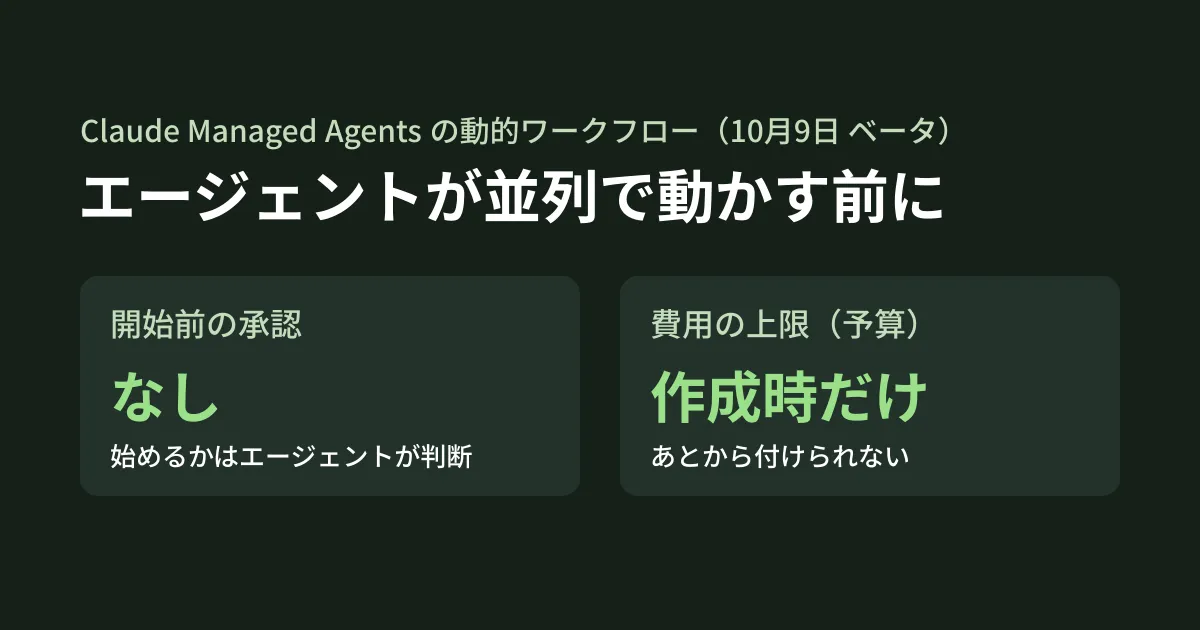
Decision 1: set a cost limit when creating the session
There is no charge for the run itself; the tokens used by the agents in the run are billed as usual at each model's unit price. The more agents run in parallel, the faster costs add up in a short time.
The safeguard the documentation recommends is the session budget.
- A budget can only be set when creating a session (it cannot be added to an existing session)
- When the budget is reached, all open runs are paused
- However, because each thread finishes the model request it has started, the budget can be exceeded by as many requests as there are running threads
- Raising or removing the budget resumes paused runs
The editorial team suggests a practice of never creating a session without a budget for agents with dynamic workflows enabled. Because the overrun can be up to "number of running threads x one request," the more agents run simultaneously, the more headroom you need when estimating the limit.
Decision 2: tell the agent "when to use it"
There is no step for the user to approve a run before it starts. The documentation states explicitly, "There’s no approval step before a run starts." Which requests should use a run is specified in the agent's system prompt. The documentation's example is written like this.
When asked to review more than a few contracts, start a run that reads them in parallel and compiles the results. For one or two, review them yourself without using a run.
The documentation also gives the following instructions as examples.
- How to split: one agent per item. Then have another agent review all items
- Handling failures: do not stop the whole run because of one failure. List the items that could not be read at the end
- Time limit: set the run's limit to one hour
- Plan confirmation: explain the phases and number of agents before starting a run, and wait for approval
However, for the last one, "wait for approval," the documentation itself says "nothing enforces this" (there is no mechanism to enforce it). Combine it with a budget on the assumption that prompt instructions may not be followed.
Decision 3: do not treat "completed" as success
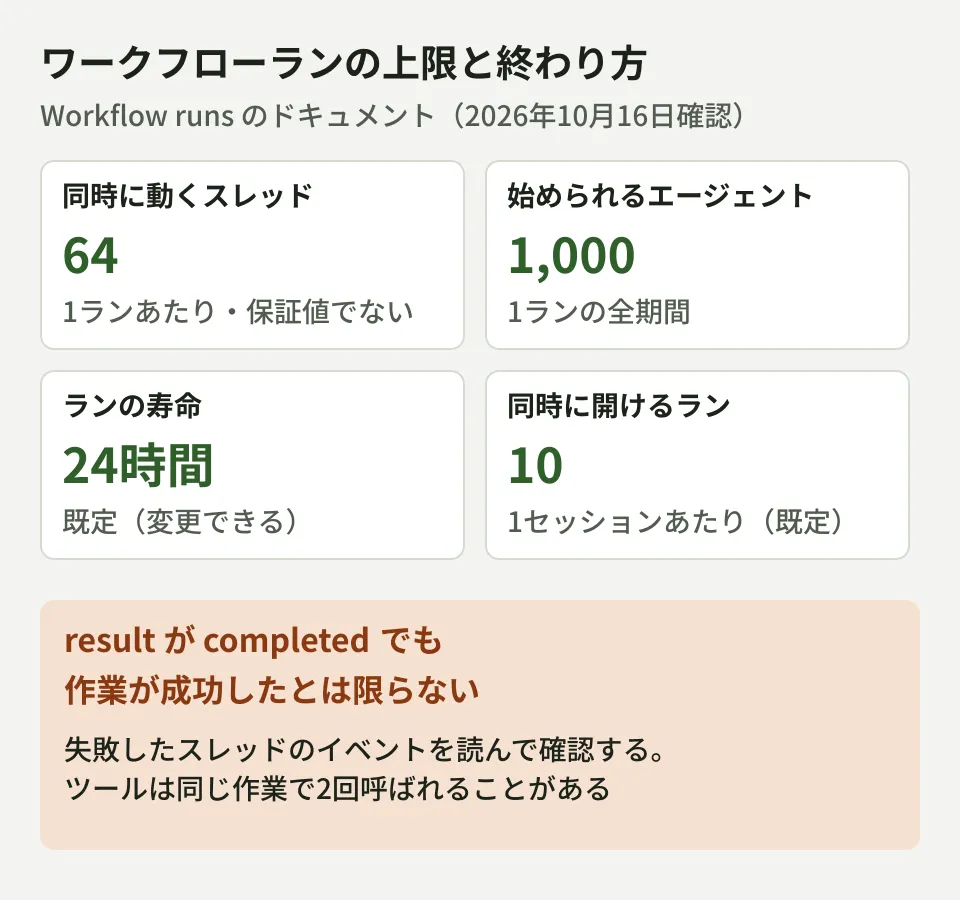
You can tell that a run has ended from result in the workflow_run.status_ended event. However, {"type": "completed"} means "the workflow ran to the end" and does not indicate whether the work succeeded. Even if a thread's work failed, the run ends with completed as long as the workflow handled that failure.
Other end states include stopped when the agent stopped it or the session was archived, timeout_error when the lifetime was exceeded, program_error for a program failure, and thread_limit_error when the agent count limit was exceeded.
As the editorial team's suggestion, build in a step that checks the following two things before using a run's results in your business.
- Read the events of the run's threads (those with a matching
workflow_run_id) and check whether any failed - Whether the agent's final answer lists "items that could not be processed" (paired with the failure-handling instruction above)
Also, run events are not sent via webhooks. To find out that a run has finished, read the session's event stream or retrieve the list.
Decision 4: make tools safe to call twice
The documentation states, "A run can create more than one thread for the same piece of work, so make the tools your agents call safe to call twice." This is because the same work may be done in two threads, for example when a failed agent is rerun.
Read-only tools are unlikely to cause problems, but if you give agents tools such as creating tickets, sending emails or writing to a database, you need a mechanism that processes the same request only once even if it arrives twice (such as deduplication by a processing ID). Also take into account in the write design that all threads in a run use the same sandbox files.
Limits and rate limits
The limits stated in the documentation are as follows.
| Item | Value |
|---|---|
| Threads running simultaneously per run | 64 (not guaranteed) |
| Agents that can be started per run | 1,000 (thread_limit_error if exceeded) |
| Run lifetime | 24 hours by default (the agent can set it) |
| Runs that can be open simultaneously per session | 10 by default |
Model requests from a run's threads count toward the organization's Messages API rate limits together with other usage. If you use Claude in the same organization as other internal systems, those systems are more likely to hit the limits while a large run is in progress. The documentation advises leaving headroom for runs or requesting a limit increase. This is also the point to decide whether to separate organizations or workspaces for production systems and experimental agents.
Checklist before enabling
As the editorial team's summary, here are the points to check before enabling dynamic workflows.
- For agents you move to
multiagent_20261001, whether you will really use dynamic workflows (if not, explicitly specifydisabled) - Whether the process that creates sessions always sets a budget
- Whether the system prompt states the conditions for using a run, how to handle failures and the time limit
- Whether there is a process that checks for failed threads after
completed - Whether tools that write data avoid duplicates even if called twice
- Whether you are sharing rate limits with other systems
We cover the overall picture of Managed Agents in An explainer on Claude Managed Agents, the decision of whether to build your own agent platform or use one in Before you "build" an AI agent platform, and what to decide when moving from PoC to production in When AI agent PoCs never reach production.
Scope of verification
On October 16, 2026, we directly retrieved and reviewed the Claude Platform release notes (October 9, 2026) and the Managed Agents documentation (Dynamic workflows in Multiagent orchestration, Workflow runs, Define your agent) (document research). We have not actually run dynamic workflows. We have not measured run costs, duration, failure frequency or how far budgets are exceeded. The contract and inquiry examples at the beginning are hypothetical scenarios based on the documentation's examples, not cases from our company or our clients.
For building AI agents into work that handles large volumes of documents, or designing cost limits and failure handling, please contact us via Consulting on development, AI, and automation.