Internal systems and web backends built on Node.js 18 or 20 a few years ago are still running without problems. When you ask your maintenance vendor about updating the version, they reply, "It's working, so there's no need to rush." However, Node.js 20 reached end of support on April 30, 2026, and security fixes released since then have not reached 20.
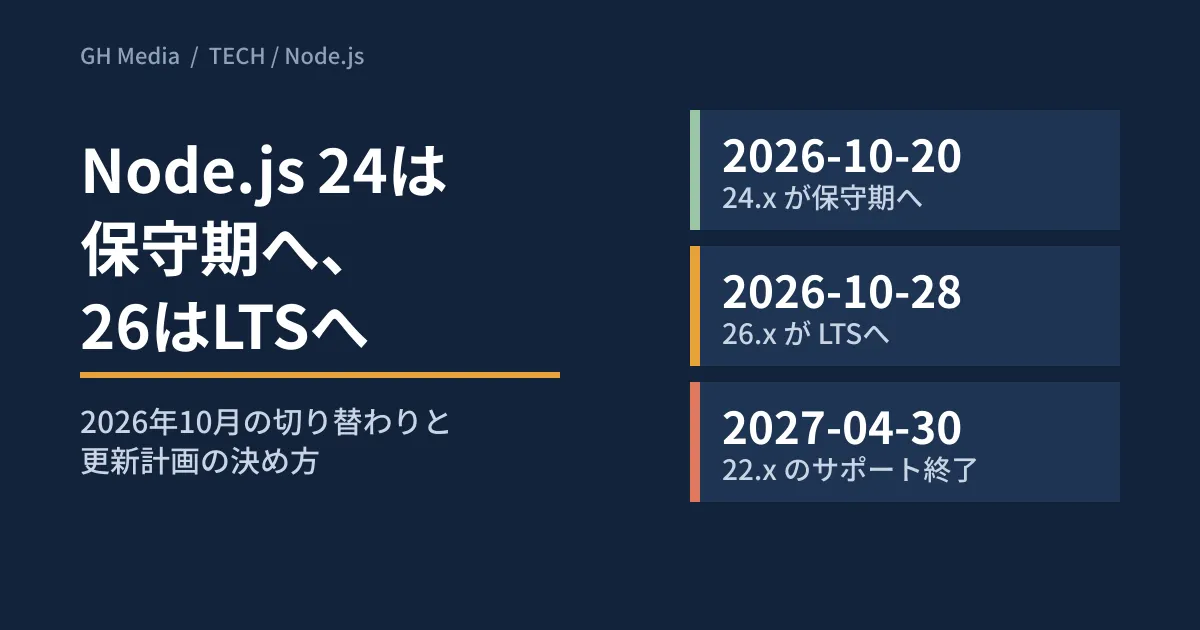
October 2026 brings two more transitions. On October 20, Node.js 24 moves to maintenance, and on October 28, 26 moves to LTS. We cross-check the official schedule and announcements to give you material for deciding which version to run and when to upgrade.
"Still runs" and "still gets fixes" are different things
According to the official Node.js blog, the security releases on June 18 and July 29, 2026 both covered three branches: 26.x, 24.x and 22.x. The July announcement lists 11 vulnerabilities (CVEs), including 3 rated High severity. They include an issue where HTTP/2 processing can be made to exhaust memory, and an issue where hostname verification is skipped when the HTTPS Agent reuses connections.
In the official distribution list (dist/index.json), the last 20.x release is 20.20.2 from March 24, 2026. 20.x was covered up to the March security release, but no fixes have been included since then. The July announcement states, "End-of-Life versions are always affected when a security release occurs."
You also need to look at the patch version, not just the major version. At the time of writing, Node in our test environment (Linux) was v22.22.0. The July fixed version for 22.x is 22.23.2, so this environment is still unpatched. Saying "we're on 22" isn't enough; check the value of node -v. As of October 1, 2026, the latest versions are v24.21.0 for 24.x, v22.23.3 for 22.x and v26.10.0 for 26.x.
What changes in October 2026
The Node.js Release Working Group's repository (nodejs/Release) divides releases into three phases: "Current," which takes in changes broadly; "Active LTS," which receives audited new features and fixes; and "Maintenance," which is limited to critical bug fixes and security fixes. The dates are in schedule.json in the same repository.
| Release | Initial release | Enters LTS | Enters maintenance | End of support |
|---|---|---|---|---|
| 20.x | 2023-04-18 | 2023-10-24 | 2024-10-22 | 2026-04-30 (ended) |
| 22.x | 2024-04-24 | 2024-10-29 | 2025-10-21 | 2027-04-30 |
| 24.x | 2025-05-06 | 2025-10-28 | 2026-10-20 | 2028-04-30 |
| 26.x | 2026-05-05 | 2026-10-28 | 2027-10-20 | 2029-04-30 |
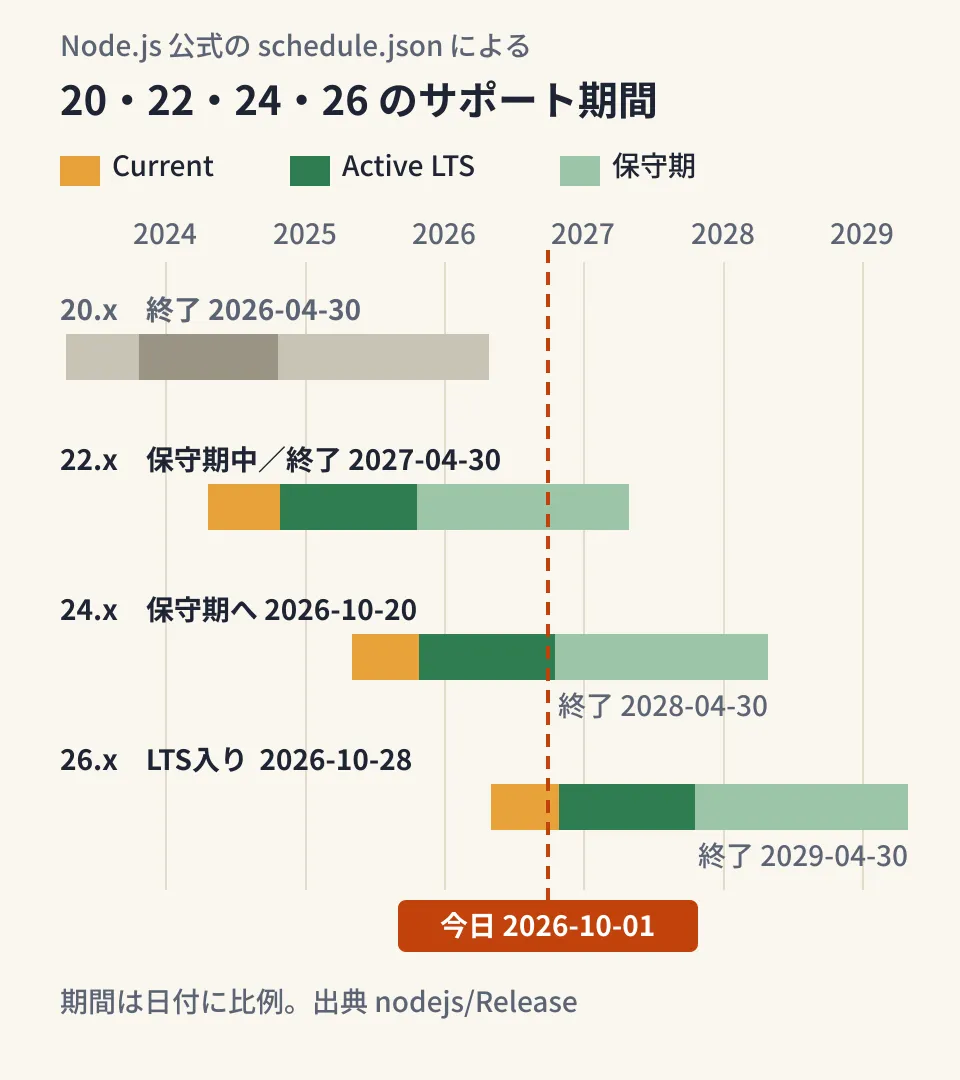
The vertical line in the diagram marks October 1, 2026. 24.x enters maintenance on October 20, but its end date remains April 30, 2028, so the period you can use it does not shrink. 26.x moves to LTS on October 28. The 26.0.0 announcement in May also stated that it would be Current until October. 22.x is already in maintenance, with roughly seven months remaining.
The README says, "Dates are subject to change," and states that any changes will be announced at least 14 days in advance. Treat schedule.json as authoritative for the dates you plan with, and check again before you start.
26 is the last under the old scheme; from 27, LTS every year
The official blog announcement "Evolving the Node.js Release Schedule," dated March 10, 2026, indicated that starting with 27.x, major versions will be released once a year.
- A major version every April, moving to LTS in October. The odd/even distinction goes away, and it explicitly states, "Node.js 27 will become LTS"
- An Alpha channel from October 2026. It will include breaking changes, and the announcement says, "Not intended for production use."
schedule.jsonalso lists a 27.x alpha on 2026-10-28 - LTS stays at about 30 months. From the first Current release to end of life is 36 months. 27 is scheduled to enter LTS in October 2027 and end in April 2030
We also covered the background of the announcement in our article on Node.js moving to annual major releases. What follows is our editorial team's analysis. From 27 onward, one more LTS is added every October, making it easier for operators to choose between "upgrade every year" and "upgrade every two years, about six months before end of life." However, the announcement itself says, "This schedule is not final and may be amended," so dates from 27 onward are planned. Note also that as of October 1, the "Release Plan" section of the nodejs/Release README still described the old scheme.
What to decide for each version you're running now
These are our editorial team's proposals based on the official dates as of October 1.
| Version running in production | Status (as of October 1) | Editorial proposal |
|---|---|---|
| 20.x and earlier | Ended. Not covered by the June and July fixes | Move to 24 or 26 as top priority. If migration drags on, also consider an interim measure of narrowing the paths reachable from outside |
| 22.x | Maintenance. Ends 2027-04-30 | Plan to finish migrating to 24 or 26 by early 2027 |
| 24.x | Enters maintenance on October 20. Ends 2028-04-30 | Keep up with the latest patch version and consider migrating to 26 during 2027 |
| New development or major overhaul | 26.x becomes LTS on October 28 | Make 26 the primary target. Deploy to production after it enters LTS, and test in a test environment until then |
When choosing where to go from 20, it helps to decide by remaining support. 24 ends in April 2028 and 26 in April 2029, a one-year difference. If you want to get to production right away, choose 24; if migration work will extend past the LTS date, choose 26.
What to check before upgrading (editorial proposal)
1. Find every place the version is pinned
Even within a single system, the Node.js version is written in multiple places. Our editorial team created a test repository with 20 written in .nvmrc, package.json, Dockerfile and a GitHub Actions workflow, and confirmed that the following command can list them (Linux, git 2.43.0).
git grep -nE 'node-version|"node" *:|FROM +node:|^(nodejs|node) |^v?[0-9]+' \
  -- .nvmrc .node-version .tool-versions package.json 'Dockerfile*' '.github/workflows/*'
.github/workflows/ci.yml:10: node-version: 20
.nvmrc:1:20
Dockerfile:1:FROM node:20-bookworm-slim
package.json:4: "engines": { "node": ">=20" }Outside the repository, there is also Node installed directly on production servers and runtime settings for hosting and serverless platforms. This article has not checked how long each provider will offer 22 or 24, so check your provider's guidance.
2. Assume engines won't stop you
The npm documentation (v10) explains that unless engine-strict is set, engines is "advisory only." In our test environment (Linux, Node v22.22.0, npm 10.9.4), running npm install on a project with "node": ">=99" produced a npm warn EBADENGINE warning but succeeded, with exit code 0. With --engine-strict, it stopped with npm error code EBADENGINE, with exit code 1. If you want CI to stop on version mismatches, add npm install with this setting to your steps.
3. Run the target version through CI first
actions/setup-node can read the version from .nvmrc or package.json via node-version-file (as documented in the action's README). Keeping the version in one place reduces missed changes when you upgrade.
4. Read the breaking changes
As of October 1, the official migration guides go up to "v22 to v24." In 24, OpenSSL 3.5's default security level 2 means RSA keys shorter than 2048 bits and RC4 cipher suites cannot be used. Test processes that connect over TLS to older business partners or devices first. Prebuilt binaries for 32-bit Windows have not been provided since 23.0.0.
A migration guide from 24 to 26 had not been published. The 26.0.0 announcement lists the removal of old modules such as http.Server.prototype.writeHeader() and _stream_readable, enabling the Temporal API by default, updating to Undici 8 and deprecating module.register(). Search to make sure you don't use them, including in dependencies, and verify with tests.
5. Assign someone to keep up with patch versions
Even on LTS, you don't get fixes unless you upgrade the patch version. Decide who receives security release announcements and the deadline for getting them to production. We also covered the points that tend to get stuck when fixes become more frequent in our article on Java's monthly security patches.
Pitfall
- Putting 26 into production before October 28. At that point, 26 is still Current
- Using the 27 Alpha in production. Use it only for library compatibility checks and CI
- Changing only
enginesand calling it done. By default it only warns, and the versions in your Dockerfile and CI don't change. The same applies to containers still onFROM node:20that haven't been rebuilt - Misreading maintenance as "out of support." 24 receives security fixes until April 30, 2028. You may decide to prioritize migrating from 20 and earlier or from 22
On October 1, 2026, we directly opened and cross-checked the README and
schedule.jsonin the nodejs/Release repository (commit 72fdab2), the official blog announcement "Evolving the Node.js Release Schedule," the release announcements for 26.0.0, 26.10.0, 24.21.0 and 22.23.3, the security release announcements for March, June and July 2026, the migration guide (v22 to v24) and the distribution list (dist/index.json). The behavior ofenginesand the version inventory were each checked once in a test project in our test environment (Linux, Node v22.22.0, npm 10.9.4). We did not check upgrading actual business systems to 24 or 26, behavior on 26, or the support periods of hosting providers or container images.
For update planning for business systems running on Node.js, or changes in preparation for migration, contact GleamHub.
Sources
- nodejs/Release — README (Release schedule / Release Phases / Release Plan)
- nodejs/Release — schedule.json
- Evolving the Node.js Release Schedule — Node.js Blog
- Node.js 26.0.0 (Current) — Node.js Blog
- Node.js 26.10.0 (Current) — Node.js Blog
- Node.js 24.21.0 (LTS) — Node.js Blog
- Node.js 22.23.3 (LTS) — Node.js Blog
- Wednesday, July 29, 2026 Security Releases — Node.js Blog
- Thursday, June 18, 2026 Security Releases — Node.js Blog
- Tuesday, March 24, 2026 Security Releases — Node.js Blog
- Node.js v22 to v24 — Node.js Blog (Migration Guides)
- Node.js release index (dist/index.json)
- package.json — engines (npm docs v10, npm/cli)
- actions/setup-node — README