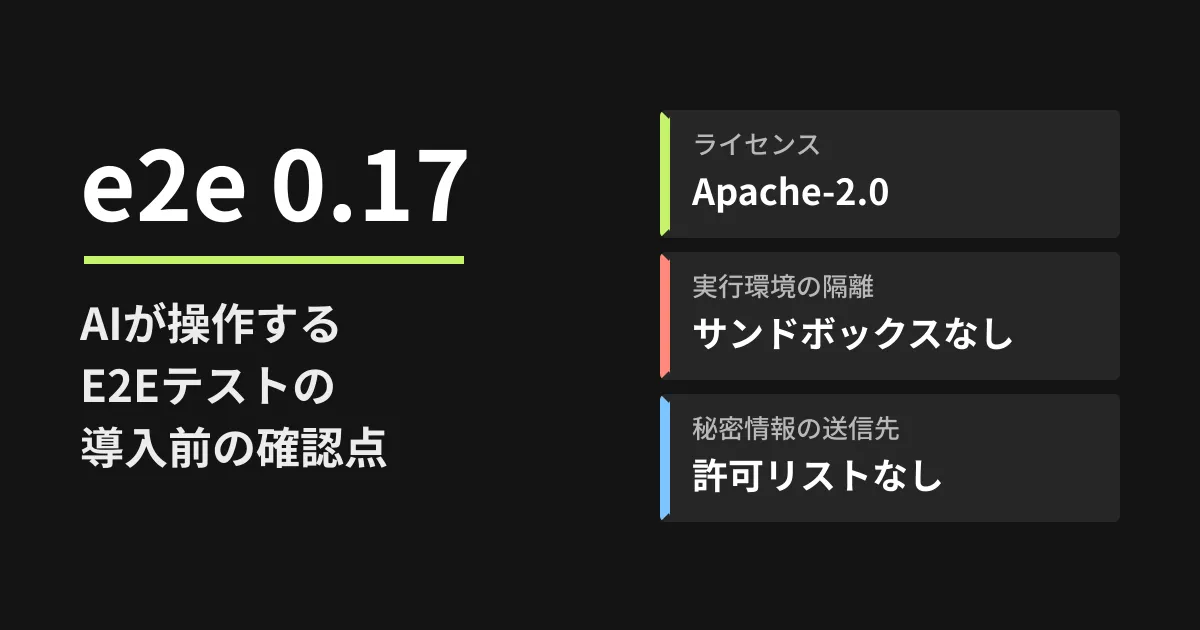
Every time you modify a website or business system, you check everything from login to application completion by hand. Even if you write tests with Playwright, you have to fix them every time on-screen text or layout changes. To address this burden, TesterArmy has released "e2e" as open source, an E2E testing framework in which AI operates the screen when you give instructions in plain sentences such as "upgrade the plan to Pro."
On October 5, 2026, we retrieved the 0.17.0 tag of the tester-army/e2e repository (commit 09733be, October 4, 2026) and read the README, the documentation on the security model, caching, model configuration and telemetry, and the npm publication records. This article is based on desk research and the editorial team's recommendations. We did not install or run e2e in this environment.
What e2e is: writing AI steps and regular checks in the same test
The README example looks like this. agent.act() and agent.assert() express instructions and assertions in natural language, and a regular expect at the end verifies the state of the screen.
import { test, expect } from 'e2e';

test('a member upgrades to Pro', async ({ app, agent, screen }) => {
  await app.open('/settings/billing');
  await agent.act('upgrade the workspace to the Pro plan');
  await agent.assert('the invoice preview shows a prorated amount');
  await expect(screen.getByRole('status')).toContainText('Pro');
});
The basic properties we could confirm from the documentation are as follows.
| Item | 0.17.0 documentation and npm records |
|---|---|
| License | Apache-2.0 |
| Target | Web (Chromium, Firefox and WebKit via Playwright), iOS and Android |
| Node.js | >=22.12.0 (engines on npm) |
| Model | No default model. You configure your own subscription, API key or local model. Tests without AI steps do not need a model |
| Development stage | "On the way to 1.0." APIs and configuration may change even between minor versions |
Its distinctive feature is a mechanism that records AI actions and replays them on later runs. When an action taken by agent.act() is confirmed to be correct by a later check, that action is recorded. On the next run, as long as the screen has not changed, the action is replayed without calling the model. If the screen changes and the recording no longer matches, the AI takes over from that point. By contrast, agent.assert, agent.waitFor and agent.extract are judged by the AI every time.
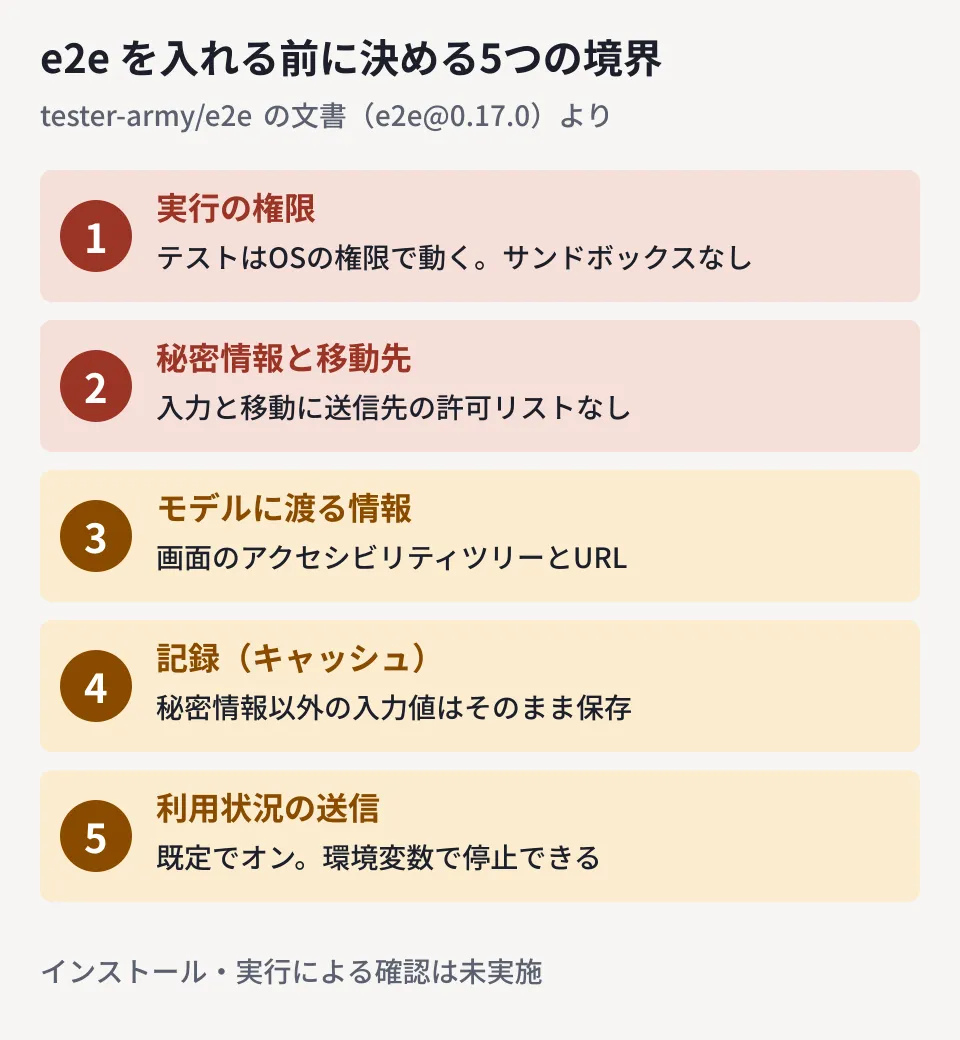
Five boundaries to decide before adoption
The security model documentation clearly states what it can and cannot protect against. When using e2e in staging environments for client projects, the editorial team believes it is safest to decide the following five points first.
1. Tests run with OS privileges, and there is no sandbox
The documentation states "e2e does not sandbox them." Test code, configuration, tools, reporters and so on run with the privileges of the person executing them. It asks that code from untrusted pull requests be run in an external sandbox that holds no secrets or write-access tokens. If your setup automatically runs tests on pull requests from external partner companies, start by reviewing how CI permissions are separated. We explain how to separate execution environments for AI agents in our article on sandboxes and allowlists for AI agents.
2. There is no destination allowlist for where secrets are entered
The documentation states "Navigation and secret fills have no origin allowlist." This means the AI can move from the app to another site and may also enter the secrets passed to that step at the new destination. There are protections, such as entering passwords only into password fields and stopping screenshots after input. Even so, the baseline should be to avoid handing over production accounts or client administrator accounts, and to run tests with dedicated test accounts on a network that cannot reach the outside.
The Basic authentication setting (basicAuth) is documented as responding to 401 responses from any origin. In addition, the scope for sending extra headers is determined by an approximation that does not use the Public Suffix List, so on shared domains such as vercel.app, the headers may reach other hosts on the same domain. Take care if you get through authentication on preview environments using headers.
3. What reaches the model is "what is on the screen"
The model receives the screen's accessibility tree (node IDs, roles, names, text and so on) and a redacted URL. Screenshots are sent only when needed, and only if the engine can confirm that password fields and similar elements are masked and no secrets have been entered in that attempt. In other words, customer names and inquiry details displayed in the test environment are sent to the provider of the model you configure. First check how your contracts with clients handle sending data to external AI services, and if necessary use an environment with dummy data or configure a local or self-managed model (an OpenAI-compatible endpoint).
4. Treat the recorded cache as test code
Recordings are saved as JSON in .e2e/cache/. They do not include prompts, screenshots or secret values, but input values not passed as secrets are described as "stored verbatim." e2e init adds this directory to .gitignore by default. If you commit it to share with your team, the documentation asks you to "review it in pull requests as test data," because cached actions are also replayed with OS privileges.
5. CLI usage telemetry is on by default
By default, the CLI sends anonymous usage data (such as the commands and engines used and where failures occurred). It is stated not to send test contents, app contents or credentials. If your client's policy requires blocking external transmission, set E2E_TELEMETRY_DISABLED=1 (or DO_NOT_TRACK=1) in CI. Adding E2E_TELEMETRY_DEBUG=1 lets you display what would be sent without actually sending it.
Where to start if you try it (editorial recommendations)
- Start with tests that do not use AI steps. They run without configuring a model, so you can first see how writing them differs from your existing Playwright tests. Comparing them with the setup in our article on automating QA with Playwright and AI makes the decision easier
- Try just one
agent.act()on a staging screen with dummy data. Record the number of model calls and the cache replay results (replayed, handed off, missed) shown in the run summary, and check whether the second run can avoid calling the model - Pin the version. Because it is in the 0.x series and may change even between minor versions, pin
package.jsonto an exact version and read the changes before upgrading. Note that the npm namee2ehas publication records for other versions dating back to 2014. When adopting it, confirm thatrepositorypoints to tester-army/e2e
Tests that let AI operate the screen become harder to break, but in exchange they widen the permissions and data you hand over. Before trying it, decide three things first: "which account to use, which network to run it on, and which model to show the screen to." We cover how to build a structure that makes tests stick in our article on why test automation fails to take hold.
On October 5, 2026, we directly opened and cross-checked README.md, docs/security.mdx, docs/cache.mdx, docs/models.mdx, docs/telemetry.mdx, docs/authentication.mdx and packages/e2e/package.json at the e2e@0.17.0 tag (commit 09733be) of the tester-army/e2e repository, as well as the npm registry publication records for e2e and @e2e-dev/web (desk research). The adoption approach is the editorial team's recommendation. We did not verify installing or running e2e, calling a model, or replaying the cache. We did not cross-check the content of the TesterArmy website or the e2e.tester.army documentation site.
GleamHub accepts consultations on development, AI and automation, including test automation, CI permission design and reviewing development structures that use AI. The approach varies with the scale of the project and the data involved, so please contact us via our contact form.
References
- tester-army/e2e — README.md(e2e@0.17.0)
- tester-army/e2e — docs/security.mdx(e2e@0.17.0)
- tester-army/e2e — docs/cache.mdx(e2e@0.17.0)
- tester-army/e2e — docs/models.mdx(e2e@0.17.0)
- tester-army/e2e — docs/telemetry.mdx(e2e@0.17.0)
- tester-army/e2e — docs/authentication.mdx(e2e@0.17.0)
- npm registry — e2e
- npm registry — @e2e-dev/web