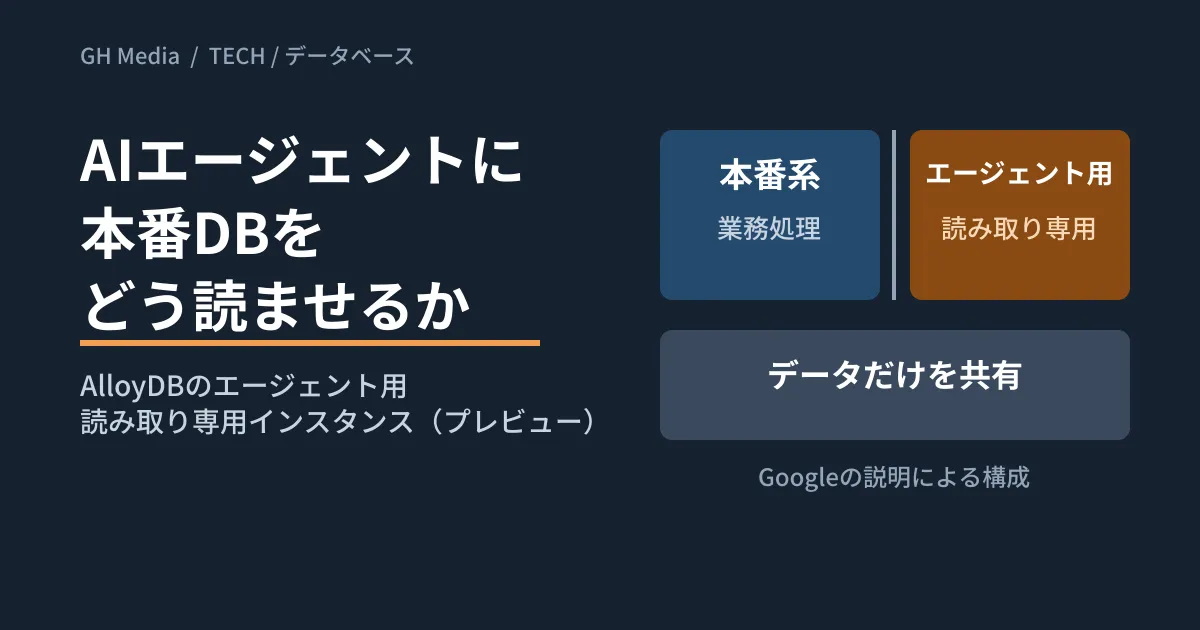
Ask the AI agent in your company chat, "Which customers from last month's orders haven't paid yet?" and you get an answer. To make that work, the agent needs to read the production database that manages orders and billing. The concerns are whether the agent's queries will slow down core systems, and whether unintended updates or data exfiltration could occur.
In an official blog post on September 24, 2026, Google Cloud announced that it had added "PostgreSQL for agents" to AlloyDB for PostgreSQL as a preview. It handles agent reads on compute resources separate from production business processing. We separate what we could confirm in the official blog from what remains unconfirmed, and lay out the design decisions to make first even if you don't use AlloyDB.
Agent reads put a different kind of load on the database than people using app screens
The SQL issued by business app screens is limited to forms defined at development time, but agents build SQL in response to questions, look at the results and then run further queries.
A technical deep dive published the same day, "A new, no-compromises database architecture for the agentic era", says of agent processing that "Agentic workloads are generated dynamically and cannot be vetted in advance" (they are generated on the fly and cannot be checked beforehand), and treats isolating them from production as a business continuity requirement. The announcement post also explains that just a few agents reasoning repeatedly can cause a surge in queries that conventional architectures may be unable to handle.
What follows is the editorial team's analysis. When designing for agents to read production data, decisions become easier if you consider the following two issues separately.
- Load: Will heavy aggregations or unexpected full scans compete for the same compute resources as business processing such as order entry?
- Safety: Is the agent unable to update or delete data, does it see only the columns it should, and can you trace who requested what it read?
AlloyDB's new feature mainly addresses the former. For the latter, some design work remains on the user's side whichever approach you choose.
"PostgreSQL for agents" as Google describes it
Here is what we could confirm from the announcement and the technical deep dive. Both describe features that are in preview as of October 2, 2026. According to the documentation page, you need to apply to join the preview to use it (checked on October 5).
- A read-only execution environment isolated from production. It provisions sandboxed instances for agents in seconds and gives them "up-to-the-second read-only access" to production data. Google says these are fully isolated from production instances such as the primary, standby and read replicas
- Shared storage, separate compute. Each instance reads data from a common storage layer on Colossus, Google's distributed storage system. According to the technical deep dive, agent nodes run in microVMs and read from a Colossus segment separate from production. The motto is "Share the data. Share nothing else."
- Full PostgreSQL functionality. Google says all indexes, SQL, and vector, full-text and spatial search are available
- Scales back to zero when done. When the agent finishes its work, the instances stop automatically, and you pay only for what you use. The technical deep dive explains that billing is per second of node uptime
- Cross-queries with BigQuery and Spark. Google says you can match data against the lakehouse side without building an ETL pipeline
- Connections go through MCP. The technical deep dive says agents connect to the pool of agent nodes via the Model Context Protocol (MCP)
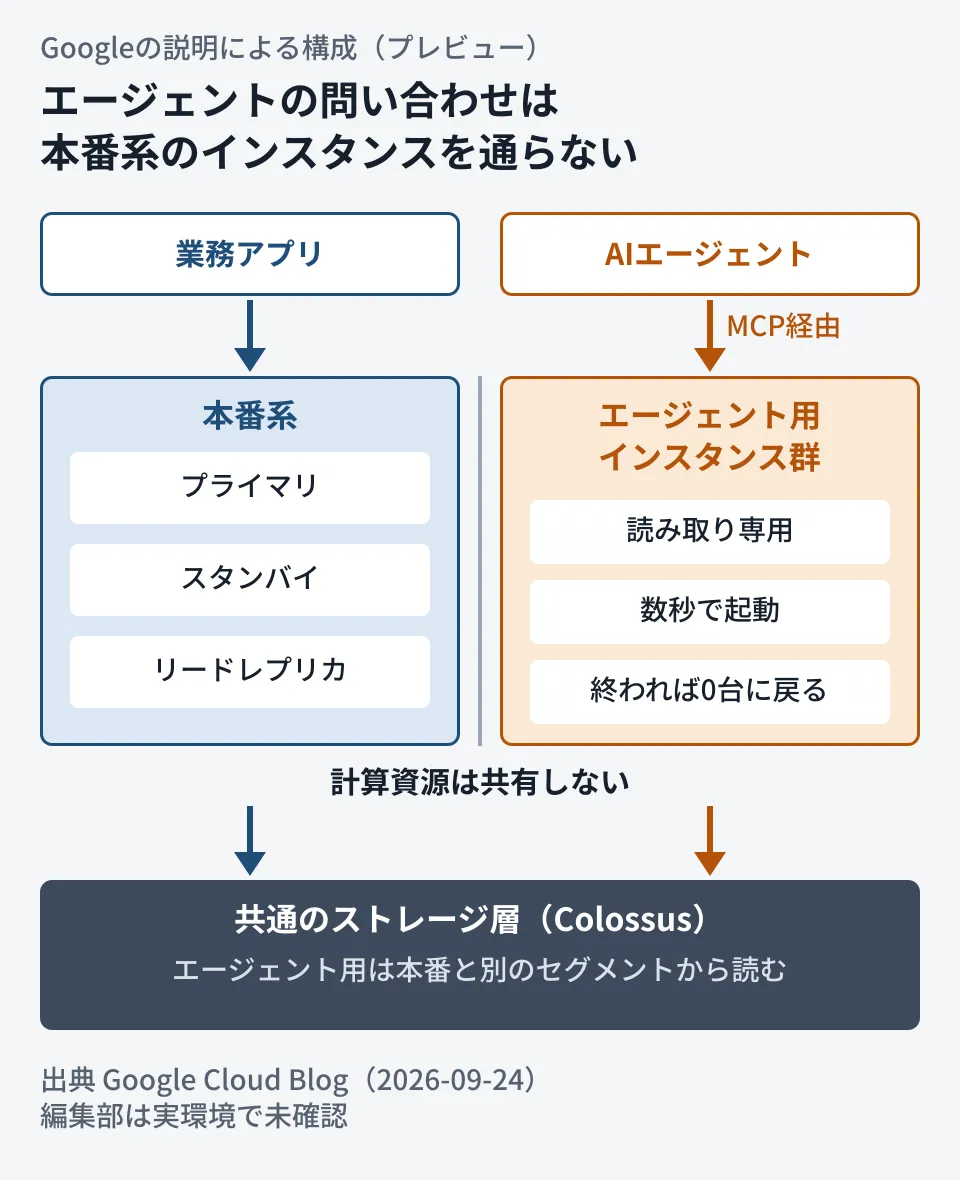
The only thing the two sides share is the data in the storage layer, and agent queries do not pass through the production instances. This diagram is based on Google's description; the editorial team has not verified it in a real environment.
On performance, the technical deep dive includes the results of Google's own tests: scaling agent nodes from 1 to 1,000 had "no measurable impact" on primary performance, total throughput reached 3 million queries per second, and a full scan across 2,100 nodes exceeded 1 terabit per second in total reads. The announcement also touts "sub-millisecond I/O." All of these are figures published by Google; the editorial team has not measured them.
On security, the announcement lists IAM authentication, VPC Service Controls, customer-managed encryption keys (CMEK) and auditing as features of AlloyDB as a whole. We have not been able to confirm in the documentation to what extent these apply in the same way to agent instances.
Comparing the options for where agents read
There are three broad options for where agents can read production data. The table below combines the official blog's explanation with the editorial team's summary of common architectures.
| Read target | Data freshness | Impact on production | Cost model |
|---|---|---|---|
| Read replica of the production DB | Stale by the replication lag | Compute is separate, but storage or replication paths may be shared depending on the setup | Proportional to the number of always-on instances |
| Analytics copy (ETL/DWH) | Stale by the ingestion interval | Can be largely decoupled except during ingestion | Cost of the ingestion and analytics platforms |
| AlloyDB PostgreSQL for agents (preview) | Seconds (per Google) | Does not share compute with the production system (per Google) | Pay-as-you-go, billed per second of uptime (unit price not confirmed) |
The technical deep dive assesses dedicated read replicas as isolated from production and fast to respond, but notes that each scale-out requires copying large amounts of data and takes hours, which does not suit short bursts of agent activity. It also points out that they incur costs while idle.
In the editorial team's view, for internal agents with predictable query volumes, existing read replicas or analytics copies may be enough. AlloyDB's new feature matters when the number of agents or queries can spike suddenly, and for work that needs data as fresh as a few seconds ago.
What is still unknown
As of October 2, 2026, we could not confirm the following points from the official blog. We also opened the documentation page linked from the announcement (updated September 30) on October 5, but it contained only an overview and instructions for applying to the preview, and did not cover the following points.
- Pricing. It says billing is pay-as-you-go per second of uptime, but no unit prices are listed
- Timing of general availability (GA). The announcement only says "now available in preview"
- Limits and constraints. Other than the test figures in the technical deep dive, there is no information on how many instances can run concurrently per database, time limits per query, or conditions on startup time
- Available regions. We have not confirmed whether it is available in Tokyo or Osaka
- Writes. The descriptions consistently say it is read-only. Whether writes will be supported in the future is not stated
- Required setup. Because this is an AlloyDB feature, you should assume it cannot be used with Cloud SQL, other cloud providers or on-premises PostgreSQL
Features in preview may change in terms of availability and specifications before GA. Check the terms of service and the documentation before building them into production workflows.
What to decide first, whichever approach you choose (editorial proposal)
Create a read-only role dedicated to agents
If agents reuse the same connection user as your application, they also inherit its write privileges. Telling the agent in a prompt to "only read" is not a restriction. In PostgreSQL, create a separate role that allows reads only.
create role agent_ro login password '...';
grant usage on schema public to agent_ro;
grant select on orders to agent_ro;              -- 見せる表だけ
alter role agent_ro set default_transaction_read_only = on;
alter role agent_ro set statement_timeout = '30s';
The editorial team tested this approach with PGlite (0.5.8, PostgreSQL 18.3), a WebAssembly build of PostgreSQL. This checks the behavior of permissions in standard PostgreSQL, not in AlloyDB. After switching to agent_ro, select count(*) from orders returned 1,000 rows, insert and delete were rejected with "permission denied for table orders," and create table was rejected with "permission denied for schema public." Even on a connection that remained the owner but was set to default_transaction_read_only = on, insert was stopped with "cannot execute INSERT in a read-only transaction."
On the other hand, even with statement_timeout = '1s' set, both a 3-second pg_sleep and an aggregation over 1 billion rows ran to completion in PGlite. This appears to be a limitation of the WebAssembly build, and we could not verify it in this environment. Confirm that queries are actually stopped on your real database.
Limit what is visible at the table or column level
For columns you do not want answered through an agent, such as personal information or cost prices, create a view and grant permissions on that view only. Even with read-only access, what the agent reads spreads across the company through conversations. We covered how to think about the stage where updates are allowed in our article on boundaries for letting AI agents make updates.
Set limits on compute and time
If agents connect to the same instance as your business workloads, set limits on query time, concurrent connections and the number of rows returned. If they connect to compute separate from production, such as read replicas, analytics copies or AlloyDB agent instances, the limits can be looser. We also covered AlloyDB standby configurations in our article on AlloyDB hot standby.
Record who asked for what and what was read
Log the SQL issued by the agent together with the user request it was based on. Database audit logs alone may not tell you which employee asked the question. We summarized incidents where agents broke production and how to prevent them in our article on production DB deletion incidents and guardrails.
Try the preview in a test environment first
If you want to try the new feature on AlloyDB, start with a test cluster and check startup time, how costs accrue and what the audit logs record. It is safer to wait for GA and published pricing before relying on the preview for core business decisions.
On October 2, 2026, we opened and reviewed the Google Cloud official blog announcement "AlloyDB delivers PostgreSQL for agents: Real-time data at agent scale, with full workload isolation" and the technical deep dive "A new, no-compromises database architecture for the agentic era" (both dated September 24, 2026). The performance figures are published by Google; the editorial team has not measured them. We opened the AlloyDB documentation page on October 5, before publication, but it contained only an overview and instructions for applying to the preview, so pricing, limits and regions remain unconfirmed. The read-only role and read-only settings were each tested once in PGlite 0.5.8 (PostgreSQL 18.3, Node.js v22.22.0, Linux), not on AlloyDB.
statement_timeouthad no effect in PGlite and could not be verified.
For help designing how to connect internal data to AI agents, reviewing database permissions and architecture, or any other development, AI and automation needs, contact GleamHub.
Sources
- AlloyDB delivers PostgreSQL for agents: Real-time data at agent scale, with full workload isolation — Google Cloud Blog
- A new, no-compromises database architecture for the agentic era — Google Cloud Blog
- PostgreSQL for agents in AlloyDB — AlloyDB for PostgreSQL documentation
- PGlite (@electric-sql/pglite) — npm