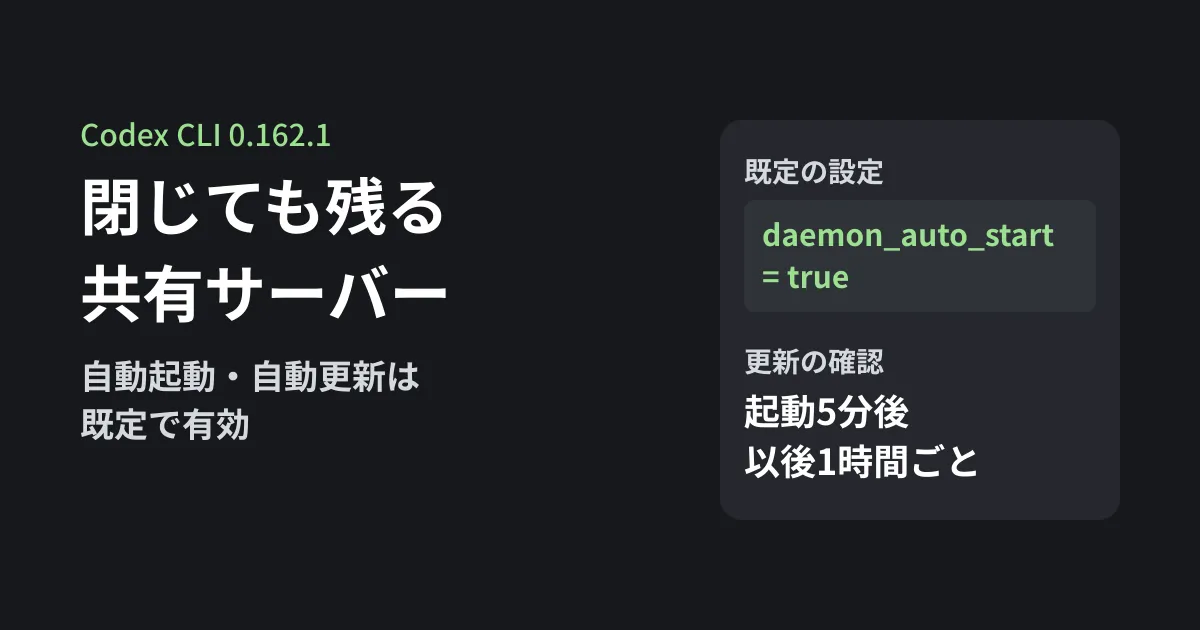
After a development team starts using Codex CLI, the person managing PCs notices that a codex process remains even after all terminals are closed. For that kind of situation (a scenario assumed by the editorial team), this article helps you judge what is running, whether it is safe to stop, and where to configure it.
In the Codex repository published by OpenAI, as of the rust-v0.162.1 tag dated October 9, 2026, a feature that automatically starts a "shared background server" (the app-server daemon) when the interactive interface (TUI) launches is enabled by default. On September 25, an issue was also opened asking for this default to be reconsidered. In 0.163.0, released on October 15, this default has not changed. We summarize what we confirmed in the source and README from the perspective of managing company PCs.
Interactive launch starts a shared background server
In the feature definitions (codex-rs/features/src/lib.rs), daemon_auto_start is registered as follows.
| Item | Value |
|---|---|
| Description | Automatically start the shared local daemon for eligible interactive launches. |
| Stage (stage) | Stable |
| Default (default_enabled) | true |
Reading the startup code (codex-rs/tui/src/startup_orchestration.rs), it does not auto-start when launched with --no-daemon or when connecting to a remote workspace. There are also branches where it is not used during Amazon Bedrock sign-in setup, under WSL when the Codex settings folder (CODEX_HOME) is on a Windows-side drive, and when launched as administrator on Windows.
The daemon README states at the top that this mechanism is "experimental" and that its behavioral contract may change. This article reflects the October 9 tag (0.162.1). On October 16, we confirmed that in the 0.163.0 tag, the defaults, exclusion conditions and README descriptions discussed here are the same (apart from formatting differences in tables and configuration examples).
Once running, it persists after the window closes and keeps checking for updates
From the README and source, here are the behaviors worth keeping in mind when managing company PCs.
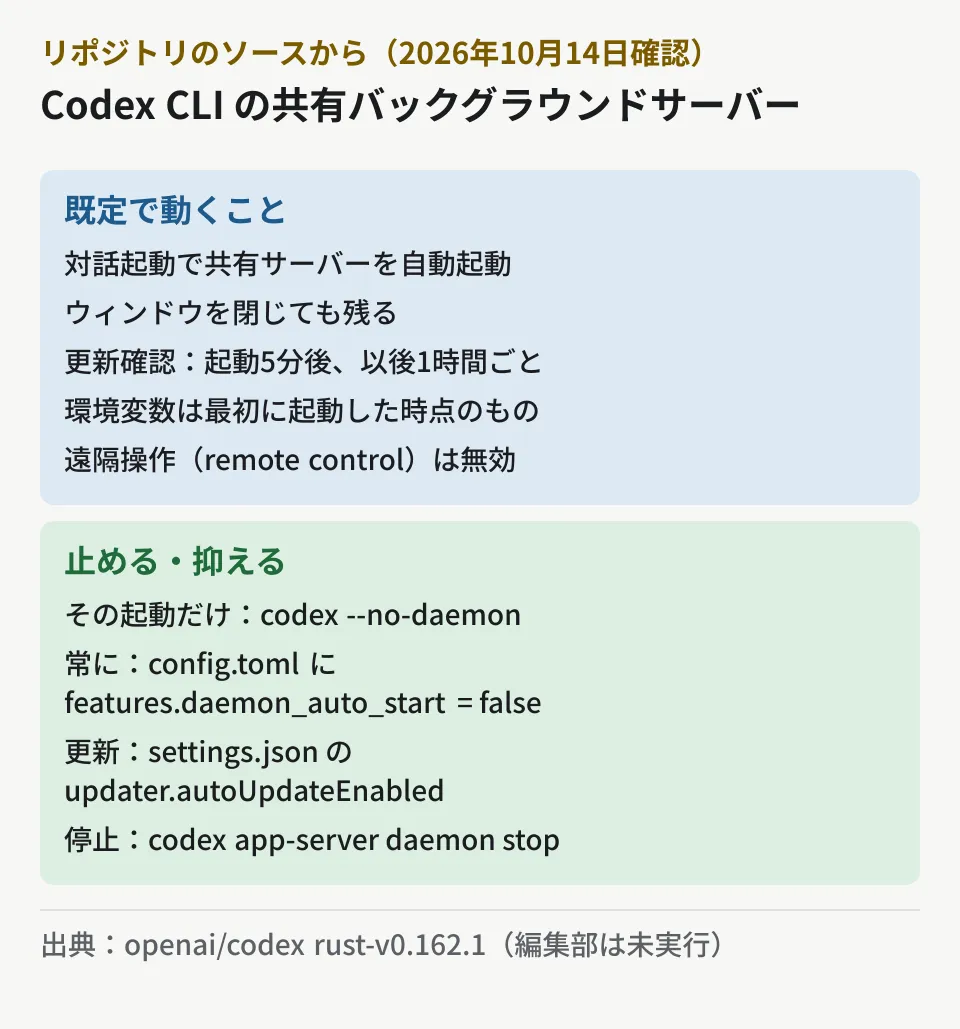
- It runs as an independent process. It starts as a process detached from the window and managed by a pid file. Its state is kept in
CODEX_HOME/app-server-daemon/, where files such as the settingssettings.json, the process recordapp-server.pidand the update processapp-server-updater.pidare created - Auto-update is enabled by default. The setting defaults to
auto_update_enabled: truewith a 60-minute interval. The README says the daemon checks for updates 5 minutes after starting and then every hour. The update process runs only when the binary was installed from the latest stable channel and supports updates. When it fetches a new version, it restarts the running server with the new binary - The update process does not survive a restart. The update loop does not continue across OS restarts and starts again the next time the daemon starts
- It keeps using the environment variables from when it first started. The README says, "Opening a new terminal or unsetting a variable there does not remove it from the running daemon's environment. There is no per-client environment isolation"
- Remote control is disabled by default.
remoteControlEnableddefaults tofalseand must be explicitly enabled, for example withcodex remote-control start
Issue #48195, opened on September 25 (a report from Codex CLI 0.157.0 installed via npm in a WSL2 Linux environment), asks for this auto-start to be changed to "opt-in (disabled by default)." The issue also reports that the update process keeps running even after stopping the server with codex app-server daemon stop. As of October 16, the issue was still open, and we could not find a response from OpenAI. The editorial team has not reproduced this behavior.
Settings to stop or limit it
Here are the settings and commands we found in the repository. The editorial team has not run any of them.
- Skip it for a single launch. Launch with
codex --no-daemon. The CLI describes it as "Run without using the shared background server, even if it is already running" - Always disable auto-start. Add the following line to
config.tomlinCODEX_HOME(default~/.codex). The repository's tests disable it the same way
features.daemon_auto_start = false- Disable auto-update or change the interval. Edit
updaterinCODEX_HOME/app-server-daemon/settings.json. The README explains that enabling or disabling takes effect withcodex app-server daemon restart
{
  "remoteControlEnabled": false,
  "shutdownGraceSeconds": 60,
  "updater": { "autoUpdateEnabled": false, "updateIntervalMinutes": 120 }
}- Stop the running server.
codex app-server daemon stoprequests shutdown and force-kills the process if it is still running after the grace period (shutdownGraceSeconds, default 60 seconds, 0 to 300 seconds) - Check the status.
codex doctoris a command that diagnoses installation, configuration, authentication and the runtime environment, and the source states that it reports the daemon's status without starting or stopping it
Note that even with auto-update disabled, running codex update or codex app-server daemon update explicitly will still update it. If you disable updates, you need to decide separately when to apply security fixes.
What to decide for company PCs
From here on are the editorial team's suggestions.
- Whether to allow auto-start. On machines where you want to avoid resident processes, disable it with
config.tomland include this in the initial setup of developer PCs. Even if you allow it, make sure your device management tools account for the lingeringcodexprocess - How to handle auto-update. Decide whether to pin the version and upgrade after testing, or leave it to auto-update. If you pin it, also decide who checks for updates and when
- Do not put secrets in environment variables. Because the daemon inherits the environment from when it first started, assume that temporarily set API keys or proxy settings will remain
- Review with every version change. Because the README labels it "experimental," check after each update whether the handling of
features.daemon_auto_startor the location of the settings files has changed
We also cover how much permission to give AI coding agents in Agent permissions with Docker Cloud Sandboxes and Compromise via extensions on developer machines and device management. For choosing a CLI itself, see Comparing Claude Code, Codex CLI and Copilot CLI.
Scope of verification
On October 14, 2026, we retrieved the
rust-v0.162.1tag (a commit from October 9, 2026) of the openai/codex repository on GitHub and readcodex-rs/features/src/lib.rs,codex-rs/tui/src/startup_orchestration.rs,daemon_startup.rs,cli.rs,codex-rs/app-server-daemon/README.md,src/settings.rs,src/update_loop.rsandcodex-rs/cli/src/main.rs. We retrieved the page for issue #48195 and reviewed its content (document research). On October 16, we compared the same files against therust-v0.163.0tag (npm@openai/codex0.163.0, released October 15) and checked the issue's status. We did not verify installing and running Codex CLI, the daemon's start, stop and update behavior, or differences by installation method such as npm or Homebrew. We found no description of the shared background server on the CLI page of OpenAI's official documentation.
For policies on configuring AI tools on development machines, or how to integrate coding agents into in-house development, contact us through Consultation on development, AI, and automation.