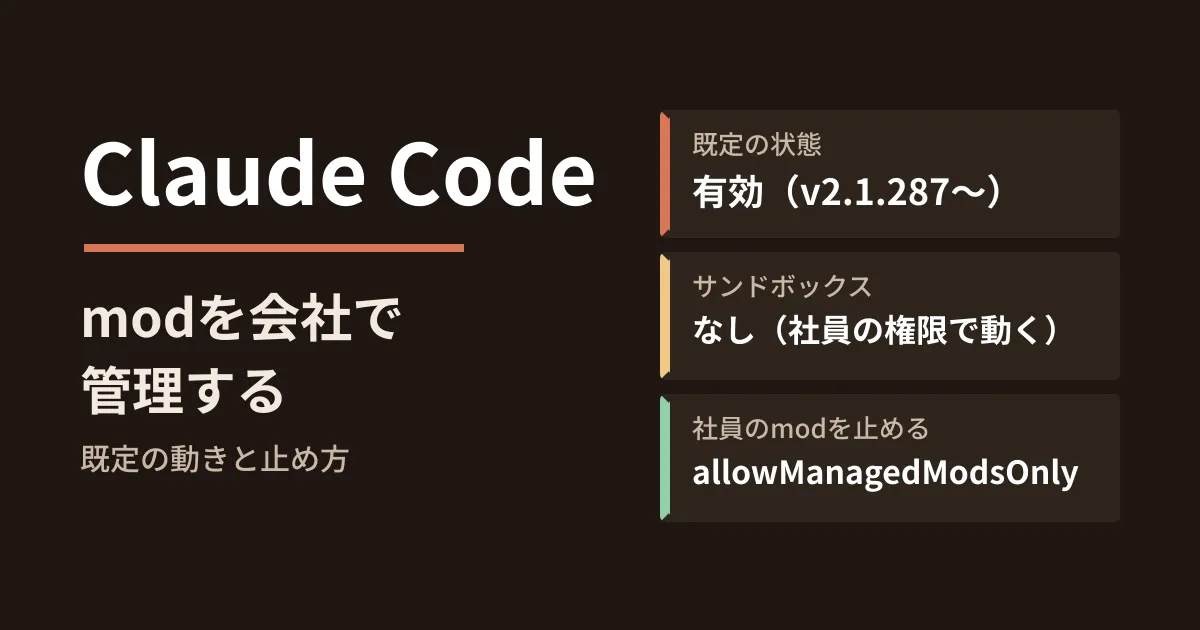
A few months after rolling Claude Code out to your development team, an employee tells you one day, "I installed a handy mod." Could you explain what it is doing? In Claude Code v2.1.287, released on October 1, 2026, mods, plugins that change the interface and behavior, were officially added and enabled by default.
A mod is JavaScript or TypeScript code that runs inside Claude Code. The official documentation states plainly that "A mod is code that runs with your permissions" and "Mods aren’t sandboxed." In this article, we lay out how a company should handle mods, based on what we confirmed on October 6, 2026 by directly opening the official Claude Code documentation ("Mods overview," "Manage mods for your organization" and "Advanced setup" on code.claude.com), the changelog in the anthropics/claude-code repository and the npm publication records. This is based on document research and editorial proposals; we have not tested the behavior in an environment with managed settings deployed.
What mods can do and what they can access
A mod is a function that is called on events such as tool calls, submitted prompts and screen rendering. The documentation's "What a mod can reach" section lists the following as things a loaded mod can do.
- Read and write files, launch programs and communicate over the network using the user's account
- Read environment variables and configuration files (including API keys)
- See every prompt sent and every tool call Claude makes
- Rewrite prompts and tool calls, and send prompts as if the user had typed them
- Approve tool execution before the confirmation prompt appears
- Call models using the user's plan or API key
Traditional hooks written in settings files run commands outside Claude Code, but mods run inside Claude Code, which is why they can go this far. The documentation says that even with the Claude Code sandbox enabled, only the Bash commands Claude runs are isolated, and processes launched by mods run outside it.
Behavior when nothing is configured
According to "Know what happens by default" on the administrator page, the following applies if the organization configures nothing.
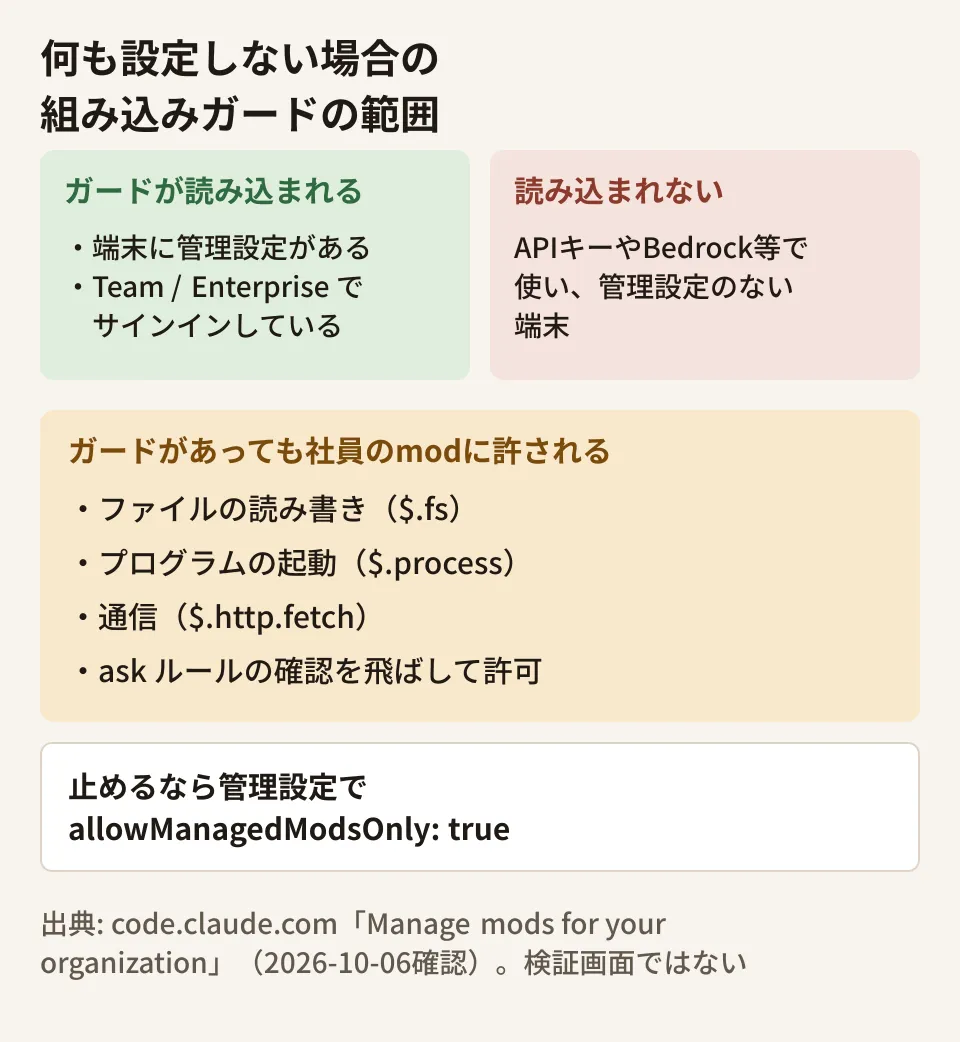
- Mods are enabled: Employees can load mods installed from allowed marketplaces and mods in directories specified with
--plugin-dir - The built-in guard runs first: A mod called
sec-default@builtinis loaded before employee mods, and employees cannot stop it. However, it is loaded only if the machine has managed settings or the user is signed in on a Team or Enterprise plan - What the guard protects: The input and decisions of hooks in managed settings, the system prompt, managed instructions such as
CLAUDE.md, and the tools and descriptions of managed MCP servers - Everything else is allowed: Reading and writing files, launching processes, network communication, rewriting tool calls and prompts, and denying or approving tool execution
What you should check here is the condition under which the guard is loaded. The documentation says, "A user who authenticates with an API key, or through Amazon Bedrock, Google Cloud’s Agent Platform, or Microsoft Foundry, gets the guard only on a machine that has managed settings." At companies that use API keys and have not deployed managed settings to machines, the guard itself does not run.
Even when the guard runs, employee mods cannot approve tool calls blocked by deny (deny) rules. However, this applies only to Claude's tool calls. The documentation explicitly states that, for example, even if Read(.env) is denied, the mod's own file reads ($.fs.read) and programs launched by the mod can read .env. Settings that show a confirmation prompt with ask (ask) rules, and denials by PreToolUse hooks outside managed settings, can be overridden by a mod approving them.
Stopping mods installed by employees
To block all mods brought in by employees, you only need to add the following single item to managed settings.
{
  "pluginConfigs": {
    "cc-plugin-sec-default@builtin": {
      "options": {
        "allowManagedModsOnly": true
      }
    }
  }
}
This stops loading of mods from plugins employees installed, mods loaded with --plugin-dir and mods Claude wrote during a session. Writing the same item in an employee's user settings or project settings has no effect; it is read only from managed settings. Traditional hooks, status lines and /goal that employees wrote in settings files continue to work as before.
To confirm it is working, launch Claude Code on a test machine with a mod specified, as in claude --plugin-dir ./first-mod, and check that the mod does not run and that a denial message citing allowManagedModsOnly appears in the debug log.
The documentation organizes the settings for each policy as follows.
| Policy | Configuration |
|---|---|
| Do not use employee mods (keep hooks in settings files) | allowManagedModsOnly |
| Use only mods your company distributes | allowManagedModsOnly + place your company's mods as organization mods |
| Mods from allowed marketplaces may be used | Marketplace restrictions + disableSideloadFlags |
| Do not use any mods or hooks at all (hooks in managed settings also stop) | disableAllHooks |
The documentation says disableAllHooks also stops hooks deployed through managed settings, and denials by PreToolUse hooks no longer take effect. Note that at companies that deploy hooks for security, choosing this reduces your protection.
A setup that allows only your company's mods
If you want to distribute a mod your company built to everyone, there are detailed conditions for that mod to be treated as an organization mod.
- Set that plugin to
trueinenabledPluginsin managed settings - In managed settings, specify the plugin marketplace as a directory on the machine (an absolute path)
- The marketplace points to the plugin with a relative path, and the plugin is loaded from that location
Plugins fetched from GitHub, git, a URL or npm and copied into the cache are treated as employee mods even if enabled in managed settings, and are not loaded under allowManagedModsOnly. In other words, you need to place your company's mods at the same path on every machine using MDM or similar tools, and make that directory writable only by administrators. The documentation warns, "Anyone who can write there can rewrite your mod." Managed settings distributed from the claude.ai admin console can carry setting items, but cannot place directories on machines.
You can also write a policy mod: your company's mod runs first and reviews the contents of other mods before they are loaded. The documentation's example denies employee mods that call $.process.run and similar functions, and records tool calls in an audit log. Because this review fails open, letting things through, if the handler throws an exception or times out, the documentation also shows how to make it fail closed with .catch.
What to decide before adopting it (editorial team's proposal)
- Confirm that the conditions for the guard to work are met: Check whether managed settings have been distributed to devices that use Claude Code through an API key or a cloud provider. If they have not, start by distributing managed settings.
- Decide on a policy first: Choose which option in the table above to adopt, and keep mods blocked with
allowManagedModsOnlyuntil the decision is made. Loosening restrictions later is easier than recovering mods that have already been installed. - Review the contents before installing: If there is a mod you want to try, use
claude plugin validateto list and check the events it receives (hooks:) and the features it calls (calls:). Handle mods that list items such as$.process.run,$.http.fetchand$.env.getwith care. - Align versions: v2.1.290 (released October 5) fixed a bug that allowed mods installed by employees to disable the organization's plugins or skip the organization's guard checks. If you use mods, standardize on 2.1.290 or later.
You also need to pay attention to the release path. Claude Code has two update channels: latest, which receives new versions immediately, and stable, which lags by about one week and skips versions with major bugs. On npm as of October 6, latest was 2.1.290 and stable was 2.1.285. According to the documentation, mods are available in the terminal version from 2.1.287 onward, so mods are expected to reach devices on stable soon as well (the desktop app supports them when its bundled Claude Code is 2.1.286 or later). It is safer to decide on a policy before they arrive.
We cover overall management for rolling out Claude Code company-wide in Company-wide Claude Code rollout and governance through a gateway, and the approval mechanism in Claude Code auto mode and approval gates. A key difference from the existing mechanisms is that mods can intervene before this approval step.
On October 6, 2026, we directly retrieved and cross-checked the official Claude Code documentation ("Mods overview", "Manage mods for your organization" and "Advanced setup"), the
CHANGELOG.mdof anthropics/claude-code (v2.1.286 to 2.1.290), and the npm publication records for@anthropic-ai/claude-code(desk research). The decisions to make before adoption are the editorial team's proposals. We have not tested how mods are loaded or rejected on devices with managed settings distributed, or how they behave in the desktop app.
GleamHub's development, AI and automation consulting services can help with rolling out AI coding tools such as Claude Code within your company and with designing permissions for development environments. Suitable settings vary depending on how the tools are used and how devices are managed, so please reach out through our contact form.