Formatting on every save, prettier --check on every pull request, pre-commit hooks. In website and business app repositories, Prettier runs many times a day. The more files there are, the more it affects CI wait times too.
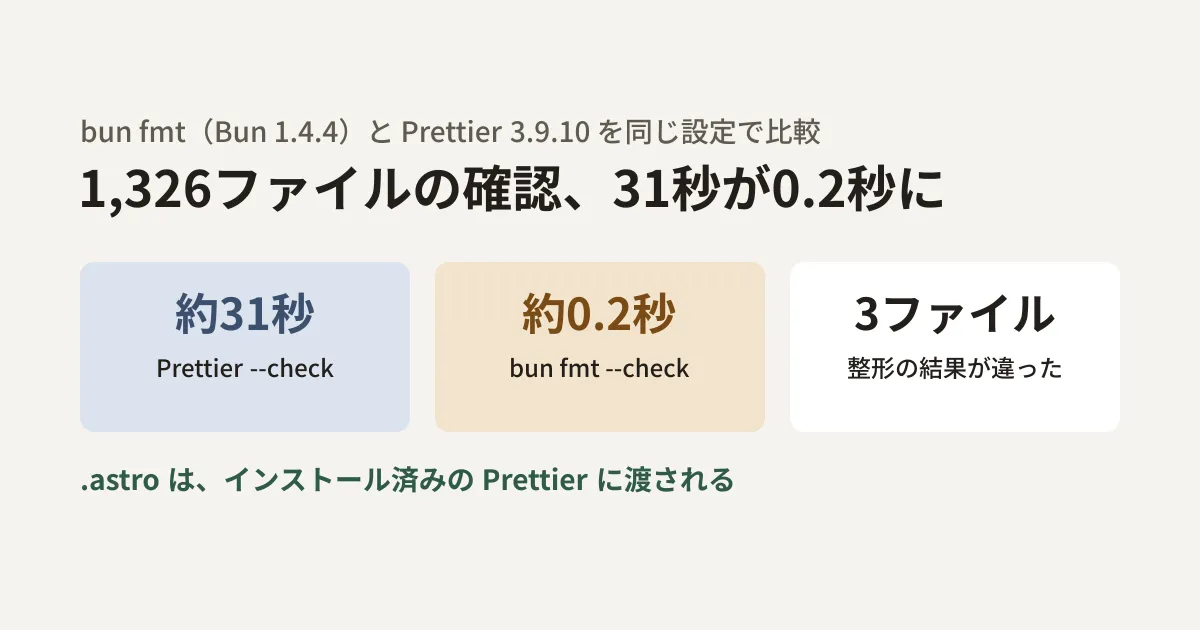
Bun 1.4.4, released on October 22, 2026, includes a formatting command called bun fmt. Bun's documentation describes it as producing "the same output as Prettier" and "working with existing Prettier or oxfmt configuration." The release notes (Bun's blog) report that on Prettier's own repository (2,616 files), --check took 59.7 milliseconds versus 17.1 seconds for Prettier 3.9.10. When we tried the previous version (1.4.3) in our test environment, bun fmt was not available and it displayed "Script not found “fmt”."
Can it really replace Prettier? The editorial team compared time and output against Prettier 3.9.10 using files copied from this site's source (the site is built with Astro). We summarize the results and the points to check before switching.
Test conditions
- Environment: A Linux container (4 cores), with
bun@1.4.4andprettier@3.9.10installed via npm - Target: A total of 1,326 files copied into a separate folder from
srcandscriptsin our website's repository: Markdown (1,151),.mjs(139), TypeScript (23), and CSS (13) (about 17MB) - Configuration: An empty
.prettierrc({}). Both tools read the same configuration - Procedure: In the copied folder, we ran
bun fmt --check .andprettier --check .3 times each and measured the time. Next, we ranbun fmt .andprettier --write .on separate copies and compared the results file by file
Most of the copied files had not been formatted with Prettier. Both tools counted 1,324 files as needing formatting, and their lists matched.
Differences in time and output
The time for --check was 0.18 to 0.21 seconds for bun fmt and 31.05 to 31.37 seconds for Prettier. These are 3 measurements in this environment on this target, and the same ratio will not necessarily hold for other environments or file compositions.
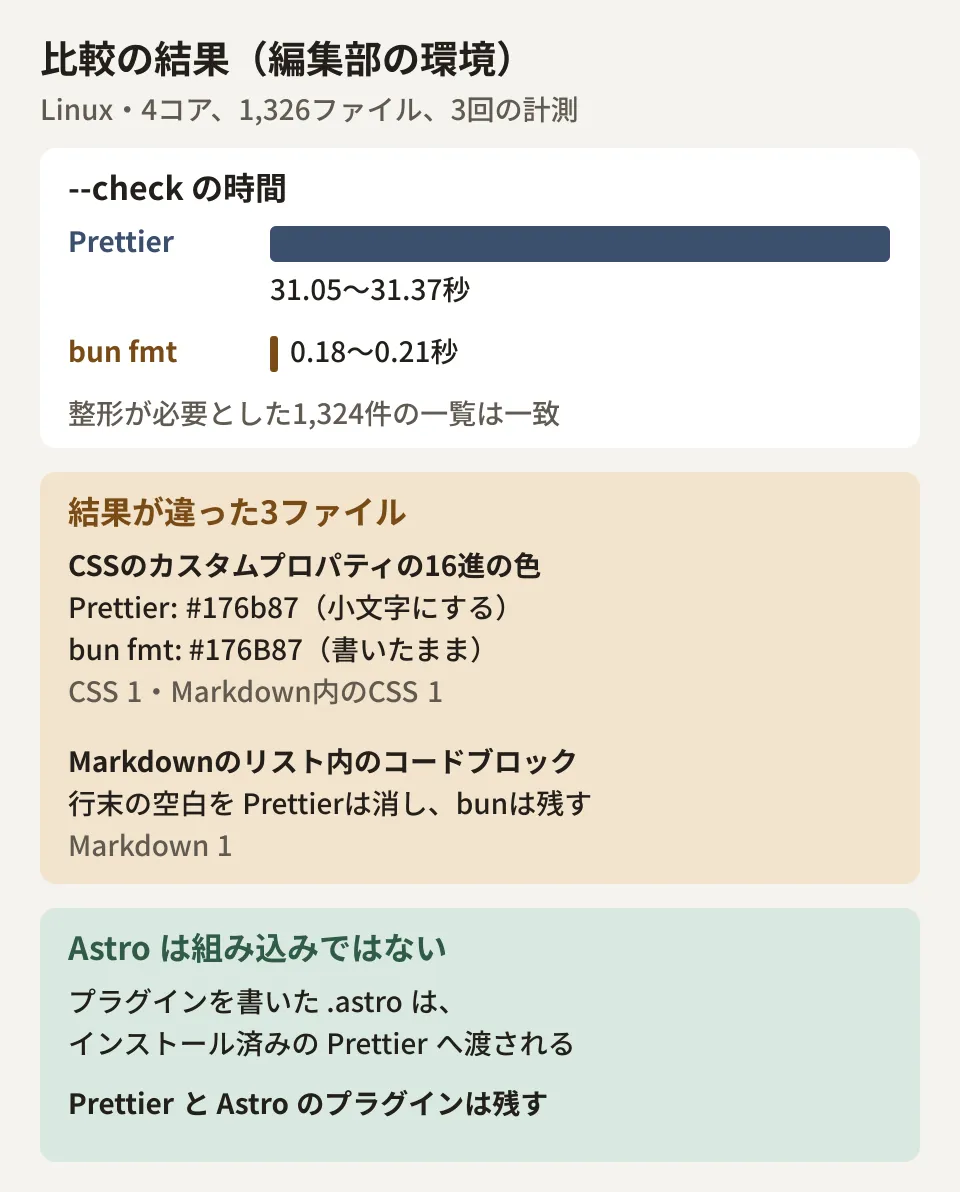
Comparing the formatting results, 3 of the 1,326 files differed.
| Difference | Affected | Prettier 3.9.10 | bun fmt 1.4.4 |
|---|---|---|---|
| Hexadecimal colors in CSS custom property values | 1 CSS, 1 CSS within Markdown | #176b87 (lowercases) | #176B87 (leaves as written) |
| Trailing whitespace in code blocks inside Markdown lists | Markdown 1 | Removes | Keeps |
Colors in regular properties were lowercased by both (color:#FFF became #fff in both). The difference appeared in custom property values such as --color-primary: #001C30;.
Bun's migration guide states that "any difference between bun fmt and Prettier 3 output is a bug," and lists its intentional differences. One of them is the item "where Prettier's output would change a file's meaning, Bun's output differs." As of October 29, 2026, the two cases above are not among the examples in the list, but both were intentional differences under this policy.
- The description of the pull request (#45800) included in Bun 1.4.4 lists "tokens in custom property values" in CSS and "trailing whitespace in code" in Markdown as things preserved so as not to change meaning
- The Markdown case was reported in an issue (#47214) on October 28 and closed as not planned (won't fix), on the grounds that "the contents of code blocks are kept as written"
In other words, these two will not necessarily change to match Prettier in future versions. If your team needs consistent output, the reliable approach is to expect diffs on the first run and decide in advance whether to accept them.
Astro files are left to Prettier
For sites built with Astro, this is the important part. Bun's documentation says "Astro is not built in," and if an Astro plugin is listed in .prettierrc, .astro files are passed to the installed Prettier.
In fact, when we ran bun fmt --doctor with a configuration listing prettier-plugin-astro in plugins, it displayed the following.
Using .prettierrc (Prettier config)

    6 files are formatted natively
    1 file goes to your installed Prettier: 1 *.astro

Plugins that use your installed Prettier: prettier-plugin-astro
The formatting result for .astro was the same as running Prettier directly. On the other hand, with a configuration that did not list the plugin, neither bun fmt nor Prettier could determine the language of .astro, and both stopped with exit code 2. Even if you switch to bun fmt on an Astro site, you cannot remove Prettier and the Astro plugin. In repositories with many .astro files, the time savings are also likely to be smaller (the measurements in this article do not include .astro).
Behavior that changes when you switch
These are the "intentional differences" from the guide, along with the results of the editorial team's testing. They matter when you rewrite scripts or Git hooks.
- Writes by default:
bun fmt file.tsrewrites files and prints their names. To print the formatted output likeprettier file.ts, use--stdin-filepath.--writeis accepted but has no effect - No arguments means the entire current folder: Prettier errors out with no arguments, but bun fmt formats the entire folder. Invocations where the file list can end up empty, such as
git diff --cached --name-only | xargs bun fmt, rewrite everything. The guide recommendsbun fmt --stagedorxargs -r - A script named
fmttakes precedence: Ifpackage.jsonhas afmtscript,bun fmtruns that script. In our test environment as well, adding"fmt": "echo ..."made only that script run, without formatting. Adding--no-scriptalways formats - Exit codes: 1 if any files need formatting, 0 if none, and 2 for failures such as syntax errors. Unknown options stop with an error (in our test environment,
--foogave exit code 2) - Plugins: Seven are built in, including Tailwind CSS class sorting, import sorting, Svelte, and
package.jsonsorting. If any other plugin is in the configuration, those files are not formatted and the exit code is 2 (adding--allow-unsupportedformats them without the plugin)
If you are only replacing prettier --check . with bun fmt --check in CI, exit code handling is almost the same. However, some failures for which Prettier returned 1 will return 2.
What to do before migrating
The editorial team recommends the following order.
- Run
bun fmt --doctor: It neither formats nor writes anything. It shows which files it formats itself, which it passes to Prettier, and which packages can be removed - Format everything on a separate branch and read the diff: Look for differences like the custom property colors and Markdown whitespace seen here. If diffs appear, decide as a team whether to accept them or stay with Prettier
- Rewrite scripts, hooks, and CI: Check for scripts named
fmt, hooks whose arguments can end up empty, and processes that printed results withprettier file - Check editor settings: Keep the
prettierused by your editor's Prettier extension (the guide also says to keep it in that case)
When you switch development tools such as a formatter, it helps to decide not only on speed but also on who will notice when the output changes. We also covered checks for moving frontend tools in Checks before moving to the Vite+ 1.0 stable release and Vite 8's Rust bundler.
Scope of verification
On October 29, 2026, we installed
bun@1.4.4,bun@1.4.3,prettier@3.9.10, andprettier-plugin-astro@0.14from npm and tested them in a Linux container (hands-on testing). We checked the specifications in the formatter documentation (docs/format/index.mdx) and the migration guide (docs/guides/format/migrate-from-prettier.mdx) in theoven-sh/bunrepository on GitHub (document research). On October 29, before publication, we also checked the release notes on bun.com, pull request #45800, and issue #47214. The timings come from three measurements in a single environment; we did not test macOS, Windows, repositories containing many.astro, or editor integration.
For reviews of frontend development environments or CI, please contact us through Development, AI, and automation consultations.