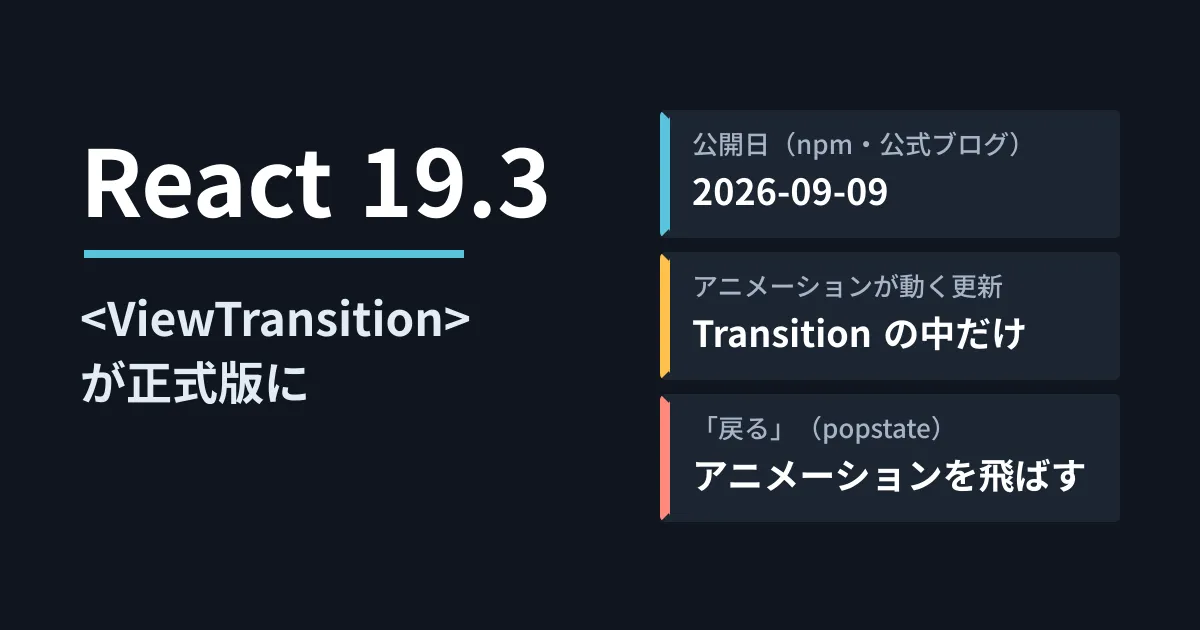
Suppose you want to add motion when moving from a list to a detail page on a company site or members' page built with React. Until now, the only options were calling the browser's document.startViewTransition yourself or adding an animation library. With React 19.3, released on September 9, 2026, the <ViewTransition> component that fills this role has become stable.
On October 5, 2026, we directly opened and checked React's official blog (the "React 19.3" post on react.dev), the <ViewTransition> reference, CHANGELOG.md in facebook/react and the npm publication records. We also installed react@19.3.0 in the editorial team's test environment and checked in Chromium whether calls are made. This article is based on document research, small-scale hands-on testing and the editorial team's suggestions.
What became stable in React 19.3
The official blog says that "View Transitions" and "Fragment Refs," introduced last year as experimental APIs, became stable in 19.3. The main changes are as follows.
| Features | What it does | Example use cases |
|---|---|---|
<ViewTransition> and addTransitionType | Animates elements appearing, disappearing, moving and changing size | List to detail, tab switching, carousels |
| Fragment Refs | Handles events and focus across multiple child elements without adding a wrapper div | Wrapping components from external libraries |
react-dom for browser() | Excludes parts that can only be rendered in the browser from server-side rendering | Parts that read the time zone or localStorage |
| Trusted Types support | On sites that enforce require-trusted-types-for 'script' via CSP, passes typed values without converting them back to strings | Sites with hardened XSS protection |
In addition, <Context> can now be rendered directly from Server Components, and slow Transitions are now rendered independently so that they do not hold up unrelated Transitions.
ViewTransition only runs for "updates treated as Transitions"
The official blog limits the updates that trigger animation with <ViewTransition> to the following three.
- State updates made inside
startTransition - When the content of
<Suspense>switches to being displayed - Updates made by
useDeferredValue
All other updates are treated as "urgent updates" and applied immediately without animation. There are four kinds of animation: an element being added (enter), disappearing (exit), its content or appearance changing (update), and a named element moving to another place (share).
import { ViewTransition, startTransition, addTransitionType } from 'react';

function openDetail() {
  startTransition(() => {
    addTransitionType('open');   // アニメーションの種類を区別する
    setShowDetail(true);
  });
}

{showDetail && (
  <ViewTransition>
    <DetailCard />
  </ViewTransition>
)}
Test: when it is called, and how it behaves in unsupported browsers
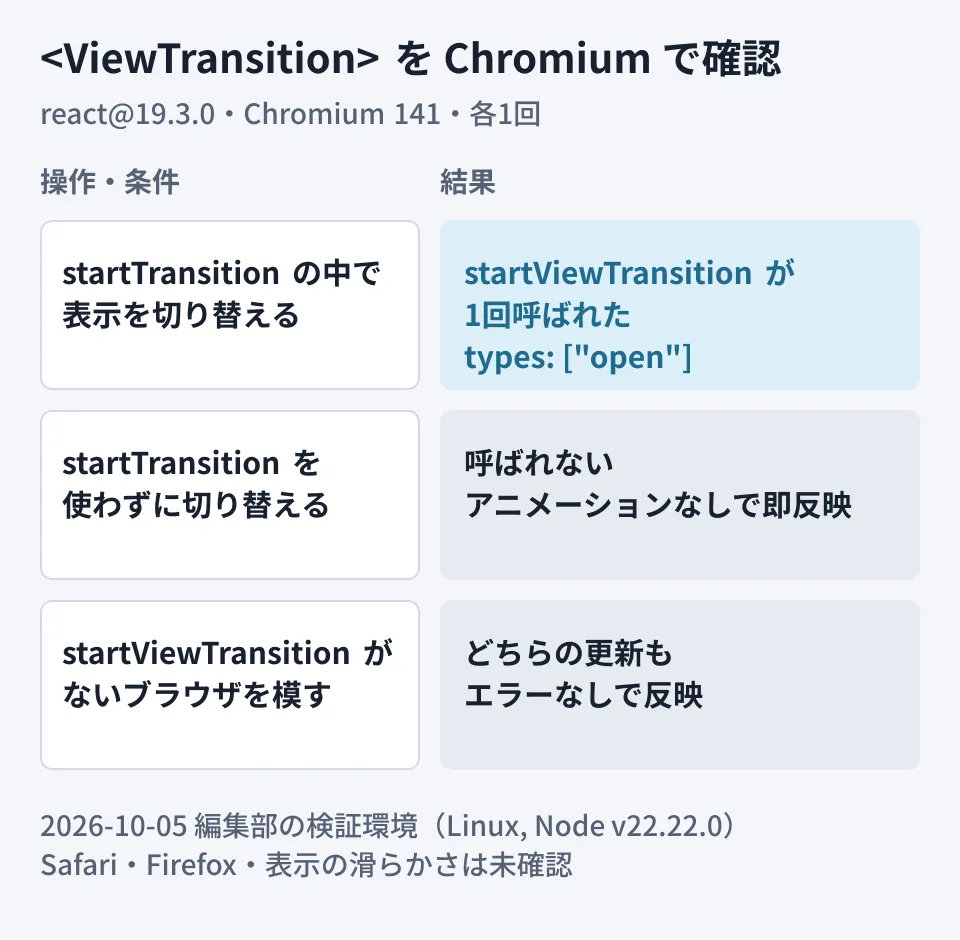
We checked on a small page whether it behaves as the official documentation describes. The conditions were as follows.
- Linux, Node.js v22.22.0, react@19.3.0 and react-dom@19.3.0 (production build, bundled with esbuild 0.28.2)
- Chromium 141 (driven by Playwright 1.63.0). We wrapped
document.startViewTransitionto record the number of calls and the arguments - As a second condition, we also ran it with
startViewTransitionremoved to simulate a browser that does not support it
The results are shown in the diagram.
- When the display was switched inside
startTransition, React calleddocument.startViewTransitiononce, and thetypesof the argument object contained theopenadded withaddTransitionType - Updates that did not use
startTransitiondid not trigger the call, and the display switched directly - Under the condition without
startViewTransition, both updates switched the display without errors (with no animation)
We also confirmed that in server-side rendering (renderToString), <ViewTransition> outputs no extra elements and renders only its child <div>. Each check was run once, and we did not measure behavior on real Safari or Firefox or the smoothness of the display.
What to check before adopting (the editorial team's suggestions)
Based on the reference's caveats and our test results, here are the points web development teams should check first.
- Find and stop your own
document.startViewTransitioncalls. The reference says not to callstartViewTransitionyourself because React calls it internally, and that React interrupts any other View Transition running on the page. If your existing site already uses the browser's built-in View Transitions, decide first which approach to standardize on - Design on the assumption that it does not run with the Back button. According to the reference, for updates triggered by the legacy
popstateevent, React skips the animation to prioritize restoring the scroll position and forms. To animate back navigation as well, your router needs to support the Navigation API. We cover the state of the Navigation API in our article on the Navigation API - Always include
prefers-reduced-motion. The reference says "Always checkprefers-reduced-motion" and recommends stopping or reducing animation for users who have set a preference for reduced motion - Use names (
name) only for shared animations, and do not duplicate them. Having two<ViewTransition>with the same name at the same time causes an error. If you add them to each row in a list, include the ID in the name - Check framework support. Next.js 16.3.8 and
@astrojs/react7.0.0 accept React 19 in their npmpeerDependencies. However, page transition animations also depend on router support, so check the documentation of the framework you use before adopting it
Easy-to-miss points
- Behavior changes only in development. In 19.3, Effects now also run twice during hydration in Strict Mode. If processing seems to run twice only in the development environment, suspect this change
- TypeScript types.
@types/react19.3.0 included types forViewTransition. With older type definitions, you will get an error at import time - Bug fix for mobile Safari. The CHANGELOG includes a fix for a bug where
<ViewTransition>crashed on mobile Safari. If you tried it during the experimental period and held off, check it again in 19.3
How you add motion affects both the impression your site makes and its usability. First, search your existing code for any remaining document.startViewTransition, replace it with <ViewTransition> on just one screen, and check how it looks with back navigation and with the reduced-motion setting.
On October 5, 2026, we directly opened and cross-checked the "React 19.3" post in the reactjs/react.dev repository (
src/content/blog/2026/09/09/react-19-3.md), the<ViewTransition>reference, CHANGELOG.md in facebook/react, and the npm registry publication records for react, next, @astrojs/react and @types/react (document research). The tests were run once each under the conditions above, and we have not checked Safari or Firefox, integration into an actual site or rendering performance. The pre-adoption checks are the editorial team's suggestions. We also confirmed that the same text is published on the react.dev website.
GleamHub's consultations on development, AI and automation can help with how to proceed with improving sites and web apps built with React and enhancing their display. The approach depends on the framework you use and the browsers you support, so please reach out via our contact form.