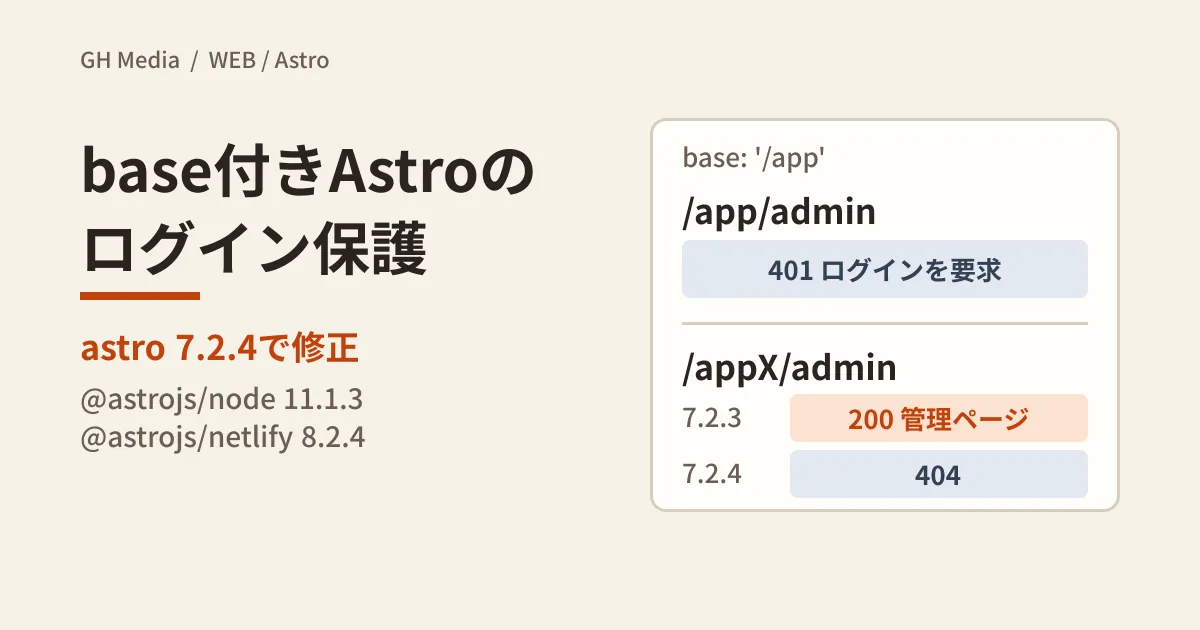
You build an internal booking system or members' pages with Astro's on-demand rendering (SSR), place them under a subpath such as /app, and have middleware decide that "URLs starting with /app/admin require login." It's a natural way to write it, but in Astro 7.2.3 and earlier, a URL with one character added right after base, such as /appX/admin, could slip past this check and display admin pages that should have been protected. Around the same time, an issue where a malformed Host header could crash the server in the Node adapter, and an issue where the image allowlist did not work in the Netlify adapter, were also fixed.
We checked which fixes affect which sites using the advisories and fix commits, and compared responses before and after the fixes in our test environment. Here we summarize how to check whether you are affected and the points that tend to trip people up when updating.
Astro-related advisories published in September 2026
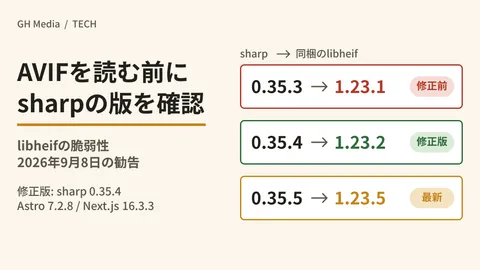
Four reviewed GitHub advisories targeting Astro packages were registered in September 2026. One of them, concerning AVIF image optimization (GHSA-26w7-cxv4-gfx2, fixed in astro 7.2.8), was covered in our article on checking the sharp AVIF vulnerability, so here we cover the remaining three.
| Advisory (severity) | Package | Affected versions → fixed version | Relevant setup |
|---|---|---|---|
| GHSA-376h-93r7-7g6f(Moderate) | astro | 7.2.3 and earlier → 7.2.4 | base is set to something other than the root, and middleware authorizes by checking context.url.pathname |
| GHSA-qh8j-hqjv-7m4x(High) | @astrojs/node | 11.1.2 and earlier → 11.1.3 | The server runs on the Node adapter. With staticHeaders: true, it leads to the process stopping |
| GHSA-4233-jc72-56c5(Moderate) | @astrojs/netlify | 5.2.0〜8.2.3 → 8.2.4 | Using image.domains / image.remotePatterns with Netlify Image CDN (enabled by default) |
The advisories were published on September 8 for the base issue and September 30 for the other two (all UTC). The fixed versions came out before the advisories: astro 7.2.4 was published to npm on August 19, @astrojs/node 11.1.3 on August 18, and @astrojs/netlify 8.2.4 on August 24 (UTC). As of October 1, 2026, the latest versions are astro 7.3.5, @astrojs/node 11.1.6 and @astrojs/netlify 8.2.6.
Sites that only serve built HTML from static hosting (SSG) don't run Astro's routing or middleware on each request, so they have none of the processing targeted by these three issues (our editorial team's reading of the advisories' affected conditions). The official documentation also explains that middleware for prerendered pages runs at build time. Note that the AVIF issue targets image optimization and has different conditions, so check it with the article above even for SSG sites.
With prefix matching on base, routing and middleware were looking at different paths
The advisory concerned checks like the following.
// src/middleware.js(7.2.3以前で迂回された書き方の例)
export function onRequest(context, next) {
  if (context.url.pathname.startsWith('/app/admin') && !context.cookies.has('session')) {
    return new Response('login required', { status: 401 });
  }
  return next();
}
According to the advisory, when Astro removed the configured base from the request path, it only checked for a string prefix match and did not confirm that the match ended at a path separator (/). With base: '/app', /appX/admin was also treated as "under base" and internally routed to the /admin page. Meanwhile, the context.url.pathname that middleware sees stays as the public URL, /appX/admin, so it does not match a check for whether it starts with /app/admin. In other words, routing and middleware were each looking at a different path.
The fix commit (05763a0) consolidates the base-stripping logic into a function called stripRequestBase and changes it to strip base only when the path equals base or when base is immediately followed by /. The advisory states that after the fix, routing and context.url.pathname resolve to the same path.
A caution was added to the official authentication guide in an update on August 21, 2026. It says that the public path middleware sees and the route Astro matches internally are not guaranteed to be the same, and can diverge due to base, URL encoding or duplicate slashes. Therefore, you should not authorize by string-matching context.url.pathname, and should instead restrict access on the router side, which matches routes. Version 7.2.4 fixed this particular discrepancy, but the caution remains in the documentation after the fix.
Comparing before and after the fix in our test environment
On October 1, 2026, we created a minimal project in our test environment (Linux, Node.js v22.22.0, npm 10.9.4) to check. The setup consisted only of output: 'server', @astrojs/node in standalone mode, base: '/app', the middleware above and src/pages/admin.astro. We started the built server locally and recorded the response codes for requests without cookies.
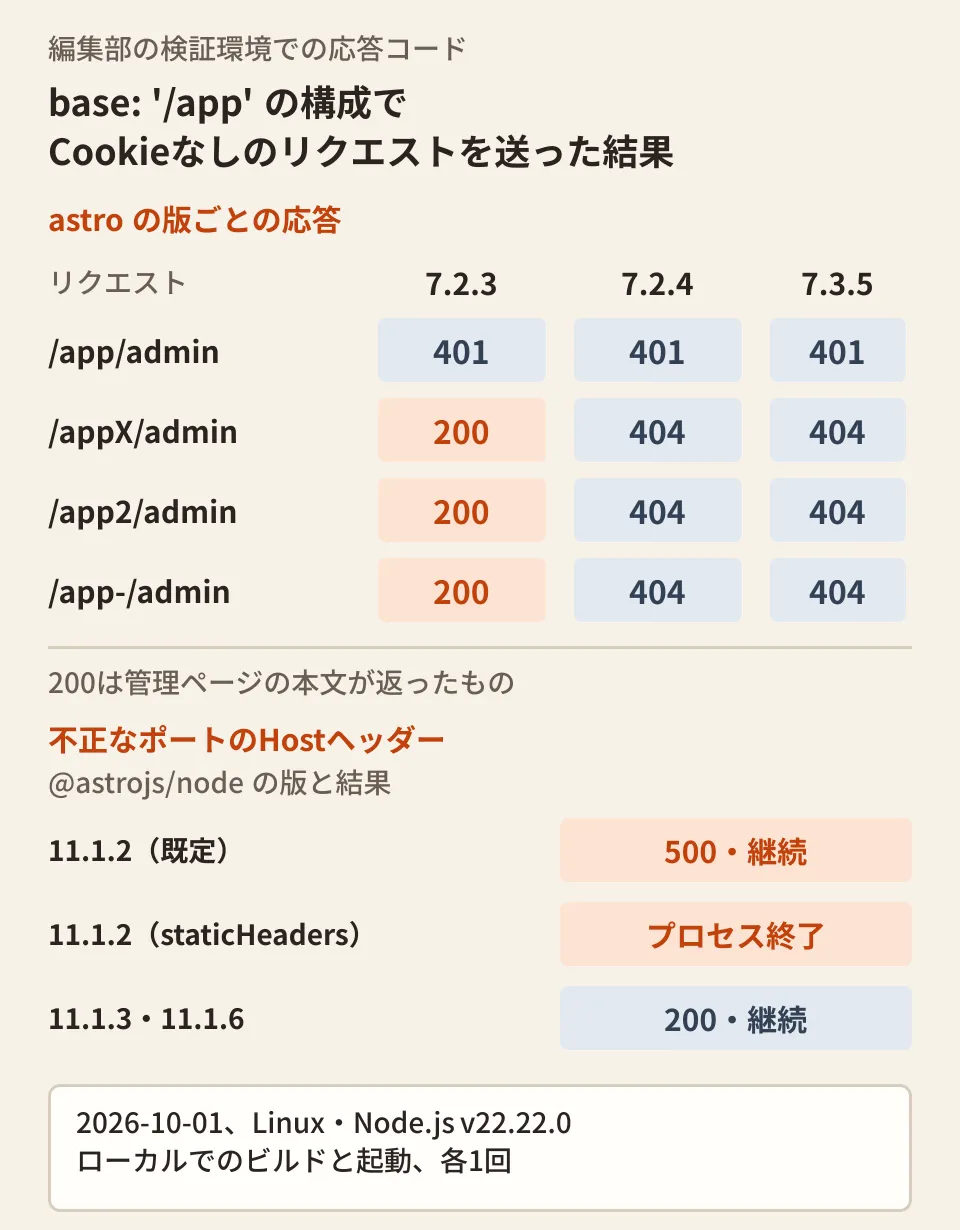
- astro 7.2.3 (@astrojs/node 11.1.3).
/app/adminreturned 401./appX/admin,/app2/adminand/app-/adminreturned 200, with the body of the admin page - astro 7.2.4 (@astrojs/node 11.1.4) and 7.3.5 (@astrojs/node 11.1.6).
/app/adminstill returned 401, and the three above returned 404
We also checked the Node adapter issue in the same environment by sending requests with a Host header whose port number was out of range, in the same form as the advisory's example.
- astro 7.2.2 + @astrojs/node 11.1.2. On-demand pages returned 500 and the server kept running. When sent to a prerendered page with
staticHeaders: trueset and CSP enabled, the process exited withTypeError: Invalid URLand stopped responding to subsequent normal requests - astro 7.2.3 + @astrojs/node 11.1.3, astro 7.3.5 + @astrojs/node 11.1.6. Every setup returned 200 and the server kept running
All results are from a single run per condition in an isolated local environment. The fix for the base issue is in Astro's core processing, but we did not check behavior on other adapters such as Netlify, Vercel or Cloudflare.
Checking whether your site is affected
- Check the installed versions. Run
npm ls astro @astrojs/node @astrojs/netlifyin your project. If you have astro 7.2.4 or later, @astrojs/node 11.1.3 or later and @astrojs/netlify 8.2.4 or later, all three issues are fixed. To also cover the AVIF issue, use astro 7.2.8 or later. - Check the conditions for the base issue. Check whether
baseinastro.config.mjsis something other than/, whether you have on-demand rendered pages, and whether middleware authorizes by comparingcontext.url.pathnamewithstartsWithor===. A setup where all three apply is within the scope of the advisory. - Check the conditions for the Node adapter issue. Check whether the adapter configuration has
staticHeaders: true, and whether there is a reverse proxy or CDN in front of the Node.js server that validates Host headers. The advisory states that this path cannot be reached in setups where a reverse proxy or CDN blocks invalid Host headers. - For the Netlify issue, check the generated configuration. After the build, the regular expressions for allowed image URLs are written to
images.remote_imagesin.netlify/v1/config.json. In our editorial team's testing, 8.2.3 lacked the leading^, as inhttps?://images\.example\.com/.*, while 8.2.4 anchored both ends, as in^https?://images\.example\.com/.*$. As workarounds if you can't upgrade right away, the advisory suggests settingimageCDN: falseor removing the remote image allowlist.
Pitfalls when updating
Upgrade astro and @astrojs/node together. The Host header fix commit (2066f39) is listed under astro 7.2.3 in the changelog, while the advisory gives the fixed version as @astrojs/node 11.1.3. The two versions were published on the same day. In our editorial team's testing, combinations where only one was upgraded (astro 7.2.3 + @astrojs/node 11.1.2, astro 7.2.2 + @astrojs/node 11.1.3) both exited with TypeError at server startup. Because @astrojs/node 11.1.2 only specifies the astro version as ^7.0.0, npm does not prevent this combination.
Don't judge by npm audit output alone. When we ran npm audit on October 1, 2026 (around 0:00 UTC) in a project with pre-fix versions installed, the two astro issues (base and AVIF) were shown, but the @astrojs/node and @astrojs/netlify issues published on September 30 were not. For newly published advisories, checking the versions directly as in step 1 is more reliable.
Review how your middleware is written, too. Upgrading resolves this particular discrepancy, but the official guide asks you to avoid authorization by path string matching altogether. What follows is our editorial team's proposal.
- As the official guide illustrates, use a router (Hono in the guide's example) with
src/fetch.tsand specify protected routes on the router side. Our editorial team has not tested how to write this in a setup with base configured - Also check the session at the top of each page you want to protect. This is a double check so that, whatever URL slips past the middleware check, the page itself stops the request
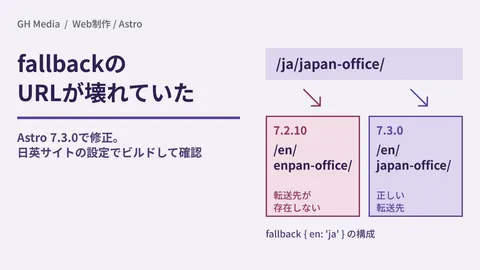
For an Astro site you've inherited, if you work out in advance whether it uses middleware or adapters, along with the upgrade approach we covered in Deciding whether to upgrade to Astro 7.0 or rebuild, you can make a quick decision when an advisory comes out. As another example of URL handling fixed within a 7.x minor version, a bug that broke i18n fallback URLs was also fixed in 7.3.0.
On October 1, 2026, we directly opened and cross-checked the text of the three advisories in GitHub's advisory database (github/advisory-database), the withastro/astro changelogs (astro, @astrojs/node, @astrojs/netlify) and three fix commits, the authentication and middleware guides in withastro/docs, and the npm registry publication dates. Because we could not open the advisory pages on github.com itself from our environment, we relied on the database files containing the same text. Hands-on checks were limited to local builds and startup in our test environment (Linux, Node.js v22.22.0); we did not check behavior in production, image transformation on Netlify, adapters other than Node, or with
astro dev.
For maintenance of sites built with Astro, or updates to websites that include login-protected pages, contact GleamHub.
Sources
- GHSA-376h-93r7-7g6f: Authorization bypass from missing path-segment boundary check when stripping the configured base — withastro/astro
- GHSA-qh8j-hqjv-7m4x: Malformed port in the Host header can crash the Node adapter — withastro/astro
- GHSA-4233-jc72-56c5: Netlify Image CDN allowlist bypass enables SSRF — withastro/astro
- Respect path-segment boundaries when stripping the configured base (#17701) — fix commit 05763a0
- Fix crash on malformed port in Host header (#17572) — fix commit 2066f39
- Fix generated Netlify image config URLs (#17752) — fix commit e362d4c
- astro CHANGELOG (7.2.3, 7.2.4)
- @astrojs/node CHANGELOG
- @astrojs/netlify CHANGELOG
- Authentication — Astro Docs
- Middleware — Astro Docs