"We got a call saying that when people opened our site, a red warning popped up saying 'Your connection is not private,' and incoming inquiries completely stopped. When we checked, our SSL certificate had expired." This is an inquiry we received from a company that had been running its agency-built corporate website for several years. Their certificate renewal process had relied on an employee manually swapping it once a year based on a calendar reminder, and ever since that employee transferred, nobody had kept track of the expiration date.
This kind of accidental expiration is bound to happen much more frequently going forward. The reason is that the maximum lifetime of SSL/TLS certificates itself is being phased down according to industry decisions. According to an explainer by DigiCert, the CA/Browser Forum—comprising certificate authorities and major browser vendors—voted in April 2025 to shorten maximum certificate validity from the current 398 days down to 47 days. What used to be an annual task will become a near-monthly routine in just a few years. While we cover certificate fundamentals in our SSL Server Certificate Fundamentals Guide, this article focuses specifically on the shortening lifetime and clarifies what companies relying on manual renewal need to do.
When and how short will validity become?
The reduction will not happen all at once, but in three phases. First, let us look at the overall picture.
| Timeframe | Maximum certificate lifetime | Frequency with manual renewal |
|---|---|---|
| Before | 398 days (approx. 13 months) | Once a year |
| From March 15, 2026 | 200 days (approx. 6.5 months) | Twice a year |
| From March 15, 2027 | 100 days (approx. 3.3 months) | 3 to 4 times a year |
| From March 15, 2029 | 47 days | 7 to 8 times a year |
According to an overview by BrandShelter, the initial impact begins in March 2026. Concurrently, the reuse period allowed for organization information used in certificates will also be shortened, requiring teams to rethink workflows that rely on reusing validated information over long periods. Importantly, this is not limited to select certificate authorities; it is a shared baseline rule that applies to all publicly trusted certificates.
Why manual renewal puts companies at risk
Shortening certificate lifetimes is fundamentally a sound security decision. A shorter certificate validity window minimizes the blast radius should a private key ever be compromised. The issue is not the shorter lifetime itself, but rather relying on human hands and calendar notifications for renewal operations.
When it was once a year, a single staff member could manage by remembering it. But when it becomes seven or eight times a year, a single oversight or personnel change directly leads to an outage caused by certificate expiration. Browsers display an interstitial warning for sites with expired certificates, preventing visitors from proceeding and bringing inquiries and purchases to a dead halt. Even though the site was neither taken down nor hacked, service is effectively suspended—this is the pitfall awaiting companies running manual renewals. Such incidents stemming from unmonitored post-launch environments represent one of the exact symptoms highlighted in our article on the risks of neglected websites.
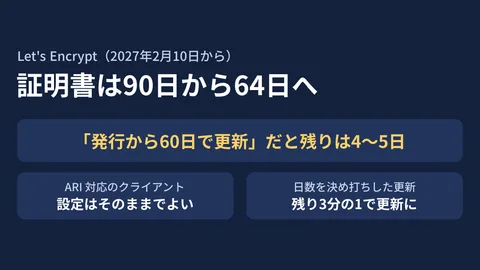
On the other hand, some companies will not face any issues even as renewal frequency ramps up. Many shared hosting and managed hosting providers already come standard with automated renewal mechanisms on short cycles (via the automation protocol known as ACME). Free providers such as Let’s Encrypt have also long operated on short lifespans powered by automated renewal. In other words, the dividing line is not whether a service is paid or free, but solely whether renewals are automated.
Key points when switching to automated renewal
The path forward is clear: it simply comes down to shifting renewal operations from humans to systems. Here are the three main points to review when taking action:
- Take inventory of how current certificates are issued and renewed. Compile a list covering your main corporate site, landing pages, subdomains, and old campaign sites to verify where each certificate is installed and whether renewals are automated or manual. Neglected legacy sites are the ones most frequently left on manual processes.
- Migrate toward infrastructure that supports automated renewal. If your current server or CDN supports automated renewal, enabling a setting is often all it takes. For legacy environments that do not support it, use this opportunity to consider migration.
- Establish a mechanism to detect when automated renewal fails. Even with automation, renewals can stall due to configuration changes or domain configuration errors. Having a final safety net that monitors expiration dates and triggers alerts before deadlines provides peace of mind.
Deciding what to manage internally versus what to outsource maps directly to the operational mindset of ongoing running costs and staffing outlined in what clients should look for in maintenance and operations contracts. Certificate renewal is an item that should always be included in your scope of maintenance.
One thing to do today
While the transition might sound like a massive undertaking, the first step is simple. Check your site's certificates today to confirm when they expire and whether they renew automatically or manually. If they are manual, share the next renewal date across your team and put migrating to automation on your maintenance agenda. Taking just this step prevents the worst-case scenario where an employee leaves and the certificate lapses.
Whether you are unsure how your website's certificates are currently managed, want to centralize and automate renewals across multiple sites, or want to set up monitoring to catch expirations before they happen, feel free to reach out via GleamHub's website maintenance and operations consultation. We will partner with you to match your operational needs, from certificate inventory and automated renewal design to expiration monitoring systems.