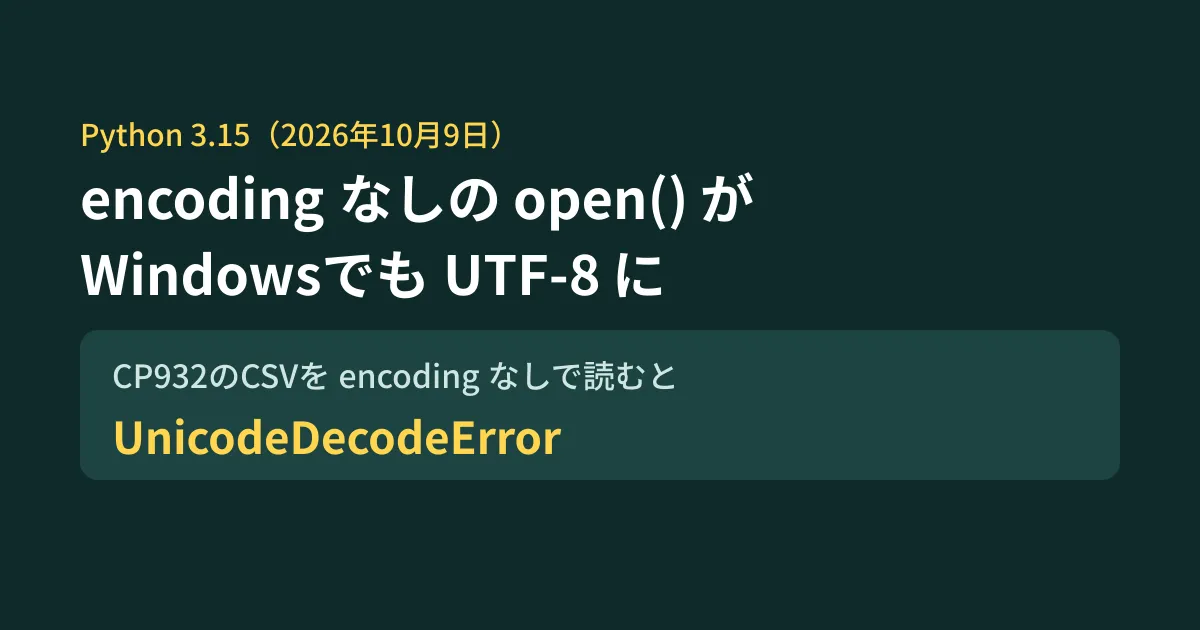
You aggregate order data CSVs exported from your core system with a Python script running on a Windows PC. The daily morning task has always worked fine, but the day after you replace the PC or reinstall Python, it stops with UnicodeDecodeError. With Python 3.15, released on October 9, 2026, this kind of failure can occur.
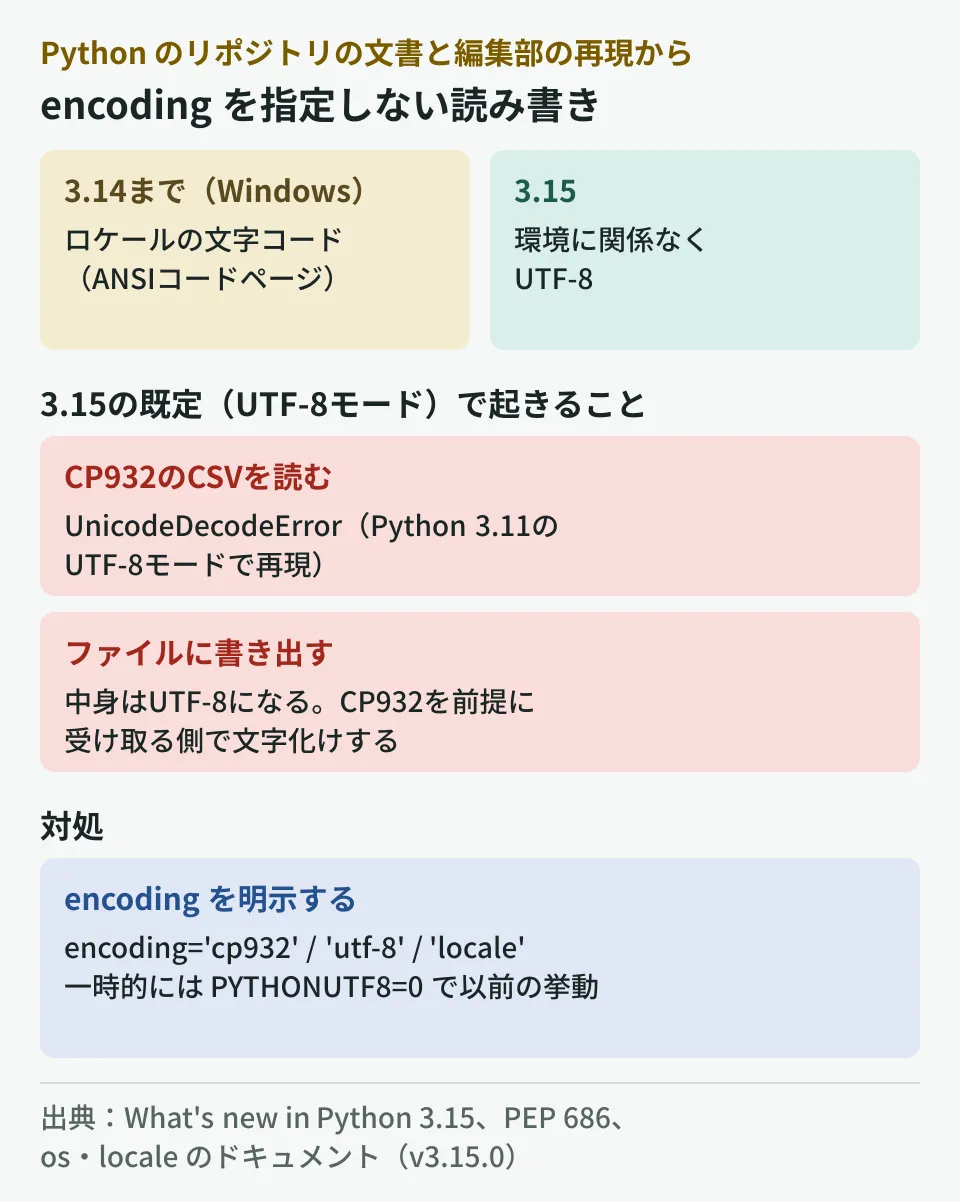
Starting with 3.15, the encoding used when encoding is not specified in open() and similar functions is UTF-8 in all environments, including Windows. Through 3.14, Windows used the encoding of the PC's locale (the ANSI code page). Scripts that read CP932 files without encoding will behave differently here. We confirmed the changes in the documents in the Python repository and, based on the results of reproducing them locally, summarize how to check and how to fix.
What changed in 3.15
"What's new in Python 3.15" in the v3.15.0 tag opens with "Python 3.15 was released on 9 October 2026." and lists "UTF-8 as the default encoding" as one of the major changes. The text reads as follows.
Python now uses UTF-8 as the default encoding, independent of the system’s environment. This means that I/O operations without an explicit encoding, for example,
open('flying-circus.txt'), will use UTF-8.
This change comes from PEP 686, "Make UTF-8 mode default," and means that "UTF-8 mode," which could be opted into since 3.7, is now enabled by default. The PEP explains that in addition to files, standard I/O and pipes also become UTF-8, and describes the scope of impact as follows.
Most Unix systems use UTF-8 locale and Python enables UTF-8 mode when its locale is C or POSIX. So this change mostly affects Windows users.
It also states that "this change may cause UnicodeError, mojibake, or even silent data corruption." This means that not only can reading fail, but the encoding of written files can change, causing garbled text on the receiving side.
Reproducing it locally
Because we could not set up Python 3.15 in the test environment for this article, we enabled UTF-8 mode on Python 3.11.17 on Linux (-X utf8=1) to reproduce the 3.15 default state. We prepared the following CSV written in CP932.
受注番号,得意先,金額
1001,株式会社サンプル,12000
1002,髙橋商店,8000
Running a script that reads it without specifying encoding stopped at the first character.
$ python3 -X utf8=1 read_orders.py orders_cp932.csv
UnicodeDecodeError: 'utf-8' codec can't decode byte 0x8e in position 0: invalid start byte
Specifying encoding='cp932' allowed it to be read, including variant kanji characters such as the one used in the surname "Takahashi."
$ python3 -X utf8=1 -c "import csv; print(list(csv.reader(open('orders_cp932.csv', encoding='cp932', newline='')))[2])"
['1002', '髙橋商店', '8000']
The writing side changes too. In the same UTF-8 mode, writing the word for "customer" to open('out.csv', 'w') produced file contents as a UTF-8 byte sequence (e5 be 97 e6 84 8f e5 85 88). If another system or import process has been receiving the data as CP932, the text will be garbled there.
The reproduction was done on Linux, not by comparing 3.14 and 3.15 on a Windows PC. You can check which encoding Windows uses through 3.14 by running the following command on the target PC. The Python documentation explains that on Windows, locale.getencoding() returns the ANSI code page.
python -c "import locale; print(locale.getencoding())"Scripts that read or write without encoding on PCs that display cp932 here are what you need to check this time.
Identifying affected code
As a way to deal with compatibility issues, PEP 686 suggests disabling UTF-8 mode and then using EncodingWarning to find affected locations. On 3.10 and later, running with -X warn_default_encoding emits a warning wherever encoding is omitted.
$ python3 -X utf8=0 -X warn_default_encoding read_orders.py orders_utf8.csv
read_orders.py:2: EncodingWarning: UTF-8 Mode affects locale.getpreferredencoding(). Consider locale.getencoding() instead.
read_orders.py:3: EncodingWarning: 'encoding' argument not specified
The first line is the warning for the line that calls locale.getpreferredencoding(), and the second is the warning for the open() line that omits encoding. Because warnings include line numbers, you can build a list of fixes directly. Warnings appear only for lines that actually run, so for branches that normally do not run (such as month-end-only processing), supplement with a search of the source.
grep -rnE "open\(|read_text\(|write_text\(|text=True|universal_newlines|getpreferredencoding" --include=*.py .text=True in subprocess is also affected. PEP 686 says that if you want to keep using the previous encoding for pipes, you should get by with UTF-8 mode disabled until you replace text=True with an explicit encoding="utf-8" or encoding="locale".
How to Fix
- If the file's encoding is known, write it explicitly. Use
encoding='cp932'for CP932 CSVs andencoding='utf-8'for UTF-8. What's new also recommends that you "ensure that an explicitencodingargument is always provided" - If you want to match the PC's locale, use
encoding='locale'. Available since 3.10, it uses the locale encoding even in UTF-8 mode - If you cannot fix it right away, restore the previous behavior with the environment variable
PYTHONUTF8=0or-X utf8=0. If the script is launched from Task Scheduler or similar, add it to that launch configuration. Use this only as a stopgap until the fix
On the writing side, specify encoding explicitly according to the receiving party's requirements. How to agree on CSV encoding, line endings, and BOM handling is covered in detail in Distributing CSV files is hard: designing business data exchange.
When to fix it by
There is no need to rush the upgrade to 3.15. According to PEP 790 (the 3.15 release schedule), 3.15 will receive bug fixes for about two years, followed by security fixes until around October 2031. Versions 3.14 and earlier can also be used until their respective end dates.
What to watch out for are situations where you end up on 3.15 unintentionally. Replacing a PC, reinstalling Python, or updating CI or container images can install the latest version. The editorial team recommends making encoding explicit ahead of time, even if you have no plans to upgrade to 3.15. Because the result is the same in every version, you will not be caught off guard when you upgrade.
If you are also updating dependency packages, vulnerability checks are covered in Continuously checking Python dependency vulnerabilities with uv audit, and settings to avoid freshly released versions are covered in Pip 26.1 Dependency Cooldowns.
Scope of verification
On October 11, 2026, we retrieved and checked Doc/whatsnew/3.15.rst, Doc/library/os.rst, Doc/library/locale.rst, and Include/patchlevel.h (
PY_VERSION "3.15.0", release level FINAL) from the v3.15.0 tag of python/cpython, and PEP 686 and PEP 790 from python/peps, via raw.githubusercontent.com (document research). We also enabled and disabled UTF-8 mode on Python 3.11.17 on Linux to check reading CP932 and UTF-8 CSVs, the byte sequences of written files, and the-X warn_default_encodingwarnings (hands-on testing). On October 16, 2026, we also checked the 3.15.0 release page on python.org (Release date: Oct. 9, 2026, with PEP 686 among the major changes). We have not tested Python 3.15 itself or on a Windows PC.
For taking inventory of scripts running in your company or rebuilding CSV integrations, contact us through Development, AI, and automation consultations.