Some companies distribute internal business tools, or Mac software for their business partners, without going through the App Store. Such distribution relies on signing with Apple's Developer ID certificates. One of the intermediate certificate authorities that issued these certificates expires on February 1, 2027.
In a developer announcement on October 1, 2026, Apple said the following.
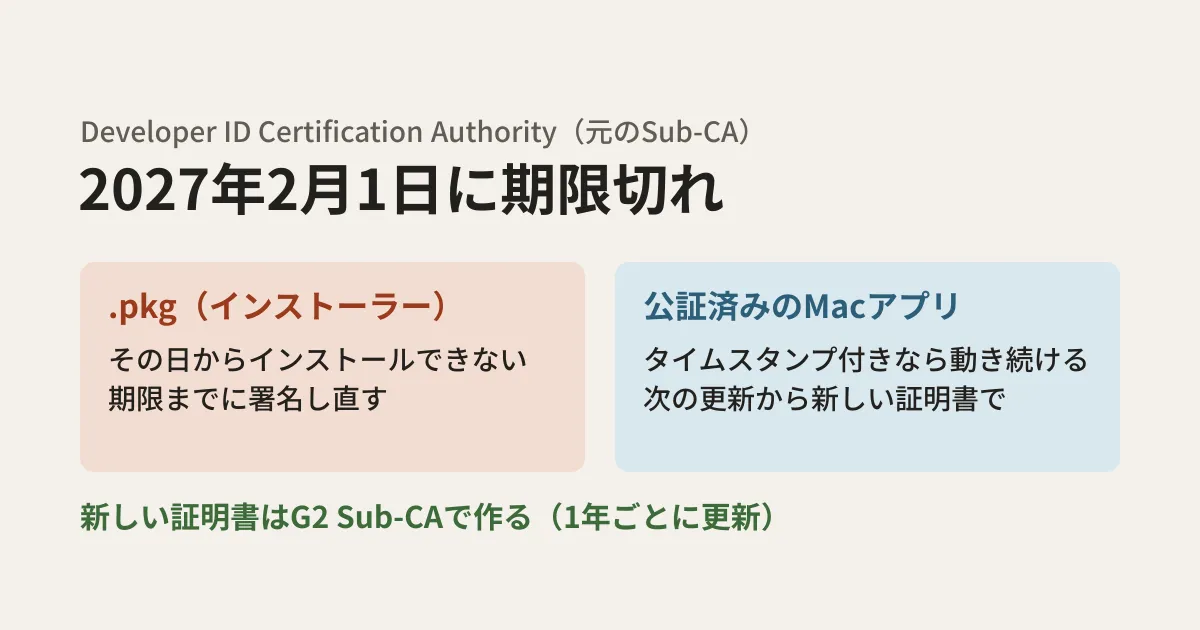
The original Developer ID Certification Authority (Sub-CA) expires on February 1, 2027. Certificates issued by this authority will stop working on that date.
On Apple's PKI (certificate authority) page, this original Sub-CA is listed as "Developer ID - G1," with an expiry of February 1, 2027 22:12:15 (UTC). That corresponds to 7:12 a.m. on February 2 Japan time, but since the announcement says the impact begins on February 1, finish the work before February 1.
Based on Apple's announcement and help pages, this article lays out what development teams distributing Mac software, and staff managing company Macs, should check.
What stops working at expiry and what does not
The announcement breaks down the impact by type of distributed item.
| What you distribute | On and after February 1, 2027 | Required work |
|---|---|---|
| Installer packages (.pkg) | .pkg files signed with an affected certificate can no longer be installed | Re-sign everything with the new certificate before the deadline |
| Mac apps that have been signed and notarized (with a secure timestamp) | Continue to work | From future updates onward, sign with the new certificate and add a timestamp |
The original text of the announcement says, for .pkg files, "Starting February 1, 2027, .pkg files signed with an affected certificate will no longer install. Re-sign all packages with your new certificate before this date." and, for Mac apps, "Previously signed and notarized Mac software (with a secure timestamp) will keep working—no action needed."
The urgent item is .pkg files. If you keep any .pkg files for distribution, such as business tools distributed as .pkg to company Macs, installers delivered through MDM (centralized device management), or installers that business partners download, you need to replace them with re-signed versions before February 1.
Identifying whether your certificate is affected
Apple's help page first directs you to look at your Developer ID Application and Developer ID Installer certificates under "Certificates, Identifiers & Profiles" in your developer account. It says that certificates with an expiration date on or before February 1, 2027 are likely to be affected.
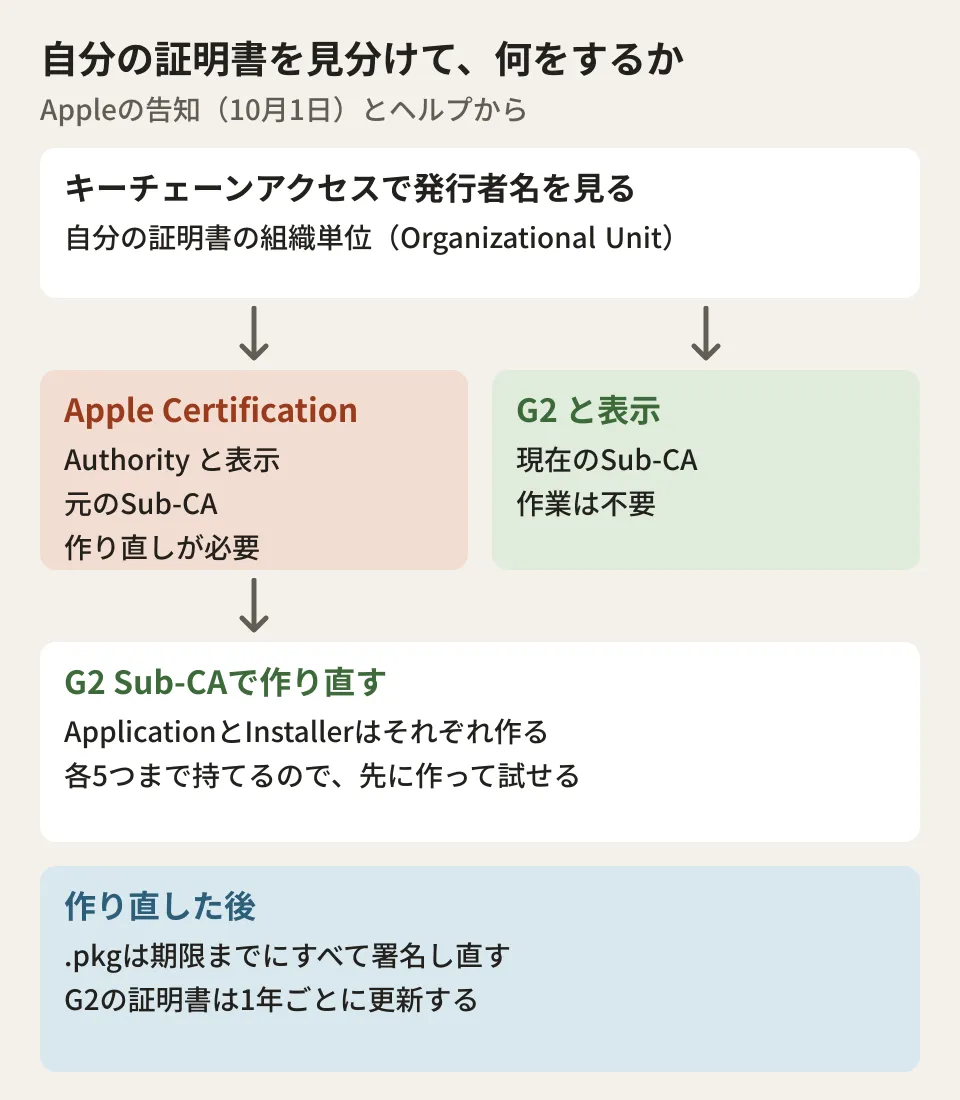
However, the help page also says the expiration date alone is not enough to decide, because you may have two certificates with the same name that differ only in their expiration date. To identify them reliably, select the certificate in Keychain Access on your Mac and look at the Organizational Unit of the Issuer Name.
- If it shows "Apple Certification Authority": the certificate was issued by the original Sub-CA. It needs to be recreated
- If it shows "G2": the certificate was issued by the current Sub-CA. No action is needed
The help page also includes a caution. The keychain also contains an entry for "Developer ID Certification Authority," which is the certificate authority itself. Because this entry's Organizational Unit also shows "Apple Certification Authority," make sure to select and check your own certificate so you do not conclude from this entry that you are affected.
Recreating the certificate with G2
Follow the steps in the help page section "Create a replacement certificate" to recreate the certificate. Only the Account Holder can do this.
- Sign in to Certificates, Identifiers & Profiles and click the add (+) button under Certificates
- Under Software, choose Developer ID Application or Developer ID Installer. If you have both, create each one (one certificate cannot serve as the other)
- When asked to choose an intermediate certificate authority, choose "G2 Sub-CA" (Xcode 11.4.1 or later)
- Create and upload a certificate signing request (CSR), then download the new certificate and add it to your keychain
- Switch the systems you use for signing (build scripts, CI, and so on) to the new certificate
The announcement says that choosing incorrectly may result in a certificate being issued that expires in 2027. It also advises updating first if you are using Xcode 11.4 or earlier.
According to the help page, you can hold up to five Developer ID Application certificates and five Developer ID Installer certificates at the same time. This lets you proceed in order: create a new certificate before the current one expires, test the re-signed .pkg on company Macs, and then replace the old one.
G2 certificates must be renewed every year
There is one more point to settle operationally. According to the announcement, the G2 certificate authority itself is valid until 2031 (until September 17, 2031 on the PKI page), but certificates issued by G2 expire every year.
Note: This certificate authority is valid until 2031, but the certificates issued by the certificate authority expire annually and must be renewed each year.
This recreation is not the end of it; you need to decide who will handle the annual renewal and when. The following are the editorial team's suggestions.
- Register the certificate expiration date in the team's shared calendar or a ticket. Since only the Account Holder can renew, document the procedure so renewal does not stall if that person is absent or leaves the company
- If you sign in CI, write down where the certificate and private key are stored (the secret names) and the procedure for replacing them
- If an outsourced vendor signs and distributes for you, confirm which certificate they sign with and who holds the renewal procedure
The same problem of distribution stopping because a certificate expires also happens with website certificates. The approach to managing expiration dates is also covered in Types of SSL certificates and how to choose one. As an example of checking the certificate stores on development machines, Checking development machines after the eMudhra intermediate CA compromise is also a useful reference.
How to take inventory of what you distribute
To find every affected .pkg without missing any, it helps to make a list for each distribution channel. As the editorial team's suggestion, we recommend going through them from the following angles.
- .pkg files kept on internal file servers or shared drives
- Installers registered in MDM
- .pkg files for download placed on your company website or on portals for business partners
- .pkg files made by an outsourced vendor and distributed under your company's name
In Terminal on a Mac, pkgutil --check-signature <ファイル名>.pkg displays a .pkg's signature and certificate chain. However, because the PC used to write this article runs Linux, the editorial team has not run this command and has not checked how its output looks. For the determination, treat the help page procedure above (checking the Organizational Unit of the Issuer Name in Keychain Access) as authoritative.
Scope of verification
On October 26, 2026, we reviewed the Apple Developer news post "Upcoming expiration of Developer ID Certification Authority (Sub-CA)" (October 1, 2026) and the help page "Replacing Developer ID certificates issued from the previous Sub-CA." On October 27, before publication, we rechecked the content against the same materials and confirmed the certificate authority's expiration on Apple's PKI page (document research). We have not checked certificates on a Mac, recreated certificates, or re-signed and installed .pkg files. We have also not checked the output of
pkgutil.
For reviewing how internal tools are distributed or how signing is done, contact us through consultation on development, AI, and automation.