You accidentally committed .env and pushed it to GitHub. You noticed right away, removed it from history and overwrote it with git push --force. Concluding that it is now gone is premature. GitHub's official documentation explains that simply rewriting history and force pushing can leave commits containing secrets viewable from other places.
In the source of GitHub's documentation (the github/docs repository), two pages related to this topic were updated on November 5, 2026. One covers how to recover, on GitHub, history that was overwritten by a force push. The other explains how support handles pull requests when removing secrets. In this article, we use the original text of these two pages and the results of running git-filter-repo on a test repository to lay out the order of steps to take after an accidental push.
The first step is revoking the key, not deleting history
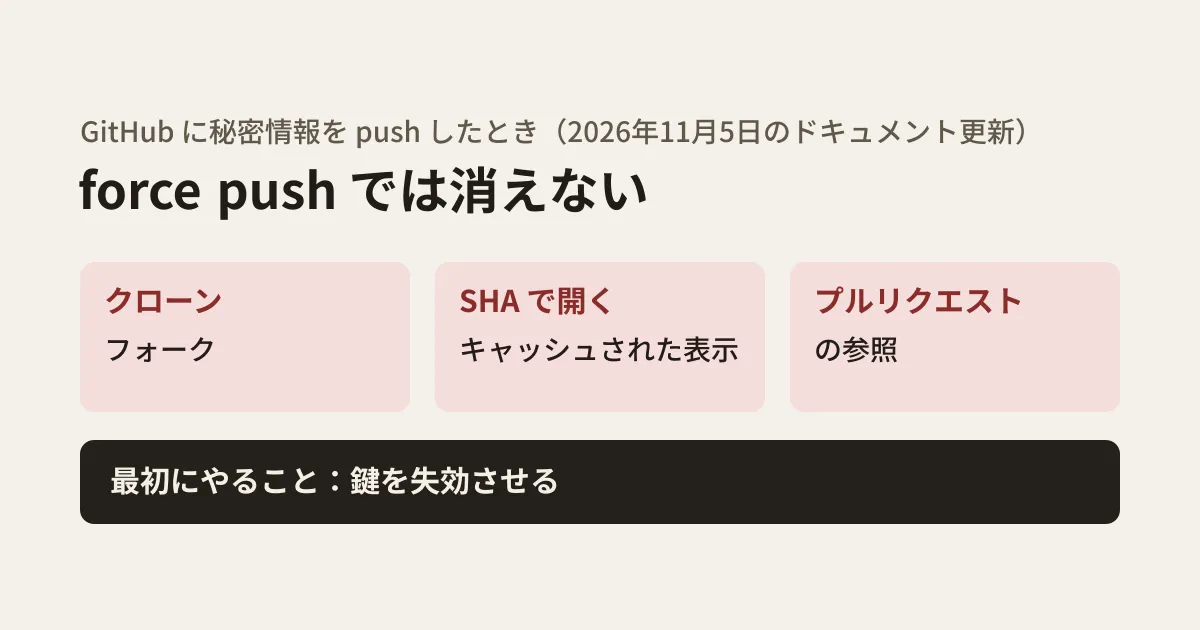
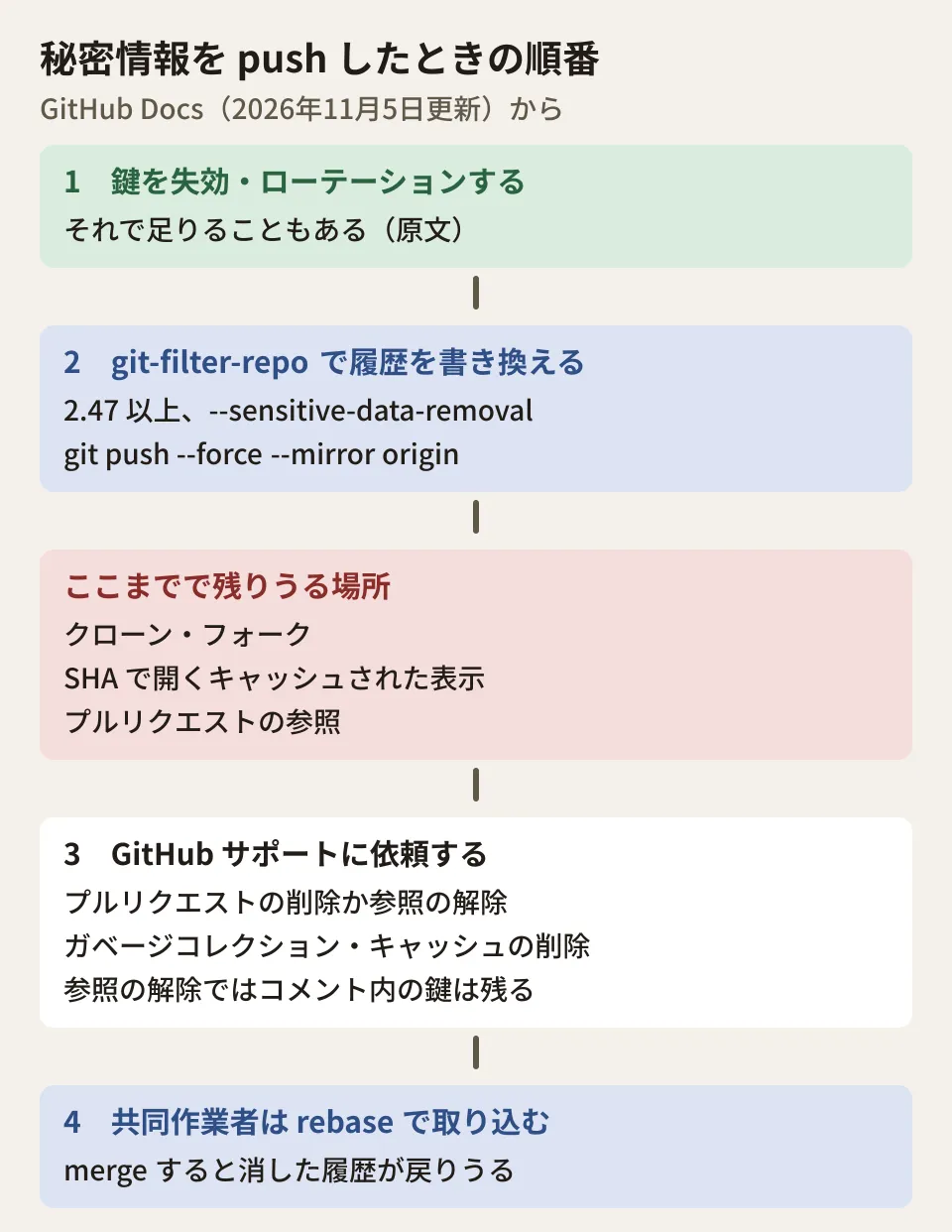
The page "Removing sensitive data from a repository" starts by saying this: if what you want to remove is a secret such as a password or token, the first step is to revoke and rotate that secret. Once it is revoked, it can no longer be used for access, and that alone may resolve the problem. You may not need to go to the trouble of rewriting history.
It also states clearly that GitHub Support does not remove non-sensitive data, and helps with removal only when it determines that rotating the affected credentials cannot mitigate the risk. For an API key, you first disable it at the issuer and replace it with a new key. Going as far as deleting history is likely for cases where something that cannot be revoked was included, such as personal information or a customer's source code.
Three places that remain after a force push
The same page says that if you only rewrite history and force push, commits containing secrets may still be viewable in the following places.
- Clones and forks of the repository
- Cached views on GitHub (opened by specifying the SHA-1 hash directly)
- Pull requests that reference the commit
The second point is backed up by the "Troubleshooting commits" page, rewritten on November 5. It says that branch history overwritten by a force push can sometimes be recovered on GitHub, even in private repositories. The procedure is to select the branch in the repository's activity view, filter to "Force pushes", and open the SHA of the commit from before the overwrite (before) in the form https://github.com/OWNER/REPO/tree/BEFORE_SHA. If it opens, you can create a new branch from there. The condition is that "the previous commit can still be opened on GitHub."
This is a welcome procedure for rescuing a team's work, but from the secret's point of view it means that, even right after a force push, old commits may remain openable on GitHub (the original text notes that creating a recovery branch requires write access).
If a fork contains commits with secrets, they remain viewable from there. The documentation says you need to ask the fork's owner to remove the secret or delete the fork itself, and that GitHub cannot provide the owner's contact information. Nor can GitHub remove anything from clones on other people's machines.
Rewriting history: trying git-filter-repo on a test repository
The tool the documentation recommends is git-filter-repo, and you need version 2.47 or later, which supports --sensitive-data-removal. The command to remove a file entirely is as follows (specify the path within the repository, not just the file name).
git-filter-repo --sensitive-data-removal --invert-paths --path PATH-TO-YOUR-FILE-WITH-SENSITIVE-DATAWe ran this command on a repository created for testing. Rather than GitHub, it was a bare repository in which we manually created references such as refs/pull/1/head to imitate pull request references. The key was a dummy. We ran the same script in two environments. One was the environment used when writing the draft (Linux, git 2.43.0, git-filter-repo 2.47.0, configured to sign commits automatically); the other was a macOS 26.5.1 environment used before publication on November 11, 2026 (git 2.49.0, git-filter-repo 2.47.0, no signing). The results were as follows.
- When run, it displayed a notice that it would fetch all references (
+refs/*:refs/*) fromoriginbefore rewriting - In the environment configured to sign, all 4 commits were rewritten, and the first commit (
init, which does not contain.env) was shown as "First Changed Commit(s)". This is likely becausegit-filter-repostripped the signatures. The documentation's list of side effects also says that signatures become invalid and that the tool removes them - In the environment without signing, 3 of the 4 commits were rewritten, and "First Changed Commit(s)" was the commit that added
.env - In both environments, after the rewrite, the number of commits containing
.envacross all references was 0 - Of the imitated pull request references, those pointing to commits from
.envonward changed to new hashes (all 3 in the environment configured to sign; in the environment without signing, 2, excluding the one pointing toinit)
One result needs attention. The documentation advises counting the number of affected pull requests with the following command.
grep -c '^refs/pull/.*/head$' .git/filter-repo/changed-refsIn both simulated environments, only two branches were written to changed-refs, and the result of this command was 0, even though the references imitating pull requests had in fact been rewritten. As far as we can tell from reading the source of git-filter-repo 2.47.0, the list of references that changed-refs is based on appears to be recorded before all references are fetched from origin (this is the editorial team's reading and has not been confirmed with the author). We have not checked whether the same happens with a repository on GitHub. However, as a check on the count you give to support, saving the result of git ls-remote origin 'refs/pull/*/head' before the rewrite and comparing it with git for-each-ref 'refs/pull/*/head' after the rewrite lets you confirm the count twice. The script and output used in the test are kept in this article's production records.
After rewriting, overwrite with git push --force --mirror origin. References starting with refs/pull/ are read-only on GitHub, so it is expected that pushing them fails. If anything else fails, you need to temporarily remove branch protection.
Requesting support and how pull requests are handled
To remove the data from GitHub completely, you need to make a request to support. The information to provide is the repository owner and name, the number of affected pull requests, the "First Changed Commit(s)" output by git-filter-repo, and, if any LFS objects were orphaned, a note saying so along with the files.
If you have cleaned up all references other than pull requests and no references remain in forks either, support is said to do the following.
- Dereference or delete the affected pull requests
- Run garbage collection on the server
- Remove cached views
- Remove LFS objects, if any are involved
The November 5 update added an explanation to the first of these. Deleting a pull request entirely removes all of its conversation, reviews and diffs. Support may suggest "dereferencing", which removes only the pull request's internal references; in that case, the relevant past diffs can be made unviewable while the body and comment history are kept. However, secrets quoted in the body or comments that are kept are not removed by dereferencing.
If a reviewer pasted the key into a comment, such as "Please remove the key on this line", that comment remains even after dereferencing. Before making the request, search the pull request comments for the same value; this makes it easier to decide whether to ask for deletion or dereferencing.
What the team does after the request
The documentation asks collaborators to bring in branches created from the old history with rebase rather than merge, because a single merge can bring back some or all of the removed history. It also lists, as the foremost side effect, the risk of recontamination: secrets come back simply because someone with a clone from before the rewrite runs git pull and git push.
From here on, this is the editorial team's proposal. Before starting the removal, merge or close open pull requests (as the documentation recommends). Ask others to stop pushing while the work is in progress. When it is done, ask everyone to clone again. Communicating these three points along with the notice about the work reduces rework. We covered checking the paths by which keys get into code in our article on auditing source code for secrets, detecting keys that appear in CI logs in our article on secret scanning for Actions logs, and removing images and files attached to issues and pull requests in our article on GitHub attachments.
Scope of verification
On November 10, 2026, we checked the diffs of github/docs commits 453f91c (November 5, 2026, "Clarify pull request preservation during sensitive-data cleanup") and 3521663 (same day, "Update documentation for recovering history after force push"), and the source of "Removing sensitive data from a repository" and "Troubleshooting commits" as of the time of checking (f309096, November 9, 2026). On November 11, 2026, we confirmed that the two public pages on docs.github.com match the source, that neither page has been updated since, and that the latest release of git-filter-repo is still 2.47.0 (desk research). We ran
git-filter-repo2.47.0 on a simulated repository (with GitHub pull request references created by hand) in a Linux environment (November 10, 2026) and a macOS environment (November 11, 2026) (hands-on testing). We did not try a force push on GitHub, recovery from the activity view, or a request to support.
GleamHub's development, AI and automation consultations can help with planning the response when keys or customer information end up in a repository, and with building development processes that prevent it from happening again. The steps vary with the number of repositories and how you work with partner companies, so please reach out through our contact form.