API keys and tokens can end up in CI logs as they are. Typical paths include listing environment variables for debugging, or a tool printing an entire connection string on error. GitHub Actions masks the values of registered secrets in logs, but it cannot mask keys that are not registered. Strings in which a value has been transformed are not necessarily masked either. What's more, anyone who can read the repository can open the logs.
GitHub secret scanning has gained a feature that scans these workflow logs. This article is based on what we confirmed on November 6, 2026 in the source text added to GitHub's documentation repository (github/docs) on November 5, 2026, and in the published GitHub Enterprise Cloud version of the documentation.
What the New Capability Enables
The documentation has a new section, "Secrets detected in GitHub Actions workflow logs," which explains the following.
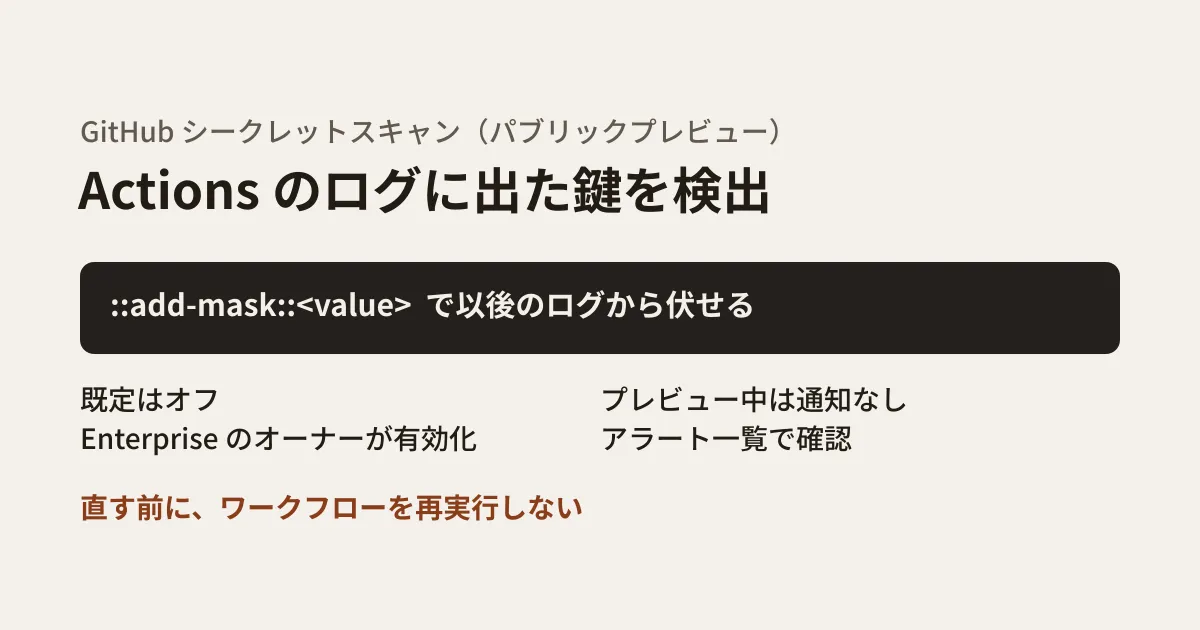
- The release stage is public preview. A note says the content may change
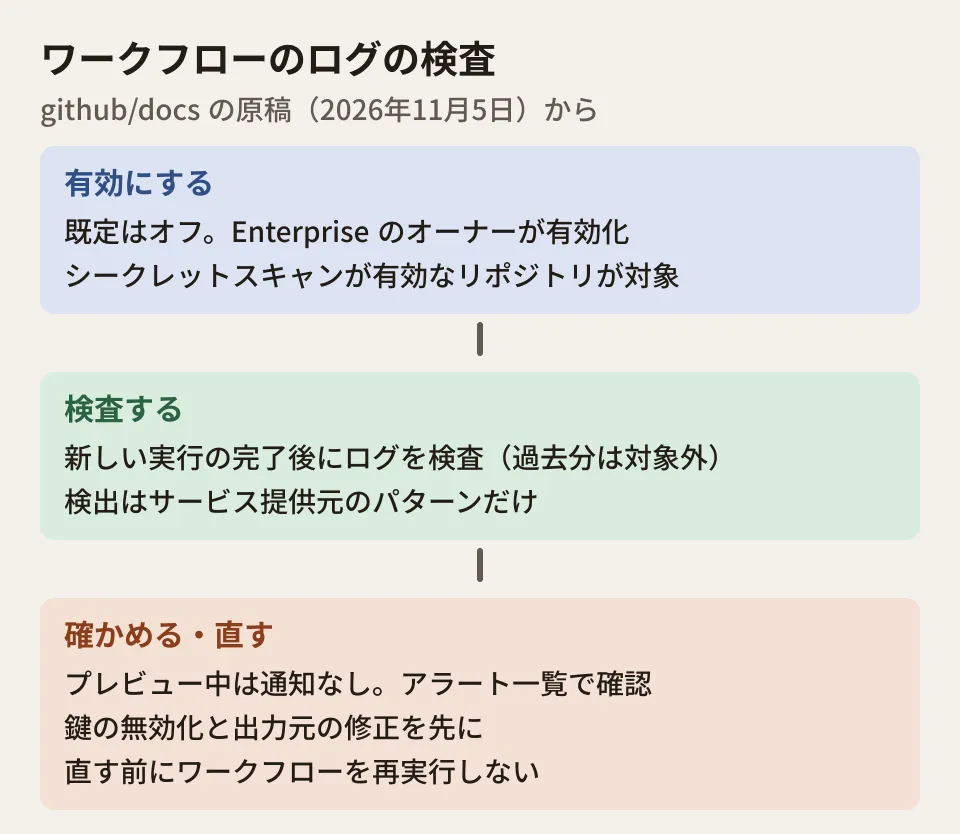
- Off by default. Enterprise owners enable it for all repositories in the Enterprise
- Scanning happens after a run completes. For new workflow runs after it is enabled, logs are scanned once the run finishes. Logs from past runs are not scanned
- Only repositories with secret scanning enabled are covered
The setting is "Secret scanning for Actions workflow logs" under "Advanced Security" in the Enterprise's "Policies." In the "All repositories" menu, choose Enabled or Disabled.
In this feature's definition file (data/features/secret-scanning-actions-logs.yml), the only target version is GitHub Enterprise Cloud (ghec). In the published documentation as well, this section appears on the Enterprise Cloud version of the page and not on the default version. This source text does not include steps for enabling it per organization or per repository.
There are also separate conditions for using secret scanning itself. For private and internal repositories owned by an organization, GitHub Secret Protection must be enabled.
What can and cannot be detected
The source text clearly states the scope of detection.
| Item | Handling in workflow logs |
|---|---|
| Provider patterns | Detected |
| Generic patterns | Not detected |
| Custom patterns | Not detected |
| AI-detected secrets | Not detected |
| Values masked by Actions in logs | Not detected |
In other words, the main targets are keys in fixed formats issued by major cloud and SaaS providers. Internal system passwords and proprietary token formats will not be found. It is reasonable to make keeping secrets out of logs the first priority, and to think of this scanning as a net that catches what slips through.
No notifications during the preview
The sentence to watch most closely in practice is the following.
During the public preview, alerts for secrets found in workflow logs do not generate notifications. To check for them, review the repository's secret scanning alerts.
Simply enabling the feature means no one is told when something is detected. Before enabling it, you need to decide who will look at the alert list and how often.
The contents of alerts are also described. If the same secret appears in multiple runs or jobs, the locations are grouped into one alert. Each location links to the workflow file where the secret originated and to the relevant line in the log. However, log contents are not displayed on the alert screen.
Steps when a secret is found
The steps for handling this were added to a separate page (on resolving alerts). The order given in the source text is as follows.
- Review the alert and the linked job log to identify which key was exposed and where it came from. Determine whether the workflow itself, an action, or another dependency output it
- Check whether the key is still valid. If it is valid, or if its status cannot be confirmed, immediately invalidate it (rotate / revoke) in the issuer's admin console
- Fix the cause of the output, for example by updating the workflow or dependencies, removing hard-coded keys, or moving to encrypted secrets
- If needed, use
::add-mask::<値>to keep the value out of subsequent logs
The source text includes a warning: "Do not rerun the workflow until the cause of the output is fixed. Rerunning with the cause still in place may expose the secret again." The everyday habit of simply rerunning a failed job backfires here.
The Actions security page says that if an unmasked secret appears in logs, you should delete the logs and rotate the secret. This is not in the alert steps, but check it as cleanup after invalidating the key.
::add-mask:: is a workflow command that masks a value within a job. The documentation explains that it must be run once per job and per value, and that masked values can no longer be passed as outputs.
What to decide before enabling it (editorial team's suggestion)
From here on are the editorial team's suggestions, based on what the documentation states. We did not actually enable this on an Enterprise and confirm detection.
Review how long logs are kept and who can view them. Because scanning happens after a run completes, logs remain readable until detection. In public repositories or repositories that outside partner companies can read, the range of people who can read logs is itself the range of exposure.
Decide who checks alerts and how often. Because there are no notifications during the preview, set a routine for checking the list, such as once a week. Organizations with many repositories should also consider checking across them with the security overview screen or the API. We covered handling secret scanning alerts from AI agents in our article on GitHub secret scanning and the MCP server.
Add practices that keep secrets out of logs to your workflow review items. Running env or printenv, which display environment variables all at once, expanding commands with set -x, and enabling verbose tool logs are all paths that can put keys in logs. For ways to review Actions workflows continuously, see also our article on Actions supply chain audits.
What we checked and what is still unknown
On November 6, 2026, we reviewed the published GitHub Enterprise Cloud version of the documentation ("Secret scanning," "Resolving alerts from secret scanning," and "Enforcing policies for code security and analysis for your enterprise"), the pages on workflow commands and Actions security, and the diff of commit 4435d78 (November 5, 2026, "Republish: Secret scanning detection in GitHub Actions workflow logs [public preview]") in GitHub's documentation repository (github/docs) (document research). The same source text was first published on October 7, 2026 (c34f4bd), withdrawn on October 15 (f137520), and republished on November 5. The reason for the withdrawal cannot be determined from the records. We found no announcement of this feature in the GitHub Changelog listings for October and November 2026 (through the 6th), and we have not confirmed the date the feature became available. We have also not verified enabling it on an Enterprise or detection on an actual setup.
GleamHub's development, AI and automation consultation can help with handling keys in CI/CD and with how to review workflows. The approach depends on your repository structure and how work is divided with partner companies, so please contact us for a consultation.
References
- GitHub Docs — Secret scanning (Enterprise Cloud version)
- GitHub Docs — Resolving alerts from secret scanning (Enterprise Cloud version)
- GitHub Docs — Enforcing policies for code security and analysis for your enterprise
- GitHub Docs — Workflow commands for GitHub Actions(Masking a value in a log)
- GitHub Docs — Secure use reference
- github/docs — commit 4435d78