When writing tests for systems that use AWS, it is hard to decide how to handle calls to S3 or DynamoDB. Pointing tests at real AWS incurs costs and requires cleanup, and also means putting keys for a test account in CI. Settling for mocks makes it harder to notice differences from AWS's actual responses.
In its What's New post on November 11, 2026, AWS announced that AWS Emulator is "now available." It reproduces AWS APIs as a local program so that they can be used for testing without an AWS account. In this article, we summarize what to check before adopting it, based on this announcement, the AWS Emulator user guide, and the README and contents of the GitHub repository aws/aws-emulator (commit 32b3cf3 on November 12, 2026, release tag v1.0.338).
What AWS Emulator is
The descriptions in the README and the user guide can be summarized as follows.
- A local program that provides AWS API endpoints. It can run on your own PC, a development server or in CI
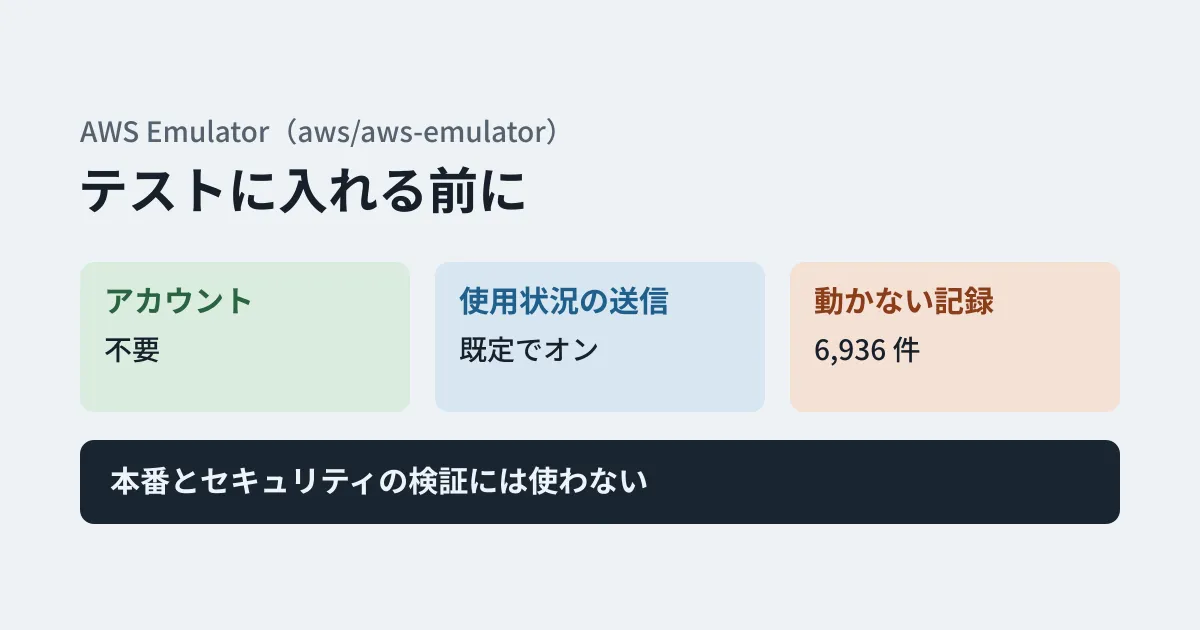
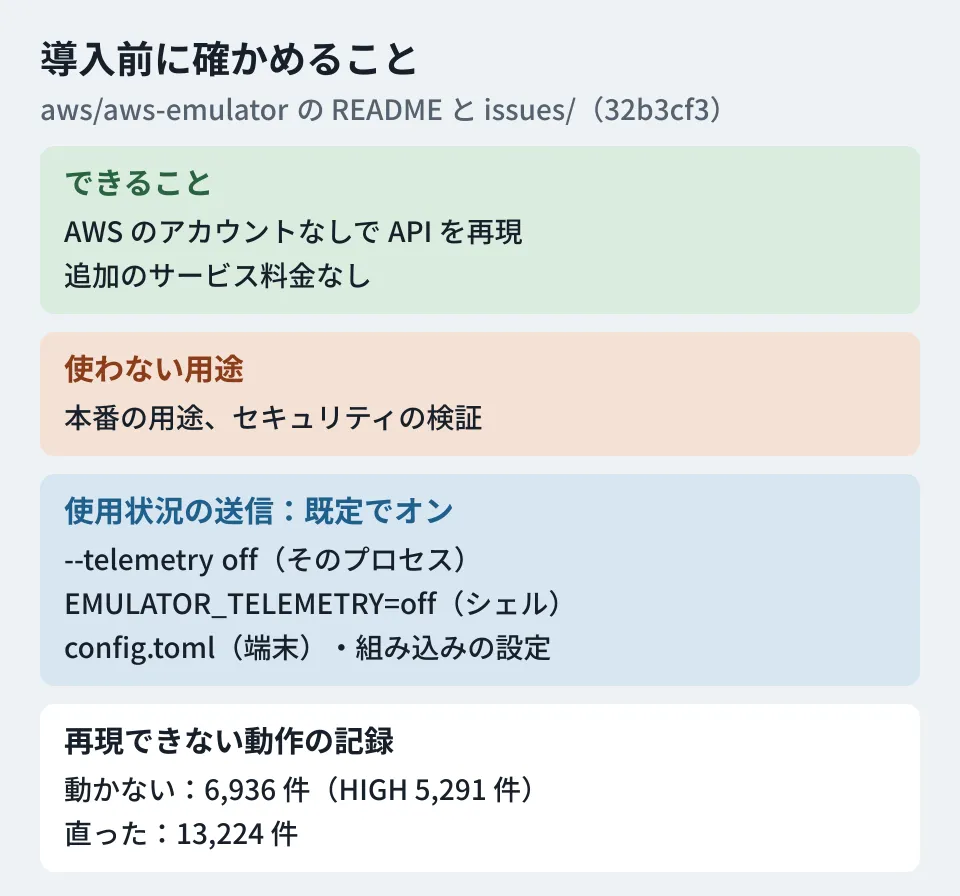
- No AWS account is required. Requests go to the emulator instead of AWS and operate on emulated resources. Request, response and resource data are not sent to AWS
- There is no additional service charge. You pay only for resources when you deploy to AWS
- There is no UI. After starting it, you use environment variables to point the AWS CLI or SDKs at the emulator
- Operations not yet supported return HTTP 501 (
NotImplemented)
There are three ways to use it. On Linux, you install the RPM or Debian package (x86_64 or aarch64) and start aws-emulator; on Windows and macOS, you run it in a container built from a short Dockerfile (server mode). In Rust tests, you can also embed it in the test process (embedded mode). For AI coding agents, a aws-emulator skill is also available that can be installed with AWS CLI 2.35.0 or later.
The repository's services/ contains 436 crates (Rust packages), one per AWS service, including S3, DynamoDB, Lambda, SQS, SNS, IAM, STS, SES, Cognito, API Gateway, KMS and Secrets Manager.
Caveats to check
Do not use it for production or security testing
The README states explicitly: "AWS Emulator is for building and testing. Don’t use it for production workloads or to test security." According to the security page of the user guide, the emulator does not evaluate IAM policies or resource-based policies the same way AWS does. It does not reject requests signed with the emulator's own keys, and it does not check KMS key policies or S3 bucket policies. Requests that AWS would reject may succeed, and vice versa. Do not rely on emulator results when verifying permission or encryption settings.
The user guide lists the following additional limitations.
- It is used with one Region and one account. It accepts any Region or account ID you specify, but does not keep resources separate. To test multiple Regions, start an emulator on a separate port for each Region
- Comparison against AWS is done only in US West (Oregon, us-west-2) (us-east-1 for global services). Differences in availability across Regions are not reflected
- Resources are held in memory, and everything is lost when it stops
- Long-running operation and load testing have not been tested. It is intended to be started and stopped for each test run
As things users should do, the guide lists not using real AWS keys, not putting in production or customer data, and not running it on machines other people can log in to. If the environment variable AWS_ENDPOINT_URL is not set, your code will call real AWS with whatever credentials it finds, so the guide asks you to set it within the scripts that run your tests. Security fixes are said to go only into the latest release.
Usage data collection is on by default
According to the README's "Telemetry" section, AWS Emulator is set by default to send usage data to AWS. It explains that this does not include the contents of requests or responses, code, credentials or personal data. The user guide describes the items sent (such as call counts and result types per operation, OS and SDK types and versions, and whether it is running in CI or a container) and states that data is retained for up to 90 days. There are four ways to turn it off.
| Method | Approach | Scope of effect |
|---|---|---|
| Startup option | aws-emulator --telemetry off | That process only |
| Environment variable | EMULATOR_TELEMETRY=off | Processes started from that shell |
| Configuration file | [telemetry] enabled = false in ~/.aws/emulator/config.toml (%USERPROFILE%\.aws\emulator\config.toml on Windows) | All runs on that machine |
| Embedded mode | EmbeddedOptions::default().telemetry(Telemetry::Off) | That test |
Any one of these turns it off, and an off setting always takes precedence. EMULATOR_TELEMETRY stops collection with off, false or 0, and also with any other unexpected value (a warning is shown at startup). Turning it off also deletes the stored installation ID and any data waiting to be sent.
Running it in a container requires care. The user guide notes that setting environment variables in your own shell does not take effect inside the container, and shows an example of passing -e EMULATOR_TELEMETRY=off to docker run. If your internal policies govern data sent externally, checking that the setting actually reaches the container when you add it to shared CI settings reduces gaps. If you distribute tools that embed the emulator to others, the README asks you to inform users about the data collection and provide a way to turn it off.
Some behavior cannot be reproduced
According to the "Fidelity" page of the user guide, how closely it behaves like AWS is measured with short tests called "fidelity tests." They run a series of operations through the AWS SDK and check whether the results, state and errors match AWS. Each service's "fidelity score" is the number of that service's tests that passed (for example, 40 out of 50), published on the GitHub release page for each release. Currently, the management APIs that create, read and delete resources (the control plane) are closest to AWS, while support for APIs that read and write data, and for CloudFormation, Terraform and AWS CDK, is said to vary by service.
The v1.0.338 release includes a score file, scores.json.gz (commit 32b3cf3, scored on November 12, 2026). By our editorial tally, there were 43,548 test results: 26,001 passed, 17,464 failed and 83 were not run. Because adding tests can also increase the number of failures, the user guide says to compare results only between tests of the same version.
Individual differences are tracked under issues/ in the repository. Items that do not work yet are in issues/things-that-do-not-work/, and fixed items move to issues/things-that-now-work/. As of commit 32b3cf3, there were 6,936 files in the former and 13,224 in the latter. Each file records one difference and begins with a severity (Issue-Severity). The 6,936 items that do not work broke down into 171 CRITICAL, 5,291 HIGH, 1,343 MEDIUM and 131 LOW. File names contain service and operation names, such as "dynamodb-resource-based-policy" and "elbv2-alb-routing."
How to check whether it works for your project is described in the user guide's "Checking whether your project works with AWS Emulator." The simplest method is to have an AI coding agent with the aws-emulator skill installed check it. If you check it yourself, the steps are as follows.
- List the AWS operations your code calls
- Look for tests of those operations in
manifest.jsonlin aws/aws-emulator-evaluation-suite on GitHub - Check the score for that service on the release page of the version you use
- For operations without tests, run your own tests against both the emulator and real AWS and compare
Building from source is heavy
Running from source instead of using a package, or using embedded mode, is supported only on Linux (x86_64 and aarch64) and is said to require at least 100 GB of free space in target/. The first build takes time because it compiles the crates for every service. The server listens over HTTPS on 127.0.0.1:9297, and the certificate is self-signed.
The repository does not accept pull requests; bugs and fidelity differences are reported through GitHub Issues. Security issues should be sent to AWS's vulnerability reporting channel rather than filed as public Issues. The license is CC0 1.0, and the code under vendor/ is under the Apache License 2.0.
Which tests to use it for (editorial suggestions)
- Choose tests where you switch the endpoint. Start with tests that check how calls are built and how responses are handled, such as uploads to S3 or sending and receiving messages on a queue. Verify permission, encryption and network settings in a test AWS account. Set
AWS_ENDPOINT_URLin the scripts that run your tests, and unset environment variables holding real keys. - Look up tests and records for the operations you use first. Using the steps above, check the fidelity tests and scores for the operations your tests use, and also search
issues/things-that-do-not-work/by service name. - Decide how to handle usage data collection in CI. Decide whether to turn it off or allow it, in line with your internal policies. If you turn it off, also check that the environment variable reaches the container.
- Keep tests against real AWS. Periodically run some of the tests that passed on the emulator in a test account as well, and report any differences you find in Issues.
We covered the approach of not keeping long-lived keys in CI in our article on Workload Identity Federation, and ways to narrow down test runs in our article on Vitest 5.1.
Scope of verification
On November 13, 2026, we fetched aws/aws-emulator from GitHub (commit 32b3cf3, November 12, 2026; tag v1.0.338) and checked the README, AGENTS.md, and the contents of
services/andissues/. On the same day, we also checked AWS's What's New post (November 11, 2026), the user guide (overview, telemetry, security, Fidelity, and how to check your project), and the v1.0.338 release and score file (desk research). We did not start the emulator or run tests. The score tally is our own, and we have not verified how per-service scores are counted.
GleamHub's development, AI and automation consulting covers structuring tests for systems that use AWS and reviewing CI. Please reach out via our contact form.
References
- AWS What’s New — AWS Emulator is now available for building and testing AWS applications locally
- GitHub — aws/aws-emulator(README)
- GitHub — aws/aws-emulator releases (v1.0.338)
- GitHub — aws/aws-emulator-evaluation-suite
- AWS Emulator User Guide — What is AWS Emulator?
- AWS Emulator User Guide — Telemetry in AWS Emulator
- AWS Emulator User Guide — Security in AWS Emulator
- AWS Emulator User Guide — Fidelity in AWS Emulator
- AWS Emulator User Guide — Checking whether your project works with AWS Emulator