If you are prototyping a feature in which an AI agent displays input forms or confirmation cards in an internal help desk or request screen, the question becomes which version of the specification to validate the agent's output against. If the JSON the agent returns differs from the shape the UI-side rendering library expects, you get bugs such as components not appearing or entered values not reaching the agent.
A2UI (Agent-to-User Interface) is an open-source framework in which agents send UI components as data (JSON) rather than code, and the app-side rendering library (the renderer) displays them using its own components. Version 1.0 of the specification (status: "Current") includes incompatible changes from v0.9. This article summarizes the key points of the official migration guide and the results of actually validating messages against the specification's JSON Schema.
A2UI basics
The README of the repository (a2ui-project/a2ui) describes A2UI as an "open-source generative UI framework" and cites, as a use case, agents that are remote or third-party and cross trust boundaries. It says "A2UI expresses UI using data, not code." The components an agent can use are defined by a catalog (a list of components and their specifications), and their shape is constrained by the schema.
In the v1.0 specification, the basic messages from the agent to the UI are createSurface (create a display surface), updateComponents (add or update components), updateDataModel (update data) and deleteSurface (delete). v1.0 adds bidirectional function calls (callRendererFunction, callAgentFunction and their respective responses).
What needs rewriting from v0.9
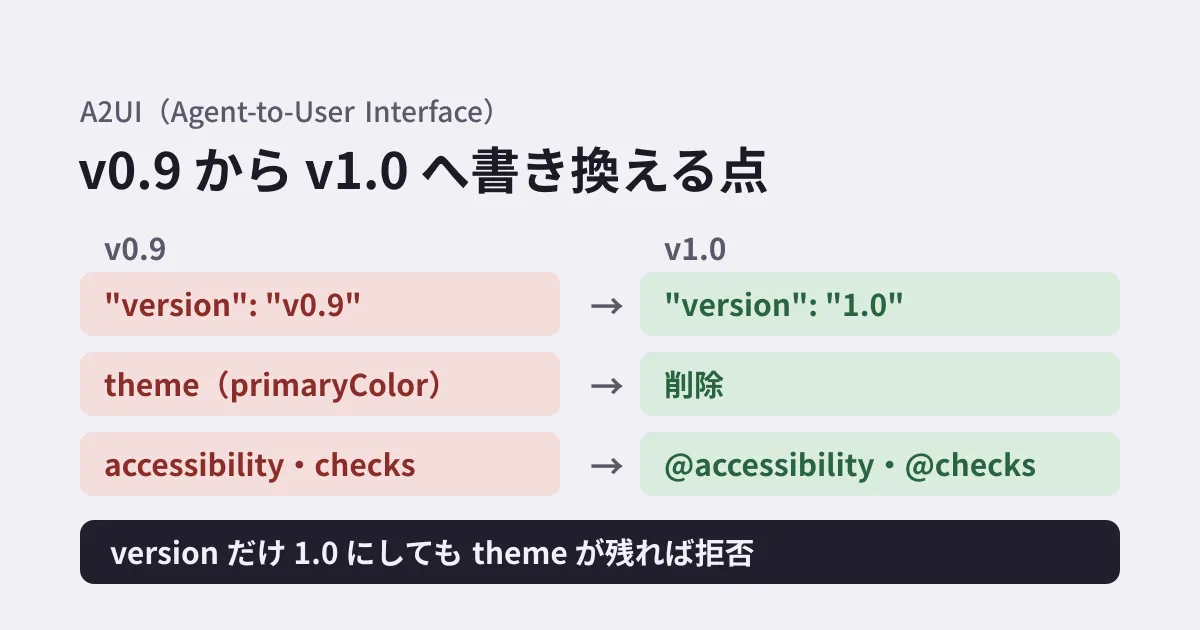
The main changes affecting agent output, taken from the "Migration guide" in the migration guide (evolution_guide.md), are as follows.
| Change | v0.9 | v1.0 |
|---|---|---|
| Message version | "version": "v0.9" | "version": "1.0" |
| Styling | theme in createSurface (such as primaryColor) | Removed. Appearance is left to the rendering side's components |
| Common component fields | accessibility・checks | @accessibility, @checks (@catalogId and @metadata added) |
| Deleting data | value could be omitted | value is required. Deletion requires an explicit null |
| MIME type | application/json+a2ui | application/a2ui+json |
In addition, validationRegexp in TextField was removed and replaced by the @checks and regex functions, and value in TextField became required. The openUrl function is treated as requiring user interaction (requiresUserActivation: true). On November 19, the migration guide was updated to note that headings h1 to h5 had been removed from variant in Text, leaving only caption and body. Headings are written in Text.text Markdown (such as ## 見出し). When we checked on November 20, components using "variant": "h2" were rejected by both the main schema and the 0.15.0 bundled schema discussed in the next section. If you build your own catalog, you need to specify "protocolVersion": "1.0", and the guide states "Catalogs authored for v0.9 cannot be used directly with v1.0 protocol runtimes."
There is a caution about how to apply @. The guide warns, "Do not migrate v0.9 payloads with a blanket find-and-replace of "path": → "@path":." @ is added only at data binding (DataBinding) and function call positions, and to the common fields directly under a component. It is not added to path in updateDataModel or to path in list templates.
Results of schema validation
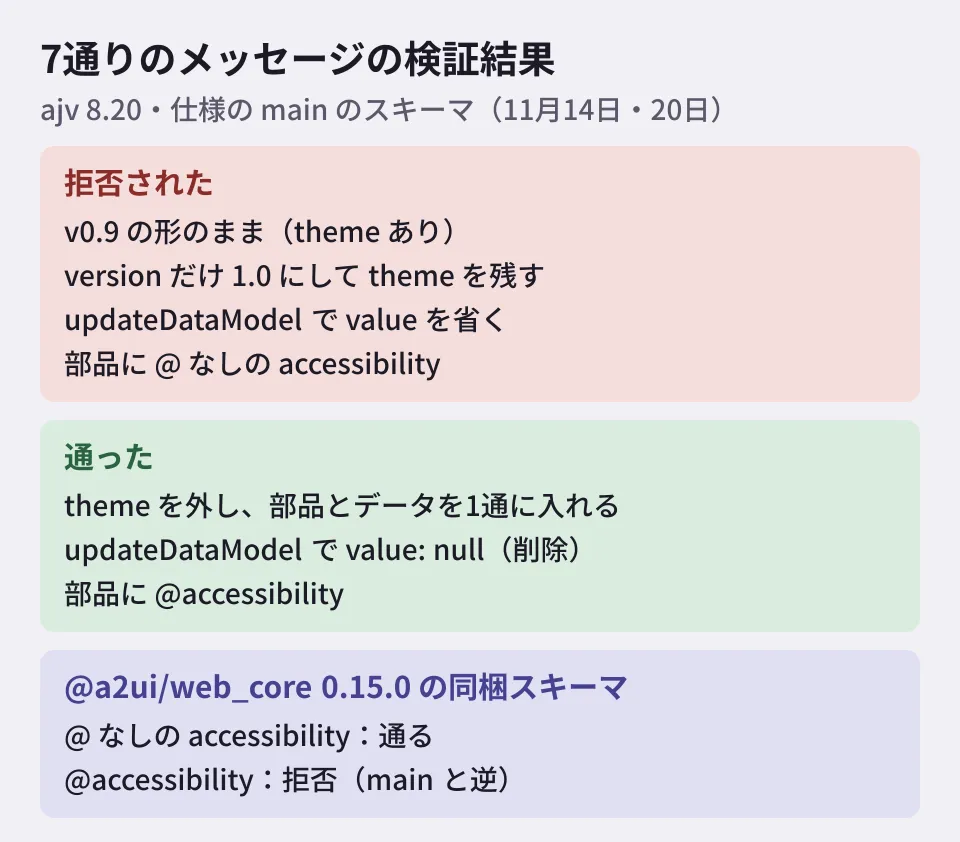
On November 14, 2026, we loaded the specification's JSON Schema (agent_to_renderer.json and common_types.json fetched from the repository's main branch, plus the basic catalog catalogs/basic/v1/catalog.json) into ajv 8.20 (JSON Schema 2020-12) and validated seven messages, running on Node.js 22.23.4. On November 20, we fetched the main schema again and validated the same seven messages (Node.js 22.23.5, ajv 8.20.0), confirming that the results had not changed.
INVALID  A: v0.9の形のまま(version "v0.9"・theme あり)
INVALID  B: version だけ "1.0" にして theme を残す   ← theme が追加の項目として拒否
valid    C: theme を外し、部品とデータを createSurface の1通に入れる
INVALID  D: updateDataModel で value を省く           ← value が必須
valid    E: updateDataModel で value: null(削除)
INVALID  F: 部品に v0.9 の書き方の accessibility    ← 評価されない項目として拒否
valid    G: 部品に v1.0 の書き方の @accessibility
Output in which only the version number has been rewritten, as in B, fails strict validation. The specification states, "A createSurface carrying theme fails strict validation; relaxed renderers drop it." With lenient rendering libraries, theme may simply be discarded silently without an error. This creates a gap where output passes in tests but fails in environments with stricter validation.
Differences from the schema bundled with distributed libraries
We also validated the same seven messages against the v1.0 schema (src/v1_0/schemas/) bundled with @a2ui/web_core 0.15.0 (released November 2, 2026), distributed on npm. A to E gave the same results, but F and G were reversed. With the 0.15.0 bundled schema, accessibility without @ passes and @accessibility is rejected. The bundled common_types.json defines "accessibility" but has no definitions for @accessibility, @checks, @catalogId or @metadata.
The migration guide's "Component envelope mixin keys" section describes the move to @-prefixed keys as a change from "early v1.0 drafts." According to the repository history, the change that switched the specification and SDKs to @-prefixed keys ("feat!: emit @-prefixed v1.0 component envelope keys across spec and SDKs") landed on November 11, after the release of 0.15.0 (November 2). The 0.15.0 bundled schema appears to reflect the content before this change. For the transition period, the guide says rendering libraries and the Core SDK will accept old keys without @ if the component schema has no field of the same name, will reject components that have both, and that the agent-side SDK outputs only @-prefixed keys. We did not check the actual behavior of rendering libraries this time.
On the agent side, the release notes for a2ui-agent-sdk 0.12.0 for Python (released November 17) announce a BREAKING CHANGE that outputs @catalogId, @metadata, @accessibility and @checks on v1.0 components. If you validate output from an agent using the updated SDK against the 0.15.0 bundled schema, @accessibility will be rejected, just as in G.
The latest versions of @a2ui/react and @a2ui/lit for React and Lit are also 0.15.0 (released November 2), and @a2ui/angular for Angular is at 0.14.0. Proceed on the assumption that there is a gap between the specification's main branch and the versions of the distributed libraries.
How to approach the migration (editorial suggestion)
- Match the schema used for validation to the rendering library version. If you validate agent output in CI, use the schema bundled with the rendering library version you use in production. Validating against the specification's main schema can produce the opposite verdict from your production rendering library, as with F and G here. When updating the agent-side SDK (such as
a2ui-agent-sdk0.12.0), also validate in combination with the rendering library version. - Update agent instructions and catalogs at the same time. If your instructions to the model (prompts) include catalogs or output examples, remove examples containing
themeor lacking@, and replace them with v1.0 examples. Output with only the version number changed is rejected, as in B. - Do not use bulk replacement. Replacing
"path":with"@path":in bulk also changespathinupdateDataModel. Compare against the migration guide's list of target positions and fix things while passing validation. - Check how data deletion is written. Processing that deleted data by omitting
valueinupdateDataModelshould be changed tovalue: null.
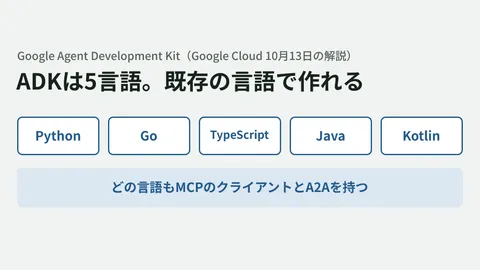
We covered aligning the shapes of AI agent components and tool inputs and outputs across languages in our article on Google ADK's support for five languages, and how to verify the effect of skills given to agents in our article on evaluating agent skills.
Scope of verification
On November 14, 2026, we fetched and reviewed the README, specification (specification/v1_0/docs/a2ui_protocol.md), migration guide (specification/v1_0/docs/evolution_guide.md) and JSON Schema (specification/v1_0/json/ and catalogs/basic/v1/catalog.json) of a2ui-project/a2ui from main (desk research). We also fetched
@a2ui/web_core0.15.0 from npm and validated seven messages with ajv 8.20 against both the bundled schema and the main schema (Node.js 22.23.4). We did not check rendering in a rendering library, output from the agent SDK, or output generated by a model. On November 20, we redid validation against the main schema and checked the migration guide update (November 19), GitHub releases (such asa2ui-agent-sdk0.12.0), the latest npm versions (@a2ui/web_core,@a2ui/reactand@a2ui/litat 0.15.0,@a2ui/angularstill at 0.14.0) and the official site (a2ui.org). The official site shows v1.0 as "Current," but we have not found an announcement of the v1.0 release date.
GleamHub’s development, AI and automation consulting covers designing how AI agents fit into your internal business screens and building ways to verify their output. Please reach out through our contact form.