Your business systems run on Java or Go, yet only the AI agents are built separately in Python and run on separate servers. As agents gain more features, the APIs connecting them and the operational effort also grow. Google's AI agent development kit, "Agent Development Kit (ADK)," is moving away from this assumption that agents are built in Python.
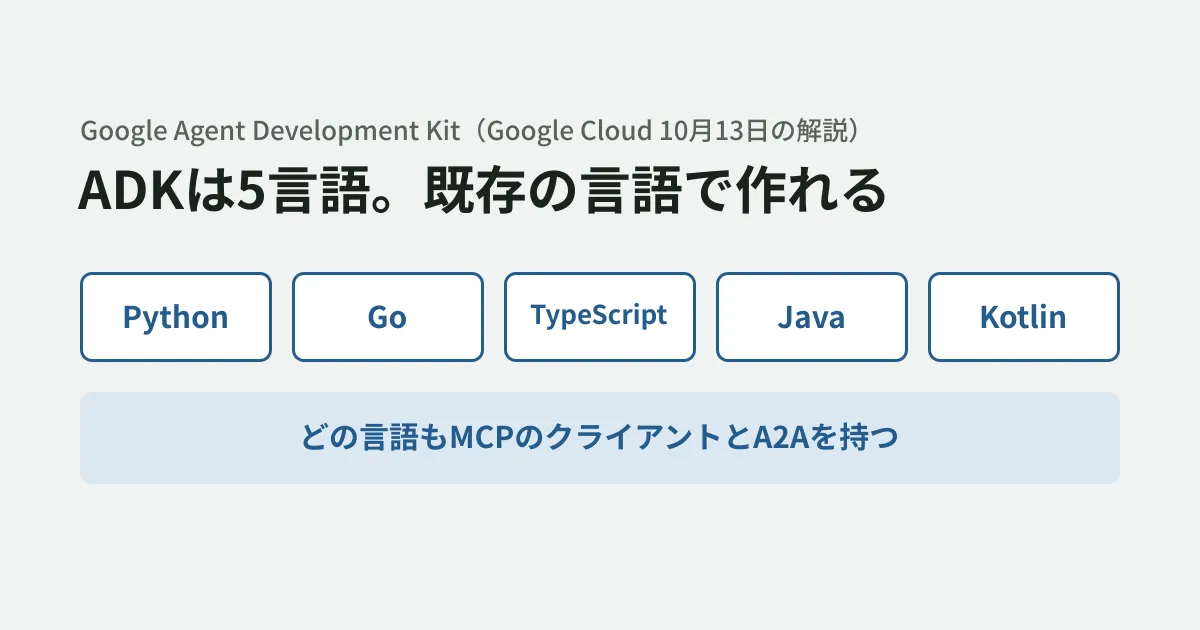
On October 13, 2026 (US time), the Google Cloud blog explained, with code for each language, that ADK can be used in five languages.
Google’s Agent Development Kit (ADK) removes that trade-off with coverage for Python, Go, TypeScript, Java, and Kotlin.
In this article, we compared that guide with the documentation in each language's repository, and for Python and TypeScript we actually built tool definitions and checked the output. For development teams considering building agents in the same language as their existing systems, we outline what to check before choosing.
What the five languages have in common
According to the guide, the ADK for each of the five languages is built to suit that language, but they share common mechanisms.
- MCP (Model Context Protocol) client: included in every language. Tools exposed as MCP servers can be called from agents in any language
- A2A (Agent2Agent) protocol: a mechanism for agents to communicate with each other over HTTP. It connects even agents written in different languages or frameworks
In other words, even without standardizing on one language across the company, the premise is that you connect tools through MCP servers and agents through A2A. The basics of MCP are covered in the complete guide to MCP.
Differences by language
Here we summarize the characteristics of each language described in the guide, from the perspective of pairing them with business systems.
| Language | How tool definitions are generated | Suited for / characteristics noted in the guide |
|---|---|---|
| Python | Generated automatically from function type hints and docstrings | The reference implementation. Broadest Google Cloud integration and model support. Can be built into CI with the evaluation command |
| Go | Generated from struct tags using generics | For production backends. A base image of about 2 MiB with fast startup. Supported ADK 2.0 graph-based workflows second, after Python |
| TypeScript | Generated from Zod schemas | Runs not only in Node.js services but also inside a browser tab. Can use WebMCP and Chrome's on-device models |
| Java | Generated from @Schema annotations on arguments | For Maven, Gradle and Spring Boot environments. Includes bridges to Spring AI and LangChain4j |
| Kotlin | Generated at build time with KSP | Catches type errors at build time. Can run agents on-device on Android |
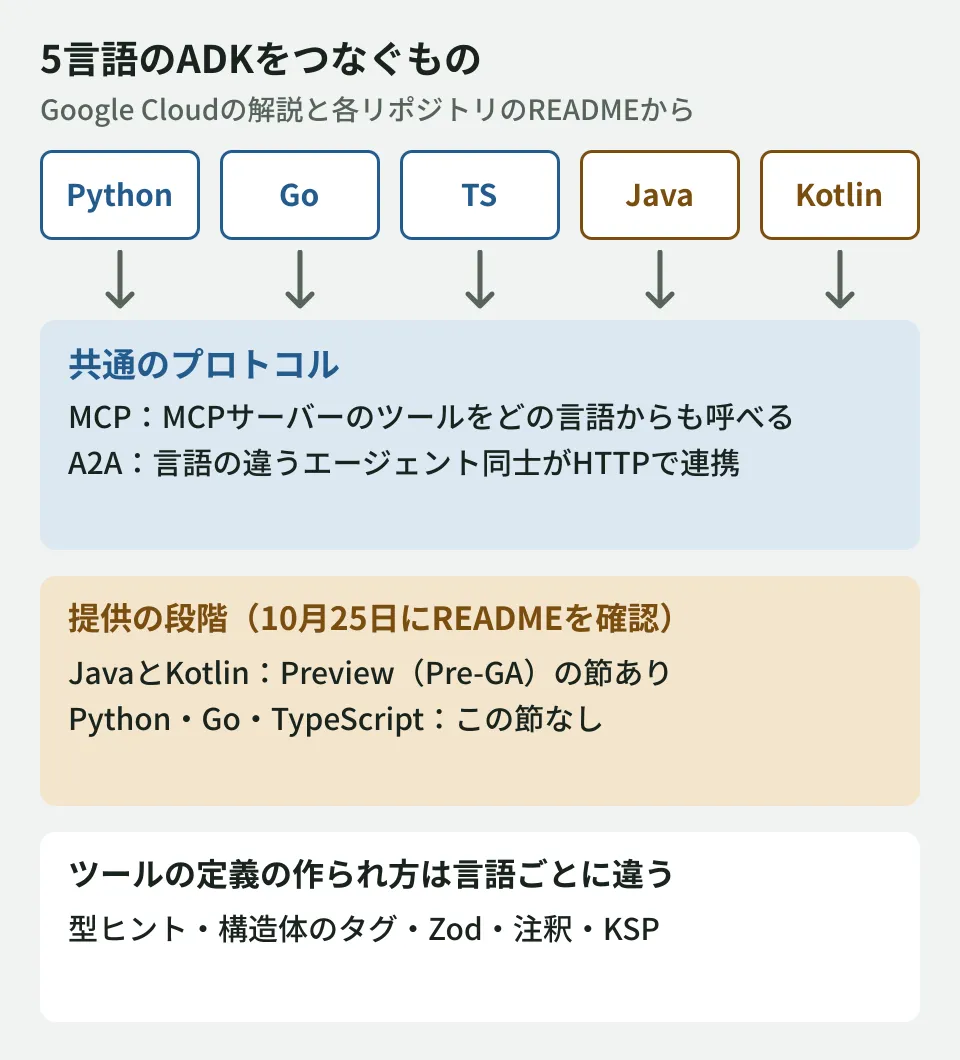
One thing to check before choosing is the availability stage. When we checked each repository's README on October 25, 2026, the Java and Kotlin READMEs had a "Preview" section stating that they are subject to Google Cloud's "Pre-GA Offerings Terms" and that support may be limited. The Python, Go and TypeScript READMEs had no such section. The Kotlin README also says it has "moved to a stable release cadence," so the meaning of the stage can be read differently depending on the document. Before putting it into a client's production system, it is safer to check the README for the language you use and the contract terms.
We built tool definitions and checked them
Whether an agent can call a tool correctly depends on the tool description passed to the model (name, description and arguments). We wrote the weather tool example from the guide as is in Python and TypeScript and output the tool definitions that ADK generates. We did not call a model.
The test environment was Linux, Python 3.11.17 with google-adk 2.13.0, and Node.js 22.22.0 with @google/adk 2.3.0 and zod 4.6.7 (obtained from PyPI and npm on October 25, 2026). To view the definitions, we used the tools' internal methods (_get_declaration() in Python and _getDeclaration() in TypeScript).
Python: the docstring's "Args:" did not become argument descriptions
Following the guide's example, when we passed a function with argument descriptions written in the docstring's Args:, the output was as follows (excerpt).
{
  "description": "Retrieves the current weather report for a specified city.\n\nArgs:\n    city (str): The name of the city for which to retrieve the weather report.",
  "name": "get_weather",
  "parameters_json_schema": {
    "properties": { "city": { "title": "City", "type": "string" } },
    "required": ["city"]
  }
}
The entire docstring went into the tool description, and the argument city received no description. The model has to infer the meaning of the argument from the tool's description text. ADK's official documentation ("Function tools" on adk.dev) says that "argument descriptions are taken from the docstring," but as far as we could tell from reading the 2.13.0 source code, the argument fields are generated from the type information of the function's arguments, and we found no processing that reads the docstring's Args:. Reading it as the docstring content being passed to the model as the tool's description text, rather than as argument fields, matches this output. We also confirmed that rewriting the argument as Annotated[str, Field(description="The name of the city.")] adds "description": "The name of the city." to city. For tools with many arguments, or arguments that use business terminology, we think this style conveys intent better (the editorial team's judgment).
TypeScript: Zod descriptions went in as is, and input of the wrong type was stopped
In TypeScript, Zod's z.string().describe("The name of the city.") went as is into the description of city in the tool definition.
Furthermore, when we ran the tool with city: 123 (a number), the tool function was not called, and execution stopped with a Zod validation error, expected string, received number. This confirms the behavior described in the guide, in which "runtime input validation and the schema sent to the model are generated from a single definition."
We did not run the three languages other than Python and TypeScript (Go, Java and Kotlin) this time.
Deciding whether to build in your existing system's language
From here on are the editorial team's suggestions.
- If you want to keep most tools inside your existing system: using the ADK in the same language saves you from building new APIs just to call business logic. However, check the availability stage described above
- If you want to systematize evaluation (scoring agent quality): the guide says Python has the most complete evaluation tooling, and that you can test the whole system with Python evaluation even if production uses another language. Separating the production language from the evaluation language is also an option
- If you work across languages: split tools out as MCP servers and connect agents to each other with A2A. The same tools can then be used from the ADK in any language
The basic concepts of agents are covered in What is an AI agent?, and an example of connecting internal screens from Google's enterprise agent platform is covered in MCP Apps in Gemini Enterprise.
Scope of verification
On October 25, 2026, we checked the Google Cloud blog post "One Agent Development Kit, five languages" (October 13, 2026) and the READMEs (main branch) of google/adk-python, adk-go, adk-js, adk-java and adk-kotlin on GitHub (document research). We also installed the Python and TypeScript ADKs in the editorial team's test environment (Linux) and output the tool definitions from the guide's example (hands-on testing). We did not try running agents with model calls, behavior in Go, Java or Kotlin, deployment to Google Cloud, or the
agents-clicommand.Before publication, on October 27, 2026, we rechecked the blog post, each README, the documentation on adk.dev (moved from google.github.io/adk-docs), PyPI, npm, Maven Central and the Go modules. The Preview sections in the Java and Kotlin READMEs remained, and google-adk 2.13.0 and @google/adk 2.3.0, which we used for testing, were still the latest versions for each language on that date.
For designing how to build AI agents into existing business systems or choosing languages and architecture, contact us through consultation on development, AI, and automation.