When a website feels slow, the first area to address is images. According to research by HTTP Archive, images account for 50% to 70% of total web page transfer size. In other words, simply optimizing images can potentially cut total site transfer volume roughly in half.
Display speed directly affects business results. Data shows that a 1-second delay in page load time reduces conversion rates (CVR) by approximately 7%, and if it takes over 3 seconds, roughly 40% of users abandon the page. Put another way, image optimization is the website improvement initiative with the highest ROI.
This article explains acceleration techniques combining CDNs (Content Delivery Networks) and image optimization across different implementation patterns, including their cost-effectiveness.
Images govern website loading speed — Why image optimization is the top priority
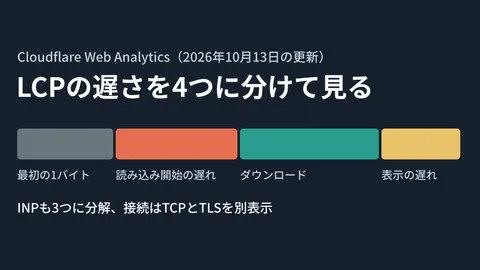
Among Google's Core Web Vitals, LCP (Largest Contentful Paint) is the central metric for measuring page loading performance. The primary cause of slow LCP is unoptimized images, and Google considers an LCP under 2.5 seconds to be "Good."
The reason image optimization is so effective for LCP is simple. The largest element measured on a page is often the hero image or main visual banner. Reducing the file size of this image and speeding up its delivery directly improves LCP.
While techniques for improving Core Web Vitals are systematically covered in our Practical Guide to Core Web Vitals Optimization, this article focuses on the highest-impact lever among them: Images × CDN.
What is a CDN? — Its role in image delivery
A CDN (Content Delivery Network) is an infrastructure that caches content on globally distributed servers (edge servers) and delivers it from the server nearest to the user.
Normally, accessing a server located in Tokyo from Osaka versus Hokkaido results in response latency differences proportional to physical distance. Using a CDN serves cached images from edge servers close to each user, minimizing delays caused by physical distance.
Furthermore, modern CDNs go beyond simple cache delivery. "Image optimization CDNs" that perform format conversion, resizing, and compression in real time at the edge are becoming the standard. By uploading just one original image, the CDN automatically generates and serves images in the optimal size and format based on the requesting device and browser.
Four implementation patterns for CDN × image optimization
Image optimization implementations can be broadly categorized into four patterns. Choose the best pattern based on your site's scale, tech stack, and budget.
Pattern 1: Built-in CDN (Cloudflare Images / Vercel Image Optimization)
In this pattern, image optimization capabilities are built directly into the CDN service itself. Setup requires only DNS configuration or platform integration, eliminating the need to build additional infrastructure.
How it works: The CDN receives user requests and inspects the Accept header to determine browser format support. It then automatically converts and delivers the image in the optimal format among AVIF, WebP, or JPEG.
Best-fit scenarios: Websites already using Cloudflare or Vercel, or teams seeking to keep technical configuration to a minimum.
Pattern 2: Image transformation SaaS (imgix / Cloudinary)
This pattern uses dedicated SaaS platforms specialized in image transformation and delivery. Image processing parameters are specified via URL query parameters, supporting advanced operations like resizing, cropping, filtering, and watermarking.
How it works: Specify transformations using query parameters in the image URL (e.g., ?w=800&fm=avif&q=75). The SaaS generates the image in real time and delivers it via CDN.
Best-fit scenarios: Sites with large volumes of images, such as e-commerce platforms, or applications requiring flexible cropping and manipulation.
Pattern 3: Self-hosted (Sharp + CloudFront)
In this pattern, an image transformation library (such as Sharp or libvips) runs on self-managed servers or Lambda functions, paired with a general-purpose CDN like CloudFront.
How it works: Image transformations run inside Lambda@Edge or CloudFront Functions, saving the converted images to an S3 cache. Subsequent requests are served directly from cache.
Best-fit scenarios: Teams already running AWS infrastructure who want complete control over image processing logic.
Pattern 4: Built-in SSG (Astro Image / Next.js Image)
This pattern uses image optimization components built into static site generators (SSGs) or web frameworks. Because images are optimized at build time, runtime processing costs are zero.
How it works: Build steps convert source images into WebP/AVIF across multiple dimensions while automatically generating <picture> tags and srcset. Notable examples include Astro's <Image> component and Next.js's next/image. For guidance on framework selection, see our Next.js vs. Astro Comparison.
Best-fit scenarios: Static sites, Jamstack architectures, or websites where images are updated infrequently.
Comparison table of the 4 patterns
| Item | Built-in CDN | Image Transformation SaaS | Self-Hosted | Built-in SSG |
|---|---|---|---|---|
| Representative Services | Cloudflare Images, Vercel | imgix, Cloudinary | Sharp + CloudFront | Astro Image, next/image |
| Initial Setup Complexity | Low | Low | High | Moderate |
| Image Processing Flexibility | Basic transformations | Extremely high | Completely flexible | Within build configuration bounds |
| Runtime Costs | Included in CDN pricing | From $25–$79+/month | AWS usage fees (pay-as-you-go) | Zero (processed at build time) |
| Estimated Monthly Cost (Small Scale) | Free to $5 | $25〜$99 | $10〜$50 | Free |
| Scalability | High | High | Depends on architecture | Dependent on build times |
| Dynamic Image Generation | Possible | Possible | Possible | Not possible (build time only) |
How to choose the optimal pattern for SME websites
Deciding which pattern to choose comes down to three factors: website scale, update frequency, and internal technical capability.
Corporate and brand sites (under 100 images, updated a few times a month) → Built-in SSG is best. Running costs are zero, and optimization finishes at build time. If you use Astro or Next.js, you can get started with no additional cost.
E-commerce and media sites (over 1,000 images, updated daily) → Image transformation SaaS (imgix / Cloudinary) is a strong fit. Massive product catalogs and thumbnails can be dynamically generated and served, creating countless size variants via simple URL parameters.
Already using Cloudflare → Built-in CDN offers the least effort. Simply enabling Polish (automated image optimization) automatically converts existing images to WebP/AVIF.
Running on AWS infrastructure → The self-hosted option lets you add an image processing layer to existing CloudFront + S3 setups. However, considering build and maintenance labor, SaaS solutions often yield lower total costs.
For details on web production pricing, see our guide on Standard Costs for Website Development.
Five techniques to master during implementation
Once you select a pattern, here are five specific techniques to maximize impact in actual implementation.
1. Automatic format conversion to WebP / AVIF
As of 2026, AVIF browser support has reached approximately 95%, enabling file size reductions of around 41% compared to JPEG. WebP also delivers 20% to 30% savings over JPEG.
The recommended priority order is AVIF → WebP → JPEG. Configure tiered fallbacks using <source> elements inside a <picture> tag, or utilize automated CDN format negotiation based on the Accept header.
<picture>
  <source srcset="image.avif" type="image/avif">
  <source srcset="image.webp" type="image/webp">
  <img src="image.jpg" alt="説明テキスト" width="800" height="450">
</picture>
2. Responsive image srcset configuration
Serving a 1920px-wide desktop image on smartphones wastes valuable bandwidth. Use srcset and sizes attributes to serve properly sized images tailored to the device viewport width.
<img
  srcset="image-480w.webp 480w, image-800w.webp 800w, image-1200w.webp 1200w"
  sizes="(max-width: 600px) 480px, (max-width: 1024px) 800px, 1200px"
  src="image-800w.webp"
  alt="説明テキスト"
  width="1200"
  height="675"
>
With image transformation SaaS or built-in CDN solutions, multiple sizes can be generated automatically simply by specifying dimensions in URL parameters.
3. Properly differentiating lazy loading (loading="lazy")
While loading="lazy" is effective for below-the-fold images, it must never be used on above-the-fold images targeted for LCP. Applying lazy loading to LCP images causes the browser to delay fetching them, worsening LCP.
<!-- ファーストビューのヒーロー画像: eager(即時読み込み) -->
<img src="hero.webp" alt="メインビジュアル" loading="eager" fetchpriority="high">

<!-- ファーストビュー外の画像: lazy(遅延読み込み) -->
<img src="article-image.webp" alt="記事内画像" loading="lazy">
Adding fetchpriority="high" to the LCP image prompts the browser to prioritize fetching the resource, further improving LCP.
4. CLS mitigation using placeholders (LQIP / BlurHash)
Jank caused by layout shifts before images finish loading hurts your CLS (Cumulative Layout Shift) score. The following two countermeasures are effective:
- Explicit
width/heightattributes: Allows the browser to reserve display space in advance, preventing layout shifts - LQIP (Low Quality Image Placeholder): Inlines an ultra-small (hundreds of bytes) blurred image placeholder and swaps in the actual image once loaded, improving perceived speed for users
5. Designing cache headers (Cache-Control / immutable)
Image files do not need to be re-downloaded unless the content changes. Setting proper cache headers dramatically improves load speeds for returning visitors.
Cache-Control: public, max-age=31536000, immutablemax-age=31536000: Enables caching for one yearimmutable: Informs the browser that the resource will never change, bypassing conditional validation requests (304 responses) entirely
Including hashes or version numbers in image URLs allows new URLs to invalidate cache whenever images are updated (cache busting).
Measuring impact — 3 key metrics to track before and after
After implementing image optimization, measure improvement outcomes quantitatively. Here are the three metrics to watch:
| Metric | Measurement tool | Target Goal |
|---|---|---|
| LCP(Largest Contentful Paint) | PageSpeed Insights, Chrome DevTools | Within 2.5 seconds |
| CLS(Cumulative Layout Shift) | PageSpeed Insights, Web Vitals extension | 0.1 or less |
| Total transfer size | Chrome DevTools > Network tab | 40% to 60% reduction compared to pre-implementation |
Measurement tips:
- Always record baseline scores before making changes. Without a before-and-after comparison, impact cannot be validated
- Prioritize field data (real user metrics) from PageSpeed Insights. Lab data (synthetic tests) fluctuates heavily due to environmental variables
- Measure both mobile and desktop. Because mobile environments face tougher network conditions, optimization gains appear much more pronounced
Data indicates that switching to an image-optimizing CDN alone reduces image file sizes by 40% to 80%. For sites exceeding 10,000 monthly page views, reduced bandwidth and lower hosting costs represent significant benefits.
Conclusion — Image optimization is the website initiative with the "highest ROI"
CDN-driven image optimization involves relatively low technical complexity while delivering benefits across loading speeds, user experience, SEO, and infrastructure costs.
To summarize the key points:
- Images make up 50% to 70% of page weight — Optimizing them drastically cuts overall transfer volume
- Select the best fit among the four implementation patterns according to company scale, tech stack, and budget
- Combine an AVIF-first format strategy with srcset, lazy loading, and caching best practices
- Measure results before and after, aiming for LCP under 2.5 seconds and CLS under 0.1
If you want to speed up your website but do not know where to begin, or lack the staff to implement image optimization, reach out to GleamHub's website development services. We provide end-to-end support, from performance auditing to selecting and implementing the ideal architecture.