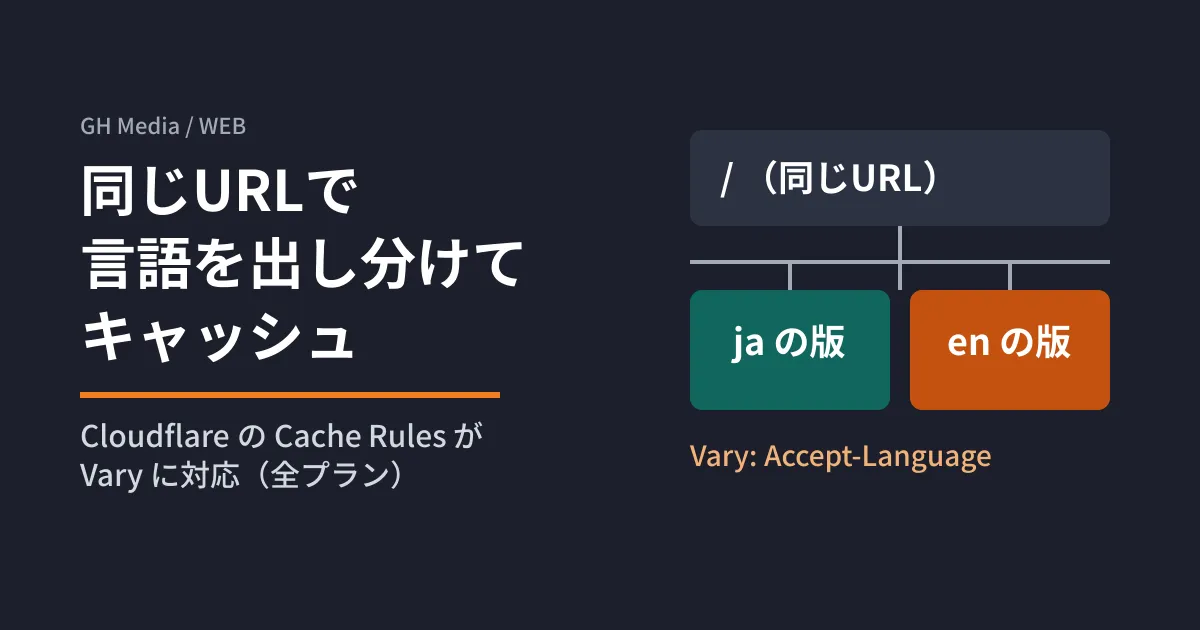
Only the top page switches between Japanese and English based on the browser's language setting. If you cache that page on a CDN, the version for whoever opened it first in English gets served to Japanese-speaking users too. So you exclude just this page from the cache and have it fetched from the origin every time. Cloudflare's changelog also explains that content that previously had to bypass the cache to stay correct can now be cached.
Cloudflare has made it possible for Cache Rules to handle the origin's Vary response header. The official changelog is dated July 2, 2026, and the feature is available on all plans: Free, Pro, Business, and Enterprise. We read the Vary explanation and settings in Cloudflare's documentation repository and summarize what to check before using it on a site that serves content by language.
What Vary changes
Vary is an HTTP header the origin uses to tell caches that the content at the same URL varies depending on request headers. For example, if the origin returns Vary: Accept-Language, the value of Accept-Language becomes part of the cache key, and a separate version is stored for each language.
According to the documentation, enabling Vary in Cache Rules does not split every response by language. Only when the origin's response has a Vary header are the headers listed there added to the cache key, following the handling you configured. Responses without Vary are cached as before. Vary: * is not cached regardless of the settings.
For each header, you choose one of the following three handling modes.
| Handling | Behavior | Best-Suited Scenarios |
|---|---|---|
normalize | Normalizes values with the same meaning into the same key | Most cases of Accept, Accept-Language, and Accept-Encoding |
passthrough | Uses the value as-is in the key and passes it unchanged to the origin | When even a one-character difference should produce a separate version |
bypass | Does not cache if the header is in Vary | Headers with many possible values, such as User-Agent, and per-user values |
How Accept-Language is normalized
For language switching, you use normalize. The documentation says that Accept-Language is normalized with the following steps.
- Convert to lowercase
- Remove extra whitespace
- Sort by priority (the
qvalue), and alphabetically when priorities are equal - Remove parameters
- Remove region codes (
en-USbecomesen; regional variants of the same language are merged into one)
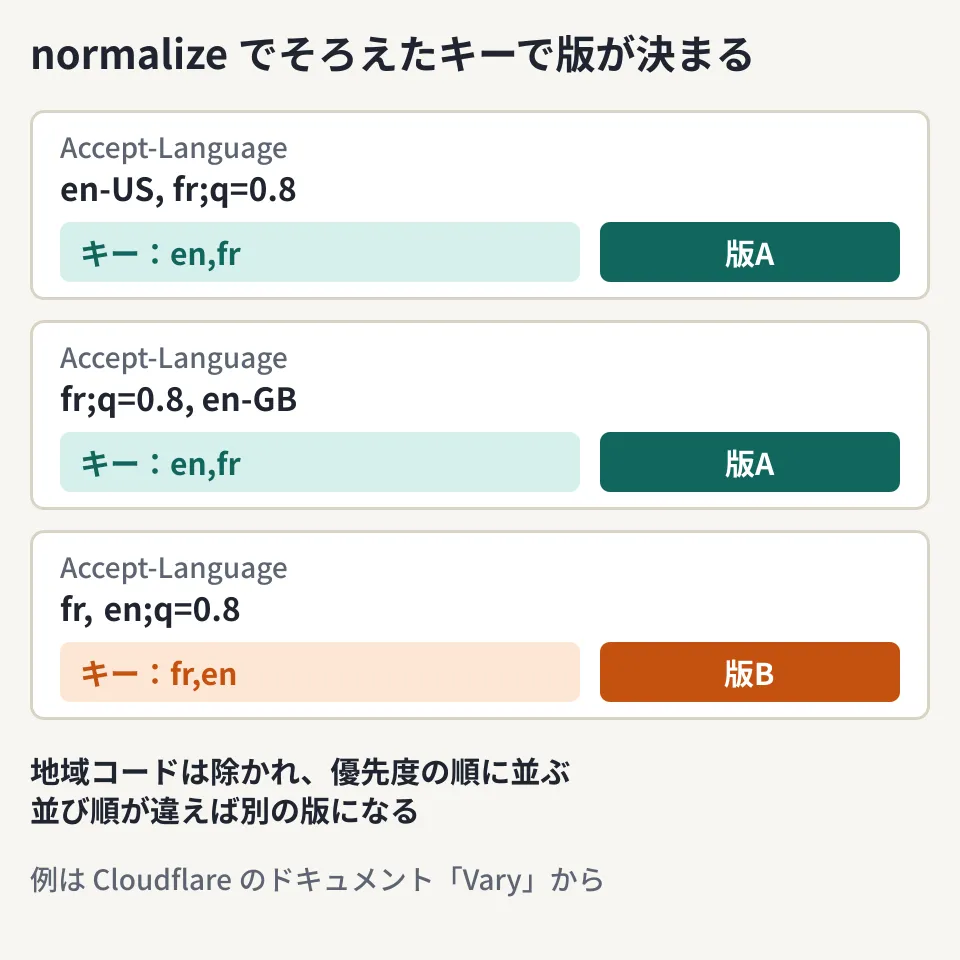
The examples in the diagram come from the documentation. en-US, fr;q=0.8 and fr;q=0.8, en-GB both become en,fr, and the same version is returned. On the other hand, fr, en;q=0.8 becomes fr,en and is stored as a separate version. The key is not just the "primary language" but the list of languages, including their order.
Keep the number of versions under control
Because language combinations differ from browser to browser, versions multiply if left as-is, making cache hits less likely. If you list the languages the origin actually serves (up to 20) in languages, other languages are removed before the key is created. For a site in Japanese and English only, you specify something like ["ja", "en"].
If all values are removed and the result is empty, Cloudflare drops the header itself from the request to the origin. You need to decide on the origin side which language to return when the header is absent.
Headers sent to the origin also change
If you set Accept and Accept-Language to normalize, the headers sent to the origin on a cache miss are also rewritten to the normalized values (Accept-Encoding only when "Respect Strong ETags" is enabled). This prevents a response built for one value from being mistakenly returned to another user. Note that if your origin's language detection assumes region-specific values such as en-US, it will receive only en.
Configuration steps (editorial team's analysis)
From here on is the editorial team's analysis based on the settings in the documentation. We have not tested it on a real zone.
- Check that the origin returns
Vary. Even if you configure the Cloudflare side, versions will not be split unless the origin's response includesVary - Set the default handling to
bypass. If you writevaryin the settings,defaultbecomes required. The documentation also recommends setting the default tobypassand listing only the necessary headers individually, so that unexpected headers do not multiply versions - Narrow the list of languages. Set
accept-languagetonormalize, and enter your site's languages inlanguages - Watch out for languages split by region, such as Traditional and Simplified Chinese. Region codes are removed by default. The documentation explains that if you list region-specific values in
languages, the region code is kept when the request matches one of them
"vary": {
  "default": { "action": "bypass" },
  "headers": {
    "accept-language": { "action": "normalize", "languages": ["ja", "en"] }
  }
}
Header names must be written in lowercase, and names beginning with cf-, as well as host, cache-control, and others, cannot be specified. You can list up to 50 headers individually.
To help search engines recognize language-specific pages, a design that uses separate URLs per language is also worth considering. We compare serving variants at the same URL with using separate URLs in our guide to multilingual websites.
Pitfall
- Assuming old versions will get mixed in after you change the settings. Changing the settings does not clear the cache itself. Until content is refetched under the new key, old versions remain until they expire or are purged
- Assuming you need to purge each language separately. Purging a URL removes all versions of that URL. For how to get updates reflected, see when to use purge versus invalidation
- Confusing it with image format negotiation. The existing "Vary for images" is a separate feature and is independent of this setting
On October 3, 2026, we directly opened and cross-checked the relevant parts of the changelog entries "Cache multiple versions of a URL with Vary" (2026-07-02) and "Workers fetch requests now support cf.vary" (2026-06-28), and of the "Vary" and "Cache Rules settings" documentation, in the cloudflare/cloudflare-docs repository (commit 36706c5). On October 5, 2026, before publication, we confirmed the same content on the public pages at developers.cloudflare.com (changelog, Vary, Cache Rules settings). We have not tested the configuration on a real zone or how cache hits behave.
For help with multilingual site architecture or reviewing CDN settings, contact us via website development and redesign consulting.