

For instance, imagine receiving quotes from two different vendors for the exact same "Google Workspace migration" with a massive price gap. Let us consider this as a hypothetical scenario for comparison.
Lining up the estimates side by side, the license fee lines are nearly identical. The difference lies in a line simply labeled "Migration Services," where one vendor quotes several hundred thousand yen while the other quotes millions. Without an itemized breakdown, it is impossible to tell whether the higher quote is more thorough or the cheaper one simply omitted necessary work.
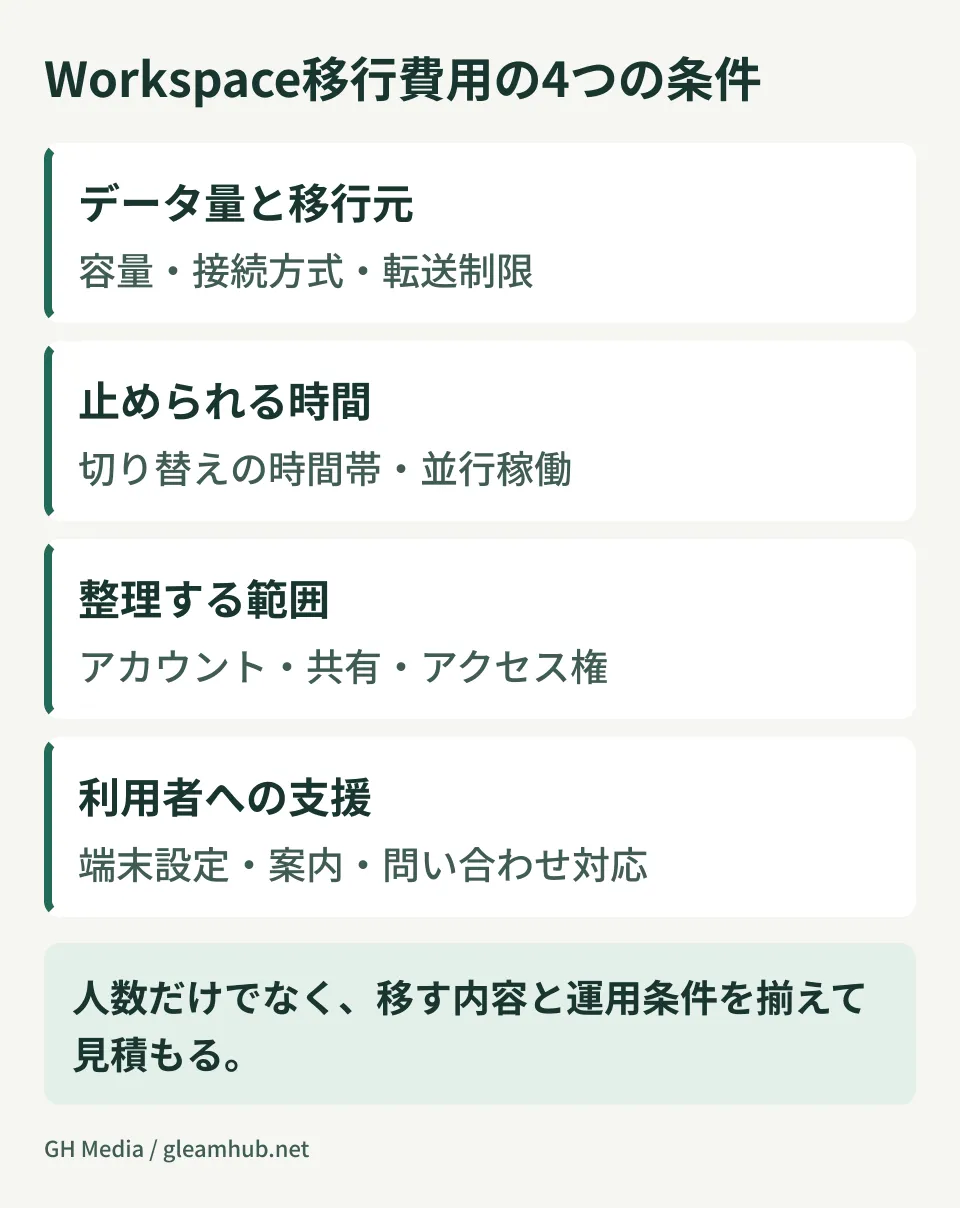
Price differences alone do not indicate whether an estimate is reasonable. The cost of migration work varies with data volume, permission structures, scope, and parallel operation methods. Furthermore, if you do not disclose the volume and structure of your current data, vendors have no choice but to budget with broad, conservative allowances.
Separating license fees from migration labor for comparison
License costs should be benchmarked against official Google Workspace pricing, aligning edition, user count, contract term, and tax treatment across vendors. Because reseller discounts, promotions, and bundled support packages influence the final price, quotes may not be identical from every vendor.
When selecting plans, first confirm retention requirements via Google Vault and needed storage capacity. Separating license fees and migration labor into distinct line items will then make it much easier to compare the costs associated with data migration and operational design.
Cost differences stem from "what you currently hold"
Migration labor estimates are determined not by what will be built, but by auditing what already exists. There are four primary areas to quantify.
How far back and how to migrate historical email
This is where pricing fluctuates the most. Requesting "all email for every employee" versus "the last two years for general staff, full history for executives" results in completely different workload and schedule requirements.
If your existing environment is Microsoft 365 or another cloud email provider, the Data migration service can handle bulk transfers from the admin console without manual per-message handling. Conversely, if you operate an aging on-premises mail server where mailbox formats vary per account, upfront auditing takes considerable time.
Simply deciding upfront "how many years of email to migrate" significantly narrows estimate variances.
Remapping shared addresses and mailing lists
How your organization currently accesses shared addresses like info@ and support@ across teams directly dictates post-migration architecture.
If you currently use groupware shared mailboxes, you must choose whether to consolidate them into Google Workspace Collaborative Inboxes or manage them through Gmail delegation. The workload scales not with the count of addresses, but with the count of distinct operational rules applied across those addresses.
File server permission structures
Attempting a direct lift-and-shift of shared folders to Google Drive often hits roadblocks here. Folder hierarchies with granular, deeply nested access rights do not map one-to-one to shared drive permission models.
Moreover, because shared drives have limits on total items per drive, large file servers require architectural planning to partition content across multiple shared drives. Whether the estimate includes defining this partitioning policy dramatically alters the total cost.
Automated notification emails from core business systems
This is an easily overlooked blind spot. When sales management or attendance systems dispatch automated notifications through an on-premises mail server, switching your email receiving infrastructure necessitates rewiring outbound relay paths at the same time.
Because Google Workspace enforces daily sending limits and routing restrictions, routing large volumes of automated transactional mail directly through standard accounts will cause message blocking. Realizing that "invoice emails never arrived" usually happens at month-end after cutover.
The "parallel run period" determines effort, not cutover day
The single factor that heavily impacts migration labor is how long both legacy and new environments run concurrently.
Flipping MX records and transitioning everyone simultaneously works well when employee counts are small and historical email is not migrated. However, most small and midsize businesses migrate department by department, establishing dual delivery so emails land in both old and new environments during the interim.
During this parallel phase, configuring dual delivery, setting forward rules, and educating users on which inbox to reply from become essential. A longer timeline does not make things easier; it multiplies support tickets from confused users unsure which inbox to check. A two-week transition plan requires a completely different scope of work than a three-month phased rollout.
When requesting proposals, state your desired parallel run duration upfront. Leaving this blank forces vendors to formulate estimates under the most labor-intensive assumptions.
Five metrics to quantify internally before comparing estimates
When the following metrics are prepared, vendor proposals can be compared on equal footing. Requesting quotes without them results in comparing numbers generated under contradictory assumptions.
| Item to Audit | Required Granularity |
|---|---|
| Account count | Separated into full-time employees, contractors, and shared accounts |
| Historical email to migrate | Number of years; full company or specific roles |
| Shared addresses | Total count and current operational workflows for each |
| File server | Total storage volume, file counts, and number of top-level folders |
| Automated transactional email | Source system names and approximate daily outbound volume |
Among these, file count is even more critical than total storage capacity. Even for the same 1TB of data, a few large video files versus hundreds of thousands of tiny files impose vastly different API call volumes and permission evaluations. Run small-scale test migrations to measure throughput and error handling.
Common pitfalls
Do not make "migrate everything" the default. Deciding to move all historical email and legacy file shares is easy initially, but the maintenance cost of sorting through unread data arrives later. Compare that option against preserving the old environment in read-only mode for a defined retention period.
Establish exit conditions beforehand. Contracts that scrutinize onboarding terms while ignoring offboarding details invite future disputes. Verify data export capabilities and extractable assets upon departure before signing.
Completing data migration and commencing full operations are two distinct milestones. Contracting solely for data migration often leaves administrative configuration reviews as an out-of-scope phase. Default sharing policies, third-party app authorization, and mandatory two-factor authentication may not be covered in base migration quotes. Confirm explicitly whether administrative hardening is included.
What to do next
Audit the five items in the table above from your current infrastructure. Every single metric can be gathered internally.
Once quantified, re-evaluate whether you genuinely need to migrate all historical mail for every single user. Trimming this scope significantly compresses the single largest variable in your estimates.
GleamHub provides support for auditing existing environments, defining migration boundaries, and designing parallel cutover periods through our free IT and Google Workspace consultations. Because the optimal roadmap depends on data volume and operational workflows, we scope projects individually. Please reach out via our contact page to discuss your needs.


