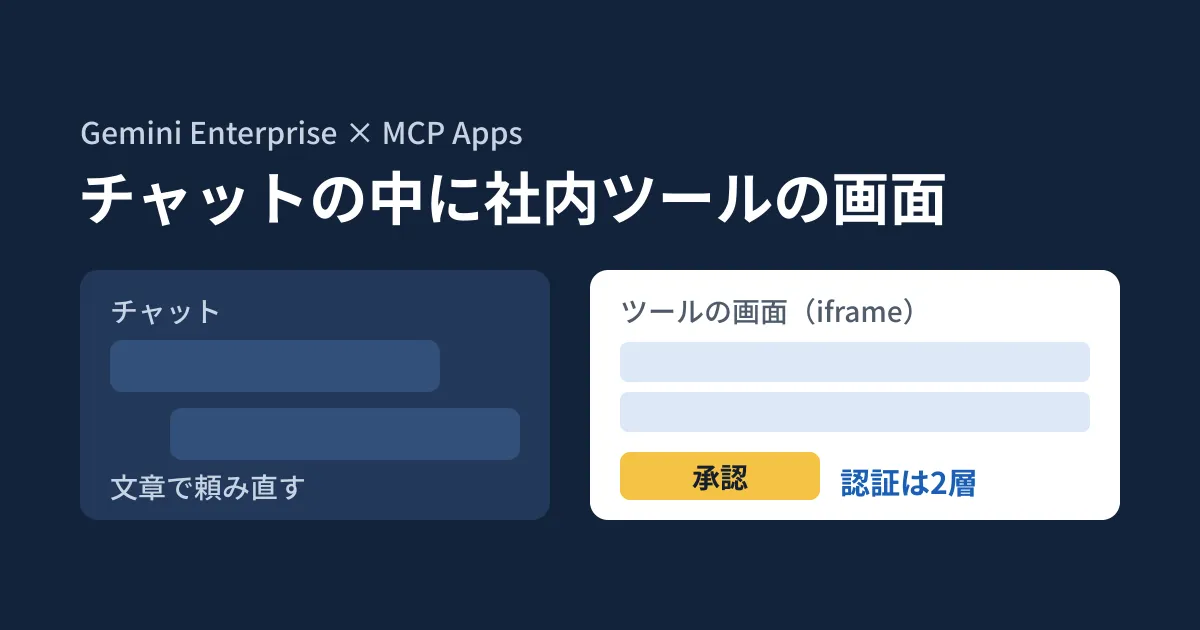
When you ask Gemini to review expenses or allocate inventory, the result comes back as text. Every time you want a correction, such as "send back just these two" or "change the sort order", you have to ask again in the chat. The more a task calls for a screen with tables and buttons, the more effort a text-only exchange adds.
As an answer to this problem, a Google Cloud developer blog post published on October 19, 2026 (US time) described how to run "MCP Apps" in Gemini Enterprise. MCP Apps is an extension of the Model Context Protocol (MCP) that pairs the tools an AI uses with an interactive interface. The interface is displayed inside the chat and can also be expanded to full screen or a side panel.
Based on the architecture in the blog post, the original text of the MCP Apps specification (SEP-1865) and the results of a small server our editorial team ran with the SDK, this article sets out what the people in charge should decide before connecting internal tools. Our editorial team has not checked how the interface is displayed in Gemini Enterprise.
What MCP Apps changes
The blog post divides internal AI assistants into three stages: chatbots that return only text, regular MCP tools that can call external APIs but return their results as text, and MCP Apps, where each tool has its own interactive interface. With MCP Apps, it says, "actions in the interface are executed without a round trip through the model."
Here is how the specification (SEP-1865, marked "Stable" on January 26, 2026) works.
- The interface is provided as HTML (MIME type
text/html;profile=mcp-app), as a resource whose URI starts withui:// - The interface is specified in the tool's
_meta.ui.resourceUri, linking the tool and the interface - The host (the chat side, such as Gemini Enterprise) must display the interface in a sandboxed iframe
- On hosts that do not support MCP Apps, the tool works as a regular tool that returns text results
The last point means that a connected internal tool may also be used by AI clients that do not support interfaces. The specification requires tools with an interface to always return a text result as well.
The architecture in Gemini Enterprise
The architecture in the blog post has three layers: the user's browser (the chat and the interface), Gemini Enterprise (the default assistant calls tools, relays interactions with the interface and manages OAuth), and your own Google Cloud project. On your side, the MCP server runs on Cloud Run and serves a single endpoint, /mcp, and an interface made of a single HTML file.
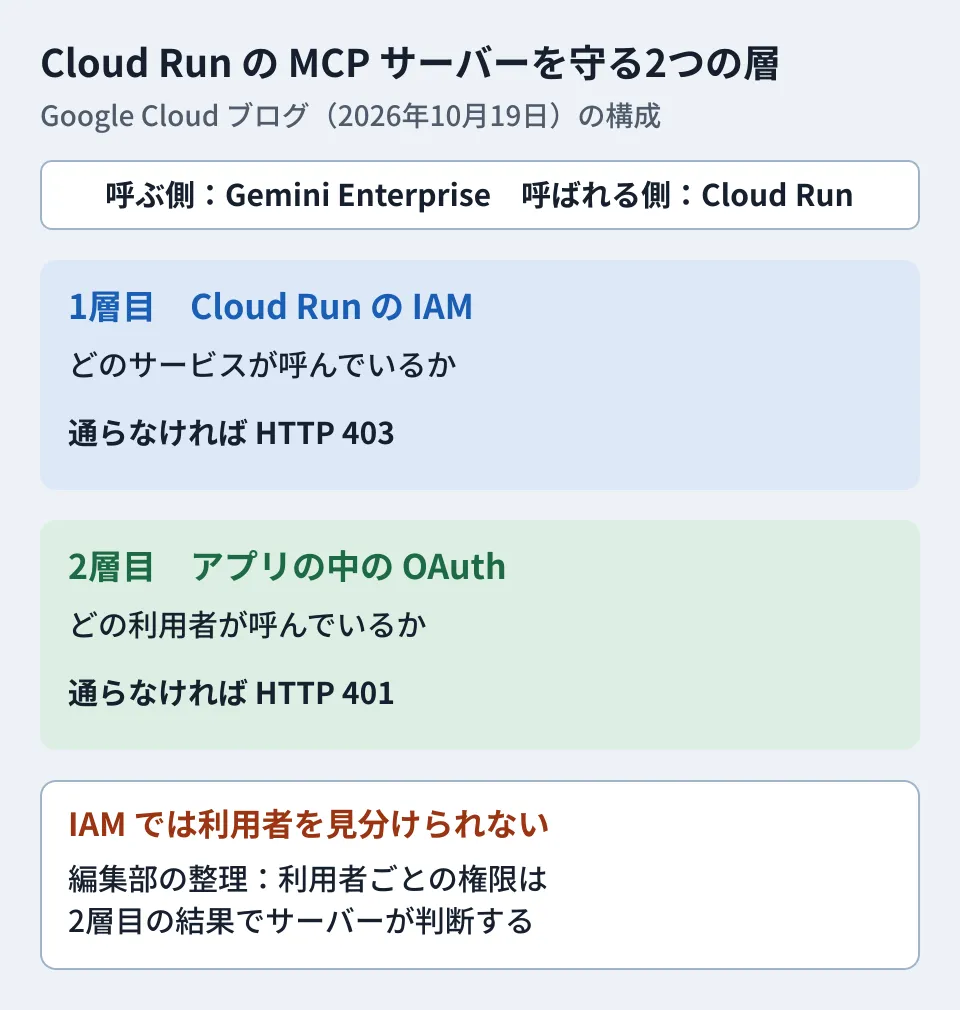
Authentication has two layers, and one alone is not enough
Authentication is what the blog post spends the most space on. On every call, Gemini Enterprise sends both a token for its own service agent and a token from the user's OAuth sign-in. According to the Gemini Enterprise documentation, the former goes in the X-Serverless-Authorization header and the latter in the Authorization header.
| Layer | What it checks | On failure |
|---|---|---|
| Layer 1: Cloud Run IAM | Which service is calling (public access disabled) | HTTP 403 |
| Layer 2: OAuth inside the app | Which user is calling | HTTP 401 (prompts the user to sign in again) |
The blog post says that "both layers are needed because Cloud Run IAM cannot tell users apart." With only the first layer, any employee who can use Gemini Enterprise would be able to run that tool's operations. For operations where permissions differ from person to person, such as approving expenses, the server needs to decide based on the user obtained in the second layer.
Settings administrators work with
Of the steps in the blog post, the following require decisions by administrators. We have also added what we confirmed in the Gemini Enterprise documentation.
- Lift the organization policy constraint. By default, Gemini Enterprise blocks the creation of custom MCP server data stores with the
discoveryengine.managed.disableCustomMcpServerConnectorconstraint. An organization policy administrator (roles/orgpolicy.policyAdmin) overrides this constraint to disable it. For projects protected by VPC Service Controls (a perimeter that prevents data exfiltration) or projects included in a policy's scope, you also need to add the endpoint and OAuth hosts toallowedEgressFqdnsand addcustom_mcptoallowedDataSources - Limit invocation permission to a single service. Grant the Cloud Run invoker role (
roles/run.invoker) to the Discovery Engine service agent. According to the documentation, Gemini Enterprise attaches the first-layer token only when connecting to the default URL ending in.run.app. It is not sent to URLs on a custom domain - Create an OAuth client. The redirect URI is
https://vertexaisearch.cloud.google.com/oauth-redirect, the scope isopenid email profile, and enabling PKCE is recommended - Select and enable actions. Gemini Enterprise disables imported tools, called "actions", by default. You select and enable the tools the model can see (up to 100 can be enabled at a time). According to the documentation, tools without the read-only annotation (
readOnlyHint) ask the user for confirmation on every call - Connect it to the app as a data store. The blog post cautions that you should connect it as a data store, not through "Add Agent" (which is for external sub-agents)
For overriding the constraint in step 1, the documentation cautions that you should do it for selected target projects. If you set it at the organization level, every project in the organization will be able to connect custom MCP servers. Our editorial team recommends routing this through your internal approval process and lifting the constraint only for the target projects.
Note that the documentation describing these setup steps is for the Standard, Plus, Pay-as-you-go and Frontline editions. We could not confirm whether the same settings are available in the Business edition.
How app-only tools behave: what we checked ourselves
In MCP Apps, adding visibility to a tool creates a tool that the model cannot call and that can be called only from the interface (["app"]). It is intended for operations such as "approve" that are run from a button in the interface.
Our editorial team built a small test server with the MCP Apps SDK (@modelcontextprotocol/ext-apps 2.0.3, @modelcontextprotocol/sdk 1.32.1). It has two tools: one that displays a list of expenses and an app-only approval tool. The table below shows the results of connecting a regular client that does not support MCP Apps to it in memory.
| What we tried | Result |
|---|---|
Tool list (tools/list) | The app-only approval tool also appeared in the list, with visibility: ["app"] |
Interface resource (resources/read) | HTML with text/html;profile=mcp-app was returned |
| Calling the list tool | A text result ("3 requests for 2026-10") was returned |
| Calling the approval tool directly | It ran and returned "approved EXP-1" |
Under the specification, removing ["app"] tools from the model's tool list is the host's job. There is no rule requiring the server to reject such calls, and in our editorial team's test the SDK server did not block the call either. In other words, if there is a path that connects directly to the MCP server, operations intended to be app-only can still be run. For important operations, do not rely on visibility; build the server so that it checks the permissions of the user obtained through the second layer of authentication.
What to decide before connecting
From here on is the editorial team's own analysis.
- Which operations to put in an interface. Tasks you revise repeatedly, such as listing, comparing and reviewing, gain the most from an interface. The blog post also cites "human-in-the-loop" use, where a person checks before anything is executed, as a benefit
- Who can run what. Align the per-user permissions in the second layer with the permissions in your existing internal systems
- Whether the interface communicates externally. Under the specification, the interface can communicate only with domains declared in the resource, and without a declaration, external connections (
connect-src) are not allowed. List the APIs and CDNs you use in advance - The cost of always-on instances. The Cloud Run configuration example in the blog post specifies a minimum of one instance with CPU always allocated. Pricing is not covered in the blog post, so estimate it with the Google Cloud pricing pages
For how to think about the permissions you give an MCP server, see Before letting AI run gcloud — permission design for the remote MCP server; for settings that restrict access to Gemini Enterprise by device and location, see CAA configuration to restrict Gemini Enterprise access by device and location. For the move toward giving AI its own accounts, see Dedicated Workspace accounts for AI: what admins should decide first.
Scope of verification
On October 22, 2026, we opened and checked the Google Cloud blog post "Developer’s guide to implementing MCP apps in Gemini" (October 19, 2026) and the MCP Apps specification (
specification/2026-01-26/apps.mdxin the modelcontextprotocol/ext-apps repository, SEP-1865) directly (document research). In addition, in our editorial team's test environment (Linux, Node.js v22.22.0), we used@modelcontextprotocol/ext-apps2.0.3 and@modelcontextprotocol/sdk1.32.1 as published on npm, connected an in-memory client to a test MCP server, and checked the tool list, the interface resource and the call results (hands-on testing). We did not test displaying the interface in Gemini Enterprise, deploying to Cloud Run, or configuring OAuth and the organization policy. On the same day, we also opened the Gemini Enterprise documentation (setting up a custom MCP server data store, overriding the organization policy, connecting data stores and comparing editions) and checked it against the steps in the blog post. We could not find any statement that explicitly says which editions can use this feature, nor could we confirm pricing.
For help designing and sorting out permissions when connecting internal tools to Gemini Enterprise or Google Workspace, contact us through our Free IT & Google Workspace Consultation.
References
- Developer’s guide to implementing MCP apps in Gemini(Google Cloud Blog, 2026-10-19)
- Set up your custom MCP server data store (Gemini Enterprise documentation, updated 2026-10-19)
- Override the organization policy for Custom MCP data stores (Gemini Enterprise documentation, updated 2026-10-14)
- Compare editions of Gemini Enterprise (Gemini Enterprise documentation, updated 2026-10-16)
- SEP-1865: MCP Apps(modelcontextprotocol/ext-apps, specification/2026-01-26/apps.mdx)
- npm registry — @modelcontextprotocol/ext-apps