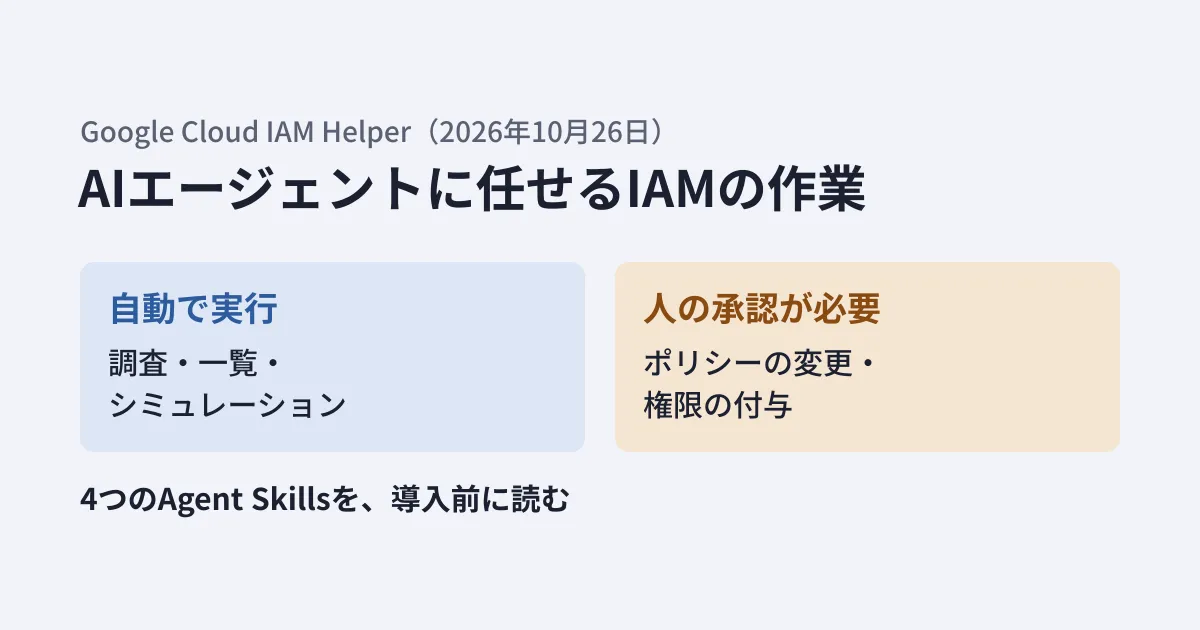
When you let an AI coding agent deploy to Google Cloud, there are times when it stops due to insufficient permissions (403 PERMISSION_DENIED). If a person has to investigate the cause and add permissions every time, the agent's speed goes to waste. On the other hand, if you let the agent change permissions as well, it may grant stronger permissions than necessary.
On October 26, 2026 (US time), Google Cloud announced "IAM Helper" to address this problem. It provides IAM investigations and permission changes as "Agent Skills" and MCP tools that agents can call. The skills are in Google's public repository (google/skills).
In this article, we read the announcement blog post and the text of the four skills in the repository, and outline what to check before introducing them into your company's or your clients' environments.
The roles of the four skills
The skills listed in the announcement blog post and their versions in the repository (as of October 27, 2026) are as follows.
| Skills | Role | Release |
|---|---|---|
| iam-helper-for-troubleshooting | Investigates the cause of a 403 and identifies missing permissions or the deny policy that is blocking access | 1.0.3 |
| iam-helper-for-policy-management | Creates and modifies allow policies (IAM v1) and deny policies (IAM v2) | 1.0.1 |
| iam-helper-for-policy-simulator | Runs a proposed change against the past 90 days of access logs and confirms that no access would be blocked before applying it | 1.0.2 |
| iam-helper-for-privileged-access-management | Handles requests and approvals for time-limited permissions in Privileged Access Manager (PAM) | 1.0.1 |
The blog explains that these can be used with agents such as Gemini CLI, Gemini Cloud Assist, ADK, Claude Code, and Cursor. According to the blog, behind the skills, Policy Troubleshooter, Policy Analyzer, Policy Simulator, and the IAM API are called as tools of Google-managed MCP servers.
Let's also check the release stage. Google Cloud's list of MCP servers (as of October 27, 2026) includes MCP servers for IAM, Policy Troubleshooter, and Policy Analyzer, and the release notes show all of them as generally available (GA) (Policy Troubleshooter on August 6, Policy Analyzer on September 1, and IAM on September 10). There is no MCP server for Policy Simulator in the list, and the policy-simulator skill runs simulations with the gcloud iam simulator replay-recent-access command. As for IAM Helper itself, there was no entry in the IAM or Policy Intelligence release notes, and we found no indication of whether it is in preview or generally available. The skills are distributed as files published on GitHub.
The line between "automatic reads, human approval for changes"
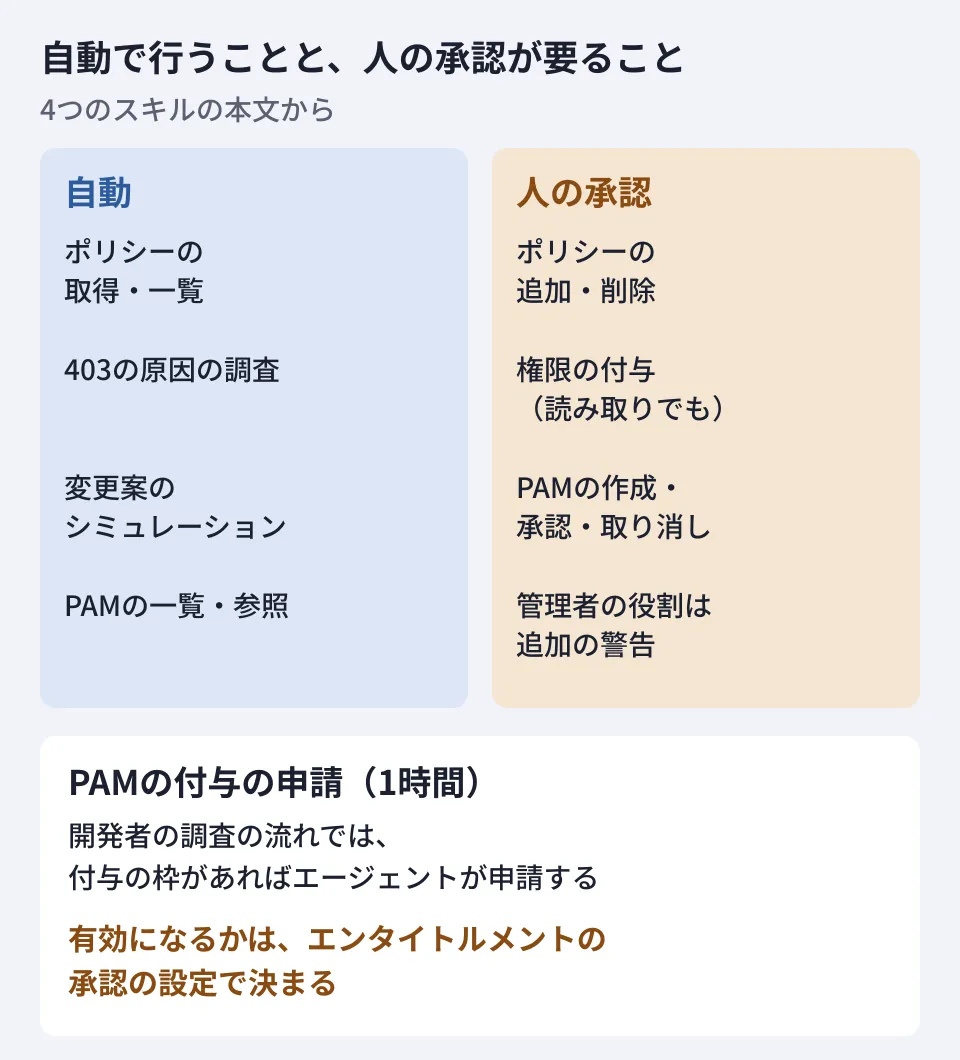
The blog explains that every skill separates read-only investigation from permission changes and inserts a human check (Human-in-the-Loop) before any change. The text of the skills also spelled out this line concretely.
- policy-management: Retrieving and listing policies may be done automatically. Changes such as additions, deletions, and replacements are not executed until the command to be run is shown and the user approves it
- policy-simulator: Changes are not applied without going through a simulation. If the simulator fails or returns empty results, it does not treat this as "safe" and stops. If even one access would be blocked, the change is not applied
- PAM: Creation, updates, deletion, approval, denial, and revocation are summarized and confirmed. Listing and viewing are done without confirmation
- troubleshooting: Every permission grant requires human approval, including read-only roles. For powerful administrator roles, an additional warning is shown
One thing to watch out for is the "Requester" flow in troubleshooting. When a developer is denied access, if a pre-configured PAM grant slot (entitlement) exists, the procedure has the agent request a one-hour grant. The steps for this request contain no mention of confirming with the user. Whether the request takes effect immediately or waits for an approver's decision depends on whether an approval process (approvalWorkflow) is configured on the PAM entitlement.
In other words, rather than relying only on checks on the agent side, you also need to decide on the Google Cloud side "which roles, who, with whose approval, and for up to how many hours" can be used. The PAM skill sets the default maximum duration of an entitlement to 4 hours when none is specified.
Three points to check before adoption
Approval rules are meant to be rewritten for each organization
The troubleshooting skill consolidates the determination of approval levels (read, write, administrator) in references/guardrails.md and explicitly says to "rewrite this file to fit your organization." The initial content also includes a policy to "prefer standard service-level roles over overly granular least-privilege roles (but avoid broad basic roles such as Editor and Owner)."
Organizations that strictly enforce least privilege will need to compare this policy with their own rules and, if necessary, rewrite it before use.
Usage tags are added
All four skills instruct the agent to read references/attribution.md at the start. Its content is to add the environment variable CLOUDSDK_METRICS_REQUEST_ATTRIBUTION to the gcloud commands the agent runs and to append agent-skills/1.0 (skill:スキル名) to the User-Agent of requests to APIs and MCP.
The file states that this tag contains only the skill name and version and no user data, that the tag will be removed if the user asks, and that it will not be included in generated scripts or Terraform. If your internal rules govern usage information sent externally, decide whether to keep this tag.
The sample connection settings may not work as is
The troubleshooting skill's references/mcp-usage.md includes an example configuration for connecting to the Policy Troubleshooter remote MCP server (https://policytroubleshooter.googleapis.com/mcp) from Claude Desktop and other clients. Within the scope of what the editorial team checked, this example had two problems.
- The npm package
@modelcontextprotocol/server-sse-clientthat the example uses for startup could not be found when we searched the npm registry on October 27, 2026 (HTTP 404) - The access token is written as a shell command,
"AUTHORIZATION": "Bearer $(gcloud auth print-access-token)", inside a JSON value
Regarding the second point, when we passed this value read from JSON to a child process as an environment variable in Node.js 22.22.0, the value the child process received remained the literal string Bearer $(gcloud auth print-access-token). With clients that start processes without going through a shell, the token is not expanded. We have not confirmed how each client starts processes, but it is safer to rebuild the connection settings by following the steps in the official documentation rather than copying this example. The documentation for the Policy Troubleshooter MCP server specifies Streamable HTTP as the transport and advises using Google Cloud credentials, an OAuth client ID and secret, or an agent identity for authentication.
Scope of verification
On October 27, 2026, we reviewed the Google Cloud blog post "Scale agents securely with IAM Helper Agent Skills and MCP Tools" (October 26), the SKILL.md files of the four skills in the google/skills repository, and the reference files of troubleshooting (guardrails, attribution, mcp-usage, requester) (document review). We checked the npm registry search and the passing of environment variables in the editorial team's environment (hands-on testing). We did not run the skills in an actual agent, investigate or change permissions in Google Cloud, or connect to the MCP servers. In addition, we checked the release stages of the MCP servers and the connection steps in Google Cloud's list of MCP servers, the IAM and Policy Intelligence release notes, and the documentation for the Policy Troubleshooter MCP server. We have not found any statement of the release stage of IAM Helper itself in official materials.
The overall positioning of Google's public skills is covered in An introduction to Google's official Agent Skills repository, and how to think about permissions when letting an agent handle gcloud is covered in Permission design before letting remote MCP handle gcloud. For granting permissions only when needed, Switching contractors' production access to "only when needed" is also a useful reference.
For designing how to incorporate AI agents into your development workflow or Google Cloud operations, contact us through Consultation on development, AI, and automation.
References
- Scale agents securely with IAM Helper Agent Skills and MCP Tools(Google Cloud Blog、2026-10-26)
- google/skills(GitHub)
- List of Google MCP servers (Google Cloud)
- Use the Policy Troubleshooter MCP server(Google Cloud)
- Policy Intelligence release notes(Google Cloud)
- SKILL.md for iam-helper-for-troubleshooting
- SKILL.md for iam-helper-for-policy-simulator
- SKILL.md for iam-helper-for-privileged-access-management