You have enabled CSP (Content Security Policy) on an Astro site and load external scripts, such as maps, forms, or booking widgets, from components in the page body. A dependency update moved Astro to 7.4.3 or later, and the widgets started working, but the site's own scripts stopped working instead. This article covers the combination in which such a swap can happen.
Astro 7.4.3 was released on October 28, 2026 (UTC), and 7.4.4 followed the same day. As of November 11, 2026, the latest version is 7.4.10 (November 10). The 7.4.3 changelog includes two CSP-related fixes. Our editorial team built the same page with 7.4.2 and 7.4.4, opened it in headless Chromium and compared the results. Here we summarize the results and what to check before updating.
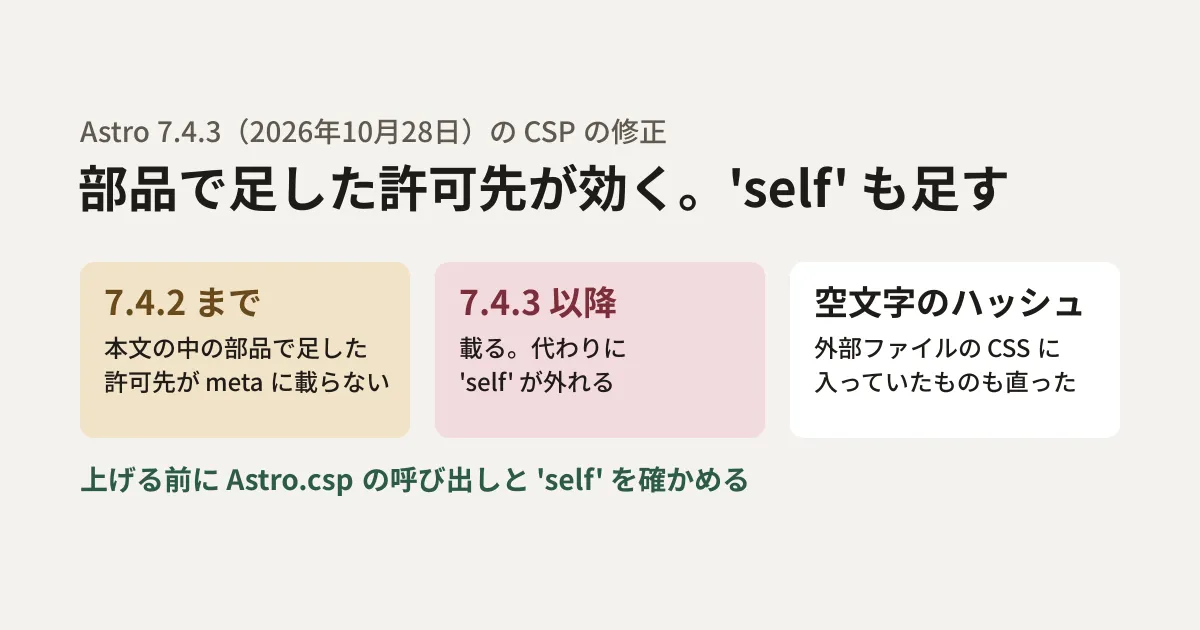
Two bugs fixed in 7.4.3
The 7.4.3 entry in Astro's changelog (packages/astro/CHANGELOG.md) lists the following two items.
- Allowed sources added from components in the body are left out: "Fixes CSP hashes added with
Astro.cspfrom components rendered inside<body>being left out of the CSP<meta>element in static builds, including MDX pages" (Fixed an issue in static builds, including MDX pages, where items added withAstro.cspfrom components rendered inside<body>were left out of the CSP meta element) - An empty-string hash is added: "CSP no longer hashes empty children on external stylesheets and scripts, which was inserting the SHA-256 of the empty string into
script-srcandstyle-src." (The empty contents of external stylesheets and scripts are no longer hashed. The SHA-256 of the empty string had been added toscript-srcandstyle-src)
The wording of the first item is about hashes, but in the testing shown later, the same change also appeared for allowed sources added with insertScriptResource(). According to the bug report (issue #18479), in the case of hashes, layouts with a named slot in <head> included them through 7.3.2, and they stopped being included in 7.3.3. In layouts without a slot, they were not included even in 7.3.2. The fix (PR #18512) applies to non-streaming rendering, and it is explained that hashes added after <head> has been sent in streaming SSR cannot be added to the meta element.
Astro's CSP is a feature enabled with security.csp in the configuration (since Astro 6.0; disabled by default). When it is enabled, a http-equiv="content-security-policy" meta element is added to the <head> of each page, and the hashes of the scripts and styles used on the page are listed in script-src and style-src. To add allowed sources per page, call the Astro.csp API (such as insertScriptResource()) inside a component. Because it does not work on the development server (astro dev), the official documentation says to use build and preview to check it.
Building the same page with 7.4.2 and 7.4.4
For testing, we used a small project with the following setup.
- Configuration:
security: { csp: true } - Component
Widget.astro: callsAstro.csp?.insertScriptResource("https://widget.example.com")at the top and places<script is:inline src="https://widget.example.com/embed.js">(standing in for an external widget) - Page: places
<Widget />in the body and loads the site's own script (src/scripts/app.js). Astro bundles this into a file under/_astro/ - Comparison page: the component also adds
'self'(addinginsertScriptResource("'self'"))
The beginning of script-src in the build output is as follows (the hashes that follow are omitted).
| Release | Allowed sources added in the component | With 'self' also added in the component |
|---|---|---|
| 7.4.2 | script-src 'self' … (no allowed source for the widget) | script-src 'self' … (likewise, none) |
| 7.4.4 | script-src https://widget.example.com … (no 'self') | script-src 'self' https://widget.example.com … |
In 7.4.2, allowed sources added from components in the body do not appear in the meta element. This is the first bug in the changelog. In 7.4.4 they do appear, but 'self' disappears instead.
The disappearance of 'self' is not a new bug in 7.4.4 but documented behavior. The description of scriptDirective.resources in the configuration says "This will not include 'self' by default, and must be included in this list if you wish to keep it." (By default it does not include 'self'; to keep it, you must include it in this list). The example output in the description of insertScriptResource() also takes a form with script-src https://scripts.cdn.example.com 'sha256-somehash'; and without 'self'. In 7.4.2 with our test setup, allowed sources added from components in the body were not reflected in the first place, so the effect of this behavior had not surfaced.
What gets blocked when opened in a browser
We served the build output with astro preview and opened it in Chromium 153 on Playwright 1.63.0. We added a step that records securitypolicyviolation events before the page loads, and checked for CSP violations and whether the site's own script ran (a step that sets a marker on document.body).
- 7.4.2: loading the widget (
https://widget.example.com/embed.js) was blocked by ascript-src-elemviolation. The site's own script ran - 7.4.4 (without
'self'): the widget was not blocked by CSP (the request failed because the test domain was fictitious). Instead, the site's own/_astro/script was blocked by ascript-src-elemviolation and did not run - 7.4.4 (with
'self'): no CSP violations. The site's own script also ran
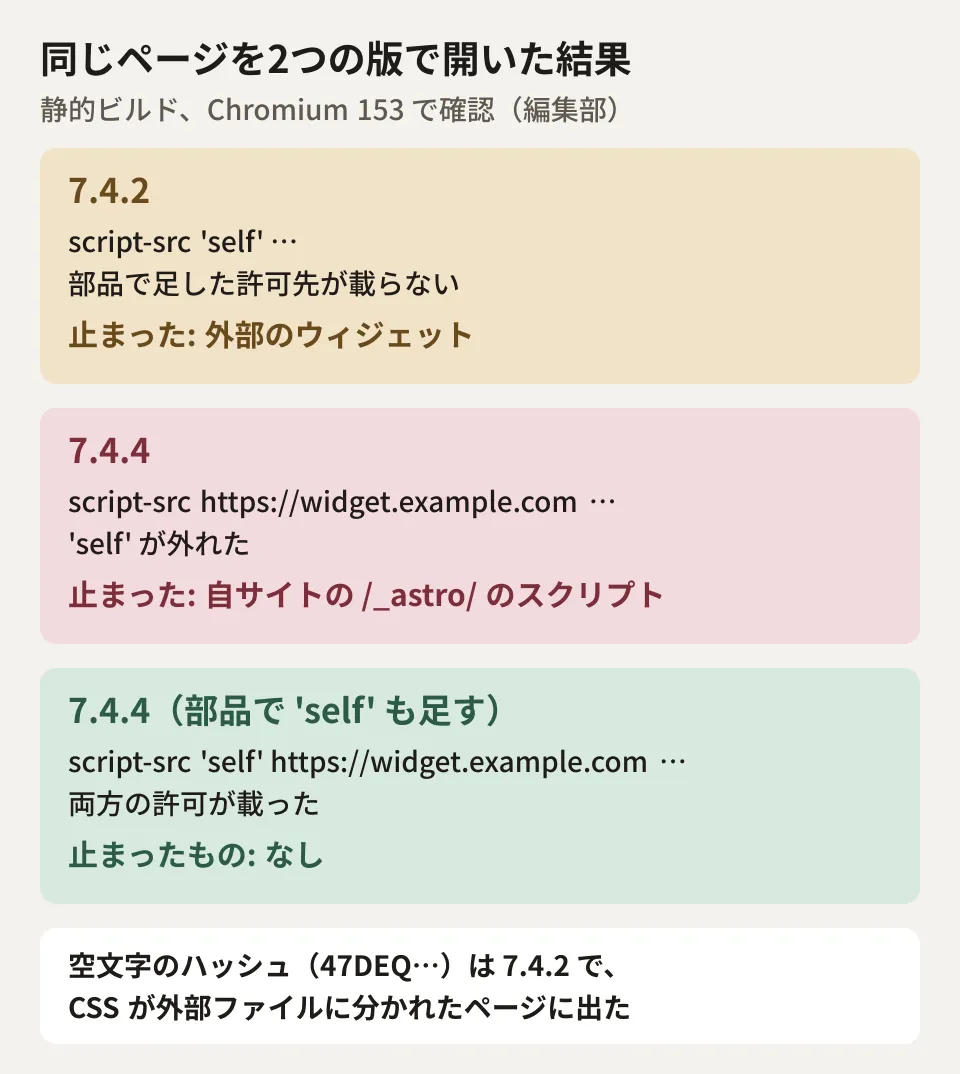
In other words, on a site with the same setup as our test, allowed sources added from components in the body do not take effect in 7.4.2. You may have been running the site without noticing that external widgets were being blocked by CSP. After upgrading to 7.4.3 or later, the allowed sources take effect, but unless you have written 'self', the site's own scripts loaded after the meta element are blocked.
The empty-string hash appeared with CSS moved to external files
We checked the second bug the same way. The 7.4.4 code (core/fetch/fetch-state.js) states, as the reason for the fix, that external <link href> and <script src> elements are stored with empty contents and their hash ends up in the CSP.
When we created a page with a fairly large <style> listing 400 classes, Astro split that CSS into a file under /_astro/ and loaded it with <link rel="stylesheet">. The style-src for this page is as follows.
- 7.4.2:
style-src 'self' 'sha256-oVC+…' 'sha256-47DEQpj8HBSa+/TImW+5JCeuQeRkm5NMpJWZG3hSuFU=' - 7.4.4:
style-src 'self' 'sha256-oVC+…'
47DEQpj8… is the SHA-256 of the empty string. It did not appear even in 7.4.2 when a small <style> was embedded in the page or when <link> on an external domain was written directly.
A code comment also says that when this hash is present, 'unsafe-inline' for that type stops working. This is because, under the CSP specification, 'unsafe-inline' is ignored when a hash or nonce is present. However, in the editorial team's test with 'unsafe-inline' written in styleDirective.resources in the configuration, no hash was output even in 7.4.2, and it remained style-src 'self' 'unsafe-inline'. Astro is designed not to output hashes when 'unsafe-inline' is present, and the documentation says so as well. We have not gone as far as reproducing the conditions under which 'unsafe-inline' stops working in this combination.
What to check before upgrading
What follows is the editorial team's own summary. Sites with CSP enabled on Astro 7.4.2 or earlier can more easily avoid problems after release by checking the following before upgrading to 7.4.3 or later.
- Find where
Astro.cspis called: usegrep -rn "Astro.csp" srcto list which components and layouts add allowed sources or hashes. Separate layouts rendered inside<head>, components rendered in the body, and MDX pages. The behavior that changes in 7.4.3 applies to components in the body and MDX pages - Check whether
'self'is written: if you useinsertScriptResource(),insertStyleResource(), orscriptDirective.resourcesandstyleDirective.resourcesin the configuration, check whether the list includes'self'. If it does not, the site's own/_astro/files are blocked (our testing confirmed this only for scripts) - Compare the meta elements in the build output: run
astro buildbefore and after the update and compare thecontent-security-policyof each page indist. Look for any pages where allowed sources increased or'self'disappeared - Check for violations in a browser: open the site with
astro previewand check the developer tools console for CSP violations. Because CSP does not work on the development server, check this withpreviewor in an environment with the same delivery setup as production
There is one caveat about step 4. According to issue #18606, reported against 7.4.5, Astro inserts the meta tag at the end of <head>, so CSP does not apply to scripts inside <head> that come before it. As of November 11, 2026, both this issue and the fix in PR #18614 remain unresolved. Even if a script you wrote in <head> is not blocked, that does not necessarily mean it is allowed.
You can choose the latest version as your upgrade target. Versions 7.4.4 and earlier are also affected by security advisory GHSA-mh32-jxcr-mh9f, published on November 9 (XSS through attribute injection into dynamic tag names, fixed in 7.4.5). The changelogs for 7.4.5 to 7.4.8 have no CSP entries, and comparing the npm packages showed that the files handling CSP (core/csp/, and csp.js, head.js and page.js in runtime/server/render/) remained identical to those in 7.4.4 up to and including 7.4.7.
7.4.9 (November 10) included one CSP fix. It addresses a bug where enabling the scriptDirective.strictDynamic setting blocked scripts bundled by Astro and hydrating islands (PR #18630). According to the changelog, starting with 7.4.9 Astro adds the hashes of all bundled scripts to script-src and outputs an import map listing integrity to <head>. The PR description states that browsers supporting this mechanism are Chrome 127, Firefox 138, Safari 18 and later. Sites using strictDynamic should upgrade to 7.4.9 or later and then verify with steps 3 and 4 above.
Reading the 7.4.10 package, the code that builds the import map runs only when strictDynamic is enabled, and the code that assembles the meta content (csp.js) was the same as in 7.4.7 (rendering has moved to a separate package, @astrojs/runtime). If you do not use strictDynamic, the 'self' behavior shown in this article is likely unchanged. We ran and compared only 7.4.2 and 7.4.4; we have not run 7.4.7 or later.
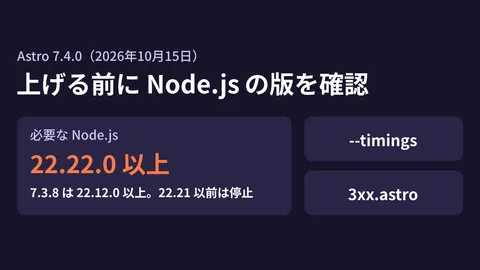
Note that 7.4.2 raised the minimum required Node.js version to 22.23.4 (the 7.4.2 changelog entry). If you upgrade directly from 7.4.1 or earlier, you also need to check the Node.js version in your build environment. Our record of upgrading internal repositories to Node.js 22.23.4 is in Updating five internal repositories to Node.js 22.23.4 at once.
Whether to add an external script to the allowed sources at all is a decision to make before configuring CSP. We covered the risk of third-party scripts lingering on a site in the polyfill.io incident and checking for leftover third-party scripts, and a case of protection being lost in connection with another Astro fix in Astro's base setting can bypass login protection.
Scope of verification
On October 30, 2026, we checked the changelog in the Astro repository (packages/astro/CHANGELOG.md), the configuration and runtime API references in the official documentation repository (withastro/docs), and the publication dates on the npm registry (document research). On the same day, we built the same page with astro 7.4.2 and 7.4.4 installed from npm and opened it in Chromium 153.0 from Playwright 1.63.0 on Node.js 26.13.0 in a Linux container to compare them (hands-on testing). We tested only static builds with
security: { csp: true }; we did not test server rendering (adapters), MDX pages,<ClientRouter />or adding hashes manually. On November 6, 2026, we rechecked the changelog, the documentation site (docs.astro.build), the npm registry, GitHub issues and PRs and security advisories, and compared the CSP-handling files in the 7.4.3, 7.4.4 and 7.4.7 packages (we have not tested how 7.4.7 behaves). On November 11, 2026, we rechecked the changelog, the npm registry, GitHub issues and PRs and security advisories, and compared the CSP-handling files in the 7.4.10 and@astrojs/runtime0.1.0 packages with 7.4.7 (we have not tested how 7.4.10 behaves).
For CSP configuration on sites built with Astro or for verifying dependency updates, please contact us through development, AI, and automation consulting.
Revision history
November 11, 2026: Updated the latest version to 7.4.10 and added the 7.4.9 CSP fix for strictDynamic and security advisory GHSA-mh32-jxcr-mh9f, which affects 7.4.4 and earlier. Rechecked the status of issue #18606 and PR #18614.
References
- astro CHANGELOG(withastro/astro、packages/astro/CHANGELOG.md)
- Configuration Reference: security.csp(withastro/docs)
- API Reference: csp(withastro/docs)
- astro(npm)
- issue #18479: CSP: hashes from Astro.csp.insertScriptHash() in components inside body are dropped(withastro/astro)
- PR #18512: fix(csp): include hashes inserted by body components in the CSP meta tag for non-streaming renders(withastro/astro)
- issue #18606: security.csp: the CSP meta is added after scripts in head(withastro/astro)
- PR #18614: fix(csp): place CSP meta tag at start of head after charset(withastro/astro)
- PR #18630: Emit an import map with integrity hashes so strictDynamic allows Astro’s bundled scripts and hydrated islands to load(withastro/astro)
- GHSA-mh32-jxcr-mh9f: XSS via attribute injection in dynamic tag names(withastro/astro)