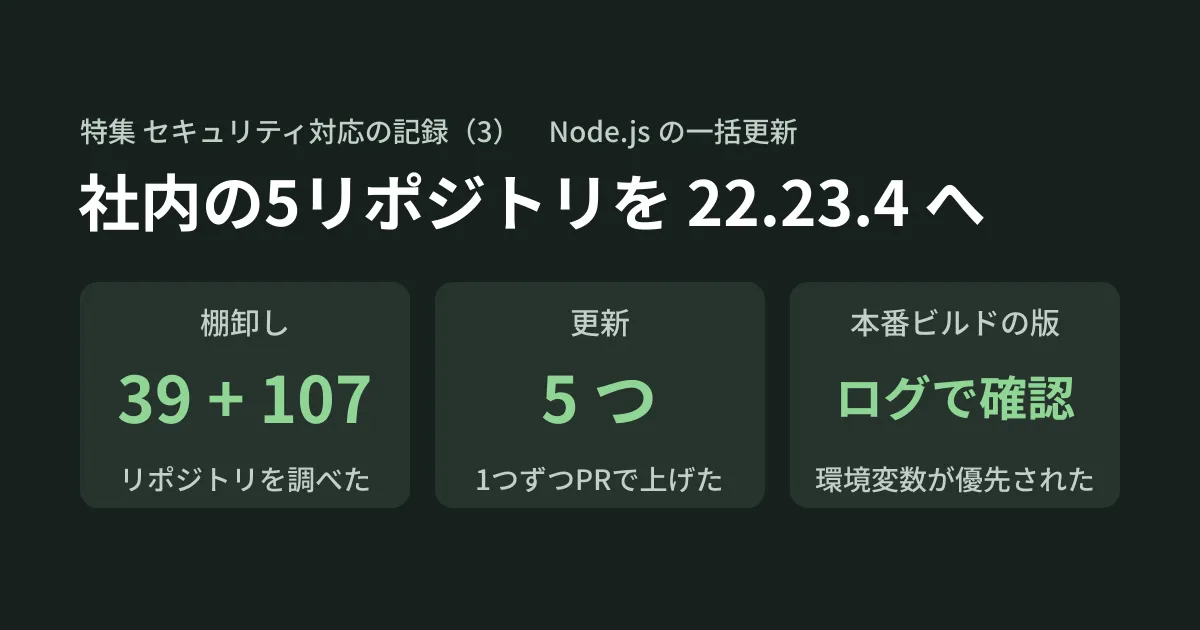
On the day a Node.js security fix is released, the first problem is that you cannot immediately tell which internal repositories determine their Node.js version, and in which files. Besides package.json, the version may also be written separately in a Dockerfile, a GitHub Actions workflow, or a Cloud Build configuration, so fixing just one place can leave the production build on the old version. On October 22, 2026, we (the GleamHub development team) examined 39 git repositories in our development folder and 107 repositories in our GitHub organization, and upgraded five repositories to Node.js 22.23.4.
This article is Part 3 of a Feature that records, in three parts, the security responses we carried out on October 21–22. Part 1 covered our response to an emergency PHP security fix on managed hosting and the cloud edition of a CMS, and Part 2 covered checking the certificate stores on development machines after the compromise of an eMudhra intermediate CA. This time, we summarize the process from inventory to narrowing down the targets, standardizing how settings are written, working in parallel with AI agents, and merging and verifying in production, along with a pitfall we found in the production build of this site (gleamhub.net).
The support period for each Node.js release line is covered in Node.js 24 entering maintenance and 26 becoming LTS, and the change to the default Node.js in Cloudflare Workers Builds and how to pin the version are covered in Workers Builds changes its default Node.js to 24.21.0. The higher Node.js version required by Astro was covered in Before upgrading to Astro 7.4. We will not repeat those explanations here.
Why we upgraded to 22.23.4
In an announcement dated October 21, 2026, the official Node.js blog published security fixes for 26.x, 24.x and 22.x. The fixed releases are 22.23.4, 24.22.1 and 26.12.1. The issues rated "high" severity in the announcement include the following.
- An out-of-bounds write in Brotli (a compression format) decompression that could lead to remote code execution (CVE-2026-111497)
- A flaw that allows TLS certificate hostname verification to be bypassed under certain conditions (the one that also affects 22.x is CVE-2026-106069)
dns.resolvetruncating names that contain NUL characters (CVE-2026-105482)
Of these, we considered the Brotli issue the most serious. In addition, the dependency updates in the announcement include "ca-cert (eMudhra Intermediate CA Compromise)" for all three release lines, including 22.x. During the machine check in Part 2, we had confirmed that 22.23.4 rejects the test host with CERT_REVOKED.
The announcement states that end-of-life versions are always affected. Since no fixed releases are provided for Node.js 20 and earlier, the work this time is either "upgrading 20 or earlier to the 22 line" or "upgrading within the 22 line to 22.23.4."
Where the Node.js version is specified
We carried out the inventory with AI agents allowed read-only access. The scope was 39 git repositories in our development folder and 107 repositories in our GitHub organization. For the 88 organization repositories we did not have locally, we read the contents of the default branch through the GitHub API and identified 27 that use JavaScript/TypeScript.
The Node.js version was specified in the following places.
| Where it is specified | Specification Example | What to watch for |
|---|---|---|
volta and engines in package.json | "engines": { "node": ">=20" } | engines declares a range and does not determine the exact version used |
.nvmrc・.node-version | 22.22.2 | Read by local tools and build services |
| Dockerfile | FROM node:20-alpine | Determines the version that runs in the production container |
| GitHub Actions workflows | actions/setup-node for node-version | '22' alone does not determine a specific version (see below) |
| Cloud Build configuration | name: node in the steps | Without a tag, the latest image is used |
| Runtime settings for Firebase and similar services | Function runtime specification | Determines the version that runs in production, separately from the build |
How to list these within a single repository using git grep is described in "Finding where versions are pinned" in our article on the Node.js release schedule. This time, we extended that approach to all of the repositories in our organization.
The inventory revealed one thing. Two repositories that appeared to be on old versions in our local folder were already on 22.23.4 on their default branches on GitHub. Our local folders simply had not pulled the latest changes. Whether a repository is a target must be judged by its default branch on GitHub, not by the local copy.
Narrowing the targets down to five
We grouped the results by status and made the following decisions.
| Status | Decision-Making |
|---|---|
| Stuck on Node.js 14 | Also requires updating Angular and other components, so to be discussed as a separate project |
| Node.js 20 or earlier, unused and with a successor | Recommend archiving (keeping it as read-only) rather than upgrading |
| Uses Node.js 20 with Docker and is in production | Target (upgrade to 22.23.4) |
| On the 22 line but pinned to a version older than the fixed release | Target |
Only '22' is specified in GitHub Actions | Target |
Uses node (no tag) in Cloud Build (four repositories) | Judged that the latest image is used for every build, so excluded this time |
| Already on 22.23.4 on GitHub (2) | Supported |
| Client repository (1) | Excluded while awaiting the client's confirmation |
We left @types/node (the package of Node.js type definitions) out of scope, because its version does not determine which version of Node.js actually runs. As a result, we decided to upgrade five repositories, with one pull request per repository.
Write the version number in one place: .node-version
The more places a version number is written, the more likely something will be missed in the next update. So we aligned with the approach already used in the two repositories that had been updated. The version number is written only once, in .node-version, and other settings read it wherever possible.
22.23.4In GitHub Actions, we dropped node-version and had node-version-file read .node-version. Below is the change in this site's repository (the action versions were not changed).
       - uses: actions/setup-node@v4
         with:
-          node-version: '22'
+          node-version-file: .node-version
           cache: 'npm'
The reason we did not keep '22' is explained in the actions/setup-node README. The default for check-latest is false, in which case the action first looks for a matching version among those cached on the runner (the machine that executes the workflow). So if the 22.x installed on the runner is older than the fixed release, that older version may be used. Setting check-latest: true makes the action check for the latest version, but the diff would not record which version actually ran, so we chose to write a specific version.
The README also states that if both node-version and node-version-file are specified, node-version is used. When rewriting, be sure to delete the node-version line. Also, because node-version-file reads a file in the repository, actions/checkout must come before actions/setup-node in the workflow.
We changed engines to the following range only in repositories where it was already present; we did not add it anywhere new. Because engines does not block installation by default (see "treat engines as something that will not stop you" in the article on the Node.js release schedule), the job of deciding which version to use is left to .node-version.
"engines": {
  "node": ">=22.23.4 <23"
}
In Dockerfiles, we kept the original image variant (such as alpine) and switched to tags that include the full version. For the API server that used the Node.js 20 alpine image, the result looks like this.
FROM node:22.23.4-alpineCloud Build cannot read .node-version, so we write the version directly in the image for each step.
steps:
- name: "node:22.23.4"Upgrading in parallel with AI agents and verifying the results
We split the work between AI agents in two roles. An agent that coordinates the whole effort (the orchestrator) launched one working agent (a worker) per repository and ran them in parallel. Each worker was given the following three things.
- Files it may change
- Verification commands to run (tests, build, lint, type checks and so on)
- Prohibited actions (changing dependency packages, lockfiles or type definitions, and committing)
Each worker ran in a worktree (a separate working folder for the same repository) created from the latest default branch of its repository. This avoided the problem found during the inventory, where local folders were out of date, and kept the work from mixing with other tasks.
After receiving each worker's report, the orchestrator read the diff and checked the following two points.
- In the workflow,
actions/checkoutcomes beforeactions/setup-node - The
node:22.23.4andnode:22.23.4-alpineimages actually exist (checked withdocker manifest inspect)
All verification was done locally on Node.js 22.23.4. In the repositories with tests, all 25, 28, 201 and 59 tests passed respectively, and the build, lint and type checks passed in each repository (except for the frontend type errors described below). In the repository upgraded from Node.js 20 to 22, the backend build, the type check and docker build succeeded, and we confirmed that Node.js inside the container was v22.23.4.
The frontend of the same repository produced 10 type errors. They were caused by patterns deprecated in the UI library (MUI v7), and the same errors occurred on Node.js 20, so we concluded they were unrelated to this change. You can tell whether a failure was already there by checking whether the same thing happens on the version before the change.
Not everything went smoothly. Two workers running in parallel wrote to log files with the same name, and their output got mixed together. When running work in parallel, we should have given each task its own log file name.
Merge order and checks in production
Merges were carried out only after the person in charge explicitly asked the AI agent to do them. We merged in order, starting with the changes that had the least impact on deployment.
- Repository with no deployment (1)
- Repository where only CI changes (1)
- Repositories that deploy automatically on merge (3)
Two of the three automatically deployed repositories are deployed with GitHub Actions. For these two, we confirmed that the Actions deployment succeeded, that /healthz (the URL for checking that the service is up) responded, and that requests were redirected with a 302 to the sign-in screen (the expected behavior). The Actions logs showed Acquiring 22.23.4, which confirmed that the version specified in node-version-file was used. The remaining one is this site's repository; its deployment itself succeeded, but as described later, the production build used an old version.
The surprise came from the repository we had assumed would "only change CI." The merge set off a Cloud Build trigger, which redeployed the static site to production. The content was unchanged and the deployment succeeded, but we should have checked the trigger settings before merging. If you look only at the workflows in the repository, you will miss triggers configured outside GitHub.
This site's production build was still on 22.22.2
This site (gleamhub.net) is built and published by Cloudflare Workers Builds, which detects merges into main. This site's repository was one of the five in this round, and we merged it with .node-version (22.23.4) added, but the production build remained on 22.22.2.
The cause was that the environment variable NODE_VERSION=22.22.2 was set in the Workers Builds dashboard. We had set it when we moved to Workers Builds in September. Cloudflare's Build image documentation says the version can be specified either with the environment variable or with .nvmrc or .node-version, but it does not say which takes precedence when both are present (checked on October 22). In our environment, the environment variable took precedence over the repository's .node-version.
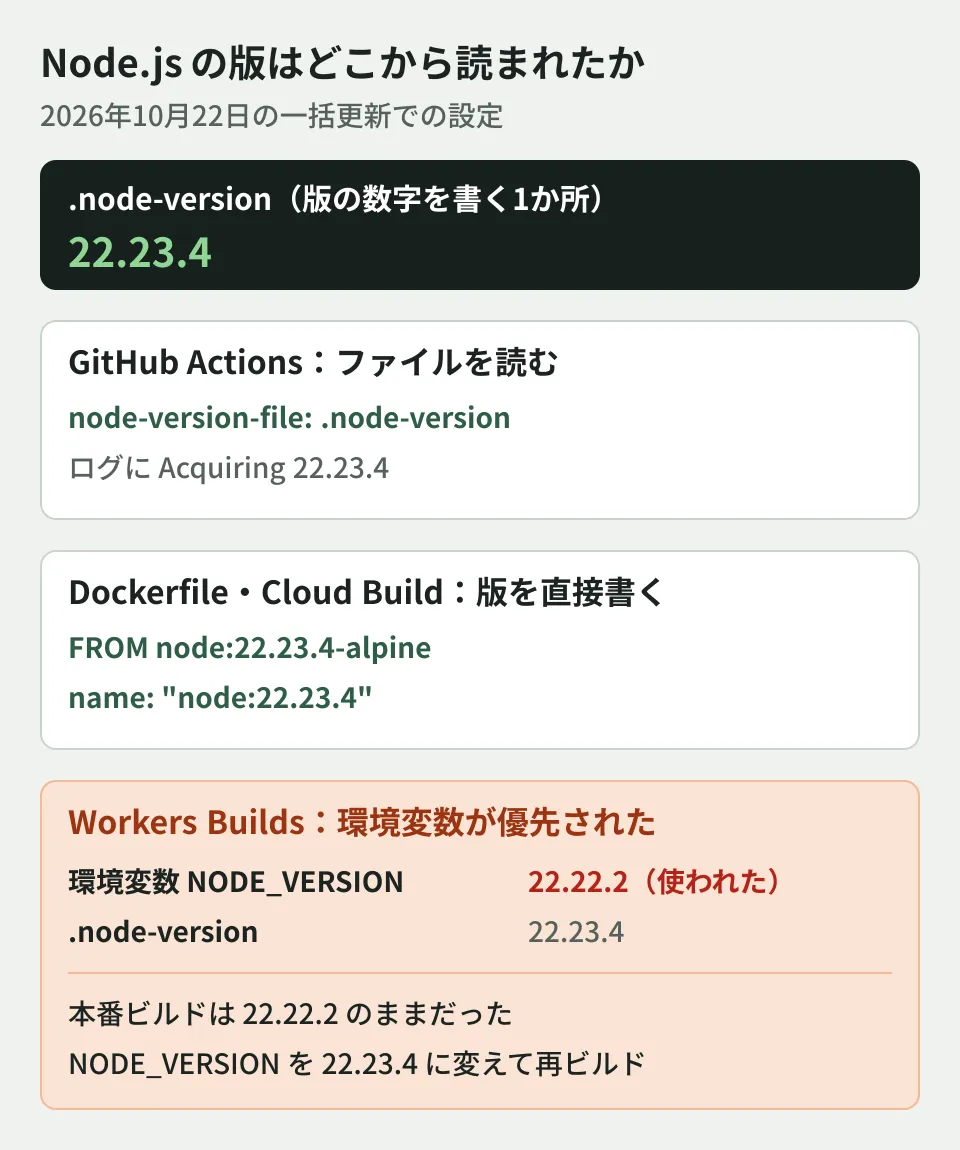
We handled it in the following order.
- Because the fix required manual work in the dashboard, we filed the work as an issue
- Changed
NODE_VERSIONto 22.23.4 in the dashboard and reran the build - Checked the version used in the build log
Detected the following tools from environment: nodejs@22.23.4
Installing nodejs 22.23.4
We confirmed that the new version was rolled out to 100% and that the top page and the media listing returned HTTP 200. Finally, we updated our internal Cloudflare runbook to match the actual settings.
We also noticed a concerning message. In the Build settings in the dashboard, the API token was flagged with a warning saying it was "unavailable." We believe this is because the token was created by a different member (this is our guess). Even after we saved the variable, the build succeeded with the same token.
What this taught us is that "the file in the repository was fixed" and "production was built with the new version" need to be verified separately. In this case too, we did not notice that production was still on the old version until we checked the version in the build log.
Remaining issues
These five are not the end of it. The following items remain.
- Node.js 14 repositories and unused repositories: For the Node.js 14 ones, we will discuss a separate project that combines the upgrade with updates to Angular and other components. For the unused ones, we are at the stage of proposing that they be archived
- Client repository: We are waiting for the client's confirmation
- The four repositories that use only
nodein Cloud Build: The version is not pinned. When we checked Docker Hub, as of October 22 thenode(latest) tag pointed to the same image as 26.12.1. The fix is included, but major version changes will also come in automatically, so we think whether to pin the version needs to be decided separately - Two places specify the version for Workers Builds: The same version is written in both
NODE_VERSIONand.node-version, so both will need to be updated in the next update as well. One option is to delete the environment variable and rely only on.node-version, but we have not yet tested whether the version in the file would then be used - What this update protects: Services that run in production on Cloudflare Workers do not use the Node.js certificate store at runtime, so this update is expected to protect mainly the build and CI environments (this includes our assumptions and has not been verified in the runtime environment)
- End of the 22.x line: Support for the 22.x line ends on April 30, 2027 (see the article on the Node.js release schedule). We need to decide on the next version to move to and when to do it
Scope of verification
This article is based on our records of the work we did on our internal repositories on October 22, 2026 (the inventory, the changes, verification on Node.js 22.23.4 on our local machines, the checks after merging, and the change to this site's Workers Builds settings along with its build logs) (our own hands-on experience). On the same day, we also checked the Node.js announcement "Wednesday, October 21, 2026 Security Releases" and
nodejs.org/dist/index.json, the actions/setup-node README and advanced-usage, the source of Cloudflare's Build image page (the cloudflare-docs repository), and the tags of thenodeimage on Docker Hub (document research). We have not verified how Workers Builds behaves if the environment variable is deleted, runtime settings for Firebase and similar environments, migration of the Node.js 14 repositories, or how Cloud Build pulls images. Repository names, clients and individual pull requests are withheld because they are not public.
For updating dependencies across multiple repositories or running maintenance with AI agents, please contact us through Consultation on development, AI, and automation.
References
- Wednesday, October 21, 2026 Security Releases(Node.js)
- Node.js dist index.json
- actions/setup-node — README
- actions/setup-node — docs/advanced-usage.md(Check latest version、Node version file)
- Build image (Cloudflare Workers docs) — Source: cloudflare-docs src/content/docs/workers/ci-cd/builds/build-image.mdx
- node(Docker Hub)