GitHub Copilot has a setting called "content exclusion" that keeps specified files from being read by Copilot. For organizations excluding files that contain keys or customer data, one point of caution was that the official documentation listed the VS Code agent as not covered.
GitHub's official documentation was updated on November 3 and 4, 2026, and the VS Code agent is now shown as supported. Based on what we confirmed on November 6, 2026 in the change history of the documentation repository (github/docs), the published documentation, and the GitHub Changelog, this article covers what changed and the limits added to the same document.
What changed in the support table
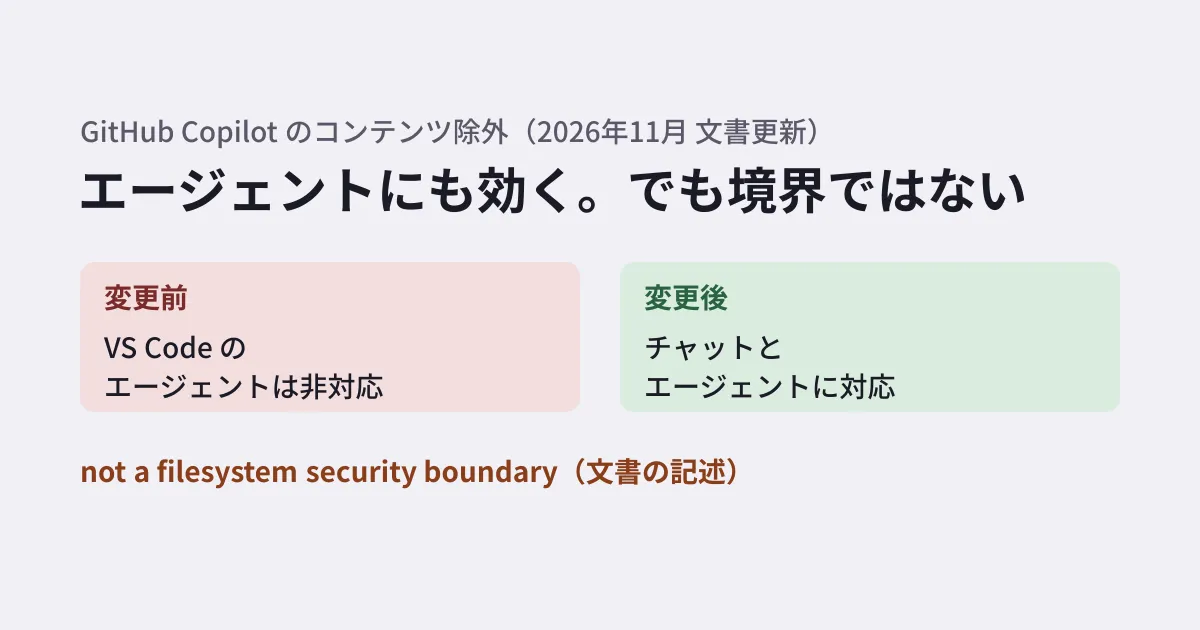
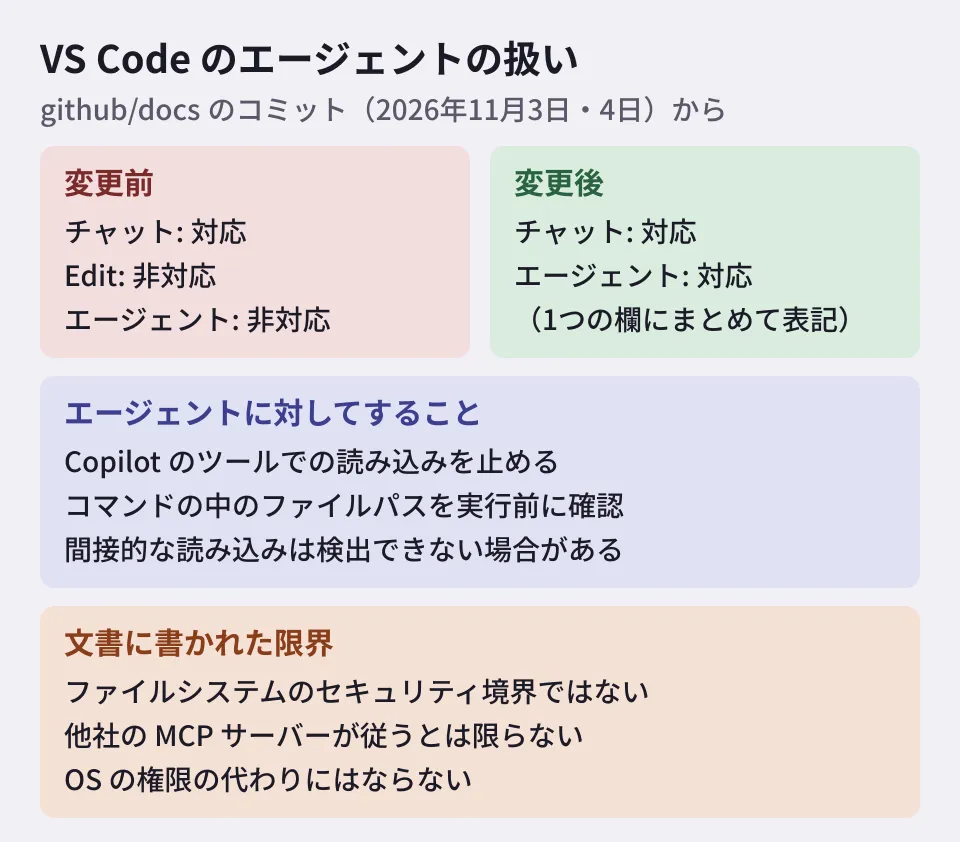
The page explaining content exclusion has a support table by tool. A commit on November 3, 2026 (542fcf7, "Update Copilot content exclusion agent limitations") changed the VS Code row as follows.
- Before: Chat supported; Edit and Agent not supported
- After: "Chat and agent" supported as a single entry
In addition, the note "Copilot CLI and agent mode in IDEs do not support content exclusion" and the note "In VS Code and other editors, Edit and Agent modes are not supported" were removed.
For Copilot CLI and the GitHub Copilot app, the GitHub Changelog had announced general availability for Copilot Business / Enterprise on September 2, 2026, before this document update. On the other hand, we found no entry individually announcing support for the VS Code agent within our search of the Changelog from August 2026 through November 6.
A commit the next day, November 4 (b56582e), consolidated the GitHub website and GitHub Mobile rows into two rows, "Copilot in the cloud" (chat and agent sessions started on the website, Mobile, or a cloud sandbox) and "Copilot code review," and also removed the note that had described content exclusion on the website and elsewhere as "public preview."
The table's preamble reads "Support provided in the Copilot Business and Copilot Enterprise plans," and individual plans are not listed. Even in the updated table, the chat and agent columns for Xcode and Eclipse remain unsupported.
What it does with agents
The November 3 commit added new text explaining the behavior with agents. The gist of the original is as follows.
When agents are used in IDEs, Copilot CLI, or the GitHub Copilot app, content exclusion prevents access to excluded files through Copilot's tools and checks identifiable file paths in commands and scripts before execution. However, indirect file access may not be detected. Content exclusion is not a substitute for OS permissions or other access controls.
In other words, the document names the following two things.
- Prevents agents from accessing excluded files through Copilot's tools
- Checks identifiable file paths in commands or scripts about to be run, before they are executed
On the other hand, the document says that indirect file access may not be detected. For example, reads where the file cannot be identified from the command string, such as assembling a path before reading or having another program read the file, may slip through (the examples are the editorial team's interpretation).
Other limits stated in the same document
The November 4 commit also rewrote the opening of the text describing the limits in stronger terms. The limits stated in the current document are as follows.
- It is not a security boundary. "Content exclusion is not a file system security boundary and cannot guarantee prevention of every form of file access"
- Only tools managed by GitHub. It is a guardrail for tools managed by GitHub, and third-party MCP servers and clients may not follow it
- Information passed by the IDE may not be blocked. Copilot may use information the IDE passes indirectly, such as type information, definitions shown on hover, and build settings
The document also says that it does not currently apply to symbolic links or to repositories on remote file systems. It further states that after a setting is changed, it can take up to 30 minutes to be reflected in IDEs that have already loaded the settings.
Separate measures needed to protect keys and customer data (editorial team's suggestion)
From here on are the editorial team's suggestions, based on what the documentation states. We did not actually test how exclusion works with a real agent.
Treat exclusion settings as a way to reduce careless mistakes. You can expect them to reduce accidents such as an agent reading a repository's configuration file and including it in a summary. However, since the document itself says it is not a security boundary, do not make it the main means of protecting what must not leak.
Do not keep keys in repositories or working directories. Rather than writing production keys in .env and hiding them with exclusion, move them to a secrets management service or a per-environment secrets mechanism. If they must remain on a developer's machine, keep them outside the directory where the agent runs and use OS permissions to restrict who can read them. We covered how to find keys left in source code in our article on auditing secrets in source code.
Separate work involving customer data from the environment where agents run. Separation is more reliable, such as not placing production data dumps in development repositories and giving agents only test data.
When using third-party MCP servers, choose them on the assumption that exclusion does not apply. The document says that third-party MCP servers may not follow exclusion. Decide as an organization which servers to connect and what those servers may read.
Check the tools you use against the support table. If anyone uses chat in Xcode or Eclipse, treat that path as one where exclusion does not apply.
Setting changes take time to apply. Even after you add an exclusion, it may take up to 30 minutes to be reflected in IDEs that are already open. If you need to stop access urgently, include in your guidance the steps for each person to reload the settings in their IDE. According to the document, that means "Developer: Reload Window" from the Command Palette in VS Code, and restarting the app in JetBrains IDEs and Visual Studio.
For Copilot usage fees and management in organizations, see also our article on usage-based billing.
What we checked and what is still unknown
On November 6, 2026, we reviewed the published "Content exclusion for GitHub Copilot" and "Excluding content from GitHub Copilot" pages, the diffs of commits 542fcf7 (November 3, 2026) and b56582e (November 4) in GitHub's documentation repository (github/docs), and the GitHub Changelog's September 2, 2026 announcement and its listing from August through November 6 (document research). We have not confirmed when support for the VS Code agent began or from which version of the extension it is supported. Documentation update dates may not match the date a feature became available. We have also not verified on an actual setup whether an agent is stopped from accessing excluded files.
GleamHub's development, AI and automation consultation can help with where to keep keys and how to design permissions when bringing AI coding agents into in-house development. The approach depends on your development structure and the data you handle, so please contact us for a consultation.
References
- GitHub Docs — Content exclusion for GitHub Copilot
- GitHub Docs — Excluding content from GitHub Copilot
- GitHub Changelog — Content exclusions generally available in Copilot app and CLI (September 2, 2026)
- github/docs — commit 542fcf7(Update Copilot content exclusion agent limitations)
- github/docs — commit b56582e(Clarify details about content exclusion)