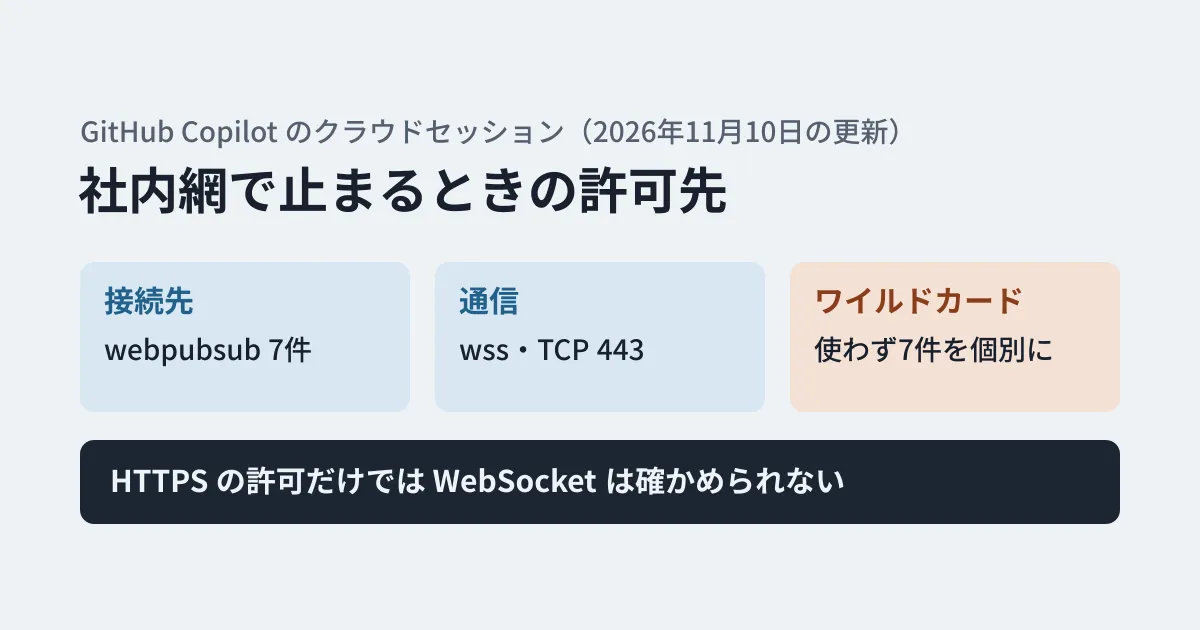
You ask Copilot to do some work on GitHub, and the session does not start. Or a session that seemed to start stops updating partway through. GitHub's documentation lists, as causes of these symptoms, cases where a firewall, proxy, VPN or security software blocks or interrupts the connection. That explanation and the endpoints were added to GitHub's documentation (source in the github/docs repository) on November 10, 2026.
Copilot cloud sessions opened in the browser exchange session events over a WebSocket connection to Microsoft's Azure Web PubSub. The documentation states explicitly that "allowing regular HTTPS traffic alone does not confirm that the WebSocket connection works." In this article, based on the original text of the allowlist reference page and the troubleshooting page, and the actual response from the /meta API, we lay out the endpoints to allow and troubleshooting steps for the IT team and developers to work through together.
Which usage scenarios are affected
According to the documentation, Copilot runs sessions started from the following places in a cloud environment provided by GitHub (a cloud sandbox) by default.
- Chat on the GitHub website
- GitHub Mobile
- Slack and Microsoft Teams
- The GitHub Copilot app
- Visual Studio Code
- Copilot SDK cloud sessions
Copilot CLI runs on your local machine by default. This WebSocket requirement concerns communication between the browser and "cloud sessions opened in the browser." The documentation also distinguishes it from the firewall (allowlist) that applies when Copilot communicates externally from inside the cloud environment.
Endpoints to allow
The following seven entries were added to the table on the allowlist reference page. All of them are described as "WebSocket connections for Copilot on GitHub to stream events and updates in real time," and the page says to allow secure WebSocket (wss://) traffic on TCP port 443.
wss://production-copilot-host.webpubsub.azure.com
wss://production-copilot-host-centralus.webpubsub.azure.com
wss://production-copilot-host-centralus-02.webpubsub.azure.com
wss://production-copilot-host-westus.webpubsub.azure.com
wss://production-copilot-host-westus3.webpubsub.azure.com
wss://production-copilot-host-eastasia.webpubsub.azure.com
wss://production-copilot-host-austriaeast.webpubsub.azure.com
There are three things to note.
- They are not covered by the
/meta"wildcards." The hostnames are listed indomains.copilot. GitHub recommends using the/metaAPI to look up the domains needed on restricted networks. In the table, the column "matching wildcard in the/metaresponse" says "Not included" for these seven entries. On the other hand, when we checkedhttps://api.github.com/metaon November 11, 2026,domains.copilotlisted these seven hostnames as they are (in the form withoutwss://). If you build your allowlist automatically from/meta, check that you import all values indomains.copilot(and do not filter down to only values that start with*.). Thegh api meta -q '.domains | .website, .copilot'output shown in the documentation also includes these seven entries. - Do not allow everything with
*.webpubsub.azure.com. The documentation asks you to "use the required hostnames rather than allowing all Azure Web PubSub services." - Enterprises with data residency (ghe.com) use different hostnames. The documentation says to check the hostnames your enterprise uses in the browser's developer tools when starting a session, or to confirm them with GitHub Support.
Why allowing HTTPS alone is not enough
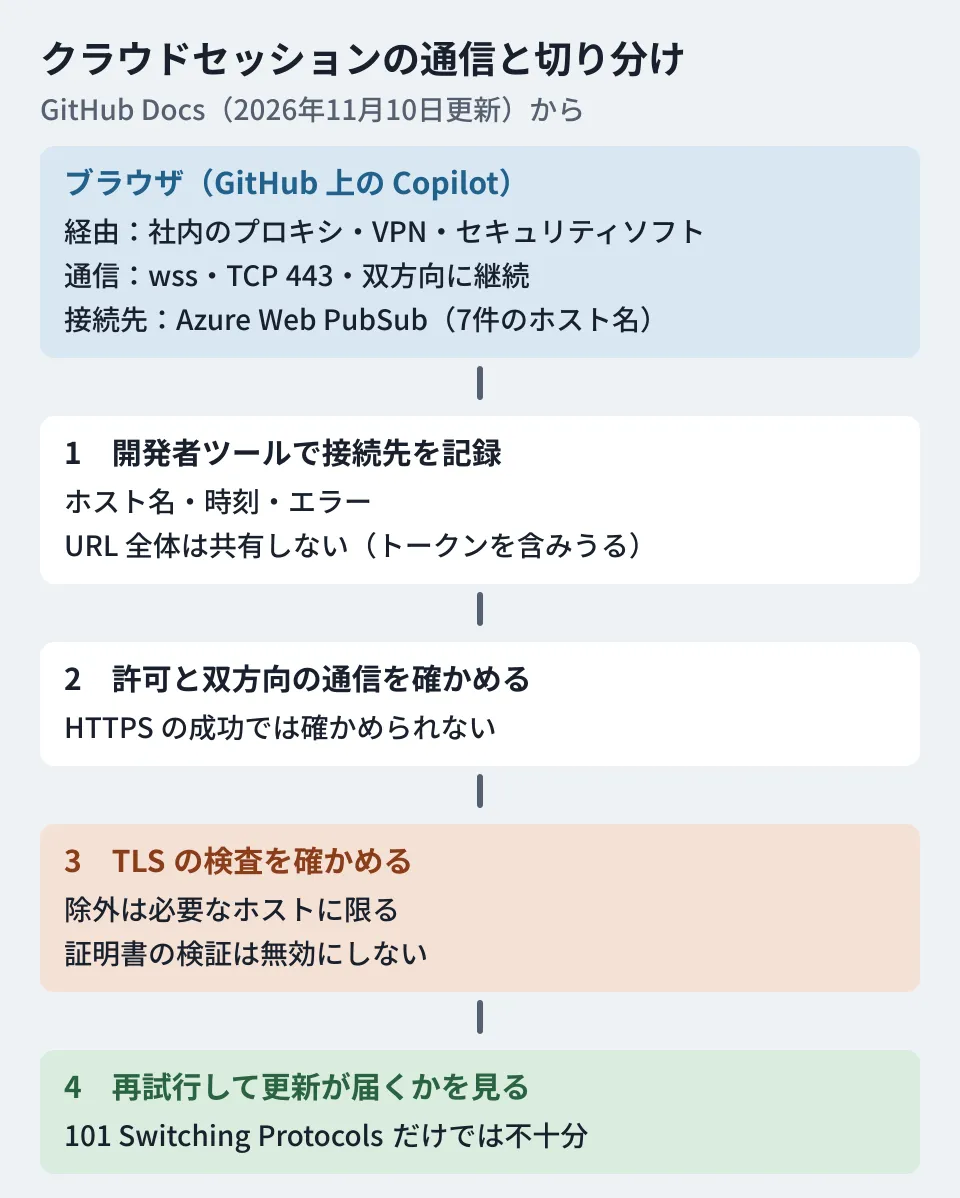
The documentation requires that proxies and firewalls "can continuously handle the WebSocket connection and the two-way communication that follows." It also says this condition applies to every proxy, VPN and security product on the path from the browser to the service.
Even if an HTTPS request to GitHub succeeds, this separate connection has not been tested. Even if HTTP 101 Switching Protocols, which indicates a switch to WebSocket, is returned, it only shows that the switch succeeded and does not confirm that the communication afterward continues. The documentation states both of these points explicitly.
Troubleshooting steps
The troubleshooting page gives the following order.
- Record the endpoint with the browser's developer tools. While starting a session, look at WebSocket requests in the network panel and note the hostname ending in
.webpubsub.azure.com, the time of the failure and the error details. The page says not to share the full connection URL, because it can contain an access token. Before sharing errors, screenshots or logs, remove tokens, cookies and URL query strings. - Ask your network administrator to check. Confirm that the hostname is allowed and that the proxy and firewall support secure WebSocket on port 443 and continuous two-way communication.
- Check TLS inspection. If you use TLS inspection (a mechanism that inspects the content of traffic), have your security team check whether it is interfering with the connection. If you set up an exception, follow your organization's policy, limit it to the required hosts and do not disable certificate validation.
- Retry and see whether updates arrive. Once connected, confirm that session updates actually arrive.
If that still does not fix it, the page says to contact GitHub Support with the session URL, the time of the failure, the WebSocket hostname and the error details. The documentation also adds that "changing network settings will not fix every session start failure."
Dividing the work internally (our suggestions)
From here on are the editorial team's suggestions.
1. Request all seven entries at once. The documentation does not say which region's endpoint will be used. If you allow only some of them, symptoms may appear for some people or at some times and not others, which makes troubleshooting harder.
2. Have developers pass along only the hostname and time. As noted in step 1, connection URLs and screenshots can contain tokens. Adding fields for hostname, time and error details to your internal ticket template helps prevent them from being pasted by mistake.
3. Finish verification with "updates arrived," not "it connected." Do not treat a returned 101 or a successful HTTPS test as done. Actually run a session and confirm that the screen keeps updating.
We covered other administrative constraints on using Copilot internally in our content exclusion article. For how to think about permissions when running AI agents in isolated cloud environments, our Docker Cloud Sandboxes article is also useful.
Scope of verification
On November 11, 2026, we reviewed the public docs.github.com pages "Copilot allowlist reference," "Troubleshooting network errors for GitHub Copilot," and "About cloud sandboxes," their source files (github/docs), the commits that added the endpoints (cd0aca0 and 4a386e1), and the commit that added the explanation (4f5470d), all dated November 10. We also confirmed in the response from
https://api.github.com/metathatdomains.copilotcontains seven hostnames (desk research). We did not test connections through an actual corporate proxy or firewall.
GleamHub's development, AI and automation consultations cover building a framework for adopting Copilot and other development and AI tools safely, including your internal network settings. The approach depends on your network configuration, so please reach out via Contact us.
References
- GitHub Docs — Copilot allowlist reference
- GitHub Docs — Troubleshooting network errors for GitHub Copilot
- GitHub Docs — About cloud sandboxes for GitHub Copilot
- GitHub REST API — Meta(
/meta) - github/docs — commit cd0aca0(Add WebSocket URLs for Copilot event streaming)
- github/docs — commit 4f5470d(Clarify Copilot WebSocket allowlists and proxy troubleshooting)
- github/docs — commit 4a386e1(Add East Asia and Austria East Copilot WebSocket allowlist hosts)