The test commands written in a repository's AGENTS.md or CLAUDE.md have gone stale. An AI agent reads them, runs the old commands, fails, and then has to look for the right ones again. On teams that have not assigned anyone to maintain instruction files, this kind of drift can gradually build up.
On October 28, 2026, GitHub released "Copilot Dreaming" as a public preview. It analyzes Copilot sessions and pull request review comments in the background and keeps memory and repository instructions up to date. GitHub states explicitly that the specifications may change. It is disabled by default and only runs once a user or administrator enables it. While it is useful, organizations that handle repositories belonging to outside partners or clients need to check first what changes automatically and what costs money.
Three things Dreaming does
The documentation divides Dreaming's functionality into three parts.
| Features | Information used | Output |
|---|---|---|
| Repository customization | Sessions, code, memory, and instructions for the target repository | Updates to repository memory, and proposed changes to instructions and skills |
| Personal memory consolidation | The user's own sessions and personal memory | Updates to personal memory (personal instruction and skill files are not changed) |
| Code review customization | Comments on merged PRs, and the current code | Guidance for future Copilot code reviews |
The items listed for repository customization to review are .github/copilot-instructions.md, .github/instructions/**, .github/agents/**, AGENTS.md, CLAUDE.md, GEMINI.md, REVIEW.md, and .github/skills/**. The inclusion of CLAUDE.md and GEMINI.md, which are for agents other than Copilot, is worth noting for teams that use multiple agents together. The differences in which files get loaded were covered in our article on how AGENTS.md and CLAUDE.md are loaded.
What needs approval and what does not
How changes are applied differs by target.
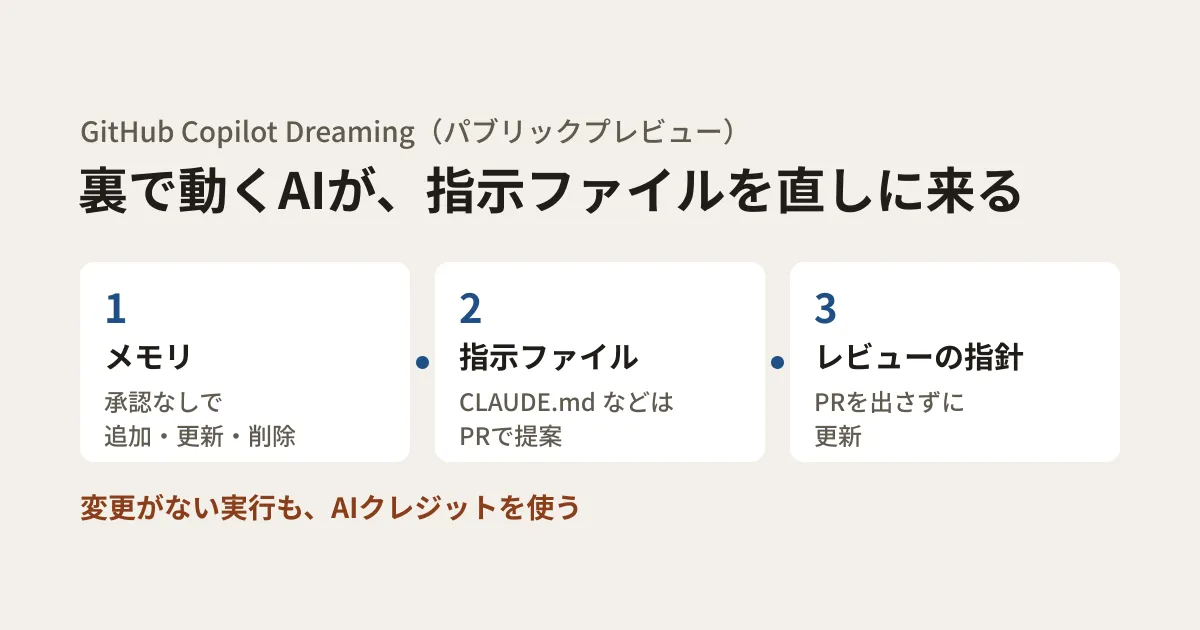
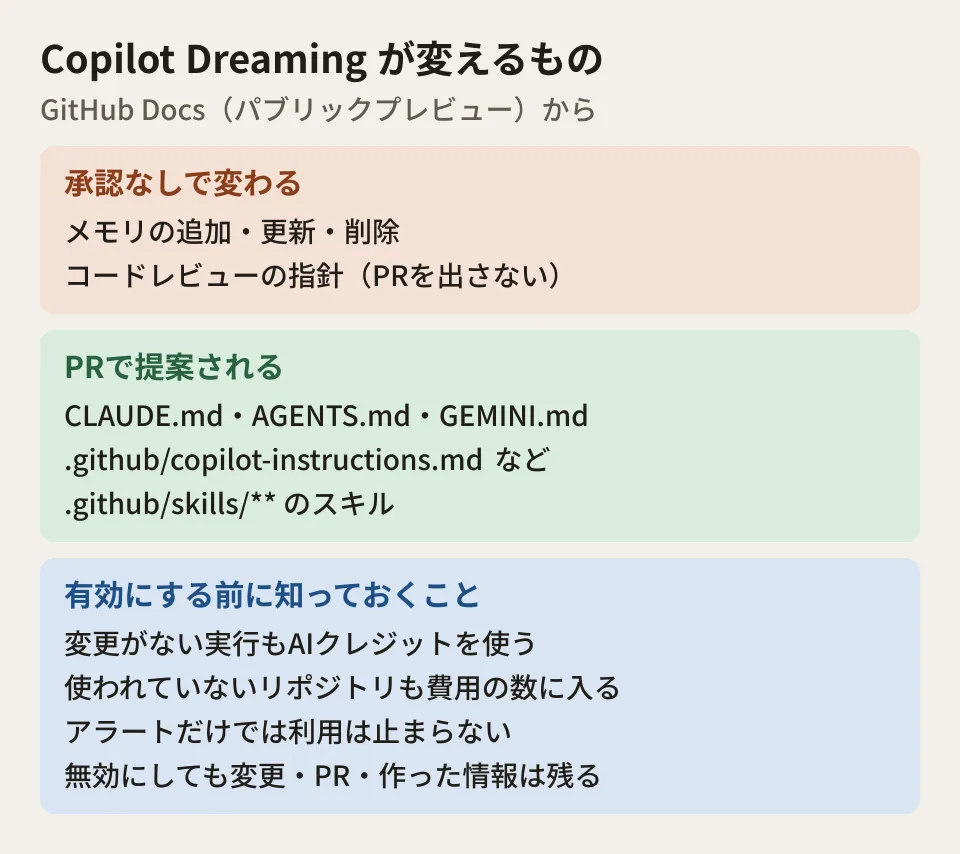
- Memory: Dreaming adds, updates, and deletes it. There is no per-change approval
- Instructions and skills committed to the repository: changes are proposed in a PR. Files do not change until it is merged
- Code review guidance: internal guidance is updated without opening a PR
Because AI-generated guidance can be wrong, the documentation says to review proposed file changes before merging. Not every run leads to changes or a PR. Runs happen automatically on a schedule managed by GitHub; you cannot start one manually or change the schedule, prompt, or model used. Results of individual runs are viewed in the Copilot app, not on the GitHub.com settings screen.
To stop it, disable Dreaming in the respective settings at the Enterprise, organization, personal, and repository levels. For an Enterprise, choose "Disabled everywhere". Stopping Dreaming in your personal settings does not stop runs in organization-owned repositories. Runs already in progress may continue. Also, disabling it does not revert earlier changes, delete information already created, close PRs already opened, or restore deleted memories.
Requirements and cost
It is available on eligible paid Copilot plans. The initial preview requires access to GPT-6.1 Sol and is not available on Copilot Pro. In the model support table, the plans with access to GPT-6.1 Sol are Pro+, Max, Business, and Enterprise. GitHub Enterprise Cloud with a choice of data storage location (GHE.com) is also not supported. Every feature requires Copilot Memory to be enabled and GPT-6.1 Sol to be allowed by policy.
For organization-owned repositories, an administrator enables it through Copilot policy. When it is enabled for an organization, all repositories in Copilot Memory's "Repository access" setting become targets, and this setting defaults to "All repositories". For an Enterprise trying it on a trial basis, the documentation says to choose "Let organizations decide" and configure only the target organizations. Even if policy allows it, personal memory consolidation is not enabled automatically; users enable it in their own settings. On individual subscriptions, it is enabled in personal settings and per-repository settings.
Repository customization and personal memory consolidation require session syncing. Syncing is enabled by default in Copilot CLI and the GitHub Copilot app. Users who receive Copilot from an organization or enterprise need the Copilot CLI policy "Store local sessions in the Cloud" to be at "View from cloud" or higher; if it is disabled or unset, sessions stay local. Stopping syncing does not delete sessions already synced. Code review customization does not require syncing, but Copilot code review and its preview features must be enabled, and self-hosted runners are not currently supported.
Costs are billed as AI credits under existing Copilot usage. The documentation's cautions are as follows.
- Every run uses AI credits. This includes runs that changed nothing and processing of unused repositories
- Cost depends on the amount of processing and the number of enabled users and repositories. Unused repositories count too
- Before enabling it for more organizations in an Enterprise, set up spending controls on the billing account. Alerts alone do not stop usage
- Per-user budgets may not cover repository-level app usage. You cannot set a budget for each installation of the Dreaming app
How long memories last
Copilot Memory, which Dreaming organizes, became generally available on paid plans on October 28. Memories are subject to retention period rules. A memory that goes a certain period without being reinforced expires, and the default period is 90 days. Organization and Enterprise owners can set the period for repository memories to between 7 and 180 days. Personal memories always use the default period. The documentation also says that a memory that disappears from the list has not necessarily been deleted.
Editorial proposal: what to decide before enabling it
These are the points to decide before enabling it, for organizations that develop with outside development firms or partner companies.
- Narrow down the target repositories. Unused repositories also count toward the cost, so start with the repositories whose instruction files you want to maintain rather than the entire organization. Before enabling it, review "Repository access" for Copilot Memory. In repositories removed from it, Copilot Memory is disabled along with Dreaming
- Assign reviewers for instruction file PRs. Changes to
CLAUDE.mdandAGENTS.mdchange how agents behave. Assign reviewers withCODEOWNERS - Check the scope of session syncing. Check the fact that sessions handling customer information may be synced to the cloud against your contracts and data handling agreements
- Set the spending limit first. Alerts alone will not stop usage, so set a budget limit before enabling it
For how to write instruction files themselves, see also our article on designing AGENTS.md and SKILL.md.
Scope of verification
On November 6, 2026, we opened the GitHub Docs pages on Copilot Dreaming, Copilot Memory, managing memory, and supported models, as well as the GitHub changelog (the GitHub intelligence announcement), and checked them against the original text (document research). The Dreaming page was added on October 28, 2026 and has not been updated since. The documentation describes the target as "eligible paid Copilot plans" and does not list the eligible plans. The four plans above were inferred from the supported models table. We have not tested Dreaming with it enabled, and the amount of AI credits used per run is also unconfirmed.
For the design of permissions and data when bringing AI agents into your development workflow, please contact us through consultation on development, AI, and automation.
References
- About GitHub Copilot Dreaming(GitHub Docs)
- About GitHub Copilot Memory(GitHub Docs)
- Managing Copilot Memory for an enterprise, organization, or repository(GitHub Docs)
- Managing Copilot Memory for your personal account(GitHub Docs)
- Supported AI models in GitHub Copilot(GitHub Docs)
- GitHub intelligence puts your code, context, and history to work(GitHub Changelog)