If your development team uses the AI coding agent OpenCode, seeing reports that "session sharing became the default in 2.0" and overseas posts saying "credentials were leaked through OpenCode" may make you want to check what your local setup is exposing. OpenCode stores API keys and login information for model providers. As the person responsible on the client side, you will also want to know what is shared on your contractors' developer PCs and what serves as the key.
In this article, after reviewing the changelog and SECURITY.md in the OpenCode repository (anomalyco/opencode), we ran @opencode/cli 2.0.32, distributed via npm, in the editorial team's test environment, isolated so that it could not communicate externally. We did not log in or call any models.
"Session sharing" is really a local background service
First, check whether what you have installed is 2.0. On npm, the 2.0 line is distributed as a separate package, @opencode/cli, from the previous opencode-ai. Version 2.0.0 of @opencode/cli was published on September 11, 2026 (UTC), and the latest at the time of checking was 2.0.32 (October 16, 2026). The developer, Anomaly, introduced 2.0 on its official blog on October 12, 2026. Meanwhile, the latest version of opencode-ai remains 1.19.3. The installation steps in the repository README have also changed to npm i -g @opencode/cli@latest and https://opencode.ai/v2/install. If opencode --version starts with 2, as in opencode v2.0.32, you are on the 2.0 line.
In 2.0.32, opencode --help has the following two options.
--standalone      Run with a private server instead of the background service
--server string   Connect to a server URL instead of the background service
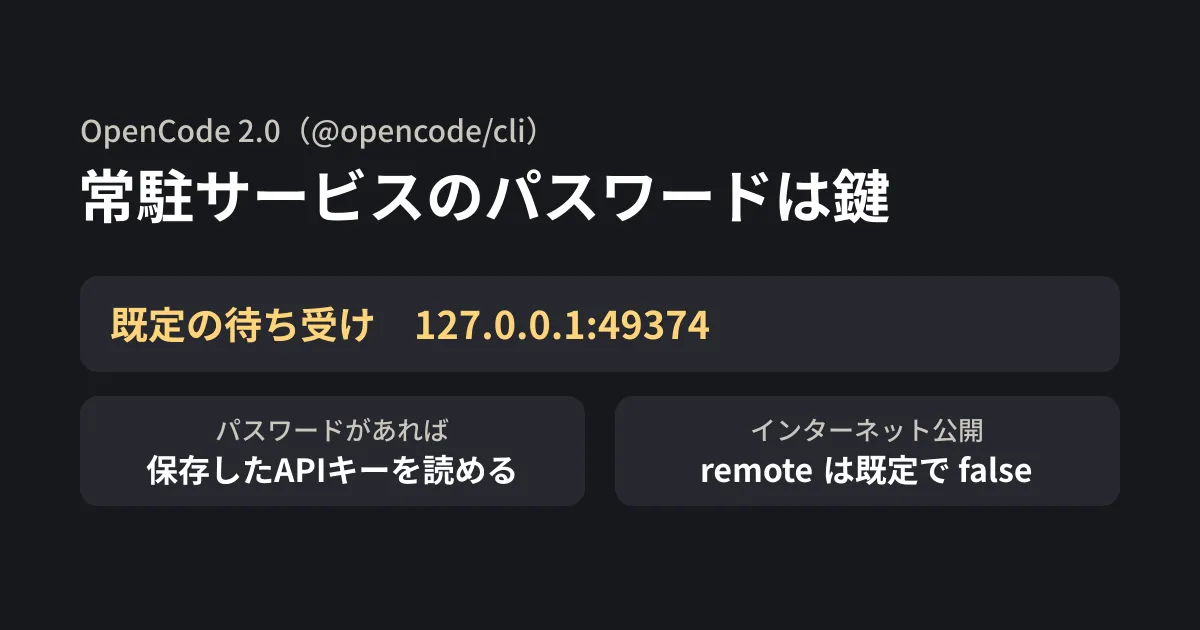
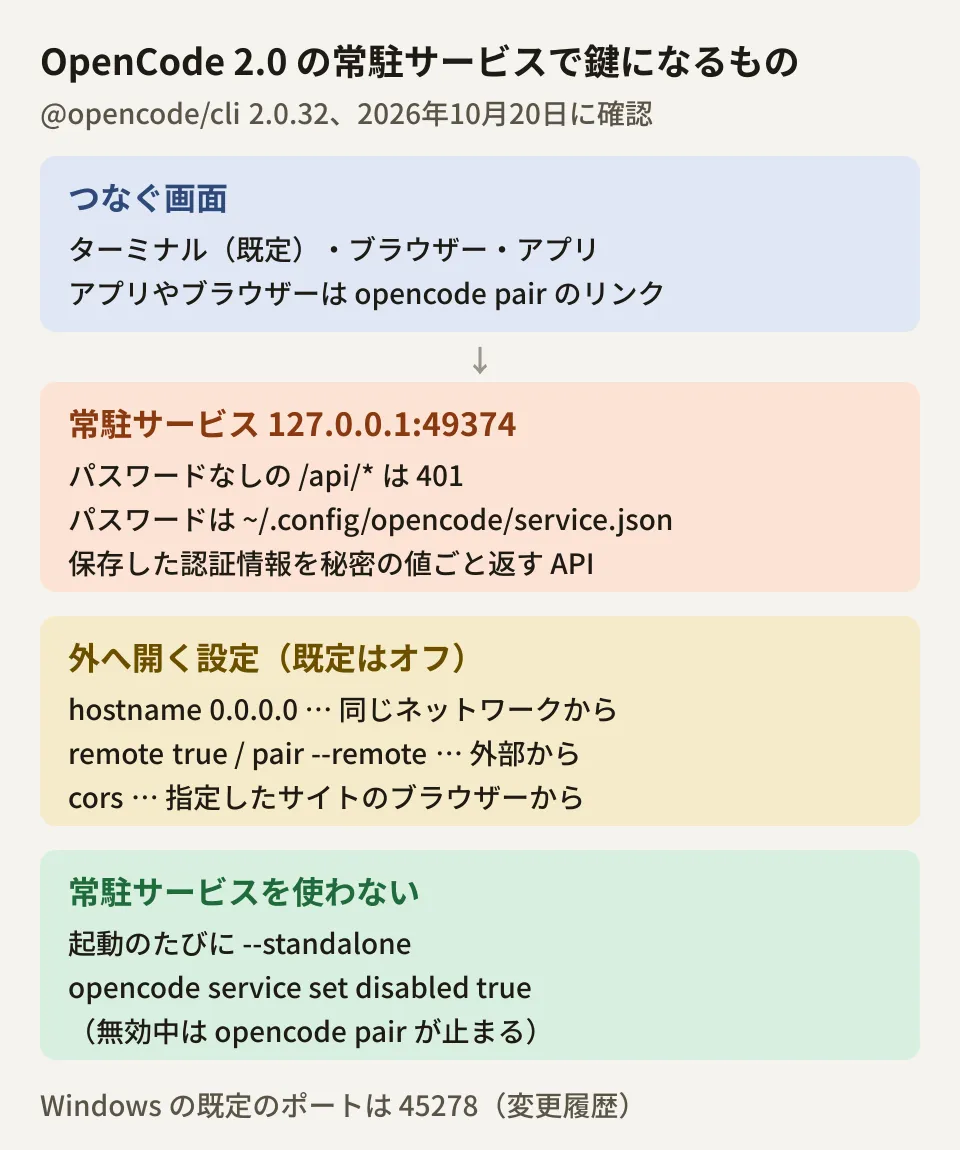
In other words, if you specify nothing, the terminal interface connects to the "background service". When we ran opencode service start in the editorial team's test environment, the service listened on http://127.0.0.1:49374. This is an address that can only be reached from within your own PC. The official documentation also states that by default it listens only on localhost, on port 49374 on macOS, Linux and WSL, and 45278 on Windows. To connect to the same service from a browser or app, use the connection link output by opencode pair.
The official documentation explains that OpenCode finds or starts one background service per user account, and all local interfaces connect to it. The official blog also says the terminal, web and desktop app now talk to the same background process. The reported "session sharing across terminal, web and desktop" refers to this mechanism.
Sharing that shows a conversation to others via a public link is not available in the 2.0 line. The changelog for 2.0.30 (October 15, 2026) says "Remove the retired session-sharing backend and unavailable /share command" (removing the retired sharing backend and the /share command that had become unavailable).
The service password is the key to your stored API keys
The background service could not be operated without the password. In our test environment, the interface HTML was returned even without a password, but APIs such as /api/session and /api/config returned 401 (authentication required) without a password and 200 with one. If no password is set, a random value is generated at startup and saved to ~/.config/opencode/service.json. The file permissions were 600, readable only by the owner.
What deserves attention is what this password lets you do. The API definition (OpenAPI) published by the service describes GET /api/credential as "List every stored integration credential, including its secret value." The CLI's opencode auth export is likewise described as "print stored credentials, including secrets, as JSON". The service password needs to be treated as seriously as a key that can read all of your stored API keys.
The commands for checking the settings are as follows. opencode service get displays the settings excluding the password, and opencode service get password displays the password itself. Do not paste the output of the latter into chats or tickets.
opencode --version            # 2.0系かどうか
opencode service status       # 常駐サービスの状態と待ち受けのURL
opencode service get          # パスワード以外の設定(hostname・remote・cors・env など)
opencode service get remote   # インターネットからの接続を許しているか(true/false)
opencode auth list            # 保存されている認証情報の一覧
When we set environment variables to pass to the background service with opencode service set env <名前> <値>, the values were written as is to service.json and were also displayed by opencode service get. If you put API keys here, they will be visible to anyone who can read the file or run this command.
Settings for external exposure and for not using the background service
In 2.0.32, the service has seven settings: disabled, remote, hostname, port, password, cors and env (specifying any other name produces the error "Unknown service config key"). The following three relate to exposure outside your organization.
| Configuration | Default | If changed |
|---|---|---|
hostname | Not set (listens on 127.0.0.1) | Setting it to 0.0.0.0 allows connections from other devices on the same network |
remote | false | With true or opencode pair --remote, it can be reached from the internet via OpenTunnel |
cors | Empty | The specified websites can call the service through the browser |
The first time you run opencode pair --remote, a warning, "This will expose your OpenCode server to the internet.", and a confirmation prompt appear (the 2.0.27 changelog also says the confirmation was added). In non-interactive environments, it is not enabled unless you add --yes. However, according to the official documentation, once you accept, the confirmation does not appear again, even after disabling it with opencode service set remote false. Assume that from the second time on, it will be exposed without confirmation. To revert, use opencode service set remote false or opencode service unset remote.
There are also two ways to avoid using the background service altogether.
- Add
--standaloneevery time you launch (the help text describes it as "Run with a private server instead of the background service") - Disable it with
opencode service set disabled true. In the distributed CLI code, when--standaloneordisabledis true, a dedicated server is used instead of the background service. When we setdisabledto true in our test environment,opencode pairstopped with "Pairing requires the background service"
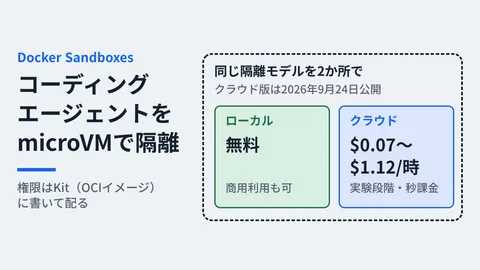
Note that the repository's SECURITY.md (at the time of checking) states "OpenCode does not sandbox the agent" and also says "Server mode is opt-in only". The 2.0.32 CLI connects to the background service when nothing is specified, and the web page in the official documentation also describes it as "available by default and password protected". It is safer not to read the SECURITY.md statement as describing the defaults of the 2.0 line. For agent isolation, our article summarizing coding agent sandboxes may also be helpful.
About the posts claiming "credentials were leaked"
On October 17, 2026, a post titled "OpenCode Hacked: User credentials leaked" drew attention on Hacker News. It links to a post made the same day (UTC) by OpenCode's official X (formerly Twitter) account. The post says, "We had a security breach last night related to a large scale distillation attack that impacted 1.4% of OpenCode Console users." It also states that affected users were notified by email, and that the response is ongoing and further details cannot be shared yet.
According to the official documentation, OpenCode Console is an optional online service. It offers team workspaces, model usage, and a feature for connecting your own provider accounts through the Console gateway, and it is separate from the local background service covered in this article. However, the official post does not explain what was leaked or whether credentials stored in the local CLI are involved. We also found no mention of this incident in the repository changelog (up to 2.0.32), SECURITY.md, or GitHub security advisories (as of October 20, 2026). For this reason, this article does not draw conclusions about the impact beyond what the official post states.
If you have connected provider accounts or API keys in the Console, check the official emails and follow-up announcements, and consider rotating the keys you connected. It also helps to list which API keys and accounts you have stored in OpenCode with opencode auth list, so you can act quickly if rotation becomes necessary (both are suggestions from the editorial team).
What development teams should decide (editorial team's suggestions)
- Know whether you are on the 2.0 series: The 2.0 series is
@opencode/cli, and the olderopencode-aiis the 1.x series. The content of this article was verified on 2.0.32; we have not checked the behavior of the 1.x series - Leave
remoteandhostnameat their defaults: Useopencode service getto confirm thatremoteis absent and thathostnameis either unset or127.0.0.1. Enable them only when you need to use OpenCode from a phone or another device, and only for a fixed period - Do not use the background service on shared servers or in CI: On machines that multiple people log in to, or for automated runs, use
--standaloneordisabledand operate without starting the background service - Do not put API keys in
service set env: The value stays as-is inservice.json. Issue keys in each provider's admin console, separately for each purpose
Background services that run by default are also found in other coding agents. Deciding what to allow on company PCs together with the Codex CLI background server settings makes management easier.
As a first step, run opencode --version and opencode service get locally to check whether you are on the 2.0 series and whether remote and hostname are still at their defaults. Then it is a good idea to make it a team rule to treat the value of opencode service get password the same way as a stored API key.
On October 20, 2026, we checked the npm publication dates of
@opencode/cliandopencode-ai, as well as README.md, CHANGELOG.md (v2.0.26 to v2.0.32), and SECURITY.md on the dev branch of anomalyco/opencode (document research). In the editorial team's test environment (Linux, in a network namespace with communication blocked), we ran @opencode/cli 2.0.32 (linux-x64) and checked the help output, theopencode servicesettings, the listening address of the background service, the API responses with and without a password, and the OpenAPI definition (hands-on testing). We did not check login, model calls, exposure viapair --remoteor OpenTunnel, the desktop app, or behavior on Windows or macOS. Before publication, we cross-checked the content against the opencode.ai 2.0 documentation (CLI, Web, Console), Anomaly's official blog (2026-10-12), and OpenCode's official X post (2026-10-17).
GleamHub accepts consultations on development, AI, and automation, including setting up configurations and operating rules when bringing AI coding agents into in-house development. What needs to be decided depends on the tools you use and the code you handle, so please contact us via our contact form.
References
- Anomaly — OpenCode 2.0(2026-10-12)
- OpenCode Docs — CLI(Background service)
- OpenCode Docs — Web
- OpenCode Docs — Console
- OpenCode (@opencode) post on X (2026-10-17)
- anomalyco/opencode — CHANGELOG.md(dev)
- anomalyco/opencode — README.md(dev)
- anomalyco/opencode — SECURITY.md(dev)
- npm registry — @opencode/cli
- npm registry — opencode-ai