"We redesigned our website, but haven't received a single inquiry." "We have traffic, but for some reason nobody converts." These are common concerns small business executives bring to us.
Causes for a lack of inquiries generally fall into two categories: 1. There is no traffic in the first place, or 2. There is traffic, but it fails to generate inquiries. Because each scenario requires different remedies, accurately assessing your current state is the essential starting point.
In this article, we explain 10 selected fixes categorized across these two dimensions, complete with practical steps you can implement today.
Causes and fixes when traffic is not arriving
If checking Google Analytics or Search Console reveals monthly sessions lingering at only a few dozen, improving customer acquisition must come first.
Fix 1: Aim for top search rankings on target keywords
If your website is buried below the 10th search result, it will generate almost no traffic. Page one of Google search results (top 10 results) is reported to account for over 92% of all clicks, making page two and beyond virtually invisible.
Start by searching queries like "location + industry" or "service name + pain point" to see where your site ranks. If it does not appear, naturally integrating those keywords into title tags, headings, and body copy is a fundamental SEO measure.
For a comprehensive overview of SEO measures, see our detailed guide: Introduction to Website SEO: 10 Tactics Small Businesses Can Start Today.
Fix 2: Optimize your Google Business Profile
For community-based businesses, local SEO (MEO) on Google Maps cannot be overlooked. Searches such as "tax accountant in Shibuya" or "remodeling in [City]" display Google Business Profile listings prominently alongside maps.
If your profile is unregistered or out of date, competitors may be capturing your inquiries. The completeness of your profile—operating hours, phone number, photos, review replies, and more—directly affects top rankings.
Fix 3: Update content regularly
Websites whose blogs, news, or articles have not been updated for over six months tend to be evaluated by Google as having low freshness. Consistently publishing even 1 to 2 pieces a month addressing prospective customers' questions and problems expands exposure to new search queries and broadens acquisition channels.
Creating keyword-conscious content and maintaining regular updates forms the bedrock for long-term customer acquisition gains.
Causes and fixes when traffic arrives but inquiries do not
If you receive over 1,000 monthly page views but get zero inquiries—or only 1 to 2 per month—the issue lies with your site's conversion rate (CVR).
Fix 4: Place CTA buttons above the fold
Placing "Contact Us" buttons exclusively in the footer is a widespread structural flaw across small business websites.
Users frequently bounce without scrolling, so lacking a CTA button above the fold (the initial viewport upon page load) breaks the path toward inquiring. Placing CTAs across multiple locations—such as the top right header, prominent areas of the homepage, and the end of each service page—frequently produces measurable gains in inquiry volume.
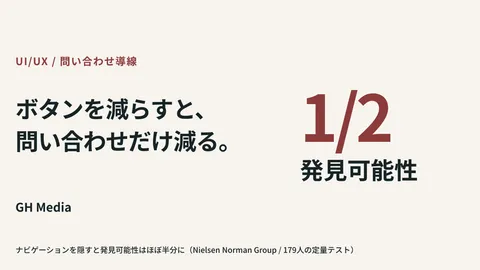
For button copy, phrasing highlighting user benefits like "Get Free Consultation" or "Start a Conversation" proves more effective than generic labels like "Contact Us."
Fix 5: Reduce required form fields
Abandonment right before submitting a form is estimated to reach 70% to 80%. Additional form fields raise psychological friction; users who find the process tedious simply close the tab.
HubSpot research indicates conversion rates peak when forms have three fields. Consider limiting input to essentials such as "Name, Phone Number, Consultation Details" and gathering specifics during a follow-up call or initial meeting.
For concrete form optimization techniques, see Form Optimization (EFO) Tips to Double Your CVR.
Fix 6: Review mobile display and usability
As of 2026, mobile web searches account for over 70% of total web traffic. Despite this, when websites designed purely for desktop load on smartphones, tiny text, unclickable buttons, and horizontal scrolling cause immediate user drop-off.
We strongly recommend opening your site on an actual smartphone and walking through the journey to the inquiry form. Any difficult interaction represents a bounce point.
Fix 7: Improve page loading speed
Data shows that a 1-second delay in load speed increases bounce rates by 32%. Google research indicates that when mobile loading takes over 3 seconds, 53% of users abandon the page.
Entering your site URL into Google PageSpeed Insights lets you check your speed score and improvement points for free. Starting with image compression, removing unused plugins, and optimizing cache settings yields quick results.
Fix 8: Enhance trust-building content
Few first-time visitors submit inquiries immediately. They want to confirm: "Is this company trustworthy?" and "Can they really solve my problem?" before taking action.
Check whether your site includes the following elements:
| Trust content | Benefit |
|---|---|
| Company profile, founder photo, and name | Establishes presence and approachability |
| Track record and case studies (with metrics) | Proves problem-solving capability |
| Client testimonials and reviews | Third-party credibility |
| FAQ (frequently asked questions) | Resolves hesitations and concerns up front |
| Published phone number | Provides peace of mind for urgent needs |
Case studies become especially persuasive when they incorporate specific figures and background, such as "Implemented at Company B in Industry A, multiplying inquiries by X."
Fix 9: Redesign user journeys from the visitor's perspective
If paths from the homepage to service pages and on to the inquiry page are convoluted, users get lost and abandon the site.
Re-evaluate your structure asking: "How many clicks does a first-time visitor need to make an inquiry?" Typically, reaching a CTA within three clicks of the homepage is considered ideal. Additionally, always including a link to contact you as the next step at the bottom of each service page is fundamental.
Fix 10: Analyze user behavior and test hypotheses in GA4
Indiscriminate changes rarely produce results. Using Google Analytics 4 (GA4) to understand through data which pages have high drop-offs and which traffic channels drive conversions is essential.
For example, if service page bounce rates exceed 80%, the page content or layout is likely at fault. If visits to the inquiry page are low, CTA placement or user flow is suspect. Formulating hypotheses from data, making improvements, and reviewing results establishes a repeatable cycle for success.
Summary: Determine improvement priorities by traffic volume and CVR
| Status | Priority action |
|---|---|
| Under 300 monthly visits | SEO, local SEO, and content updates (Fixes 1–3) |
| Traffic exists, but zero inquiries | Optimize CTAs, forms, and trust content (Fixes 4–10) |
| Both traffic and inquiries are low | Tackle both tracks in parallel |
Increasing website inquiries requires addressing both acquisition and conversion rate optimization concurrently. First check your data in GA4 and Search Console to identify which issue is more severe, then execute your highest-priority measures first.
If you are unsure where to start, feel free to consult GleamHub. We provide tailored support suited to small businesses, from initial site audits to actionable improvement proposals.
Request a free website consultation →
Related articles
- Web Customer Acquisition Strategies for Small Businesses: Ads, SEO, or Social Media—Where to Start? — Comprehensive overview of traffic generation methods to fix traffic deficits
- Introduction to Website SEO: 10 Tactics Small Businesses Can Start Today — Concrete steps to increase organic search traffic
- Corporate Website Redesign Guide: How to Procure Without Mistakes — Process guide for comprehensive website overhauls