Correction on October 19, 2026: The earlier version described the JavaScript API for registering tools as
navigator.modelContext.registerTool. In the WebMCP specification draft, the entry point for registration moved fromNavigatortoDocumenton May 27, 2026, and Chrome's current documentation also usesdocument.modelContext.registerTool. We corrected the relevant part of the table. We also added that the declarative HTML attributes exist in Chrome's implementation but are not yet part of the specification draft, the origin trial period and Microsoft Edge support, and annotations such asconsequentialHintfor actions that are hard to undo.
"When I asked an AI to make a reservation, for some reason only our site couldn't be completed to the end"—inquiries like this will increase going forward. Rather than clicking manually, AI agents inside browsers (such as Gemini in Chrome) will operate websites on behalf of users to complete bookings, purchases, and inquiries. If an agent gets stuck at the gateway, not knowing what to click, users will flow to competing sites. This represents a new form of lost opportunity, separate from search ranking drop-offs.
What can change that reality is the WebMCP origin trial that began in Chrome 149. WebMCP (Web Model Context Protocol) is a new browser API that enables websites to declare structured actions (tools) that agents can call. Originating from the idea of bringing Anthropic's MCP into the browser, it is jointly proposed by Google and Microsoft within a W3C community group. While the overarching picture of MCP connecting server-side AI to external systems is explained in The Complete Guide to MCP (GH Media), think of WebMCP as applying that concept directly to the screens of your own website.
Stopping agents from guessing the UI
Current browser agents operate just like humans by examining screen captures and the DOM, guessing that "this button is probably for booking." Because it is guesswork, it fails on sites with custom layouts or screens heavily assembled with JavaScript. Sites that are intuitive to humans but ambiguous to agents are precisely the ones that lose conversions via agents.
WebMCP eliminates this guesswork. If a website explicitly specifies names and arguments, declaring "this is a search tool," "this is an add-to-cart tool," and "this is a confirm-booking tool," the agent directly invokes those declared actions instead of guessing. Chrome's documentation outlines two primary delivery methods.
| Delivery method | When to use | Concept |
|---|---|---|
JavaScript API(document.modelContext.registerTool) | Dynamic processes like search, filtering, and cart operations | Registering functions as tools |
Declarative HTML attributes (adding toolname and tooldescription to a <form>) | Existing inquiry and application forms | Adding tool semantics to forms |
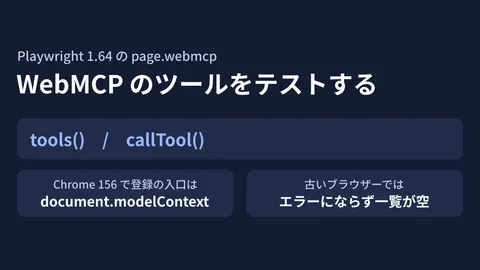
The entry point for the JavaScript API is document.modelContext. Some older explanations and samples still use navigator.modelContext, but the specification draft moved it to Document in May 2026, and the examples in Chrome's documentation also use document.modelContext. The other option, declarative HTML attributes, exists in Chrome's documentation and implementation, but the specification draft describes it as "being explored separately," and it is not yet part of the specification. It is safer to assume that the form attributes are more likely than the JavaScript API to change in name or behavior. For how to check in pre-delivery tests that registered tools work, see our article testing WebMCP tools with Playwright 1.64 (GH Media).
The key is that existing HTML forms can serve as the foundation. Rather than building a massive new mechanism from scratch, you append agent-facing semantics onto forms and search tools that are already working. This sequence of "first having working HTML, then layering features on top" aligns consistently with the mindset explored in Rebuilding with HTML-First (GH Media).
Distinct from on-device AI — Avoiding role confusion
A common point of confusion here is how this differs from Chrome's built-in AI (such as the on-device Prompt API). As covered in Custom Development for Building "Serverless AI Features" with Chrome Built-in AI (GH Media), built-in AI is about a website using AI capabilities. WebMCP, on the other hand, works in the opposite direction: it is about providing an entry point so that a website can be used by AI agents.
| Dimension | Built-in AI (Prompt API, etc.) | WebMCP |
|---|---|---|
| Direction | Site → calls AI | AI agent → calls site |
| Objective | Adds AI features inside the site | Opens site operations to agents |
| Value in custom development | New features such as summarization and assistance | Preventing missed conversions via agents |
Confusing these distinct roles leads to off-target designs, such as assuming that simply adding an AI chat widget means your site is WebMCP-ready. In our custom development work, we start by properly separating these two concepts.
Preparing agent-ready websites in custom development
WebMCP is still in the Origin Trial stage (a time-limited early implementation), and the specifications are evolving. According to Chrome Status, Chrome's origin trial was originally scheduled for Chrome 149 to 156, and an extension to Chrome 162 has been requested (as of October 19, 2026). Microsoft Edge has also started an origin trial from Edge 150, and its registration page lists an expiration date of March 30, 2027. Just as the registration entry point moved from navigator to document, names and details may continue to change. That is precisely why, rather than attempting an immediate, full-scale rollout, a practical approach is to "move early within a safe scope that won't break things, building in a way that can track standardization." In our custom development projects, we structure the work in the following order.
Turn actions closest to conversion into tools
The first step is taking inventory of actions directly tied to revenue (search → check inventory → submit/confirm reservation). For a client operating a service booking website, we initially declared only two tools—"search available slots" and "confirm reservation"—leaving everything else as it was. There is no need to make every screen agent-ready at once; opening up the critical paths where drop-offs hurt the most is the most cost-effective approach.
Do not make modifications that break usability for humans
It defeats the purpose if adding excessive proprietary markup for agent readiness ends up breaking the experience for normal users or degrading existing accessibility. WebMCP declarations should remain strictly an enhancement on top of existing HTML, preserving a foundation that humans can operate even without JavaScript. For web accessibility fundamentals, please also read Web Accessibility Compliance Guide (GH Media).
Design guardrails for permissions and confirmation
Because agents can invoke hard-to-revert actions like confirming reservations or making payments, you must design whose authorization is required and how far execution may proceed. Chrome's WebMCP Tool Security documentation recommends adding markers (hints) to annotations when registering tools.
| Annotations key | Apply to | Expected effect |
|---|---|---|
consequentialHint: true | Actions that are hard to undo, such as confirming a booking or transferring money | The agent or browser can ask the user for confirmation before execution |
readOnlyHint: true | Actions that do not change state, such as searching for available slots | Makes it easier for the agent to judge whether confirmation is needed |
untrustedContentHint: true | Actions that return untrusted content, such as reviews or external data | Tells the agent to handle the returned content with care |
However, as their names suggest, these are only markers, and it is up to the agent or browser to decide whether to ask for confirmation. The same documentation also cautions that safety cannot be guaranteed inside an LLM. In our custom development, we always incorporate pre-confirmation steps, server-side validation, and audit logs to prevent scenarios where an agent confirms actions on its own and causes incidents. For designing transparency when allowing AI to operate interfaces, Designing Transparency UIs for AI Features in Custom Development (GH Media) is also a helpful reference.
The value of starting now — the cost of "wait and see"
While the decision to "wait until the standard stabilizes" might seem rational at first glance, agent-driven traffic is just like search traffic: sites that adapt first are chosen for their user experience. By declaring just one or two actions close to conversion during the Origin Trial stage, your website becomes one that agents can properly interact with, making the full transition much smoother once specifications are finalized. Conversely, if you remain in wait-and-see mode, your site will remain among those where agents hit dead ends, quietly accumulating lost opportunities.
Summary — "understandable to human eyes" is no longer enough
Until now, it was enough for websites to be built so that human users could understand them. Going forward, whether in-browser agents can accurately invoke actions will also directly impact conversion rates. WebMCP is a proposed standard that allows websites to provide that gateway. When approaching this through custom development, declaring a small set of tools starting with actions closest to conversion, preserving the human experience, and putting confirmation and logging guardrails around critical actions—starting from this minimal footprint is the pragmatic way to get ahead while minimizing risk.
If you would like to verify whether your site presents bottlenecks for agents, or if you want to run a small trial with WebMCP's Origin Trial, feel free to reach out via our contact form. We can start by taking inventory of your conversion user journeys.
Sources
- Join the WebMCP origin trial(Chrome for Developers)
- WebMCP tool security(Chrome for Developers)
- WebMCP(Chrome for Developers)
- WebMCP Imperative API(Chrome for Developers)
- WebMCP Declarative API(Chrome for Developers)
- WebMCP specification draft (W3C Web Machine Learning Community Group)
- WebMCP implementation status (webmachinelearning/webmcp)
- WebMCP(Chrome Platform Status)
- WebMCP origin trial(Microsoft Edge Origin Trials)
- Inside WebMCP: how Google’s new browser API lets websites talk to AI agents natively(Rankly)
- Complete MCP Guide (GH Media)
- Custom Development for Building "Serverless AI Features" with Chrome Built-in AI (GH Media)
- Designing Transparency UIs for AI Features in Custom Development (GH Media)
- Testing WebMCP tools with Playwright 1.64 (GH Media)