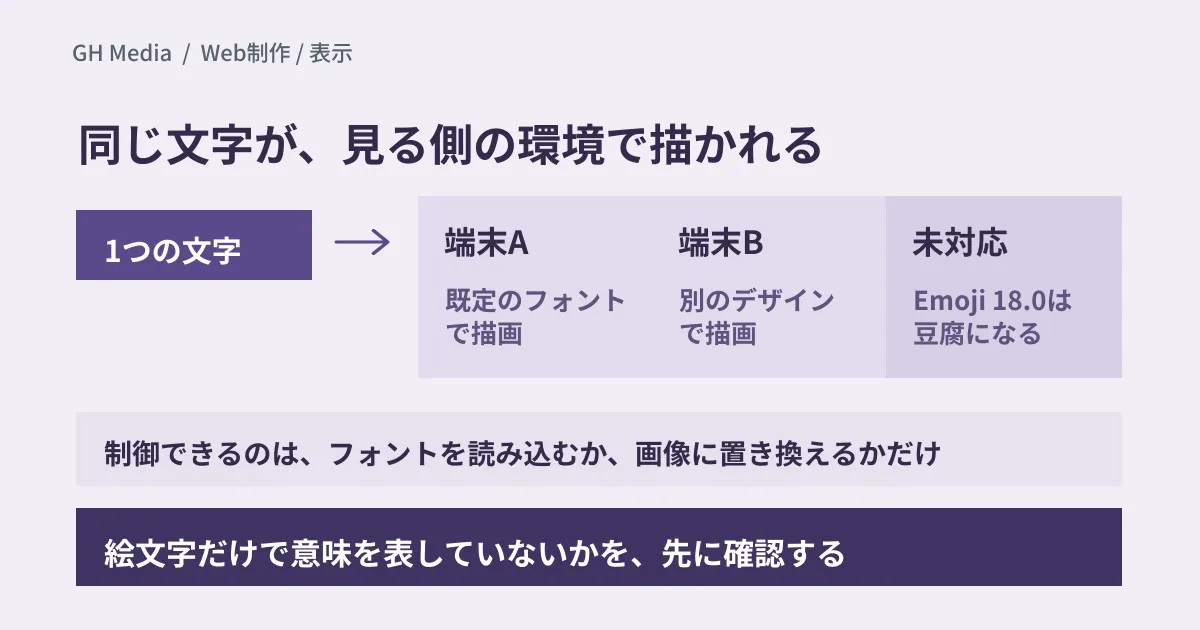
Imagine the client's contact person looking at a published page and telling you, "This emoji shows up as a different picture on my screen." On the production team's Mac it appears as intended, while on the client's Windows or Android device a different picture appears. If none of the device's fonts contains the character, a substitute such as an empty square box (so-called "tofu") is shown instead.
Emoji are text, not images. Unless the page specifies a font, which picture appears is decided not by the person who wrote it but by the viewer's environment (the fonts held by the OS, browser or app). If production goes ahead without sharing this one point, there is nothing the production team can do when they are asked after launch to "please fix it."
What was updated
The Unicode Consortium released Unicode 18.0 on September 16, 2026, and the emoji standard also moved to Emoji 18.0. The newly added emoji are nine characters, including cracking face, lighthouse, meteor, pickle and eraser. Of these, the leftwards thumb sign and the rightwards thumb sign each come in five skin-tone variations, and including those the total is 19.
Google updated its emoji library, Noto Emoji, to match. The GitHub repository (googlefonts/noto-emoji) now contains, in addition to the existing flat 2D version, fonts and PNG images of Noto 3D, the three-dimensional design. When our editorial team read out the characters contained in the fonts, both the 2D and 3D versions included the nine new characters. There is also a tag, "v2026-09-24-unicode18_0", indicating Unicode 18.0 support. The font license is the SIL Open Font License 1.1 for both 2D and 3D.
Noto 3D itself had already been introduced on Google's official blog on July 17 (World Emoji Day). A Google Design article on September 17 says it will roll out across Google later this year, starting with Pixel phones, and will then expand to more Google apps and to select devices from partners such as Nothing, Lenovo, Xiaomi, OPPO and Motorola.
The release notes for Google Play services (v26.37), dated September 21, also include an item for in-car devices, PCs, smartphones, TVs and watches: "support for larger and more refined system emoji font downloads." Noto 3D is not named, but it is safest to assume that the emoji font on an Android device is not determined by the OS version alone.
The point to grasp here is not so much that "new emoji were added" as that the state in which each environment assigns a different picture to the same character code has been updated one step further. Even on Android, a device that has received Noto 3D and one that has not will render the same character as different pictures.
Where the same character turns into a different picture
Separating out the places where emoji are rendered makes it clear where the differences arise.
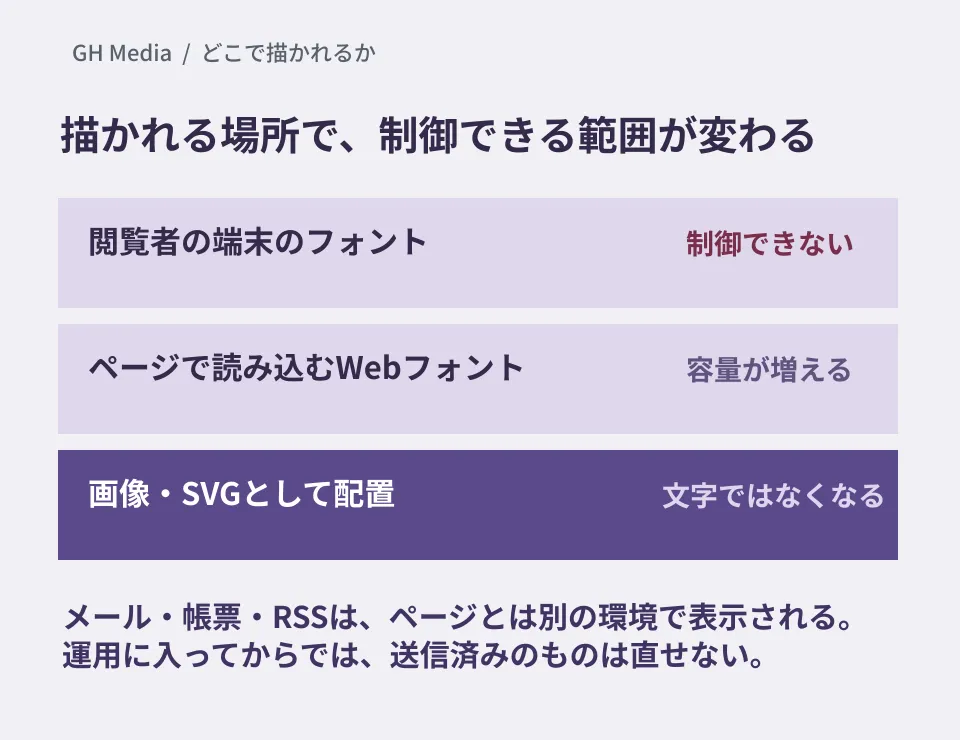
| Where it is rendered | What it depends on | Can the production team control it? |
|---|---|---|
| The viewer's device | The OS and browser, and the version of the emoji font installed on them | Not possible |
| A web font loaded by the page | The font specified by the production team, and the formats the browser supports | Possible, but file size and rendering delay increase |
| Placement as an image or SVG | Assets prepared by the production team | Possible. It is not treated as text |
The first row is the default state. The production team controls nothing. Newly added emoji go through a period in which they cannot be displayed until each OS supports them. On Windows 11, for example, support for Emoji 17.0, released in September 2025, was announced one year later, on September 10, 2026, as a Release Preview update (a channel for checking updates before general release), and it was set to reach devices gradually. Expect it to take time for viewers' environments to catch up with the Emoji 18.0 characters as well.
Four things to decide before including emoji in deliverables
- Is the emoji decoration, or does it carry meaning? If a status such as "caution" or "done" is expressed with an emoji alone, the meaning breaks the moment it turns into a different picture. If something needs to carry meaning, write it in text or symbols and let the emoji only accompany it.
- How does it sound when read aloud? Emoji have short names defined for each language in Unicode's related data (CLDR), and these are positioned as names that can be used for text-to-speech. If a screen reader reads out these names, the emoji in a sentence also become part of what is read aloud. When you place emoji in headings or in the middle of body text, check that the text still works as a sentence when read aloud. We also discussed how far to guarantee the appearance of text in how to build UIs that hold up under zoom.
- Will you use new emoji? The emoji added in Emoji 18.0 will not display in some environments for the time being. The shorter a page's publication period, as with campaign pages, the safer it is to avoid them.
- Will you bundle a font? If you want the appearance to be consistent, one option is to load an emoji font. The 2D Noto Color Emoji is also distributed through Google Fonts, and when our editorial team fetched it on September 28 it included the Emoji 18.0 characters. The files are split into 11 by character range, and only those containing characters that appear on the page are loaded. All together they came to about 2.1 MB for Chrome, and about 4.0 MB for Safari, which receives a different format. The Noto 3D TTFs, by contrast, are about 36–229 MB per file in the versions on GitHub (about 34–218 MB even in the versions without flags), too large to load as a web font as they are. Estimate the download size and how long rendering will be delayed before you decide.
The page is not the only place to check
What tends to be overlooked are the places outside the site itself.
- The body text of notification emails and auto-reply emails
- Not the OGP image, but the titles and descriptions passed to social media
- Article titles entered in the admin screen. They flow into listings and RSS
- Business forms output as PDF
Emails and business forms are viewed in environments separate from the browser. Emoji that displayed without problems on the page can go missing in an email client or on the PDF generation side. If you only notice after operations have begun, emails that have already been sent cannot be fixed.
We have summarized the criteria for judging how far web features can be used in each environment in site design based on Web Platform Baseline. Which emoji can be displayed is determined by the device's fonts, so Baseline cannot tell you that. Even so, the approach is the same: decide first "how much consistency to assume."
Checks you can do right now
Make an inventory of the places where your live site uses emoji. Scanning the text mechanically misses fewer than looking by eye. In JavaScript, the regular expression \p{Extended_Pictographic} (with the u flag) picks up emoji and the symbols that are candidates for them. When our editorial team tried it on Node.js 22, it caught the nine new Emoji 18.0 characters, but it also caught © and ®, and it did not catch flags or the keycaps that enclose digits or #. To include flags and keycaps as well, add conditions as in /\p{Extended_Pictographic}|\p{Regional_Indicator}|\u20E3/u. Use it as a guide for the inventory, and confirm by eye at the end.
Once you have found them, judge whether each emoji "carries meaning." Any that carry meaning are what you need to fix. If an emoji is only there as decoration, its meaning is not lost when the picture changes. However, tofu looks like a bug, so avoid new emoji even as decoration.
If you are asked to make the appearance completely consistent, propose replacing only the spots that need it with images or SVG. Compared with bundling a font, this makes it easier to keep the download size down. Images are not treated as text, so convey the meaning with alternative text. If you use Noto Emoji image assets, check the license in the repository's README (most images are under the Apache License 2.0, with exceptions such as flags).
On September 28, 2026, we directly checked the Unicode Consortium's announcement and the Emoji 18.0 list, Google's official blog (July 17) and the Google Design article (September 17), the Noto Emoji GitHub repository (README, licenses, 2D and 3D fonts and images, tag), the Google Play services release notes, the Windows Insider Blog, and the definitions in Unicode's related data (CLDR). That the 2D and 3D fonts contain the nine new characters was confirmed by our editorial team reading out the fonts' character tables (for 3D, we checked the version for watches). The number and size of the Google Fonts files are values from fetching what is served for Chrome and for Safari once each on the same day; we did not measure how much a real browser loads or how long it takes. The regular expression results are limited to trying a few kinds of characters on Node.js 22.22.2. We have not checked actual display on each device, browser or email client, display when the Noto 3D TTF is loaded, or how screen readers read emoji. As for when Noto 3D will reach which devices, official guidance goes only as far as "starting with Pixel later this year, then other Google apps and partner devices."
For checking your site's display quality or setting up pre-launch checklists, please consult GleamHub.
Sources
- Announcing the Unicode® Standard, Version 18.0 — Unicode Consortium
- Emoji Recently Added, v18.0 — Unicode Consortium
- Designing emoji for the way we communicate today — Google (July 17, 2026)
- Bringing Emoji into the Next Era of Expression — Google Design (September 17, 2026)
- googlefonts/noto-emoji — GitHub
- Noto Color Emoji — Google Fonts
- Google System Services Release Notes — Google
- Announcing Windows 11 Release Preview Builds 26100.9539/26200.9539 — Windows Insider Blog
- Unicode Locale Data Markup Language (LDML) Part 2: General — Annotations
- News report: Noto Emoji publishes 3D emoji fonts and images, also supports Unicode Emoji 18.0 — gihyo.jp