"I heard AI can run 24 hours a day on my behalf, sending emails and handling procedures. Frankly, part of me thinks it sounds incredibly useful, but the other part is terrified of it doing something catastrophic on its own." As autonomous AI agents begin entering the workplace, we frequently hear this candid anxiety from business executives and IT teams alike. Until now, AI has served as a conversational advisor: you asked a question, and it returned an answer. However, this new generation of agents autonomously executes multi-step workflows under user instructions, even taking outward-facing actions like dispatching emails. Because they are more capable, misjudging the scope of tasks entrusted to them leads to very real, tangible consequences. It is only natural for anticipation and anxiety to coexist.
The prime exemplar is Gemini Spark, unveiled at Google I/O 2026 in May 2026. Running 24/7 on cloud virtual machines, this personal AI agent autonomously carries out tasks under user direction, navigating multi-step workflows across Gmail and Google Docs. While Google has incorporated safety mechanisms, that does not eliminate enterprise governance responsibilities. On the contrary, companies must design their own boundaries more carefully than ever, deciding who can delegate what and which actions require human approval. In this article, we outline from a custom development perspective how to design the governance controls that remain the responsibility of the enterprise to safely integrate autonomous agents into operations.
Safeguards provided by Google and their limitations
First, it is essential to understand accurately what safeguards are built into the enterprise edition of Gemini Spark. Without this understanding, organizations risk swinging between excessive paranoia and dangerous complacency.
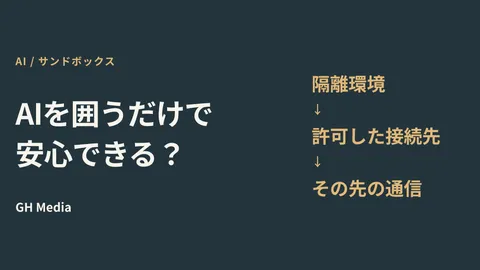
There are three primary mechanisms. The first is disposable virtual machines. A pristine, isolated environment is provisioned for each task and destroyed upon completion, preventing data from bleeding into different sessions. The second is data loss prevention (DLP) and dedicated gateways. All agent traffic routes through dedicated checkpoints where leak prevention policies are enforced, safeguarding user credentials so they are never passed directly to the agent. The third is confirmation checkpoints for high-risk actions. User confirmation is required before irreversible actions, such as dispatching emails or approving significant expenditures, are taken. Furthermore, the agent only retrieves data within the user's existing access scope, never touching emails or documents the user cannot view.
These are well-thought-out safety mechanisms. However, there is a pitfall here: Google protects the agent's foundational infrastructure, but it does not protect the operational premise of who is entrusted with what. For instance, an agent only touches what is within the user's access scope—meaning that if a user has overly broad permissions, the agent's reach becomes equally broad. If you use a Google Drive with loose sharing settings, the agent will operate based on that loose perimeter. Safety mechanisms will not keep your prerequisites healthy. That remains the organization's homework.
Four Control Points That Remain on the Enterprise Side
So, outside of these safety mechanisms, what should companies design? When we set up governance for clients, we always address the following four points.
The first is auditing permissions. Since an agent operates under the user's authority, you must first inspect whether each individual user's permissions are excessive for their actual duties. Permissions granted broadly "just in case" become increasingly dangerous in the era of autonomous agents. This is an area where the principle of least privilege, which we covered in our Google Workspace security configuration checklist article, directly applies.
The second is establishing sound baseline sharing settings. If the sharing scope of the Drive or Google Sheets managed by the agent remains set to "Anyone with the link," then no matter how robust the agent itself is, the foundation is weak. Before introducing an agent, you must narrow down the sharing scope of target data to only what is necessary for business operations.
The third is defining approval workflows for high-risk operations tailored to your business. Google's confirmation steps serve as technical safeguards, but what constitutes high risk varies by company. Whether it is bulk emails to business partners, automated quotation replies, or external information sharing, you must articulate where human approvals belong based on your specific business processes.
The fourth is logging and auditing. You must ensure that you can trace afterward which agent executed what action, under whose authority. If an incident occurs and you cannot explain when, what, and why it happened, you cannot fulfill your accountability to clients or auditors. The overall picture of how to keep agent actions under control is an extension of our Google Workspace AI Control Center article and our AI note-taker article that covered AI meeting minutes governance.
Our Case Study: When We Held Back a Rush to Company-Wide Adoption
Let us look at a specific example. A mid-sized retail enterprise (name withheld) approached us asking, "Autonomous agents look convenient, so we want all our employees to start using them immediately. What preparation is required?" Executive interest was high, and the momentum was such that they wanted to roll it out company-wide tomorrow.
What we asked first was to hold off on the rollout for a moment and check the foundation. When we actually reviewed their Workspace settings, many employees still held broad permissions due to historical reasons, and spreadsheets containing cross-departmental customer data were shared with "Anyone with the link." If they had distributed autonomous agents company-wide in that state, each person's agent might have operated on the assumption of having access to broad scopes that the person would never touch in daily duties. While Google's safety mechanisms protect the underlying runtime with ephemeral VMs and gateways, a weak foundation where users are granted excessively broad permissions in the first place lies outside those safety mechanisms.
Therefore, before the company-wide rollout, we first audited permissions and corrected sharing scopes, defined in line with their operations which actions required human approval as high-risk operations (such as bulk emails to partners and external information sharing), and established a system to log and trace agent execution records. Only then did we have them start using it incrementally, beginning with departments with smaller impact. Although this delayed the executives' initial hope of immediate company-wide deployment slightly, they ultimately avoided a situation of having something convenient but being unable to explain what was happening. This engagement taught us that the true challenge in adopting autonomous agents is not getting the agents to run, but establishing the operational premises under which they are permitted to run.
Before Rolling Out Company-Wide Just Because It Seems Convenient
To avoid setbacks when adopting autonomous agents, there is one key point you should keep in mind from the start: your company's permissions and sharing settings—the foundation—come before an agent's intelligence or safety mechanisms. If you deploy smart agents on a loose foundation, that looseness will simply be amplified. Conversely, if you first take care of these four areas—auditing permissions, correcting sharing scopes, setting up approval workflows for high-risk operations, and establishing execution logging—autonomous agents can become a workforce you can rely on with peace of mind.
If you want to introduce autonomous agents into your business but do not know where to begin, wish to audit your permissions and sharing settings before a company-wide rollout, or want to establish governance so that you can explain what happened after the fact, please reach out via GleamHub's inquiry page. We will audit your current permissions and sharing settings, clarify what needs remediation to safely entrust tasks to autonomous agents, and help design a system you can use with confidence, including approval workflows and auditing mechanisms.
Sources
- Generative AI Security, Compliance and Privacy - Google Workspace
- What is Gemini Spark? Features, Pricing, and Japan Release Timeline for the 24/7 AI Agent Explained (Latest 2026 Edition) – Elcamy
- What is Gemini Spark? Autonomous AI Agent Announced at Google I/O 2026: Pricing, Capabilities, and Usage in Japan Explained – AI Revolution Inc.