"Our business system is running without issues, yet the development company told us to secure budget for an update because the underlying platform reaches end of support next November. Honestly, it doesn't make sense to me why we need to spend money modifying something that's already working"—we received this question from a manager at a company that has outsourced its business system operations for several years. It is a completely natural reaction. Yet if you postpone action without resolving this question, the party that suffers most later is the client.
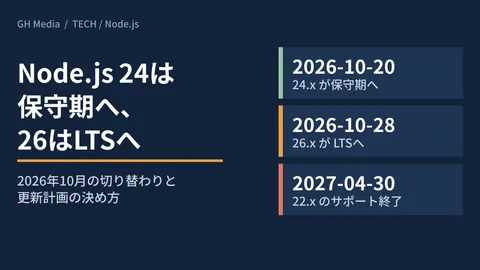
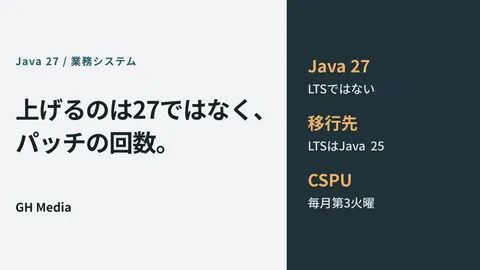
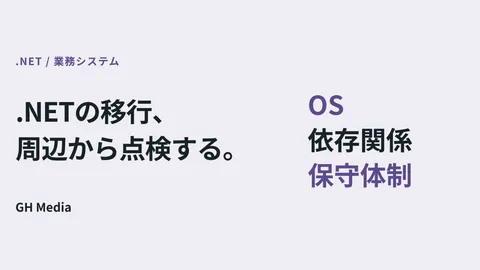
Microsoft has announced that support for .NET 8 and .NET 9, which underpin many enterprise business systems, will end on November 10, 2026. The crucial point here is that end of support does not mean the system stops running. It will still work. This article explains why preparations remain essential regardless, and how to carry them out.
What actually ends with End of Life (EOL)
A system does not function solely through the visible "application" layer. Beneath it lie foundational components—platforms and libraries—upon which the application operates. End of Life (EOL) is the declaration by the provider of this foundation that "we will no longer maintain this version."
What comes to an end are primarily the following three items. The software's execution itself does not stop.
| What ends | Meaning |
|---|---|
| Security updates | Patches will no longer be provided even if new vulnerabilities are found |
| Bug fixes | Platform-side fixes will not be issued when problems arise |
| Official support | Inquiry channels to the provider will no longer be available when issues occur |
Among these, the most alarming is the cessation of security updates. A system begins aging the moment it is built, and new vulnerabilities emerge over time. As long as support continues, patches arrive to seal those cracks. Once EOL is reached, these updates halt. The system still runs, but nobody fixes the holes when they appear—that is the true state of post-EOL systems. How unmaintained systems eventually become hazardous is also covered in our article on viewing technical debt as a business risk.
The answer to "why update when it still works"
To answer the opening question directly: you invest in an active system not because you are facing trouble now, but to ensure you do not face trouble in the future. A post-EOL system is akin to a car that still drives, but for which replacement parts are no longer supplied even if a defect subject to recall is discovered. It drives fine until a collision. However, the protections in place when issues arise erode with each passing day.
Furthermore, the cost of neglect compounds over time. When an organization finally attempts to update a system left mothballed for years past its support window, it frequently discovers that "the foundation is so old that you must upgrade step-by-step through multiple intermediate versions to reach modern releases." What could have been a minor update if performed methodically within the support window metastasizes into a massive rewrite the longer it is postponed. The philosophy of continually upgrading underlying platforms is also detailed in our article on annual platform updates and maintenance.
When and how to prepare
In the case of .NET, the basic policy is upgrading to the new Long Term Support release (.NET 10, supported until November 2028). However, what the client side needs first is not technical minutiae, but a clear roadmap. Following these steps ensures smooth execution:
- Inventory: List which company systems reach end of support and when (every underlying component, not just .NET, has an expiration date)
- Prioritization: Address publicly exposed systems and those handling sensitive data first
- Migration planning: Work backward from the deadline to secure budget and schedule, including testing phases
- Migration: Upgrade the underlying platform and verify operations according to plan
Conducting this inventory once eliminates incidents where deadlines pass unnoticed. The migration itself has become easier in recent years with AI assistance, and high-level approaches to large-scale migrations are covered in our article on AI-assisted migrations.
Case study: A company that reached out 3 months before the deadline
Here is a concrete example. A company that outsources its business system operations (name withheld) received an EOL notice without understanding its significance, and reached out to us approximately three months before the deadline. Fortunately, the system was relatively compact and only one generation behind, enabling us to complete the upgrade to the new Long Term Support release within the deadline.
What proved decisive in this case was staying calm and performing an initial inventory. By listing which components were losing support and which among them were exposed externally, we tackled the highest-risk elements first. The client was particularly surprised to learn that postponing would have made the subsequent update vastly more difficult. The further a foundation falls behind by two or three generations, the harder it becomes to upgrade in a single leap. Had the consultation happened a year later, a simple update would not have sufficed. Acting planned while systems still run is ultimately the most cost-effective approach. For guidance on what scope to include in post-delivery maintenance and operations contracts, key points for clients in maintenance and operations contracts provides useful insight.
Start by taking inventory of upcoming deadlines
End of support does not mean a system will abruptly shut down overnight. However, inaction steadily erodes security while driving up upgrade difficulty and costs—a risk that quietly accumulates. Before committing to a migration, start with just one action: take inventory of when each underlying platform across your company's systems reaches end of support. Having this visibility alone helps you avoid panicked scrambles and the danger of running unmaintained software.
Whether you do not know your systems' support deadlines, received an EOL notice but cannot determine the appropriate action, or want to execute a planned migration before deadlines expire, feel free to contact GleamHub for a free consultation on system development and maintenance. From platform auditing and prioritization to building migration roadmaps working backward from your deadlines, we partner with you to support your systems.