If the business tools you have long used keep working fine after switching to Apple silicon Macs, you rarely have reason to notice whether they were built for Intel. That is because a translation mechanism called Rosetta runs them behind the scenes, invisible to users.
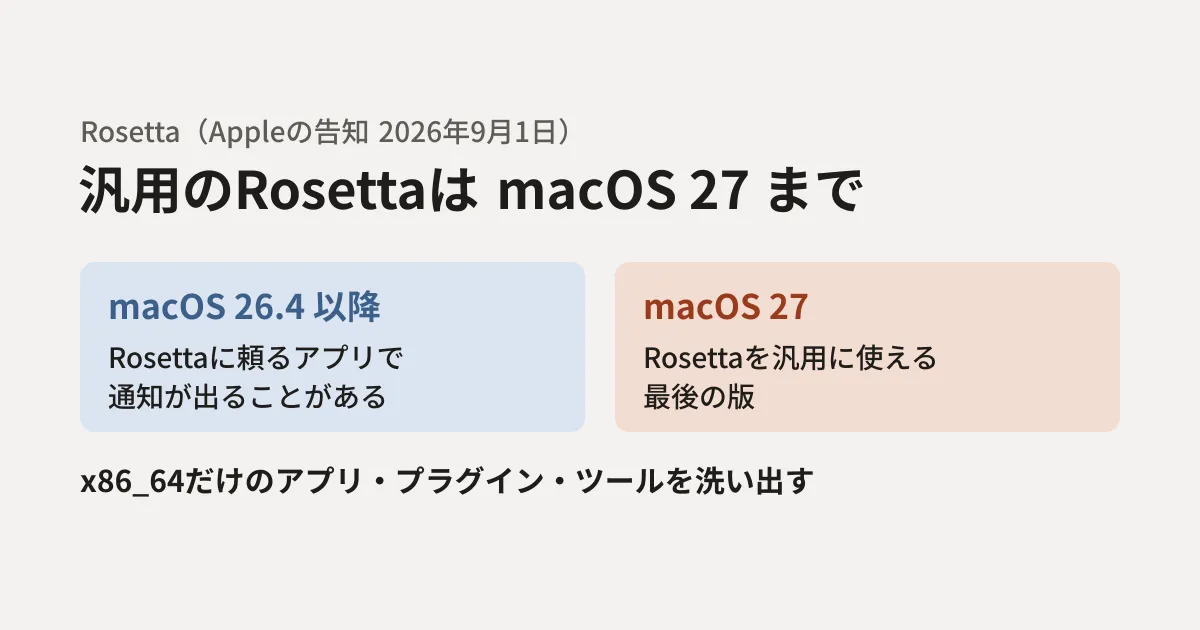
That assumption is changing. In a developer announcement on September 1, 2026, Apple said that general availability of Rosetta will end with macOS 27.
macOS 27: Final release to support Rosetta — Intel-only apps will no longer run on Mac computers with Apple silicon after this update.
In this article, based on Apple's announcement and developer documentation, we outline what people who manage company Macs and teams that develop and distribute Mac apps and tools should check now.
What changes, and when
The announcement and documentation can be summarized as follows.
- macOS 26.4 and later: When you launch an app that relies on Rosetta, a notification may appear prompting you to update to a version for Apple silicon
- macOS 27: The last version in which Rosetta can be used for general purposes. In later versions (macOS 28 in Apple's support article), Intel-only apps will no longer run on Apple silicon Macs
- Exception: Some functionality will remain for older, unmaintained games that depend on Intel-based frameworks
The Rosetta documentation also states that Rosetta is provided as a general-purpose tool to help with the transition "through macOS 27," after which only some functionality for games will remain. It is safest to assume that business tools do not fall under this exception. The user-facing support article "Use Intel-based apps on a Mac with Apple silicon" also says that Rosetta is available in macOS 27 and earlier, and that starting with the next release, macOS 28, it will be provided only for older, unmaintained games.
Looking only at "apps" misses things
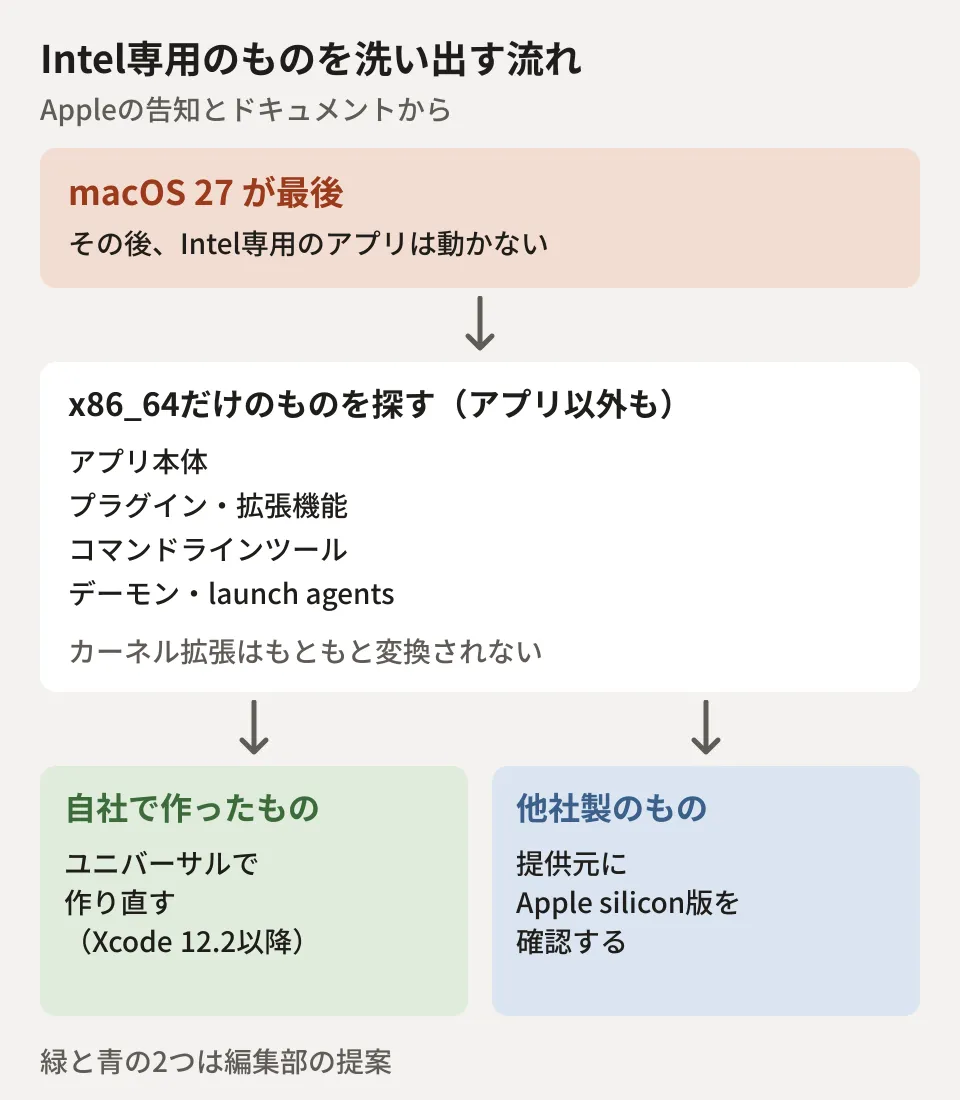
Apple's documentation "Building a universal macOS binary" lists not only apps but also the following as things that should be built as universal binaries that run on both Intel (x86_64) and Apple silicon (arm64).
- App extensions and plugins
- Custom frameworks and static and dynamic libraries
- Build tools and command-line tools
- Daemons and agents that run at login (launch agents)
- DriverKit extensions and kernel extensions
Plugins deserve particular attention. According to the Rosetta documentation, arm64 and x86_64 code cannot be mixed within a single process. Even if the app itself is universal, it may be set to open using Rosetta in Finder's "Get Info" in order to load Intel-only plugins (according to Apple's support article, this "Open using Rosetta" setting appears when the app's developer has provided it). Once Rosetta is gone, this way of using the app will no longer be possible.
In addition, Rosetta has never been able to translate kernel extensions or virtual machine apps that emulate an entire x86_64 PC. It is also said to be unable to execute AVX512 instructions.
Finding Intel-only files
First, there is a way to check using the Mac's built-in features. According to Apple's support article, if you select an app in Finder and open "Get Info," the "Kind" field shows "Application (Intel)," "Application (Universal)," or "Application (Apple silicon)." In macOS 27, you can also open a list of Intel-based apps from the "Details" button next to "Intel-based applications" under "About" in the "General" section of "System Settings." However, this list shows only recently used apps and apps in common locations. The editorial team has not checked these screens.
To check plugins and command-line tools as well, looking at the contents of the files is the better approach. The executable files of Mac apps and tools (Mach-O format) record at the beginning of the file which CPUs their code targets. The editorial team created a small script that searches under a specified folder and lists files that contain only x86_64. It runs using only Python 3's standard library.
#!/usr/bin/env python3
"""指定したフォルダの下のMach-Oファイルを調べ、x86_64だけを含むもの(Intel専用)を一覧にする。"""
import os, struct, sys

CPU = {0x01000007: "x86_64", 0x0100000C: "arm64", 7: "i386"}
THIN = {0xFEEDFACF: ">", 0xCFFAEDFE: "<"}       # 64ビットのMach-O(ビッグ/リトルエンディアン)
FAT = {0xCAFEBABE: 20, 0xCAFEBABF: 32}           # ユニバーサル(fat)。値は1件分のバイト数

def archs(path):
    with open(path, "rb") as f:
        head = f.read(8)
        if len(head) < 8:
            return None
        magic = struct.unpack(">I", head[:4])[0]
        if magic in THIN:
            cpu = struct.unpack(THIN[magic] + "I", head[4:8])[0]
            return [CPU.get(cpu, hex(cpu))]
        if magic in FAT:
            n = struct.unpack(">I", head[4:8])[0]
            if n > 20:  # Javaのclassファイルも同じ先頭の値のため除外
                return None
            out = []
            for _ in range(n):
                cpu = struct.unpack(">I", f.read(FAT[magic])[:4])[0]
                out.append(CPU.get(cpu, hex(cpu)))
            return out
    return None

for top in sys.argv[1:]:
    for d, _, files in os.walk(top):
        for name in files:
            p = os.path.join(d, name)
            if os.path.islink(p):
                continue
            try:
                a = archs(p)
            except OSError as e:  # 読み取れないファイルは飛ばして知らせる
                print(f"読めない\t-\t{p}({e.strerror})")
                continue
            if a:
                mark = "Intel専用" if "arm64" not in a else "対応済み"
                print(f"{mark}\t{','.join(a)}\t{p}")
To verify its behavior, we used three files published on npm: the esbuild executables for Intel Macs and for Apple silicon (0.25.0), and the fsevents native module (2.3.3). We also placed one file without read permission (locked/tool) and ran the script with regular user privileges. The results are as follows, and the classification of the three files also matched the results of the Linux file command.
Intel専用	x86_64	darwin-x64/package/bin/esbuild
対応済み	arm64	darwin-arm64/package/bin/esbuild
対応済み	x86_64,arm64	fsevents/package/fsevents.node
読めない	-	locked/tool(Permission denied)
When using it on company Macs, pass as arguments the locations where programs are placed, such as /Applications, the folders where business tools are installed, and /Library/LaunchAgents. However, because the environment in which this article was written is Linux, the editorial team has not tried running it on a Mac. Files without permission are listed as "unreadable," but folders that cannot be opened are skipped without any output (the default behavior of Python's os.walk). To avoid missing anything, also consider running it again with administrator privileges.
What to do once you find them (the editorial team's suggestion)
From here on is the editorial team's own analysis.
Software you develop and distribute yourself should be rebuilt as universal binaries. According to Apple's documentation, in Xcode 12.2 and later, release builds automatically become universal as long as you keep the default setting (Standard Architectures). If you have changed the architecture settings individually, it advises restoring the default. If you build with your own scripts instead of Xcode, also build for arm64 and combine the results into one with lipo. If you build in CI, adding the build settings and a check of the artifacts (using a script like the one above to see whether they include arm64) to the process prevents Intel-only builds from slipping in.
For third-party tools, check with the vendor whether an Apple silicon version is available. For tools that are no longer updated, or where only the plugins are outdated, you need time to find replacements.
Guidance for users is also needed. The announcement recommends that even developers who have already released Apple silicon versions reach out directly to users to get them to install the latest version. Internally, deciding in advance whom to contact when a notification appears keeps inquiries from scattering.
How to think about preparing a Mac development environment is covered in Preparing your Mac environment before letting AI handle iOS development, and an example of inspecting development Macs is covered in Inspecting development machines after the compromise of an eMudhra intermediate CA.
Scope of verification
On October 27, 2026, we reviewed the Apple Developer news post "Upcoming changes to Rosetta support for Intel-based macOS apps" (September 1, 2026), the documentation "About the Rosetta translation environment" and "Building a universal macOS binary," and the user-facing support article "Use Intel-based apps on a Mac with Apple silicon" (the Japanese version was published on September 26, 2026) (document review). We ran the script above against the three npm files in the editorial team's test environment (Linux, Python 3) and compared the results with those of the
filecommand (hands-on testing). We did not confirm running the script on a Mac, the display in Finder or System Settings, the macOS 26.4 notification, or behavior on macOS 27.
For rebuilding internal Mac tools or reviewing how they are distributed, contact us through Consultation on development, AI, and automation.