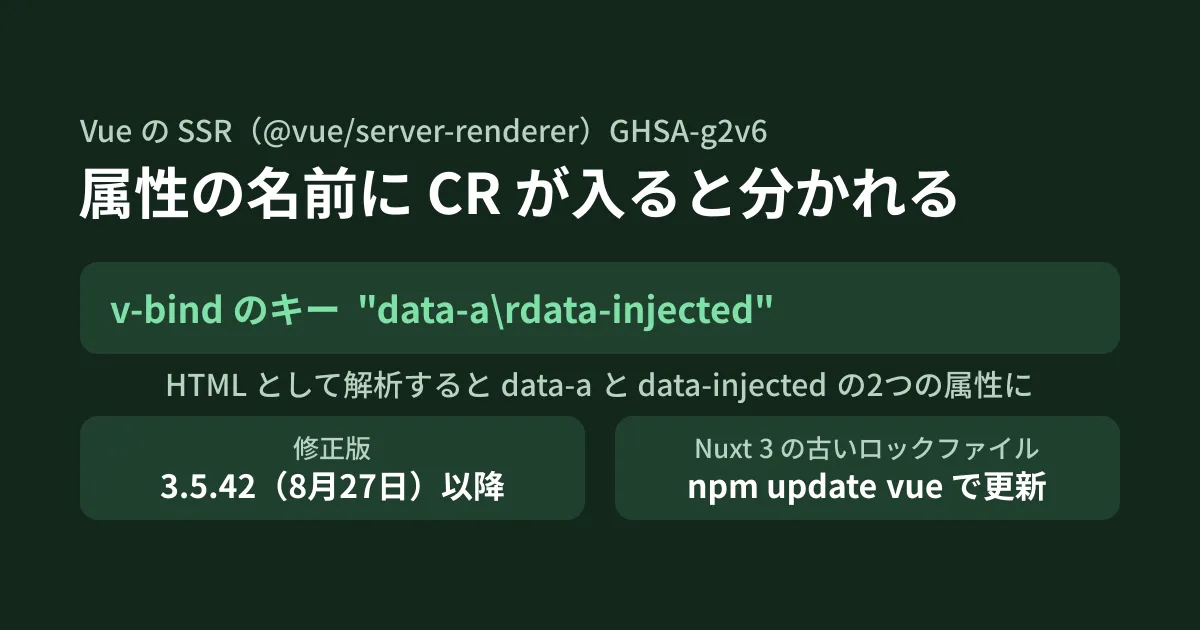
Running npm audit on a Nuxt site shows "high" for vue and @vue/server-renderer. The finding is GHSA-g2v6-rqmx-r4w6; the advisory was published in the vuejs/core repository on August 31 and registered in the GitHub Advisory Database on October 5 (both UTC; the latter is the morning of the 6th in Japan time). On server-side rendering (SSR) sites that, for example, output field names chosen by editors in a CMS as data-* attributes on cards, or pass API responses straight to elements with v-bind, this can become an XSS in which JavaScript runs just by opening the page (hypothetical scenario).
On the other hand, the fixed version 3.5.42 was already published to npm on August 27, and sites that updated their dependencies after that are already fixed. In this article, we explain the conditions for affected code, how to check versions, and an example in Nuxt where an old version remains even though you think you have updated. The results in the second half were confirmed by actually running Vue and Nuxt in the editorial team's test environment.
Affected: SSR that receives "attribute names" from outside
When Vue SSR spreads an object into attributes, as in <div v-bind="obj">, it builds the HTML string with ssrRenderAttrs() in @vue/server-renderer. Attribute values are escaped every time. Attribute names, however, were only checked against a list of disallowed characters (> / = " ', tab, line feed (LF), form feed and space) and were otherwise output as-is.
This list did not include the carriage return character (CR, \r). According to the advisory, browsers replace a lone CR with LF at the very first stage of reading HTML. Because LF separates attribute names, x\rautofocus\ronfocus, which Vue output as a single name, is interpreted by the browser as three attributes: x, autofocus and onfocus. If a script is placed on the value side, it runs as soon as the page loads.
The conditions listed in the advisory are as follows.
- An object with keys that come from outside (names, not just values) is passed to an SSR element with
v-bind="object"or an equivalent form - Examples given include CMSs and form builders where low-privilege users can set field names, components that spread configuration objects validated elsewhere onto elements, and processing that turns objects converted from database records, API responses or query strings into attributes
- In browser-side rendering (client-side Vue),
setAttribute()checks names, so the reporter says they could not reach this issue there. The issue is limited to SSR
Normal usage that receives only values from outside (such as :title="post.title") is not affected because values were always escaped. The severity is HIGH (CVSS 3.1 vector AV:N/AC:L/PR:N/UI:N/S:C/C:L/I:L/A:N).
Not just v-bind in templates
In the editorial team's test environment (Linux, Node.js v22.22.0), we passed a harmless key data-a\rdata-injected to SSR in three different ways and read the output with parse5, an HTML5 parser.
@vue/server-renderer 3.5.41
  <div v-bind="attrs"> をSSR用にコンパイル → ssrRenderAttrs を呼ぶコードになる
  ssrRenderAttrs(attrs)        → " id=\"card\" data-a\rdata-injected=\"yes\""
  parse5 の解釈              → id="card" data-a="" data-injected="yes"
  renderToString(h('div', attrs)) → 同じく data-a と data-injected に分かれた
  <Card v-bind="attrs">(ルート要素への引き継ぎ) → class, data-a, data-injected に分かれた

@vue/server-renderer 3.5.42 / 3.5.44
  3つとも出力は id="card"(または class="card")だけ。危険なキーは出力されない
In addition to v-bind in templates, h() in render functions and attributes not declared as props being passed through to a child's root element also went through the same path. When searching your code, target these three forms.
Where to look in your own code
From here on is the editorial team's breakdown of where in your repository to check the advisory's conditions.
- Search
.vuefiles forv-bind="..."without an argument. Check whether the keys of the objects passed come from a CMS, API, database or URL query - Check whether
h(orrender()is passed external data as-is in the second argument - Check whether you pass things to child components in bulk with
v-bind="...". If the child does not declare props, the keys become attributes of the root element - Check for helper functions that build attribute objects from external field names with
Object.fromEntriesor...spread
If your design needs to accept keys from outside, one possible approach, in addition to updating, is to define the allowed form and restrict to it, such as names that start with data- and consist only of alphanumeric characters and hyphens. This is the editorial team's suggestion; the measure the advisory calls for is updating.
Fixed in 3.5.42, released August 27
| Release line | Affected versions | Fixed version | npm release date and time (UTC) |
|---|---|---|---|
| 3.5 series | 3.5.41 and earlier (lower bound of the range is 0) | 3.5.42 | August 27, 2026 |
| 3.6 RC | 3.6.0-rc.0〜rc.5 | 3.6.0-rc.6 | August 28, 2026 |
The fix is vuejs/core PR #15266 (commit a2b40db, August 11), a change that adds the single character \u000d to the packages/shared/src/domAttrConfig.ts list. The 3.5.42 changelog also says "server-renderer: reject CR in attribute names." The advisory in the vuejs/core repository was published on August 31 (UTC), but it was added to the GitHub Advisory Database on October 5 (UTC), and npm audit began flagging it only after that.
As of October 21, npm's latest is 3.5.44 (released October 13) and rc is 3.6.0-rc.12. Upgrading to 3.5.42 or later brings in the fix.
What is worth checking is where the fix lives. The function that judges dangerous names, isSSRSafeAttrName(), is in @vue/shared, and @vue/server-renderer imports and uses it. On npm, the versions of the two are pinned to exact matches, so they normally line up, but when we used overrides in testing to combine @vue/server-renderer 3.5.42 with @vue/shared 3.5.41, the attributes were split, and npm audit reported 0 findings. In projects that pin or override dependencies, also check the version of @vue/shared.
Old Nuxt lock files keep the update from arriving
Nuxt 4.6.2 (released October 16) requires vue at ^3.5.44, so upgrading to 4.6.2 also upgrades Vue. On the other hand, the latest in the Nuxt 3 series, 3.21.11 (released August 5), requires ^3.5.40, which is satisfied even with 3.5.41.
Using a lock file created with Nuxt 3.21.11 and Vue 3.5.41, we tried the following steps locally in order (npm 10.9.4; we added --legacy-peer-deps because npm raised an error while resolving Nuxt's dependencies).
| Operation | vue and @vue/server-renderer in the lock file | npm audit |
|---|---|---|
Change vue in package.json to ^3.5.41 and run npm install | Stays at 3.5.41 | high(GHSA-g2v6) |
npm update vue | 3.5.44 | No findings |
| Newly created with Nuxt 4.6.2 | 3.5.44 | ― |
Even if the range of ^ includes a newer version, npm install keeps the version in the lock file. For Nuxt 3 sites, update the lock file with npm update vue (or the respective update command in pnpm or yarn), and confirm that the diff includes 3.5.42 or later for @vue/server-renderer and @vue/shared.
Do not look only at the package.json in the build output
We built a minimal app on the same Nuxt 3.21.11 (using a dangerous pattern, only for testing, that spreads URL query parameters into attributes), started .output/server, and checked.
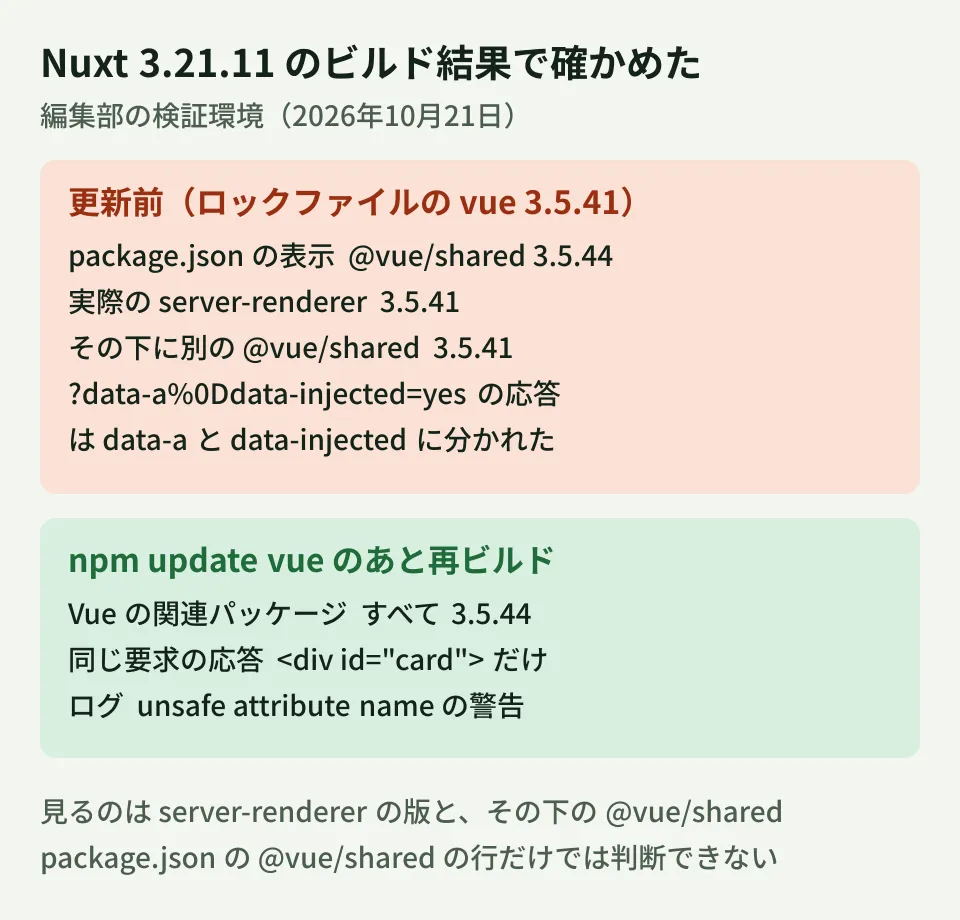
In the build before the update, .output/server/package.json said "@vue/shared": "3.5.44", and .output/server/node_modules/@vue/shared also pointed to 3.5.44. However, @vue/server-renderer was 3.5.41, with a separate node_modules/@vue/shared under it, and the build output also bundled the 3.5.41 @vue/shared. Opening /?data-a%0Ddata-injected=yes, the <div> in the response was split by parse5 into three: id, data-a and data-injected.
After running npm update vue and rebuilding, all Vue-related packages in .output/server were at 3.5.44, and the response to the same request contained only <div id="card">. The server log showed unsafe attribute name and Skipped rendering unsafe attribute name (the same output appeared when running standalone Vue with NODE_ENV=production).
When checking the build output, look not at the @vue/shared line in .output/server/package.json, but at the version of @vue/server-renderer and whether an old @vue/shared remains beneath it.
What to check after upgrading
@vue/server-rendereris 3.5.42 or later in the production build (npm ls @vue/server-renderer @vue/shared, and for Nuxt also.output/server/node_modules)- On staging, send a value whose key contains
%0Dto a page that expands it into attributes, and confirm that no extra attributes appear in the response. If attribute names come from somewhere other than the query, test with something like a CMS field used for verification - If
unsafe attribute nameappears in the server log after updating, investigate where the data containing invalid characters in attribute names came from (the editorial team's suggestion)
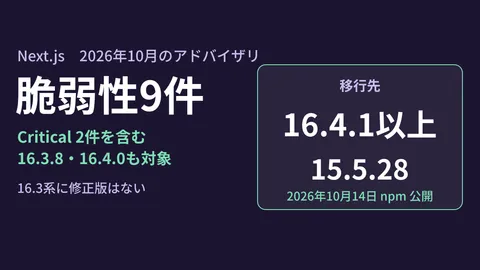
How to decide who updates dependencies and how often is covered in React2Shell sites left unpatched and revisiting maintenance contracts. What to check when updating to Nuxt 4.6 is in What to check before rewriting nuxt/server in Nuxt 4.6, and the Next.js advisories from the same period are summarized in Next.js October: 9 vulnerabilities.
Scope of verification
On October 21, 2026, we directly retrieved and checked the JSON for GHSA-g2v6-rqmx-r4w6 in github/advisory-database, the vuejs/core repository (fix commit a2b40db, tags v3.5.41 to v3.5.44 and v3.6.0-rc.5 and rc.6, and CHANGELOG.md), and the publication timestamps and dependency ranges of vue, @vue/server-renderer, @vue/shared and nuxt on the npm registry (desk research). In addition, on Linux with Node.js v22.22.0 and npm 10.9.4, we parsed with parse5 the output of @vue/server-renderer 3.5.41, 3.5.42 and 3.5.44, and of a setup combining 3.5.42 with @vue/shared 3.5.41, and tried updating the lockfile of Nuxt 3.21.11 with
npm auditas well as building and starting a minimal app (hands-on testing). We did not verify script execution in a real browser, Vue 2 (vue-server-renderer), updates with pnpm or yarn, build output for Nuxt versions other than 3.21.11, or that client-side rendering is not affected. We did not open NVD or vuejs.org. On October 21, before publication, we checked the vuejs/core advisory itself (published August 31) via the GitHub API, and also confirmed that no additional Vue advisories or new Nuxt 3 releases had appeared after October 5.
For dependency updates or SSR code reviews on sites built with Vue or Nuxt, please contact us via Development, AI and automation inquiries.
References
- GHSA-g2v6-rqmx-r4w6: @vue/server-renderer: XSS via missing CR in attribute-name blacklist(vuejs/core)
- GHSA-g2v6-rqmx-r4w6(github/advisory-database)
- vuejs/core — fix(server-renderer): reject CR in attribute names (#15266)
- vuejs/core — CHANGELOG.md(3.5.42)
- vuejs/core — packages/shared/src/domAttrConfig.ts(v3.5.42)
- @vue/server-renderer — npm registry
- nuxt — npm registry