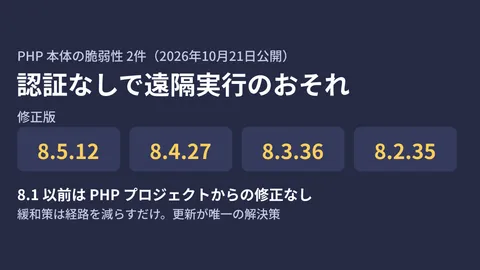
When a WordPress site runs on managed hosting, updating PHP is the provider's job, and users cannot apply fixes themselves. On the night of October 21, 2026, when fixed releases came out for two PHP vulnerabilities that could allow unauthenticated remote code execution, three client sites that we help operate were running in exactly this way. It took about two hours from the publication of the fixed release until we confirmed that PHP on all three sites had changed from 8.3.35 to 8.3.36.
This article is the first part of a three-part feature recording the security responses that we (the GleamHub development team) carried out on October 21–22. The second part covers the compromise of eMudhra's intermediate CA and the check of our development machines, and the third covers our internal bulk update to Node.js 22.23.4.
Here, based on our timestamped records and the official sources we had open at the time, we summarize what we checked and how far we could make decisions without managing PHP ourselves. The details of the vulnerabilities, the fixed releases for each branch and the mitigations for when you cannot upgrade right away are explained in Two unauthenticated RCE vulnerabilities in PHP: versions to upgrade to and the limits of mitigations, so we do not repeat them here. Client names and site locations are withheld.
Before the fixed release: deciding what to check and how
On October 20, php.net announced that it would publish a release fixing two critical vulnerabilities (both rated 9.2 under CVSS v4.0) on October 21 at 14:00 UTC (23:00 Japan time). Because the details were withheld until publication, we spent the daytime on the 21st identifying the affected targets and recording a baseline to compare before and after the update.
| Target | Who updates PHP | What we can verify |
|---|---|---|
| Three live sites on managed WordPress hosting | The hosting provider | The PHP version shown in the admin screen, and page behavior |
| A site under construction on the cloud edition of a CMS (a pre-launch staging environment; the production environment was scheduled to be built the next day) | The CMS provider | The content of the provider's notices, and what would be affected if the site were shut down |
| Docker environments that run client sites on our development machines | Us | The images in use, and where they can be accessed from |
Finding where the full version number is shown
For the three sites on managed hosting, the PHP version does not appear in the response headers, so it cannot be determined from outside. The server settings in the hosting admin panel only show the branch, such as “8.3”. The full version number, down to the last digit, was visible in the WordPress admin under “Tools > Site Health > Info > Server”. The WordPress.org announcement also advises checking the PHP version on this screen.
As of the evening of the 21st, all three sites were on 8.3.35, and PHP was running as fpm-fcgi (Server API). Because the fixed version number had not yet been announced, we recorded this number so we could compare it after the release.
Recording page behavior before the update
To check whether site behavior changed after PHP was updated, we built a small checking tool that uses only the Python standard library, and recorded the pre-update baseline at 16:35 on the 21st. It covered 24 pages across the three sites, including the top pages, article and news detail pages, search, the REST API and feeds.
It compares the following five points. If even one difference is found, it flags the page for review and returns exit code 1.
- Status code
- Whether PHP error messages (such as “Fatal error” or “There has been a critical error”) appear
- Page title
- Size (a change of more than 20%)
- Response time (a slowdown of more than 3x)
The key point was avoiding the cache. A cached page returns 200 even if the PHP behind it is broken. So we added a query string on every request to make sure it actually went through PHP. Here is an excerpt from the tool.
# キャッシュ済みのページは PHP が壊れていても 200 を返すため、毎回クエリを変えて PHP を通す
def bust(url):
    parts = urllib.parse.urlsplit(url)
    query = urllib.parse.parse_qsl(parts.query, keep_blank_values=True)
    query.append(("_phpchk", str(int(time.time() * 1000))))
    path = urllib.parse.quote(parts.path, safe="/%")
    return urllib.parse.urlunsplit(
        (parts.scheme, parts.netloc, path, urllib.parse.urlencode(query), "")
    )
In the pre-update baseline, all 24 pages returned 200 with no error messages. We also confirmed from the response headers that all 24 pages bypassed the cache and were responses generated by PHP.
Stopping our own development machines without waiting
We also reviewed our development machines. Two Docker environments that run client sites locally were using the official WordPress image (a mod_php setup that runs Apache and PHP together, PHP 8.3.28), and were still configured to accept connections from other devices on the same network. mod_php is the setup that the official announcement described as the most dangerous. Although they were not exposed externally, we stopped the WordPress and phpMyAdmin containers at 22:50 on the 21st.
Managed hosting stayed on 8.3.35 for a while
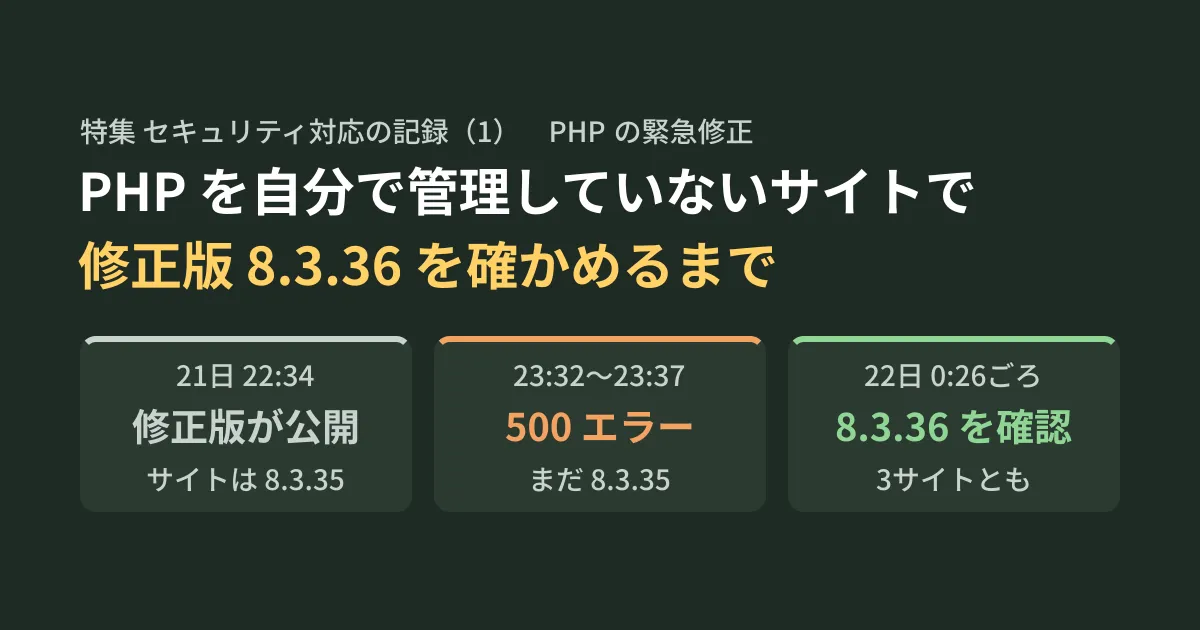
The fixed release came out earlier than the announced 23:00. The two advisories in php/php-src on GitHub were published at 22:34, and the fixed release for the 8.3 branch is 8.3.36. Below is what we observed from then on, in chronological order (Japan time).
| Date and time | What we observed |
|---|---|
| 21st, evening | Site Health showed 8.3.35 on all three sites. Recorded the pre-update baseline with the checking tool at 16:35 |
| 21st, 22:34 | Two advisories published (the fixed release for the 8.3 branch is 8.3.36) |
| 21st, 22:47 | All three sites still on 8.3.35. No differences in the checking tool's comparison |
| 21st, 23:00 | A post on the provider's status page saying “sites are protected” |
| 21st, 23:06 | Still on 8.3.35. No differences in the checking tool's comparison |
| 21st, 23:32–23:37 | All responses that bypassed the cache returned 500. Recovery confirmed at 23:37:53 |
| 21st, 23:38–23:39 | Still on 8.3.35. No differences in the checking tool's comparison |
| 22nd, 0:25–0:27 | All three sites on 8.3.36. No differences in the checking tool's comparison |
No reason was given for “protected”
At 23:00, a post about the critical PHP security update appeared on the hosting provider's status page. In summary, it said: “We are aware of today's PHP update, and sites are protected. We worked with the PHP security team on the response.” Its status was “Monitoring”.
Meanwhile, the version in Site Health remained 8.3.35. The post did not say whether the provider had applied only the fix without changing the version, or had blocked the attack path with a WAF (a mechanism that stops attacks on web applications before they reach them) or similar. As of 0:26 on the 22nd, the status page still showed only the 23:00 post. The WordPress.org announcement mentions that hosting providers may be responding through PHP updates or WAF rules, but this provider has not disclosed what it actually did.
The three sites were running on PHP-FPM. GHSA-w8hw-w9fx-j79w states that a complete attack was demonstrated only on Apache's mod_php, and that FPM "could be targeted, but a complete attack has not yet been shown." GHSA-6wmf-4rv5-p3rp, on the other hand, says the attack using session handling was confirmed on both mod_php and FPM, and that whether it works on FPM depends on the application's own processing. Since running FPM does not make a site safe, we recorded the "protected" announcement but continued to treat the sites as "unconfirmed" until their versions were updated to the fixed releases.
For about 30 minutes, every uncached page returned 500
From 23:32, every response that bypassed the cache returned a 500 error. Not only the three sites but also the provider's official website and blog were in the same state, and they returned 500 when viewed from a different network as well, so we concluded it was not a problem with our connection. Pages that were still cached, such as the top pages, displayed with 200, while uncached detail pages returned 500.
We monitored every minute and confirmed recovery at 23:37:53. Since the check at 23:06 had been normal, the outage lasted at most about 30 minutes. The status page has not mentioned this 500 error. We do not know whether it was caused by the PHP update work, and any explanation would be speculation.
What we learned here is that if you look only at cached pages, a site can appear normal even when PHP is down. Because our checking tool avoided the cache, we were able to confirm both this outage and the absence of differences after recovery using responses that went through PHP.
Confirming 8.3.36 at around 0:26
The check at 23:39 still showed 8.3.35, but by around 0:26 on the 22nd, Site Health on all three sites showed PHP 8.3.36 (fpm-fcgi). Rather than deciding from a single view, we read it six times on each site, once from the screen display and five more times by reloading Site Health, and every reading showed the same version. The update happened sometime between 23:39 and 0:26, but we do not know the exact time.
We checked whether 8.3.36 included these fixes against the php.net ChangeLog. The entry for 8.3.36 is a single line, “Fixed GHSA-w8hw-w9fx-j79w, GHSA-6wmf-4rv5-p3rp (Avoid state corruption via bailout).”, and there is no newer version in the 8.3 branch. The two advisories also list 8.3.36 as the fixed release for the 8.3 branch.
At around 0:25, we also ran the checking tool and confirmed that, for all 24 pages, the status code, error messages, title, size and response time were unchanged from the pre-update baseline.
On the cloud edition of a CMS, we relied on the provider's “emergency shutdown” policy
The other project is a site under construction on the cloud edition of a CMS (where the provider operates everything, including the servers). During the day on October 21, the provider sent us a notice. In summary, it said the following.
- In the product's standard features, no processing that directly uses the PHP session functionality in question has been found so far. However, this does not confirm that there is no impact
- The provider will not disable Session Upload Progress (a PHP feature that records file upload progress in the session) before the details are published
- Whether before or after the details are published (23:00 on the 21st), the provider will shut down sites or servers in an emergency without checking with users in advance if it judges this necessary
- If a shutdown would cause problems, contact the provider by 20:00 that day
Session Upload Progress is a feature named in GHSA-6wmf-4rv5-p3rp as one of the attack vectors. The official announcement lists session.upload_progress.enabled=0 as a mitigation if you cannot update (see the explainer article for details).
The only environments that could be shut down were the pre-launch staging environment and the production environment we had planned to build the next day. The client's public site runs on a separate server, so a shutdown would not affect it. We therefore neither requested an advance shutdown nor asked for the shutdown to be skipped, and left the decision to the provider.
We shared the key points of the notice and this approach with the client. We asked them to let us know by 19:00 if they wanted something different, leaving an hour of margin before the provider's 20:00 deadline.
Looking back: what we could verify ourselves and what we could only wait for
Version numbers alone are not always enough to judge
This time, version numbers and actual safety diverged in two directions. The hosting provider announced that sites were “protected” while the version was still 8.3.35. Conversely, Linux distribution packages sometimes keep the same version number even after incorporating a fix (we check our own packages in the article explaining the PHP vulnerabilities).
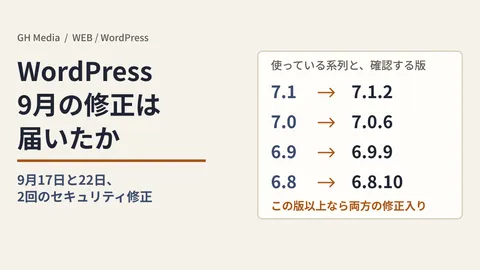
You can say a site is “fixed” based on the version number only when the displayed version reaches the version identified as the fixed release in the php.net changelog or the advisories. Before that, a “protected” status had to be taken on the provider's word, and we had no way to verify what was behind it. So we recorded the announcement but based our judgment on the version. How to check the WordPress core version is covered in Did the WordPress 7.1.2 fixes reach your site?.
What we could do ourselves while waiting for the provider
Even though we were not in a position to fix PHP ourselves, here is what we were actually able to do while waiting for the provider to respond.
- Before the fixed release comes out, find a place that shows the full version, down to the last number (Site Health, in this case)
- Record how pages behave before the update, bypassing the cache
- Confirm the version number of the fixed release in both the official changelog and the advisories
- Keep timestamped records of the provider's status page posts and the results of your own checks
- Shut down environments you manage directly (such as development machines) without waiting for the provider
The timestamped table in this article was also built from the records kept in step 4.
Set one more deadline ahead of the communication deadline
The deadline set by the CMS provider was 20:00. Hearing the client's wishes and then passing them on to the provider takes time on our side, since we sit in between. So we set the client's deadline an hour earlier, at 19:00, and decided that if there was no reply, we would proceed with the “leave it to the provider” approach. We also limited what we asked the client to a single point: whether they wanted anything different.
On the same day, the 21st, Node.js also issued security releases 22.23.4, 24.22.1 and 26.12.1 (the most severe rated High). That is on the side where we manage versions ourselves, and the bulk update of our in-house devices and builds is recorded in Part 3.
Even for sites where you do not manage PHP yourself, you can prepare two things before the next emergency fix: a place where the full version is visible, and a record of how pages behaved before the update.
Scope of verification
This article is based on our records of the response on October 21–22, 2026 (Site Health displays, logs from our checking tool, posts on the provider's status page and notices from the CMS provider) (our own hands-on experience). In addition, on October 22, 2026, we opened and reviewed the php.net announcements (the October 20 pre-announcement and the October 21 security announcement) and changelog, two advisories in php/php-src on GitHub, the WordPress.org announcement and the Node.js announcement (document research). We have not confirmed why the hosting provider declared sites “protected” while still on 8.3.35, the cause of the 500 errors around 23:32, the exact time PHP changed to 8.3.36, or whether there were any attack attempts against the three sites. This article does not cover whether the provider of the cloud edition of the CMS actually shut down servers afterward. We did not reproduce the vulnerabilities.
To review how you update and maintain sites that run on PHP, contact us via Consultation on development, AI and automation.
References
- Security advisory: Critical remote code execution vulnerabilities, update now(php.net、2026-10-21)
- Upcoming Critical PHP Security Release(php.net、2026-10-20)
- PHP 8 ChangeLog — Version 8.3.36(php.net)
- GHSA-w8hw-w9fx-j79w: RCE via OOM corruption(php/php-src)
- GHSA-6wmf-4rv5-p3rp: RCE via stale global state(php/php-src)
- Critical PHP Security Release(WordPress News)
- Wednesday, October 21, 2026 Security Releases(Node.js)