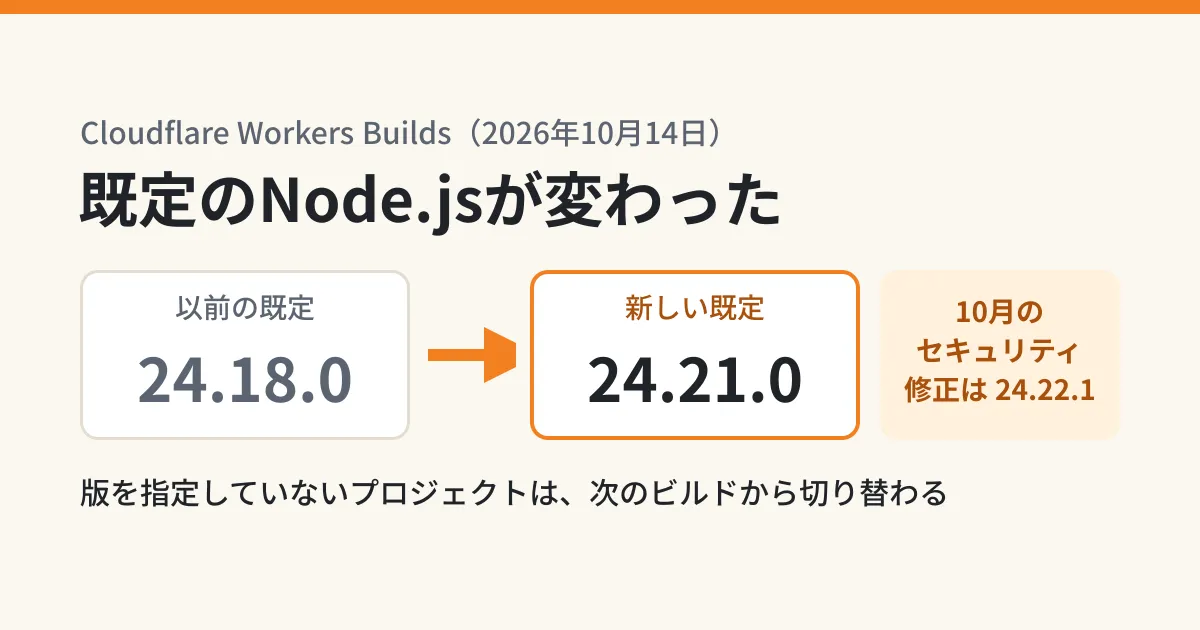
You build your site automatically with Cloudflare Workers Builds, and although you have not changed any code, one day the Node.js version shown in the build log is different. Since October 14, 2026, this happens for projects that do not specify a version. It is because the default versions of the languages and tools in the Workers Builds build environment (build image) were all updated at once.
Cloudflare's changelog describes this update as giving you "the latest fixes and features without changing your settings." However, the new default, Node.js 24.21.0, is the September 7 release and does not include the Node.js security release (24.22.1) announced on October 21. Based on Cloudflare's changelog and build image documentation, public information from Node.js, and the results of building an Astro site with each version in our editorial test environment, this article sets out what people who build sites and business apps with Workers Builds should check.
Which versions changed
The main changes listed in the changelog (October 14, 2026) are as follows.
| Target | Previous default | New default | Environment variable to specify the version |
|---|---|---|---|
| Node.js | 24.18.0 | 24.21.0 | NODE_VERSION |
| Python | 3.13.3 | 3.14.8 | PYTHON_VERSION |
| Ruby | 3.4.7 | 3.4.11 | RUBY_VERSION |
| Go | 1.24.3 | 1.27.2 | GO_VERSION |
| Bun | 1.2.15 | 1.4.3 | BUN_VERSION |
| Yarn | 4.9.1 | 4.18.1 | YARN_VERSION |
pip (25.1.1→26.2.1), pipx, Poetry and uv (0.7.13→0.12.10) have also been upgraded. According to the changelog, Bun 1.4.3 can read both the older bun.lockb and the newer bun.lock lockfiles, so existing Bun projects can install as they are.
Only projects that do not specify a version are affected. The changelog says that projects that set their version with an environment variable or a version file (such as .nvmrc, .node-version, .python-version or .ruby-version) keep running on that version.
Note that the build image documentation, "Build image", still showed the older values, such as 24.18.0 and Bun 1.2.15, in its table of default versions when we checked on October 22 (the page shows a last-updated date of October 14). When the changelog and the documentation disagree, it is natural to read the more recent changelog as reflecting the current state, but the surest way to know which version was actually used is to check the build log.
What happens if you rely on the default
Cloudflare's Build Image Policy sets out the following.
- Minor versions (for example, 24.18→24.21) may be upgraded to the latest without notice
- For tools that do not follow semantic versioning (a convention for assigning version numbers), such as Bun, updates that may break compatibility are announced three months in advance
- Major versions (for example, 22→24) are upgraded to the next LTS (long-term support) release before end of support, with three months' notice
In other words, if you rely on the default, you cannot decide yourself when the version changes or which version it changes to. An upgrade is not a bad thing in itself, but as in this case, the version you are moved to may not include the latest security fixes.
Laid out using Node.js's public information (nodejs.org/dist/index.json), the versions look like this.
- 24.18.0: June 23, 2026 (previous default)
- 24.21.0: September 7, 2026 (new default)
- 24.22.0: October 14, 2026 (the same day as the changelog)
- 24.22.1: October 20, 2026 (security release; the announcement is dated October 21)
The official Node.js blog published security fixes for 26.x, 24.x and 22.x on October 21 (the highest severity is "HIGH"). The fixed versions are 24.22.1 for the 24.x line and 22.23.4 for the 22.x line. The support period for each Node.js release line is covered in Node.js 24 entering maintenance and 26 becoming LTS.
Building Astro 7.4.2 with each version
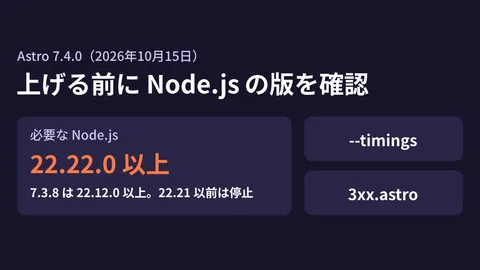
Astro has its own mechanism for checking the minimum Node.js version, so version differences directly determine whether a build succeeds. For Astro 7.4.2, released on October 21, the changelog says it "raises the minimum Node.js requirement to 22.23.4 (the release that includes the October Node.js security fixes)." The earlier increase to 22.22.0 in 7.4.0 was covered in Before upgrading to Astro 7.4.
In our editorial test environment (Ubuntu 24.04, x86_64), we used the official Node.js binaries to build a single-page Astro test site with astro build. These are results from running the same versions locally, not builds on Workers Builds.
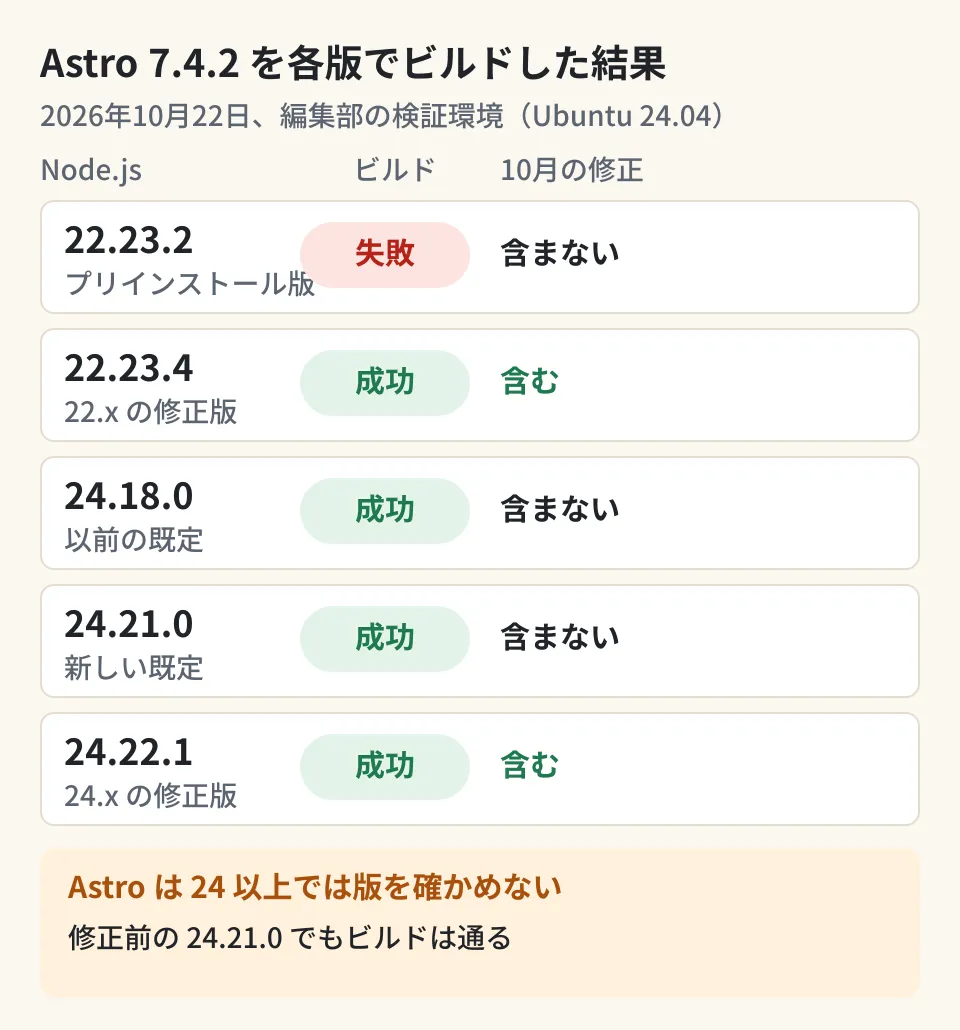
The results were as follows.
- 22.23.2: installation finished with only a warning (
EBADENGINE), and the build stopped with exit code 1 after printing "Node.js v22.23.2 is not supported by Astro!" - 22.23.4: the build succeeded
- 24.18.0, 24.21.0 and 24.22.1: all three built successfully. The same was true with Astro 7.4.0
The reason all the 24.x versions passed lies in Astro's code (bin/astro.mjs). It only checks the version when the major version is 23 or lower, and skips the check for 24 and above. In other words, the build succeeds even on 24.21.0, which lacks the fixes, so a passing build does not mean the latest fixes are included.
We included 22.23.2 because the build image documentation says that "22.23.2 and 24.18.0 are preinstalled." We could not tell from the documentation which version Workers Builds uses when you write only a major version, such as 22 in NODE_VERSION. If you are upgrading a project pinned to 22.x to Astro 7.4.2, check the version in the build log.
How to pin the version, and what to decide
There are two ways to pin the version. According to the build image documentation, you either set an environment variable such as NODE_VERSION under "Settings" → "Build" → "Build Variables and Secrets" in the dashboard, or place .nvmrc or .node-version at the root of the repository and write the version in it. The documentation does not say which takes precedence if both are set. Sticking to one or the other avoids confusion. We describe a real case from our own environment, where we had written the version in both the environment variable and .node-version and the environment variable's version was used, in our record of a bulk update to Node.js 22.23.4.
From here on is the editorial team's own analysis.
- Check the build log to see which version is currently used. While the changelog and the documentation disagree, the log is the most reliable source
- Pin Node.js to a specific version that includes the security fixes. For the 24.x line, that means 24.22.1 or later. Pinning with a file such as
.node-versionmeans version changes show up in code review as diffs - Once pinned, decide who updates it and when. Pinning also means the version will not be upgraded automatically. Pair it with a practice of raising the pinned version whenever a Node.js security release comes out
- Look beyond Node.js. If you use Python, Go, Bun or similar tools during the build (for example, preprocessing images or data with Python, or installing packages with Bun), check the log in the same way to see whether they changed in this update
If you use previews, which create a URL for checking each build, the same thinking applies to the build environment. Points to watch with previews are covered in how per-branch preview URLs work.
Scope of verification
On October 22, 2026, we checked Cloudflare's changelog entry "Workers Builds now uses newer versions of Node.js, Python, Go, Bun, and more" (October 14, 2026), the related entries of July 30, 2026 (making Node.js 24 the default) and December 18, 2025 (the build image policy), and the build image documentation "Build image", both on the public pages at developers.cloudflare.com and in the source in the cloudflare-docs repository. We also checked Node.js's
dist/index.jsonand its security release announcement (October 21, 2026), Astro's changelog (7.4.2), and theenginesofastro7.4.2 published on npm (document research). In our editorial test environment (Ubuntu 24.04.5, x86_64), we built Astro test sites (7.4.0 and 7.4.2) using the official Node.js binaries 22.23.2, 22.23.4, 24.18.0, 24.21.0 and 24.22.1 (hands-on testing). We have not verified actual builds on Workers Builds, how a major version alone inNODE_VERSIONis resolved, the precedence between the environment variable and the files (apart from the one case in our environment described above), the effects of updates to Python, Go, Bun and other tools, or frameworks other than Astro, such as Next.js.
For reviews of builds and maintenance for sites running on Cloudflare Workers, please contact us through consultation on development, AI, and automation.
References
- Workers Builds now uses newer versions of Node.js, Python, Go, Bun, and more (Cloudflare changelog, 2026-10-14) — Source: cloudflare-docs src/content/changelog/workers/2026-10-14-workers-builds-default-tooling.mdx
- Build image (Cloudflare Workers docs) — Source: cloudflare-docs src/content/docs/workers/ci-cd/builds/build-image.mdx
- Build image policies for Workers Builds and Cloudflare Pages(Cloudflare changelog, 2025-12-18)
- Wednesday, October 21, 2026 Security Releases(Node.js)
- Node.js dist index.json
- astro CHANGELOG(withastro/astro, packages/astro/CHANGELOG.md)