Your sales data is in Snowflake. You want employees to get an answer when they ask Gemini Enterprise, "Which product sold best in eastern Japan last month?" But if you give the agent a single service account with strong permissions, anyone may be able to extract data from departments they should not be able to see. Google Cloud's official blog also lists giving a model broad permissions through a general-purpose service account as a major risk for enterprise AI.
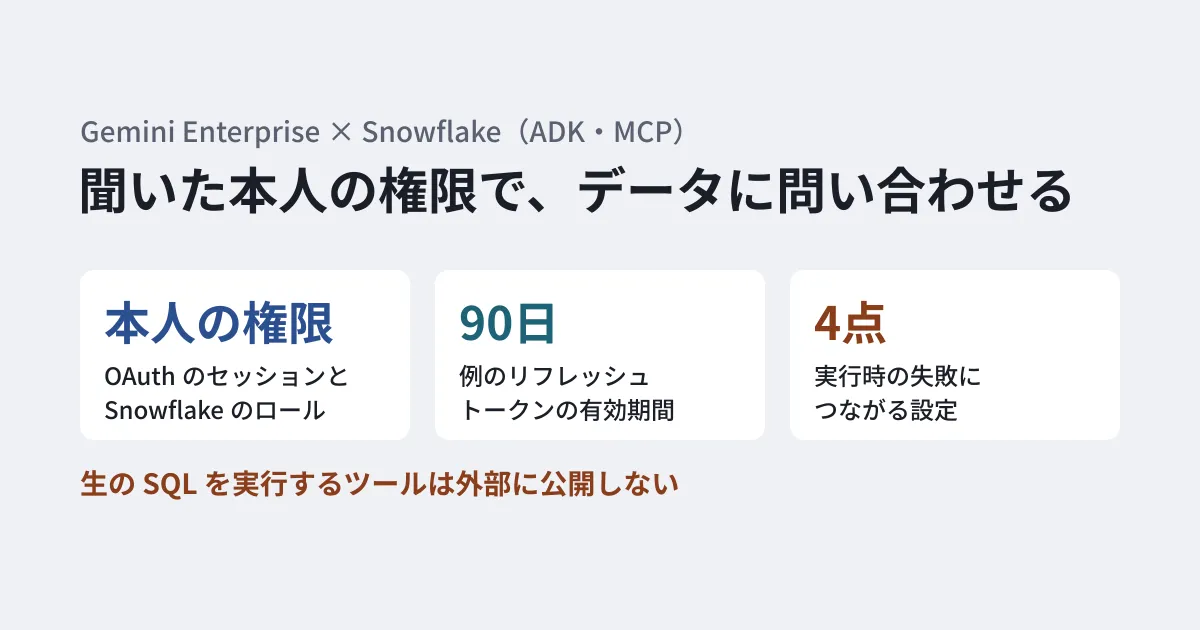
On October 27, 2026, Google Cloud published steps for connecting Gemini Enterprise and Snowflake using the Agent Development Kit (ADK) and the Model Context Protocol (MCP). Queries run under the asker's own OAuth session and the permissions of their Snowflake role. This article sorts out the blog's architecture and steps, and picks out common configuration sticking points from the blog's notes and the Snowflake and Google Cloud documentation. Some of the blog's examples do not match the Snowflake documentation, so those points are also noted within the steps.
Where the SQL is generated and whose permissions it runs under
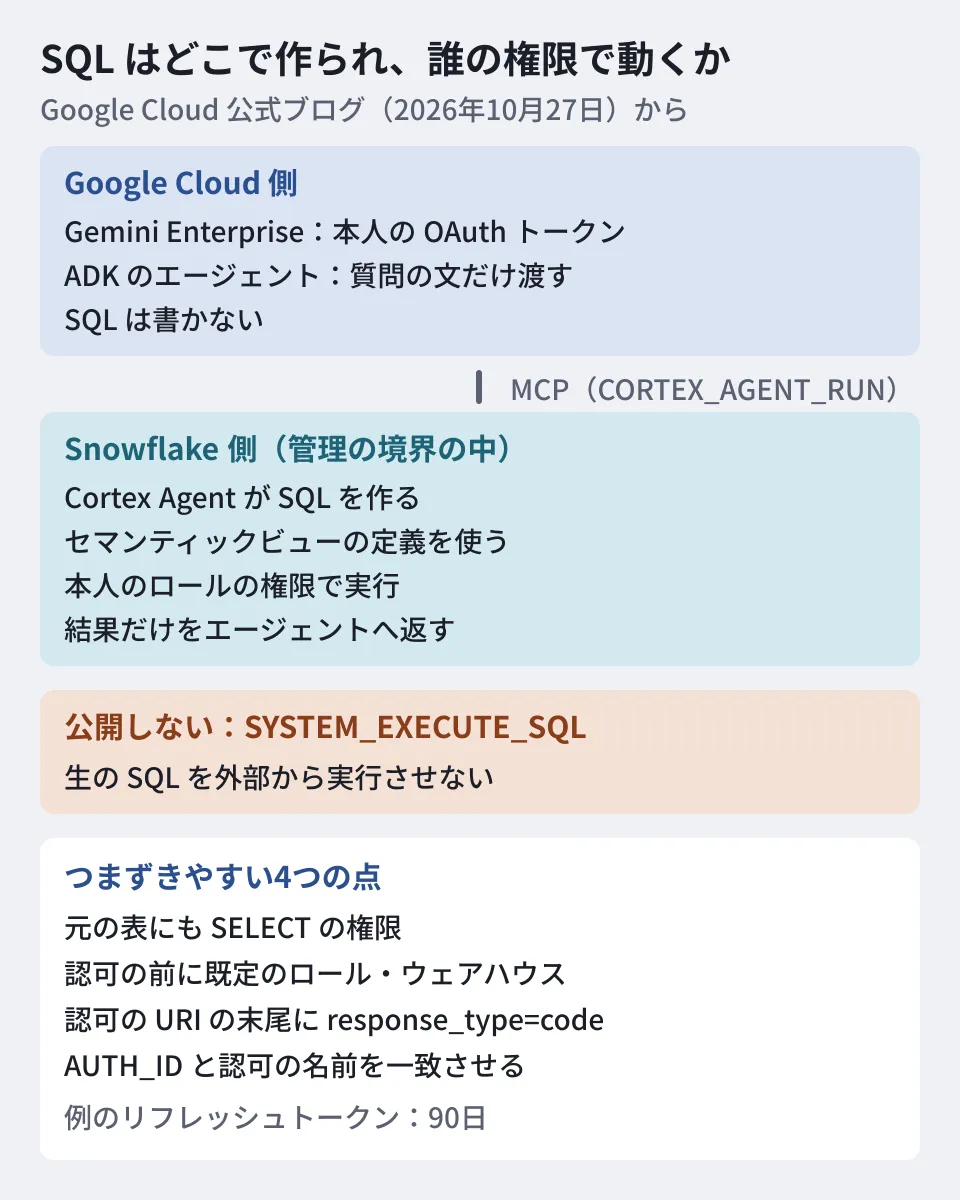
In the blog's architecture, the agent on the Gemini Enterprise side does not write SQL itself.
- The user asks a question in Gemini Enterprise
- An agent built with ADK passes the question text to Snowflake's MCP server
- The MCP server calls Snowflake's "Cortex Agent" (a tool of the
CORTEX_AGENT_RUNtype). The Cortex Agent uses a Cortex Analyst "semantic view" to turn the question into SQL - The SQL runs inside Snowflake under the user's OAuth session and role permissions, and the results return to the agent
The blog lists the advantages of this design: questions are converted into consistent SQL that follows internal definitions, execution stays within Snowflake's governance boundary, and the risk of inventing nonexistent columns or running unvalidated SQL is reduced. It then cautions against exposing tools that run raw SQL, such as SYSTEM_EXECUTE_SQL, to external clients. The Snowflake documentation also explains that a Cortex Agent runs under the caller's session role, and recommends exposing only the Cortex Agent to clients on MCP servers used for business questions.
Note that the blog positions this architecture as the "advanced, custom orchestration" pattern. It is meant for development such as combining multiple agents or combining Snowflake results with other internal tools. For the basic use of connecting Gemini Enterprise directly to Snowflake, it says to use the joint solution presented by Snowflake. That guide was written by people from Snowflake and Google, and instead of building an ADK agent, it adds the MCP server directly to a Gemini Enterprise data store.
Overview of the steps
The blog's steps are as follows.
- Create a security integration in Snowflake: Create a confidential OAuth client. The redirect destination is
https://vertexaisearch.cloud.google.com/oauth-redirect. The blog's example sets the refresh token validity to 7776000 seconds (90 days). In the Snowflake reference, 90 days is both the maximum and the default, and the minimum is 1 hour. For MCP, Snowflake recommends usingALLOWED_ROLES_LISTto restrict the usable roles to those for MCP - Create a role for the agent: Grant a dedicated role usage of the database, schema, and warehouse, along with access to the semantic view and the underlying tables. The blog's example grants
SELECTon all tables in the schema, but Snowflake says not to grant broad permissions just for an MCP client, so limit it to the tables you use. Calling a Cortex Agent also requires theSNOWFLAKE.CORTEX_USERorSNOWFLAKE.CORTEX_AGENT_USERdatabase role (CORTEX_USERis granted toPUBLICby default) - Create the Cortex Agent and MCP server: Create a Cortex Agent that uses the semantic view, then create an MCP server that exposes it as a
CORTEX_AGENT_RUNtool. The blog's SQL example puts the semantic view inPROFILE, but in the Snowflake reference,PROFILEholds items such as the display name, and the tools, semantic view, and warehouse go in theFROM SPECIFICATIONspecification. An agent without tools cannot query data - Find the MCP server URL: Allow the role to use the agent and MCP server, then build the URL. The blog says to confirm the URL in the output of
DESCRIBE MCP SERVER, but the output fields in the Snowflake reference do not include a URL. Fit it to thehttps://<アカウントのURL>/api/v2/databases/<データベース>/schemas/<スキーマ>/mcp-servers/<サーバー名>format. Underscores in the hostname cause connection problems, so change them to hyphens - Write the agent with ADK: Retrieve the OAuth token passed by Gemini Enterprise using the identifier
AUTH_ID, and attach it to the headers of requests to MCP. The model in the blog's example is Gemini 2.5 Flash, but Google's model list shows a retirement date of October 20, 2026, and namesgemini-3.8-flashorgemini-3.5-flash-liteas successors. Choose a model again by checking the list - Deploy to Agent Runtime:
agents-cli deploy --deployment-target agent_runtime - Register with Gemini Enterprise: In the console, select the app, go to Agents → Add agent → Custom agent via Agent Runtime (the blog calls it Custom agent via Agent Platform), and enter the client ID and secret retrieved from Snowflake, along with the token and authorization URIs
Four common sticking points
The blog's notes on issues that lead to runtime failures are scattered through the steps. Before registering, check the following four points together.
| Point | What the blog says | What happens |
|---|---|---|
| Permissions on the underlying tables | SELECT permission is needed not only on the semantic view but also on its underlying tables | Granting permission only on the view causes an error at runtime |
| Default role and warehouse | The OAuth token is bound to the DEFAULT_ROLE and DEFAULT_WAREHOUSE at the moment of authorization | If authorization happens before the defaults are set, the token is fixed to the wrong role and queries fail |
| End of the authorization URI | Add response_type=code to the end of the authorization URI | Needed for Google Cloud to start the authorization code flow |
| Name matching | Make the AUTH_ID in the ADK code and the authorization name on the registration screen match exactly | If they do not match, the token does not reach the code. The security integration name on the Snowflake side does not need to match |
Permissions on the underlying tables require care when reading Snowflake's materials. The semantic view reference says that SELECT on the underlying tables is not needed just to query the view. However, a Cortex Agent reads the semantic view's definition and generates SQL against the underlying tables. The permission example in the MCP documentation and the Snowflake and Google guide also grant SELECT on the underlying tables, so in this architecture, follow the blog's note. Also, even if a tool lacks permissions, by default the run as a whole does not stop and continues with only the tools that can be used (tool_not_accessible, default value accept). Before adoption, check the answers using an actual user's role.
If you cannot grant direct permissions on the underlying tables, the blog shows a method of placing a Snowflake Secure View on top of them and building the semantic view on top of that. It explains that because Snowflake views run with the owner's permissions, the user's role needs permissions only on the Secure View and the semantic view.
Switch the default role and warehouse to the ones for the agent before the user performs the one-time authorization in Gemini Enterprise. The blog says it is fine to return to the original defaults after authorization, but we could not confirm this point in the Snowflake documentation.
According to the Gemini Enterprise documentation, the authorization ID is generated from the authorization name and cannot be changed later. AUTH_ID must match this ID, so decide on the name before registering.
Points to check against Snowflake's materials
Handling of the default role and warehouse: The Snowflake documentation explains the following three points. We found no explanation that the warehouse is bound at the time of authorization.
- If the role specification (
session:role:<ロール名>) is omitted, the user's default role is used. The recommended setup for MCP also makes the MCP role and warehouse the user's defaults, with no step to change them back - If the default warehouse is empty, the session fails to start
- The warehouse used by a Cortex Agent's tools is the one written in the agent specification. If none is specified, the user's default warehouse is used
Scope (scope) and roles: The blog's example authorization URI is scope=session:role-any. In the Snowflake documentation, this scope is valid only when the security integration's OAUTH_ANY_ROLE_MODE is ENABLE or ENABLE_FOR_PRIVILEGE; otherwise the authorization request is rejected. The default is DISABLE, and the blog's security integration example does not set it. This parameter is a preview feature, and enabling it allows sessions to switch to roles granted to the user.
If you want to fix a single role, one method is to use the session:role:<ロール名> scope and put that role in ALLOWED_ROLES_LIST. The Snowflake and Google guide takes this form: it sets only a default warehouse for users and does not change the default role. However, that guide uses an architecture without ADK.
Scopes and refresh tokens: In the Snowflake documentation, a refresh token is not issued unless the scope includes refresh_token and the user consents. The URI in the blog's example does not include it, so add it if you want to make use of the 90-day setting. If none is issued, reauthorization should be needed once the access token, which lasts 10 minutes by default, expires (not tested by the editorial team).
What to decide before adoption
From here on are the editorial team's suggestions.
- Who can ask about what range of data: In an architecture that runs under user permissions, the range of answers is determined by your Snowflake role design. Decide first whether to separate agent roles by department or to use existing roles. If you want to vary the range by user but the client does not support role scopes, Snowflake advises splitting MCP servers with dedicated roles
- Who owns the semantic view definitions: Which SQL a question turns into depends on the semantic view definitions. Confirm the definitions of business terms such as "sales" and "eastern Japan" with the people responsible for the data
- Reauthorization after 90 days: The refresh token validity in the blog's example is 90 days. This is also Snowflake's maximum, and extending it requires a request to Snowflake support. After confirming that your setup actually issues refresh tokens, decide how users will reauthorize when the token expires
- Whether the basic use case is enough: The blog itself points basic use cases to the joint solution. Check that your use case justifies the cost of building, deploying, and maintaining your own agent
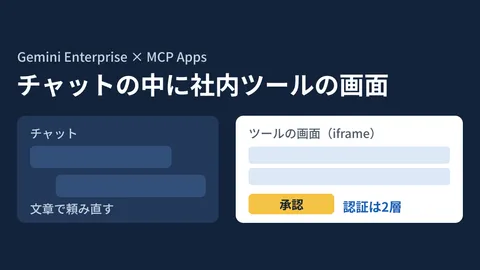
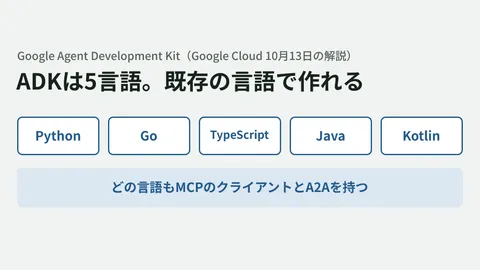
We covered language choice and tool definitions when building agents with ADK in Google's ADK now in five languages: building in your existing system's language, and authentication for connecting internal systems from Gemini Enterprise over MCP in MCP Apps in Gemini Enterprise: before connecting internal tool screens.
Scope of verification
On November 6, 2026, we opened and checked the Google Cloud official blog post "Securely connecting Gemini Enterprise to Snowflake data" (October 27, 2026), the Snowflake documentation (MCP servers, Cortex Agents, OAuth security integrations, semantic views,
CREATE AGENT,DESCRIBE MCP SERVER), the Gemini Enterprise documentation on registering ADK agents, and Google's model list (document research). Because snowflake.com could not be opened, we read the joint guide that the blog points to in its manuscript form in a public GitHub repository (Snowflake-Labs/sfquickstarts).The way of retrieving the token passed by Gemini Enterprise from ADK's
tool_context.statefollows how the blog's example is written and has not been confirmed in the Gemini Enterprise documentation. The explanation in the registration documentation covers authorization for Google Cloud resources. Whether the defaults may be restored after authorization is also stated only in the blog. We have not checked pricing or supported regions for the MCP server and Cortex Agent. The Gemini Enterprise documentation we used to check the steps is for the Standard, Plus, Pay-as-you-go, and Frontline editions; we have not checked the Business edition. We also have not tested connecting Gemini Enterprise and Snowflake. The items to decide before adoption are the editorial team's proposal.
For designing how to connect AI agents to your internal data infrastructure, or for sorting out permissions and roles, please contact us through Development, AI, and automation consultations.
References
- Securely connecting Gemini Enterprise to Snowflake data (Google Cloud Blog, October 27, 2026)
- Snowflake-managed MCP server (Snowflake documentation)
- Cortex Agents access control and authentication (Snowflake documentation)
- CREATE SECURITY INTEGRATION(Snowflake OAuth)
- Configure Snowflake OAuth for custom clients (Snowflake documentation)
- CREATE AGENT (Snowflake reference)
- DESCRIBE MCP SERVER (Snowflake reference)
- Agentic AI for Your Lakehouse: Snowflake Cortex and Gemini Enterprise on Iceberg (manuscript of the Snowflake and Google guide)
- Register and manage ADK agents hosted on Agent Runtime (Gemini Enterprise documentation)
- Model versions and lifecycle (Google's model list)