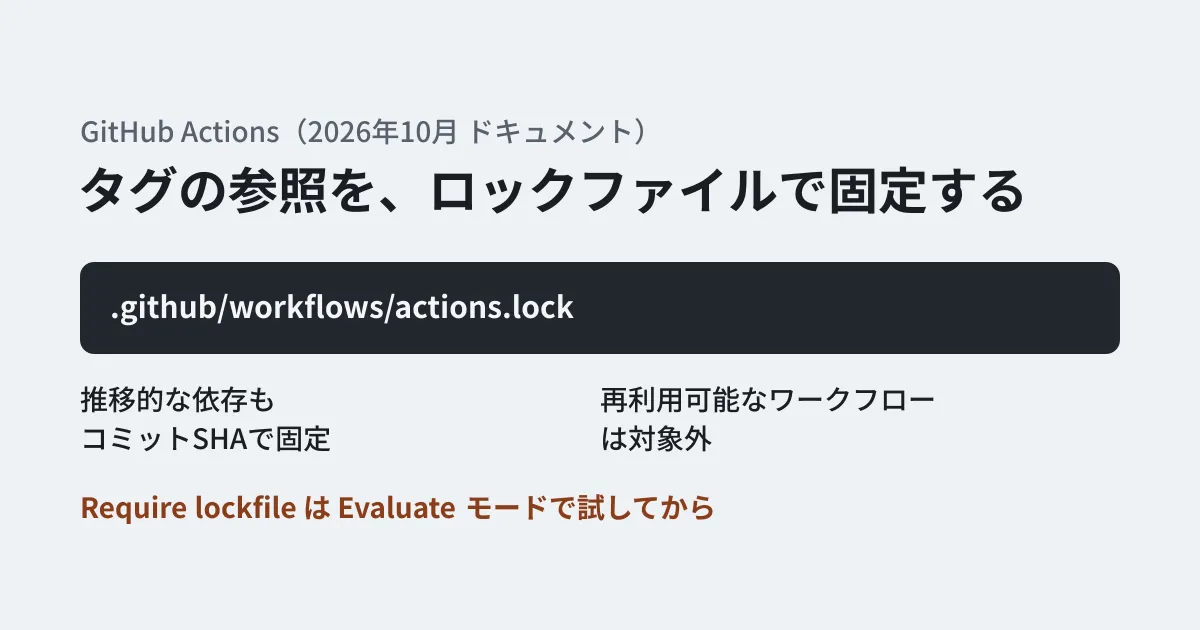
GitHub Actions workflows are full of references to external actions by tag or branch, such as uses: actions/checkout@v4. Because tags can later be moved to a different commit, the code you reviewed and the code running in today's job are not necessarily the same. If an action author's account is hijacked and a tag is moved, malicious code could run in repositories that reference that tag.
Until now, the countermeasure has been to rewrite uses: in the workflow to a 40-character commit SHA. On October 28, 2026, GitHub made "workflow dependency lockfiles" generally available as an alternative (public preview on October 14). The plans listed in the changelog are GitHub Enterprise Cloud (including the option that lets you choose where data is stored), Team, and Free. This article sets out what the lockfile does and does not pin, how to create it, and what to check before enforcing it across an organization.
What the lockfile pins
The lockfile is a file placed at .github/workflows/actions.lock in the repository. It is generated by the GitHub CLI extension gh actions-lock and is not meant to be edited by hand. When you "onboard" a workflow (bring it under lockfile management), it behaves as follows.
- Every action used by the workflow must be listed in the lockfile
- The commit that runs is the one recorded in the lockfile
- That commit must be reachable from the recorded tag or branch in the action's repository. Commits that exist only in a fork, or that are no longer reachable, are rejected at run time
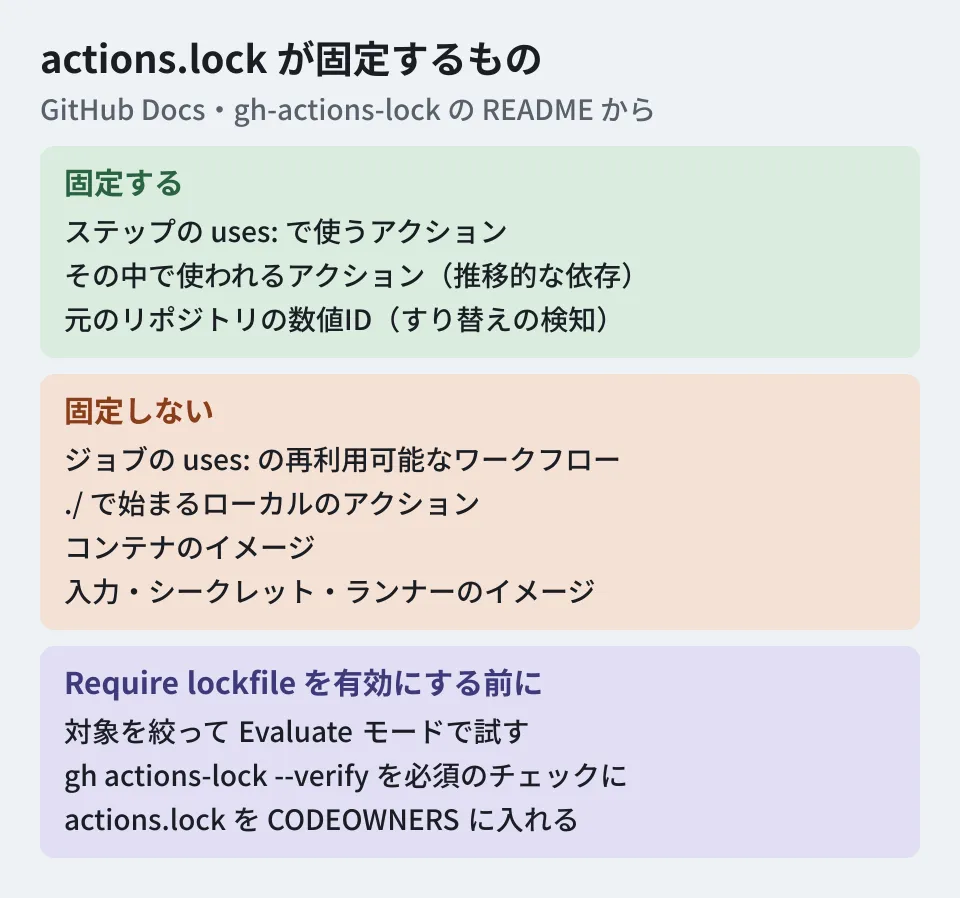
The recorded items are the tag or branch name (ref), the resolved commit (commit), and the numeric IDs of the action's repository (owner_id and repo_id). The numeric IDs are used at run time to verify that a repository with the same name has not been swapped for a different one.
The documentation gives three differences from writing SHAs in workflow files: the lockfile can pin even the other actions that an action uses internally (transitive dependencies), workflow files stay readable, and the identity of the original repository is recorded. It says that in repositories that have adopted a lockfile, SHA pinning within workflows is "no longer needed".
What is not pinned
What you should understand before adopting it is what falls outside the lockfile's scope.
| Out of scope | What the documentation and README say |
|---|---|
Reusable workflows called with a job's uses: | Not pinned by the caller's lockfile. To pin them, reference them by full commit SHA. The called workflow's dependencies are handled by the lockfile in its own repository |
Local actions starting with ./ | The extension neither tracks nor pins them. If they use external actions internally, it stops writing with an error |
| Container images | Not pinned. Images without a @sha256: digest trigger a warning |
| Input values, secrets, and runner images | The lockfile controls only the action code that runs on the runner |
For local actions, adding --migrate-local-actions rewrites uses: ./… to uses: $/…. $/ is notation pointing to an action at the workflow's own commit; it is pinned to that commit, and the actions used within it can be locked as well. In addition, the README lists as a limitation that changes in which a moving reference such as v4 or main is moved back to an older commit in its history are not detected. It recommends reading the lockfile diff or specifying a full version tag.
Also, what the lockfile prevents is unintended dependency changes; it does not determine whether the dependencies themselves are safe. GitHub's changelog says to vet dependencies before locking them.
Creating it and keeping it up to date
The procedure in the documentation is simply to install the extension in GitHub CLI and run it at the repository root.
gh extension install github/gh-actions-lock
gh actions-lock                          # .github/workflows/ のすべてを対象にする
gh actions-lock .github/workflows/ci.yml # 1本だけオンボードする
The extension rewrites more than the lockfile. uses: octo-org/deploy-action@v3 becomes a more specific notation such as @v3.1.0, matching the resolved version (the commit it points to does not change). Review the full diff before committing.
Updates are handled as follows.
- Re-run
gh actions-lockevery time you add or removeuses: - When Dependabot opens a PR to bump an action's version, for an onboarded workflow it regenerates the corresponding lockfile entry in the same PR. Dependabot does not newly onboard workflows that have not been onboarded
- If a reference such as
mainorv3moves, the recorded commit stays in place and aref-movedwarning appears. Check the upstream history, then advance with--relock. If a full tag such asv3.1.0moves, an error occurs until you run--relockor change theuses:line - If history is rewritten and the recorded commit disappears from the reference's history,
--relockwill not fix it. Check the upstream history, then accept it with--accept-moved. The documentation says not to use this in automation
In review, a change to commit means the running code has changed. Changes to owner_id or repo_id are rare and indicate that the repository behind the name has become a different one, so the documentation says to investigate before merging.
What to check before enforcing it across an organization
Enterprise, organization, and repository administrators can use the Require lockfile policy to block runs of workflows that have not been onboarded. Note that a run is blocked even if the target workflow has no uses: at all. If a reusable workflow being called has not been onboarded in its own repository, the caller's run is blocked as well. The order the documentation recommends is as follows.
- Target only the repositories and workflows that have lockfiles and try it in Evaluate mode. Evaluate mode is available only on GitHub Enterprise Cloud
- Use Policy insights to check which runs would have been blocked
- Make a job that runs
gh actions-lock --verifywhen workflows change a required check. A job that regenerates the lockfile automatically needs thecontents: writepermission and theworkflowOAuth scope - Add
.github/workflows/actions.locktoCODEOWNERSand require review by the team responsible for build security - Run
gh actions-lock --verifyin each target repository or look at Policy insights, confirm that everything in scope is covered, and then switch to Active
Repositories and organizations that restrict which actions are allowed need one more check. After onboarding, the allow list is matched against the pinned SHA rather than the tag, so allow-list entries written with tags, such as actions/checkout@v4, no longer match. Rewrite them with wildcards or full SHAs. The existing policy that "requires pinning to a full SHA" can be used alongside this, and onboarded workflows also satisfy that requirement through the lockfile.
References counted in this site's repository
Counting across the three workflows in this site's repository, there were nine uses: entries using three kinds of actions, actions/checkout@v4, actions/setup-node@v4, and stefanzweifel/git-auto-commit-action@v5, all referenced by major version tags. The third is a third-party action that commits and pushes fetched data. The more an action runs with write permissions, the greater the impact of a moved tag, so it is a candidate to onboard first.
Our approach to auditing the GitHub supply chain as a whole is covered in our article on continuous GitHub Actions supply chain auditing, and past incidents and defenses in our 2026 supply chain attack roundup.
Scope of verification
On November 6, 2026, we opened four relevant GitHub Docs pages, the README of the extension's repository (github/gh-actions-lock), and two GitHub changelog entries, and checked against the original text (desk research). The eligible plans are as stated in the changelog. Of the documentation, the pages on creating the lockfile and on enforcement list only GitHub Enterprise Cloud under "Who can use this feature?", which does not match the changelog. The individual Pro plan is not listed in either. The policy settings page says the Require lockfile policy applies to "all public repositories, and private repositories on GitHub Team or GitHub Enterprise", but we have not verified this by running it in a Free or Team environment. We have not run the extension either.
For reviews of your CI/CD or the security design of your development workflow, please contact us through development, AI, and automation consulting.
References
- Workflow dependency lockfiles(GitHub Docs)
- Locking action dependencies in a repository’s workflows(GitHub Docs)
- Enforcing lockfiles for action dependencies(GitHub Docs)
- Controlling workflow execution(GitHub Docs)
- github/gh-actions-lock(README)
- GitHub Actions workflow lockfiles are generally available(GitHub Changelog)
- GitHub Actions workflow lockfiles in public preview(GitHub Changelog)