If you leave minor WordPress version updates to automatic updates and do not know what an update contains, you have no clues for tracking down the cause when "the display changed after the update" or "the deployment process stopped working". WordPress 7.1.4, released on October 28, 2026, is an update for which you want to have those clues.
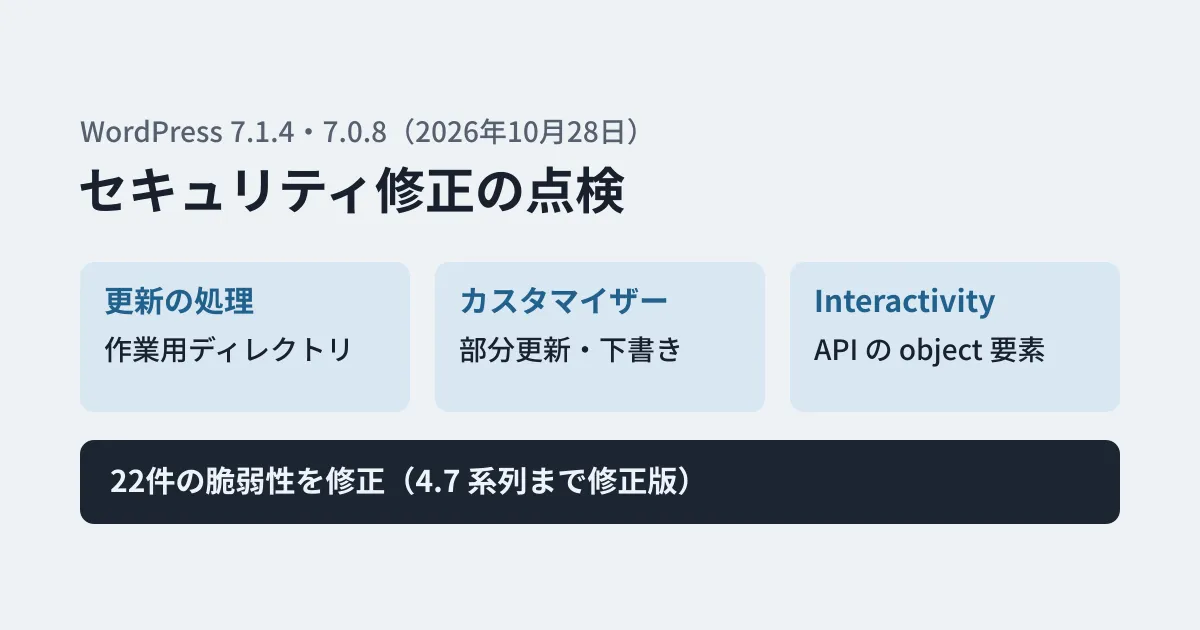
The announcement on wordpress.org says "This security release features fixes for multiple issues." and recommends updating immediately. According to the release notes (HelpHub), 22 vulnerabilities were fixed. On the same day, fixed versions were also released for older branches, starting with 7.0.8 on the 7.0 branch and going back to the 4.7 branch. In this article, we compare the list in the release notes with the original commits on the 7.1 branch of the core development repository (WordPress/wordpress-develop), read the changes and lay out what to check.
Changes in 7.1.4
These are the main changes that went into the 7.1 branch after 7.1.3 (October 6) and were included by the version bump on October 28. Subjects are the original text; "What changed" is the editorial team's paraphrase after reading the diffs; "Release notes description" is a summary of the corresponding item in the HelpHub list. "Contributor+" is as in the original (exploitable by any user with Contributor permissions).
| Subject (original) | What changed | Release notes description |
|---|---|---|
| Users: Escape user login | Login names are now output through esc_html() in the user list, the user edit screen, the admin bar, multisite screens and elsewhere | Hardening against missing escaping on the multisite Network Users screen. The announcement explains that "a crafted login name can lead to stored XSS" |
| Privacy: Harden column_email() output escaping in request list tables | Stronger escaping of the email address column output in the list of personal data export and erasure requests | Editor+ stored XSS on the personal data erasure request screen |
| Comments: Require edit access to a note’s post to update or delete it | Updating and deleting comments of type note (notes) through the REST API now requires permission to edit the post | Custom roles that can moderate comments could read, edit and delete notes on posts they cannot edit |
| Customizer: Improve changeset handling. | Preview requests from people without customize permission no longer load other people's unpublished changes (changesets) | Information disclosure in which unpublished Customizer changes are visible to logged-out visitors |
| Upgrade/Install: Improve the handling of the upgrade working directory. | An unpredictable string is now added to the names of the working directories used during updates | A race condition during core updates that could lead to remote code execution |
| Interactivity API: Limit bindings on object elements to global attributes | data-wp-bind-- directives that rewrite attributes with restricted values on object elements are now removed | Contributor+ issue in which Interactivity API bindings can make object elements load admin screens |
| Customize: Resolve selective refresh partial placements as selectors only | In Customizer selective refresh, the HTML wrapping widgets is now built from the registered sidebar settings rather than from values that can be written in post content | Contributor+ stored XSS in Customizer selective refresh |
| Editor: Align block-delimiter whitespace matching between the PHP and JavaScript parsers. | Whitespace handling in block delimiters is now consistent between PHP and JavaScript | Contributor+ stored XSS using whitespace in block delimiters |
In addition, the release includes a commit updating the certificate bundle (composer/ca-bundle) to 1.6.0 (October 26, 4 added and 5 removed), an update of the bundled theme Twenty Twenty to 3.3, and an update to the pinned version of the block editor (Gutenberg). The release notes describe the certificate update as "a root certificate update following the eMudhra revocation".
The release notes also list Contributor+ stored XSS and denial of service (DoS) using Interactivity API bindings, event handlers and context; Author+ stored XSS using uploaded text files with the Interactivity Router; and issues in the Categories block, the link labels for comment pagination and post navigation, and the Image and Playlist blocks, among others. In the commit descriptions for the 7.0 branch, many of these are listed as fixes on the block editor (Gutenberg) side.
Because many items require Contributor-level or Author-level permissions or higher, sites that give posting permissions to outside writers or partner companies should update especially soon (the editorial team's view). The release notes and announcement do not give CVE numbers or severity ratings.
Three things web agencies and site operators should check
From here on, this is the editorial team's proposal based on the diffs above. We have not confirmed these points by updating a real site to 7.1.4.
1. Does your update process depend on the names of the working directories?
This is the fix that the release notes describe as "a race condition during core updates that could lead to remote code execution". The update process (WP_Upgrader) extracts the downloaded package under wp-content/upgrade/. From 7.1.4, a 16-character random string is appended to that directory name (get_working_dir_name()). In addition, index.php is placed in the upgrade directory so that its contents cannot be listed. A step was also added so that wp-config.php is not copied when files are copied during core updates.
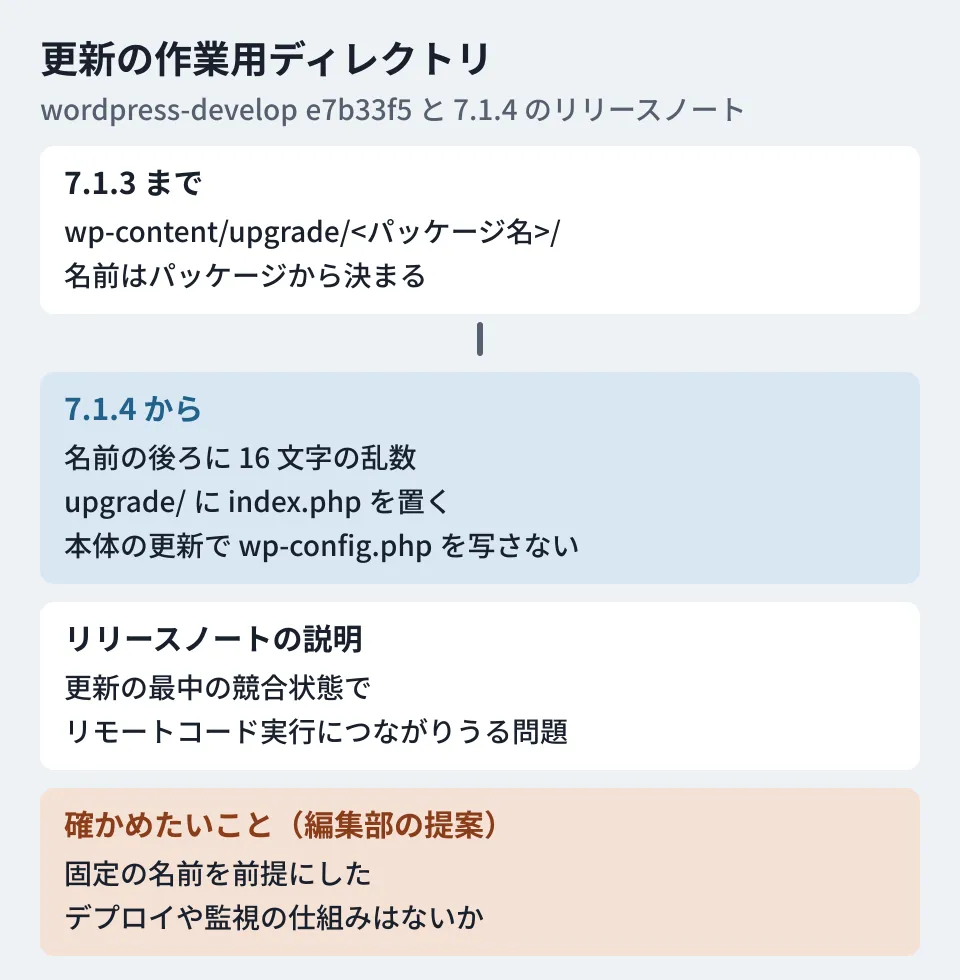
If you only use the standard update screen or WP-CLI, you should not need to think about this. On the other hand, if your own deployment process or monitoring script assumes that "a directory with the same name as the package is created under wp-content/upgrade/", it is safer to run an update once in a test environment to check.
2. Do your custom themes use Customizer selective refresh?
With the selective refresh fix, the HTML surrounding widgets (before_widget / after_widget) is now built from the registered sidebar settings. The preview script in the bundled Twenty Twenty theme was fixed at the same time. If your custom theme uses the mechanism that rewrites only part of the preview when widgets or menus are edited in the Customizer, check in the Customizer of a test environment after updating that the preview is rewritten correctly.
3. Do your blocks or themes use data-wp-bind-- on object elements?
The Interactivity API fix removes directives that rewrite, at render time, attributes of object elements whose values are restricted by KSES (WordPress's system for allowed HTML). A comment in the original code gives the reason: bindings replace values after the KSES check. If you have built blocks that embed PDFs or other content with object elements and switch those attributes with the Interactivity API, check how they display after updating.
Also note that if you let people without permission to edit posts (such as a custom role allowed only to moderate comments) work with the notes feature, they will no longer be able to update or delete notes through the REST API. The release notes also list reading as part of the issue, but we could not tell from the commit we checked for this article (d2866fa) how the handling of reading changed.
Confirming the update
We covered how to check the version and how to read the automatic update settings in our September article on 7.1.2. Confirm that the site is on 7.1.4 in the At a Glance section of the admin dashboard or with wp core version in WP-CLI. According to the announcement, on sites with automatic background updates enabled, the update starts automatically.
Fixed versions have also been released for older branches. According to the release notes, 7.0 and 6.9 are affected by all 22 issues, and all are fixed in 7.0.8 and 6.9.11. Fixed versions have been released going back to the 4.7 branch (4.7.39), such as 6.8.12 for 6.8 and 6.7.11 for 6.7, and the number of issues affecting each branch differs (for example, 20 of the 22 for 6.8 and 6.7, and 9 for 6.3 through 5.9). Branches 4.6 and earlier no longer receive security updates. The release notes also stress that only the latest version is actively supported.
When we checked the version information from WordPress.org (api.wordpress.org) on November 11, 2026, the latest was still 7.1.4, and no fixed version newer than 7.1.4 had been released. The next major version, 7.2, was scheduled for December 8 as of the announcement. We covered how managed hosting handles fixed versions of the PHP that WordPress runs on in our article on the emergency PHP security fixes.
Scope of verification
On November 10, 2026, we checked the subjects and diffs of the commits on the 7.1 branch of WordPress/wordpress-develop (from after the 7.1.3 version bump up to 6ddbb61, "WordPress 7.1.4.", October 28, 2026, 15:56 UTC), as well as d6f7b1e (backporting the 7.1.4 security fixes to the 7.0 branch) and 8fb33d4 ("WordPress 7.0.8.") on the 7.0 branch, and the 7.0.8 tag. On November 11, 2026, we checked the release notes on wordpress.org ("Version 7.1.4" on HelpHub), the announcement (WordPress 7.1.4, October 28, 2026) and the version information from api.wordpress.org (desk research). We found no entries for WordPress core (wordpress/wordpress) among the reviewed advisories in github/advisory-database for October and November 2026. We have not tested updating a real site or the behavior of the three points above.
GleamHub's website development consultations can help with maintaining sites built on WordPress and with planning checks before and after updates. What to check depends on your site's structure and the plugins you use, so please reach out through our contact form.
References
- WordPress.org — Version 7.1.4 (HelpHub release notes)
- WordPress.org News — WordPress 7.1.4 (October 28, 2026)
- WordPress/wordpress-develop — commit 6ddbb61(WordPress 7.1.4.)
- WordPress/wordpress-develop — commit d6f7b1e(Backport the WordPress 7.1.4 security fixes to the 7.0 branch)
- WordPress/wordpress-develop — commit e7b33f5(upgrade working directory)
- WordPress/wordpress-develop — commit 5e13ffd(Customizer changeset)